A tool to convert Powerpoint pptx file into markdown.
Preserved formats:
- Titles. Custom table of contents with fuzzy matching is supported.
- Lists with arbitrary depth.
- Text with bold, italic, color and hyperlink
- Pictures. They are extracted into image file and relative path is inserted.
- Tables with merged cells.
- Top-to-bottom then left-to-right block order.
Supported output:
- Markdown
- Tiddlywiki's wikitext
- Madoko
Please star this repo if you like it!
You need to have Python with version later than 3.6 and pip installed on your system, then run in the terminal:
pip install pptx2md
Once you have installed it, use the command pptx2md [pptx filename] to convert pptx file into markdown.
The default output filename is out.md, and any pictures extracted (and inserted into .md) will be placed in /img/ folder.
Note: older .ppt files are not supported, convert them to the new .pptx version first.
Upgrade & Remove:
pip install --upgrade pptx2md
pip uninstall pptx2md
By default, this tool parse all the pptx titles into level 1 markdown titles, in order to get a hierarchical table of contents, provide your predefined title list in a file and provide it with -t argument.
This is a sample title file (titles.txt):
Heading 1
 Heading 1.1
 Heading 1.1.1
 Heading 1.2
 Heading 1.3
Heading 2
 Heading 2.1
 Heading 2.2
 Heading 2.1.1
 Heading 2.1.2
 Heading 2.3
Heading 3
The first line with spaces in the begining is considered a second level heading and the number of spaces is the unit of indents. In this case, Heading 1.1 will be outputted as ## Heading 1.1 . As it has two spaces at the begining, 2 is the unit of heading indent, so Heading 1.1.1 with 4 spaces will be outputted as ### Heading 1.1.1. Header texts are matched with fuzzy matching, unmatched pptx titles will be regarded as the deepest header.
Use it with pptx2md [filename] -t titles.txt.
-t [filename]provide the title file-o [filename]path of the output file-i [path]directory of the extracted pictures--image-width [width]the maximum width of the pictures, in px. If set, images are put as html img tag.--disable-imagedisable the image extraction--disable-escapingdo not attempt to escape special characters--disable-notesdo not add presenter notes--disable-wmfkeep wmf formatted image untouched (avoid exceptions under linux)--disable-colordisable color tags in HTML--enable-slidesdeliniate slides\n---\n, this can help if you want to convert pptx slides to markdown slides--min-block-size [size]the minimum number of characters for a text block to be outputted--wiki/--mdkif you happen to be using tiddlywiki or madoko, this argument outputs the corresponding markup language--qmdoutputs to the qmd markup language used for quarto powered presentations. It also features a simple method to infer the number of columns of each slide.
Note: install wand for better chance of successfully converting wmf images, if needed.
Data Link Layer Design Issues
 Services Provided to the Network Layer
 Framing
 Error Control & Flow Control
Error Detection and Correction
 Error Correcting Code (ECC)
 Error Detecting Code
Elementary Data Link Protocols
Sliding Window Protocols
 One-Bit Sliding Window Protocol
 Protocol Using Go Back N
 Using Selective Repeat
Performance of Sliding Window Protocols
Example Data Link Protocols
 PPP
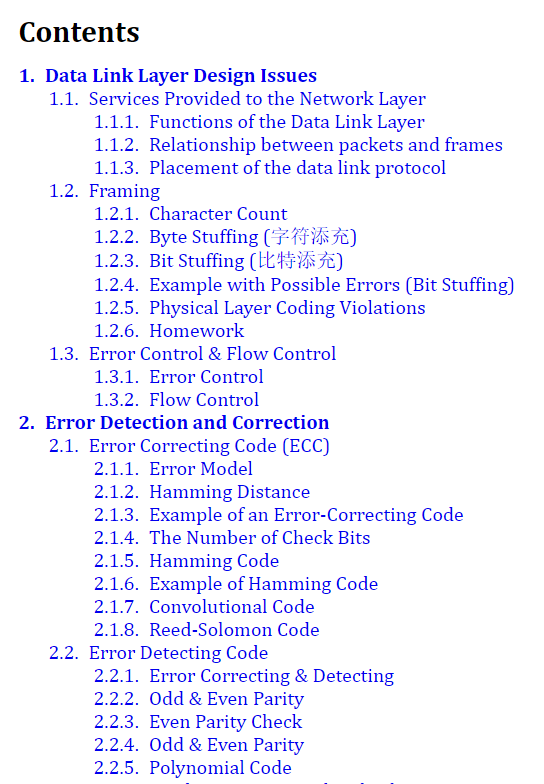
- Top: Title list file content.
- Bottom: The table of contents generated.
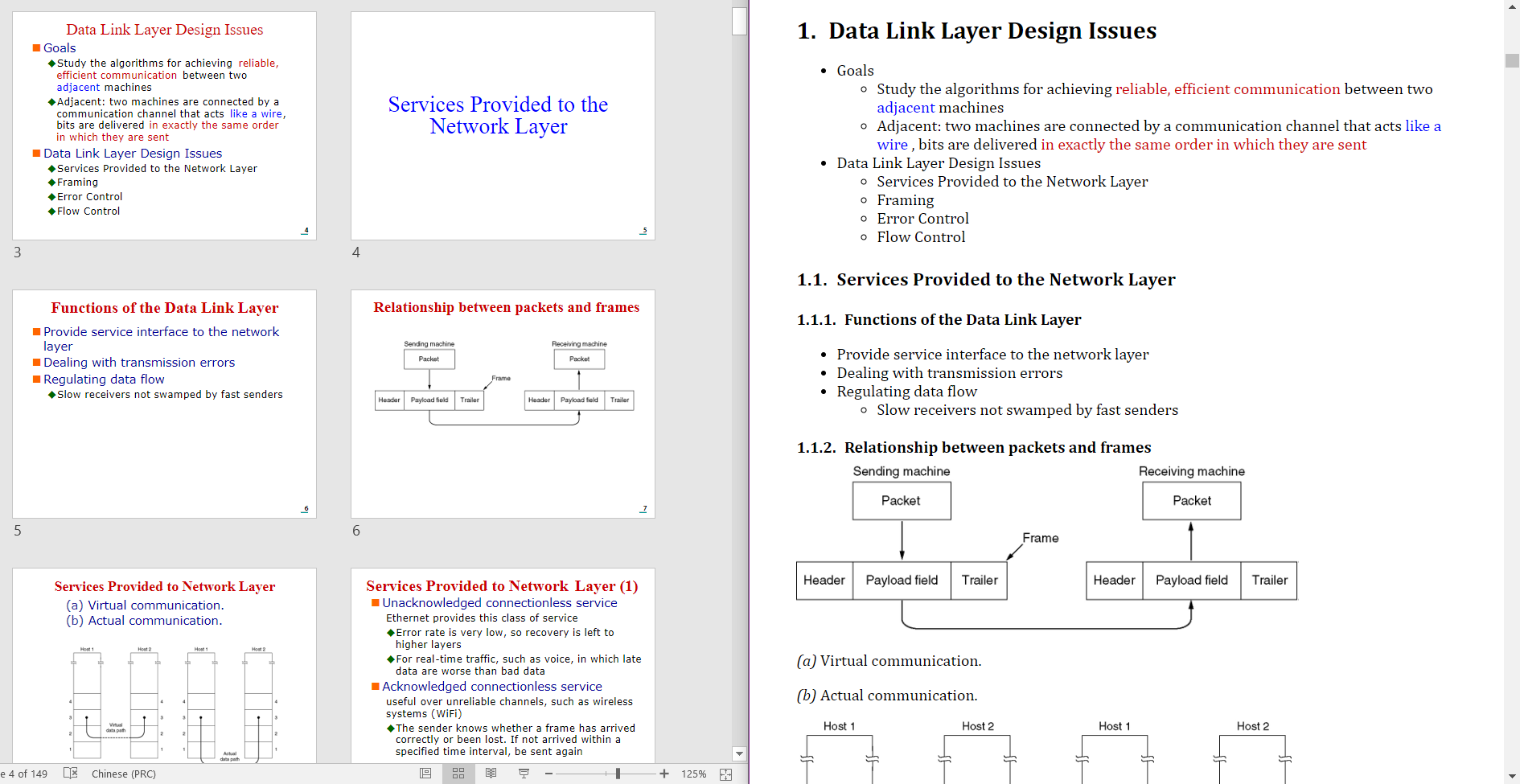
- Left: Source pptx file.
- Right: Generated markdown file (rendered by madoko).
- Lists are generated when paragraphs in a block has different level, otherwise a paragraph is generated.
- When a title has fuzzy matching score larger than 92 with previous title, its omitted.
- Some preset theme color style is converted into bold.
- RGB colors are preserved.
- Source texts are escaped.
- Grouped shapes are flattened recursively.