Console based JVM monitoring - when you just want to SSH into a server and see what's going on.
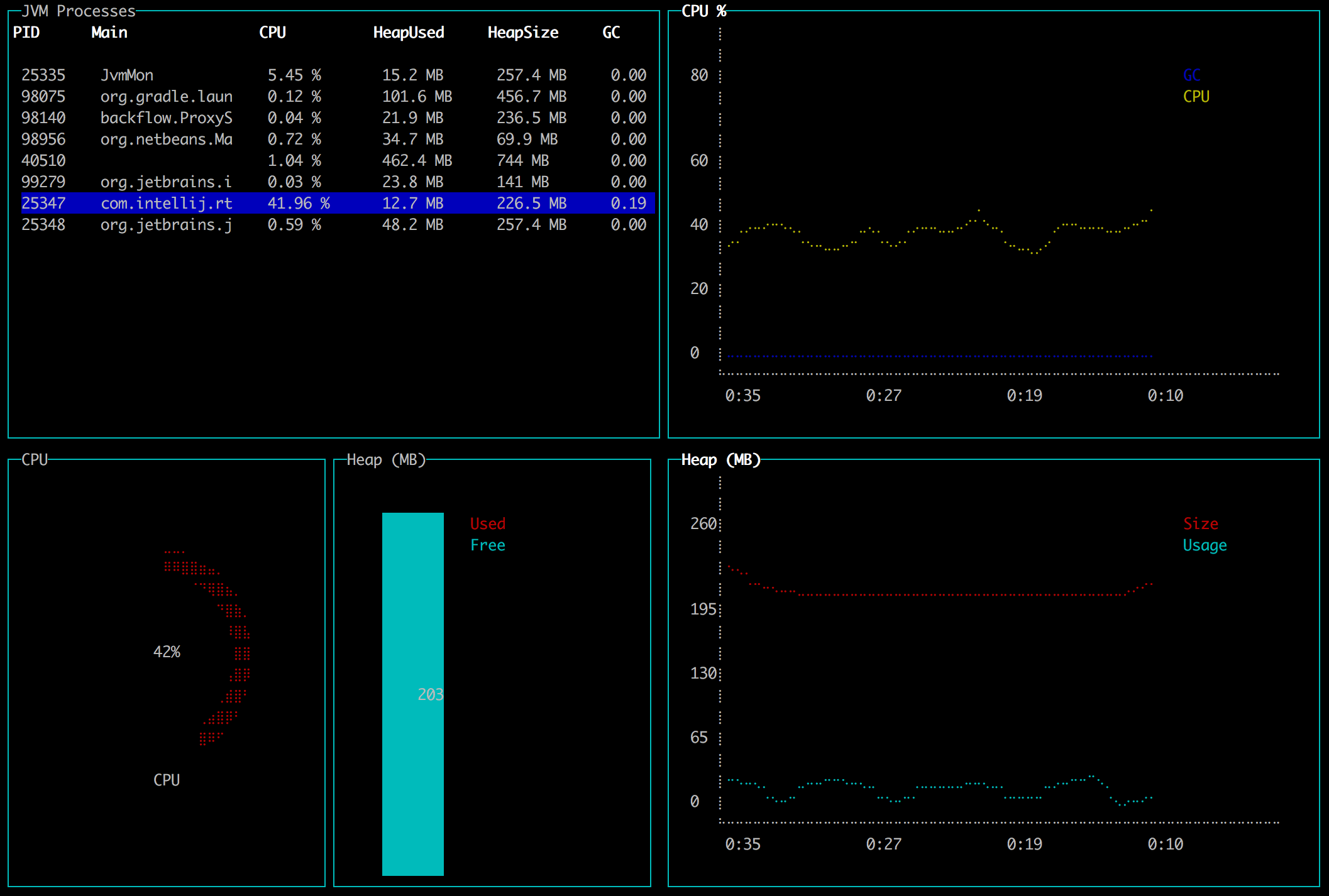
jvm-top lets you monitor your JVM server applications from the terminal.
Requirement: a JDK8 on the server and JAVA_HOME environment variable pointing to it. It won't work with just a JRE.
brew install jvm-mon
- Download the release and extract
- Set
JAVA_HOMEenvironment variable:export JAVA_HOME=/path/to/your/jdk8 - Execute
./bin/jvm-monfrom extracted directory
- Select a JVM process and press Enter to monitor it
- Press q or Ctrl+C to exit
- Press Del or Backspace to kill a process
Currently it shows:
- List of running JVM processes
- Cpu and GC load
- Heap size and usage
- Top threads with cpu usage
To build locally run ./gradlew installDist.
Then go to ./build/install/jvm-mon/ and run ./bin/jvm-mon.
To develop you will need npm on your machine and then run ./gradlew npmDeps once to get dependencies.
jvm-mon is a Kotlin application based on these awesome libraries:
- blessed-contrib terminal dashboard library in JavaScript
- J2V8 Java Bindings for V8 JavaScript engine and Node.js
- jvmtop Java monitoring for the command-line
The way it works is:
- The Kotlin app starts a Node.js engine in-process
- Node.js loads a script with all the widgets
- The script calls back into Kotlin to get metrics