Flowery prettifies the result generated by Facebook Flow type check tool, making it easier to read.
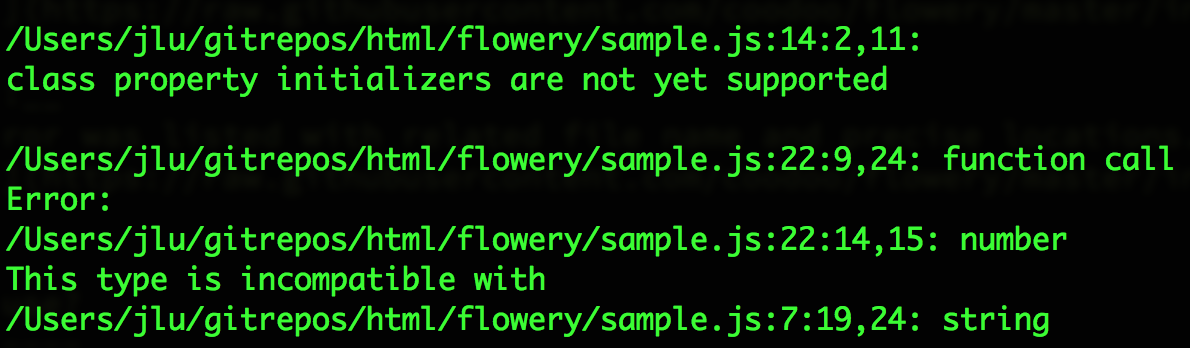
Before: It's not easy to understand which part of the code went wrong. after
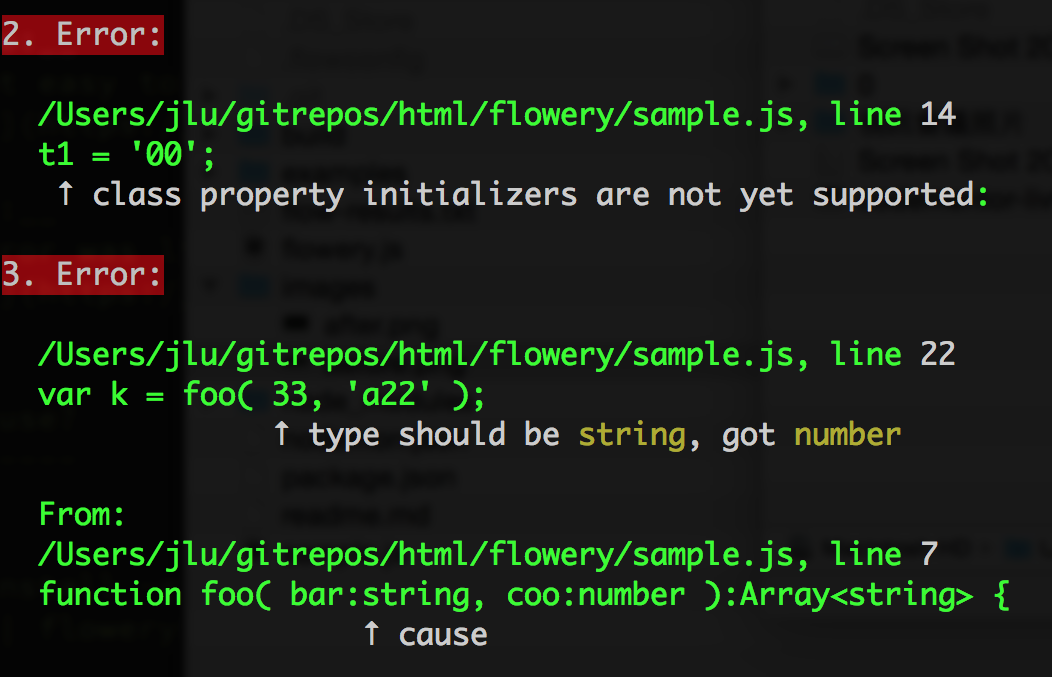
After: Each error was listed with related file name and precise locations. after
$ npm install -g flowery
There are 3 ways to run flowery.
// runs flowery as a convenient wrapper
// equals to $ flow --json | flowery
$ flowery
// piping in content // useful for adding arguments to flow $ flow --json | flowery
// pass in txt file generated by flow
$ flowery log.txtimport flowery from './flowery'; var result = flowery('json string generated by flow'); console.log(result) // {arrErrors: [...], arrMessages: [...], joinedMessages: '....' }
By running one of those commands, flow will check all js files in the folder, pipe the results to flowery, then you will see prettified results on screen, also a file named flow-results.txt will be generated in the project folder too so your build tool could pick up from there and make further use of it.
As a side note, flowery can be invoked via both CLI or API, see example/api.js for usage guide.
The core api returns both arrErrors and arrMessages so you can further integrate with other toolchains, for example, build a better flow linter for Sublime Text Editor.
npm run build
Flowery is written in ES2015, hence it's required to run build to generate ES5 version before publish on NPM.
- A Sublime Text Editor package which mark errors in place and provide tooltips when mouse hovered it. (Total python noob here, any help would be highly appreciated)
See discussion here.