


License MIT CocoaPods License MIT
Alternative UIImagePickerController , You can take a picture with camera and choose multiple photos and videos
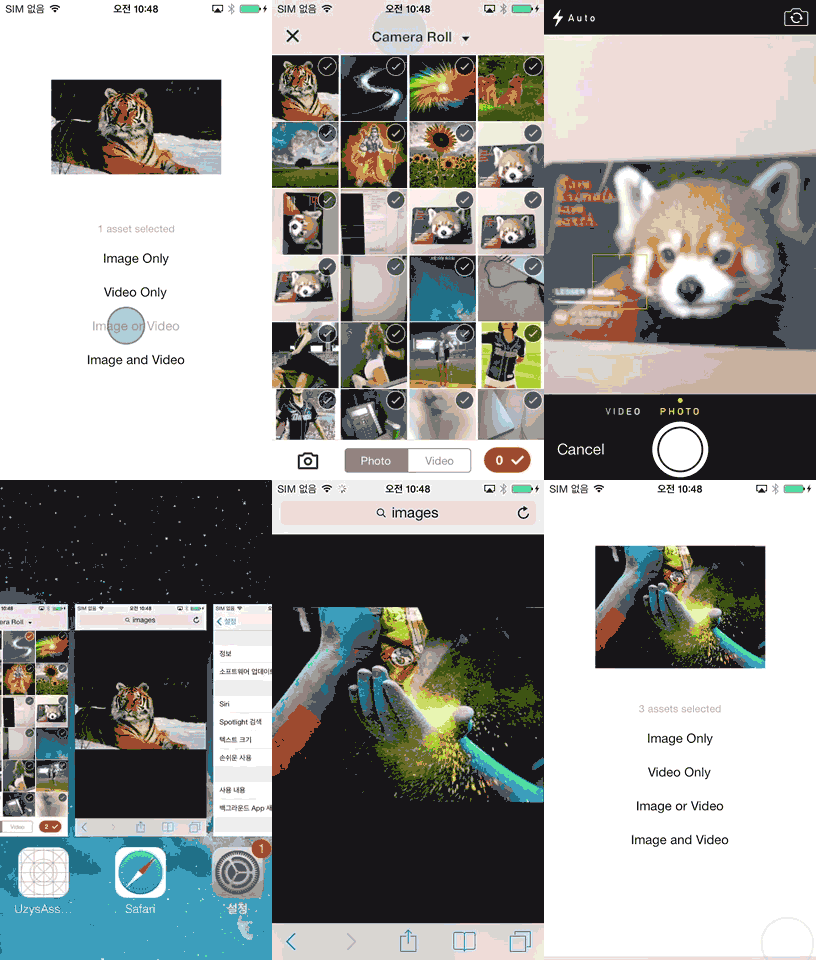
Screenshot Screenshot UzysAssetsPickerController features:
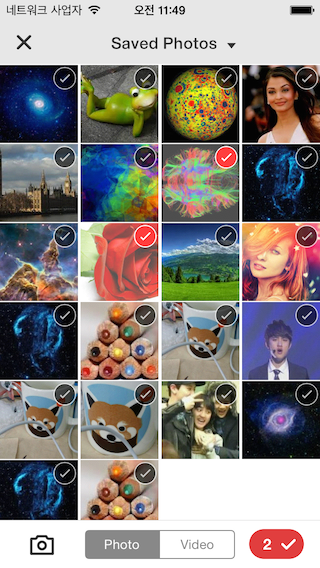
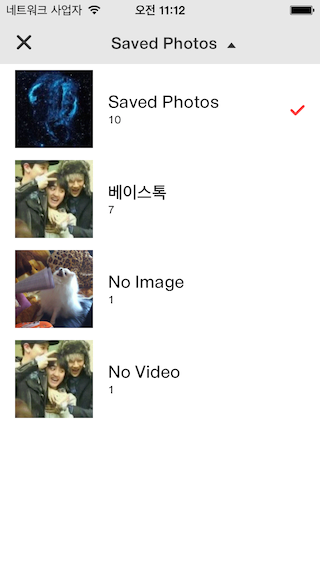
- Easy customization using Inferface Builder. (XIB - 'UzysAssetsPickerController.xib')
- With Assetpicker, taking pictures and or making videos are also possible.
- UzysAssetPickerController automatically update photos that has been taken & saved with other apps
- ARC Only (if your project doesn't use ARC , Project -> Build Phases Tab -> Compile Sources Section -> Double Click on the file name Then add -fno-objc-arc to the popup window.)
- Just add
pod 'UzysAssetsPickerController'to your Podfile. - Copy over the files libary folder to your project folder
###Import header.
#import "UzysAssetsPickerController.h"
if you want to customize the appearance of UzysAssetsPickerController, you can init UzysAppearanceConfig instance, and config its property, then call
+ (void)setUpAppearanceConfig:(UzysAppearanceConfig *)configof UzysAssetsPickerController before you init UzysAssetsPickerController
sample code is like this:
 UzysAppearanceConfig *appearanceConfig = [[UzysAppearanceConfig alloc] init];
 appearanceConfig.finishSelectionButtonColor = [UIColor blueColor];
 appearanceConfig.assetsGroupSelectedImageName = @"checker";
 [UzysAssetsPickerController setUpAppearanceConfig:appearanceConfig];
for more configable properties, please refer to UzysAppearanceConfig.h
 UzysAssetsPickerController *picker = [[UzysAssetsPickerController alloc] init];
 picker.delegate = self;
 picker.maximumNumberOfSelectionMedia = 2;
 [self presentViewController:picker animated:YES completion:^{
 }];
- (void)UzysAssetsPickerController:(UzysAssetsPickerController *)picker didFinishPickingAssets:(NSArray *)assets
{
 __weak typeof(self) weakSelf = self;
 if([[assets[0] valueForProperty:@"ALAssetPropertyType"] isEqualToString:@"ALAssetTypePhoto"]) //Photo
 {
 [assets enumerateObjectsUsingBlock:^(id obj, NSUInteger idx, BOOL *stop) {
 ALAsset *representation = obj;
 UIImage *img = [UIImage imageWithCGImage:representation.defaultRepresentation.fullResolutionImage
 scale:representation.defaultRepresentation.scale
 orientation:(UIImageOrientation)representation.defaultRepresentation.orientation];
 weakSelf.imageView.image = img;
 *stop = YES;
 }];
 }
 else //Video
 {
 ALAsset *alAsset = assets[0];
 UIImage *img = [UIImage imageWithCGImage:alAsset.defaultRepresentation.fullResolutionImage
 scale:alAsset.defaultRepresentation.scale
 orientation:(UIImageOrientation)alAsset.defaultRepresentation.orientation];
 weakSelf.imageView.image = img;
 ALAssetRepresentation *representation = alAsset.defaultRepresentation;
 NSURL *movieURL = representation.url;
 NSURL *uploadURL = [NSURL fileURLWithPath:[[NSTemporaryDirectory() stringByAppendingPathComponent:@"test"] stringByAppendingString:@".mp4"]];
 AVAsset *asset = [AVURLAsset URLAssetWithURL:movieURL options:nil];
 AVAssetExportSession *session =
 [AVAssetExportSession exportSessionWithAsset:asset presetName:AVAssetExportPresetMediumQuality];
 session.outputFileType = AVFileTypeQuickTimeMovie;
 session.outputURL = uploadURL;
 [session exportAsynchronouslyWithCompletionHandler:^{
 if (session.status == AVAssetExportSessionStatusCompleted)
 {
 NSLog(@"output Video URL %@",uploadURL);
 }
 }];
 }
}
 UzysAssetsPickerController *picker = [[UzysAssetsPickerController alloc] init];
 picker.delegate = self;
 picker.maximumNumberOfSelectionVideo = 0;
 picker.maximumNumberOfSelectionPhoto = 3;
 UzysAssetsPickerController *picker = [[UzysAssetsPickerController alloc] init];
 picker.delegate = self;
 picker.maximumNumberOfSelectionVideo = 3;
 picker.maximumNumberOfSelectionPhoto = 0;
 UzysAssetsPickerController *picker = [[UzysAssetsPickerController alloc] init];
 picker.delegate = self;
 picker.maximumNumberOfSelectionVideo = 4;
 picker.maximumNumberOfSelectionPhoto = 3;
 UzysAssetsPickerController *picker = [[UzysAssetsPickerController alloc] init];
 picker.delegate = self;
 picker.maximumNumberOfSelectionMedia = 5;
- You can easily modify UzysAssetsPickerController Design using InterfaceBuilder
- check out 'UzysAssetsPickerController.xib'
- Uzys.net
- This Library was designed by minjee Hahm
- See LICENSE.