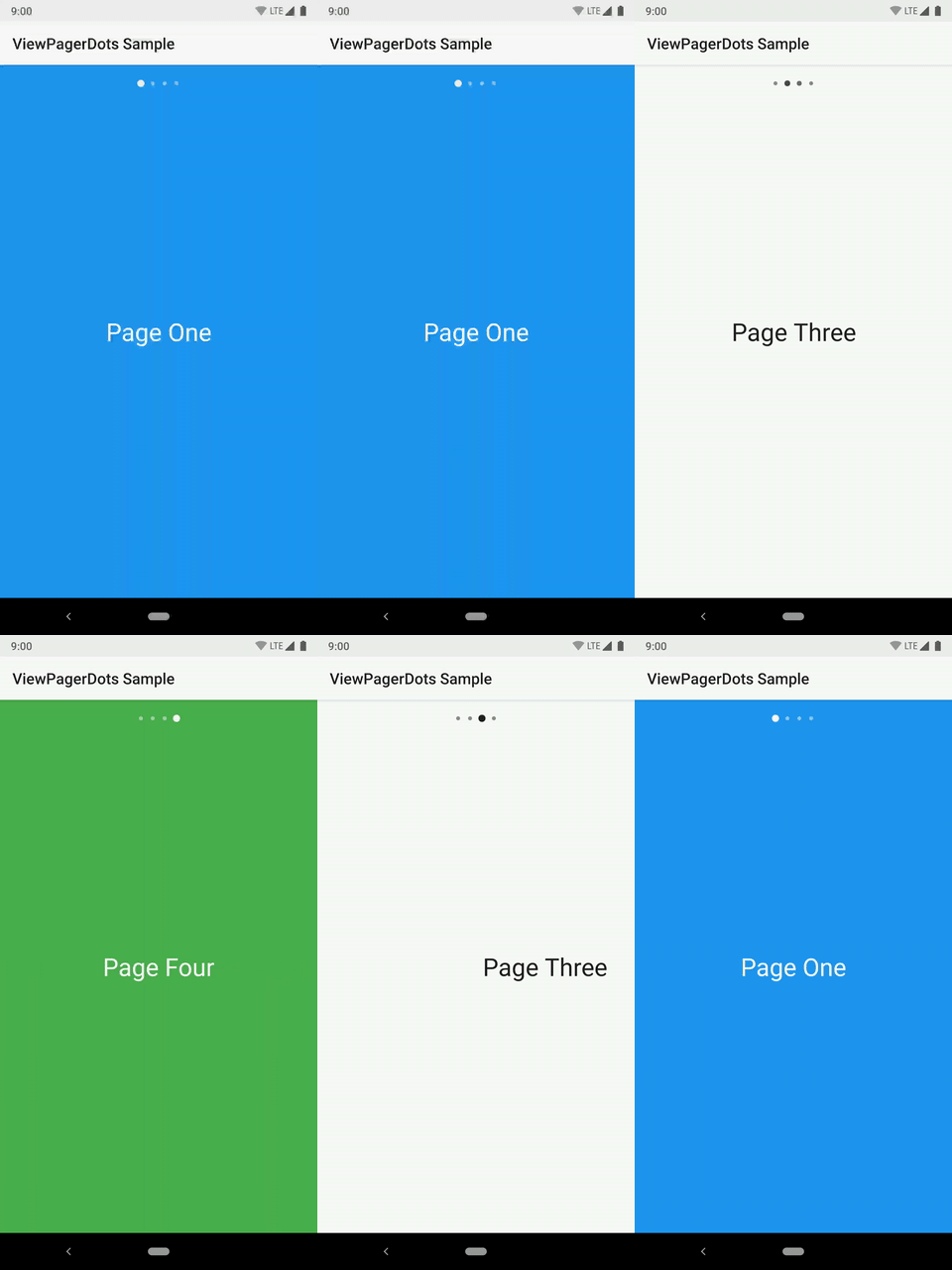
This library provides a very small, compact, Kotlin-based implementation for ViewPager dots. The dots can of course be switched out for whatever type of Drawable you wish. The animation can be customized as well.
Download Android CI Codacy Badge License
dependencies {

 implementation 'com.afollestad:viewpagerdots:1.0.0'
}
Your layout would look something like this:
<LinearLayout
 xmlns:android="http://schemas.android.com/apk/res/android"
 android:layout_width="match_parent"
 android:layout_height="match_parent"
 android:orientation="vertical"
 >

 <com.afollestad.viewpagerdots.DotsIndicator
 android:id="@+id/dots"
 android:layout_width="match_parent"
 android:layout_height="48dp"
 />

 <androidx.viewpager.widget.ViewPager
 android:id="@+id/pager"
 android:layout_width="match_parent"
 android:layout_height="match_parent"
 />

</LinearLayout>
You attach the view pager to the dots indicator in your code:
val viewPager: ViewPager = // ...
val dots: DotsIndicator = // ...
viewPager.adapter = // ... This must be set before attaching
dots.attachViewPager(viewPager)
For ViewPager2, it is very similar
<LinearLayout
 xmlns:android="http://schemas.android.com/apk/res/android"
 android:layout_width="match_parent"
 android:layout_height="match_parent"
 android:orientation="vertical"
 >
 <com.afollestad.viewpagerdots.DotsIndicator
 android:id="@+id/dots"
 android:layout_width="match_parent"
 android:layout_height="48dp"
 />
 <androidx.viewpager2.widget.ViewPager2
 android:id="@+id/pager"
 android:layout_width="match_parent"
 android:layout_height="match_parent"
 />
</LinearLayout>
You attach the view pager to the dots indicator in your code:
val viewPager: ViewPager2 = // ...
val dots: DotsIndicator = // ...
viewPager.adapter = // ... This must be set before attaching
dots.attachViewPager2(viewPager)
Lots of things can be visually customized about the DotsIndicator.
From your layout, here's a list of XML attributes:
app:dot_width(the width of each individual dot)app:dot_height(the height of each individual dot)app:dot_margin(spacing between each dot)app:dot_drawable(the default icon for each dot)app:dot_drawable_unselected(defaults todot_drawable)app:dot_tint(lets you apply a color tint to the above drawables)app:dots_animator(the animator when a dot becomes selected)app:dots_animator_reverse(defaults to reversed version of the above)app:dots_orientation(orientation of the whole strip; defaults tohorizontal)app:dots_gravity(gravity of the whole strip; defaults tocenter)
You can also apply some basic changes dynamically in your code:
val dots: DotsIndicator = // ...
// This lets you switch out the indicator drawables at runtime.
dots.setDotDrawable(
 indicatorRes = R.drawable.some_drawable,
 unselectedIndicatorRes = R.drawable.other_drawable // optional, defaults to above
)
// These two let you dynamically tint your indicators at runtime.
dots.setDotTint(Color.BLACK)
dots.setDotTintRes(R.color.black)