Skip to content

Navigation Menu

Sign in
Appearance settings

Search code, repositories, users, issues, pull requests...

Provide feedback

We read every piece of feedback, and take your input very seriously.

Saved searches

Use saved searches to filter your results more quickly

Sign up
Appearance settings
/ tblive Public

千牛主播tblive专注于PC上直播采集、推流的整体解决方案.

License

GPL-3.0, GPL-2.0 licenses found

Licenses found

GPL-3.0
LICENSE
GPL-2.0
COPYING
Notifications You must be signed in to change notification settings

alibaba/tblive

千牛主播(tblive)

tblive开源项目对应的产品是千牛主播,是一个独立的PC端主播工具,基于开源软件OBS Studio来修改定制,增强了交互和功能上的可用性,同时引入统一登陆sdk(UnifiedAuthSDK.dll),可以支持淘宝账号的验证以及免登url的拼接,能更好的支持淘系webview页面。
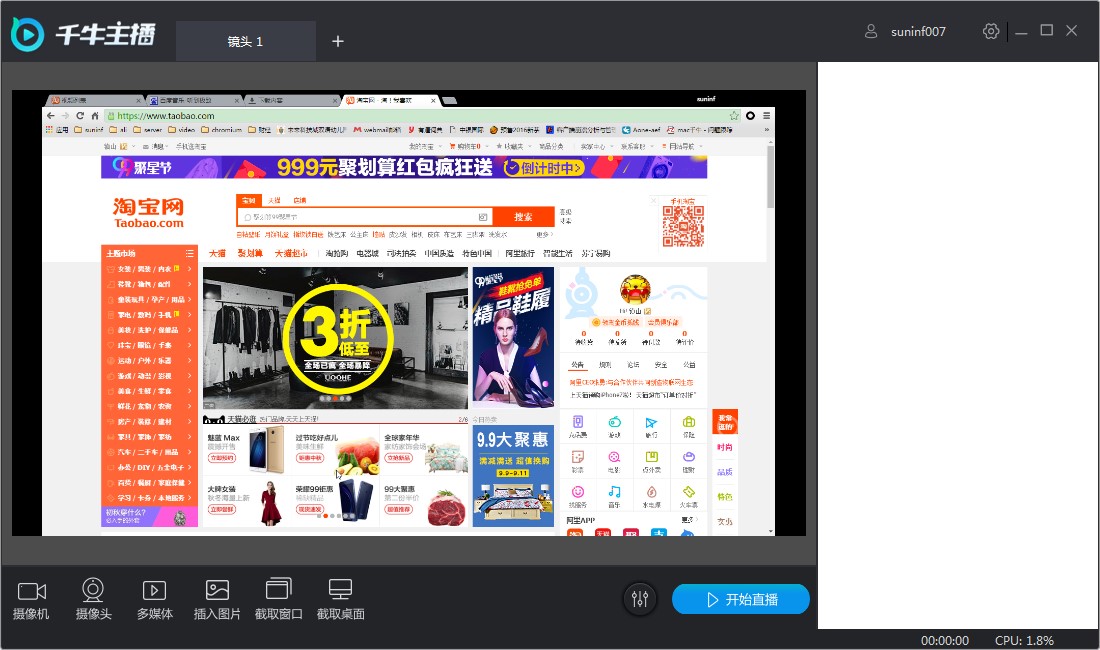
Windows下开发环境

安装VS2013 + Update4

安装 Qt5.6_vs2013

http://download.qt.io/official_releases/qt/5.6/5.6.0/qt-opensource-windows-x86-msvc2013-5.6.0.exe

并设置环境变量 QTDIR: C:\Qt\Qt5.6.05円.6\msvc2013

安装qt-vs-addin

http://mirrors.ustc.edu.cn/qtproject/archive/vsaddin/qt-vs-addin-1.2.5.exe

VS2013中,QT5 - [Qt-option],设置qt版本

安装cmake

https://cmake.org/files/v3.5/cmake-3.5.0-rc3-win32-x86.msi

并将cmake的bin路径添加到PATH

使用cmake-gui生成工程编译

设置code source:比如 F:/github/tblive

设置build目录:F:/github/tblive/build

点击'Configure',然后选中COPY_DEPENDENCIES选项,再点击'Configure',最后点击'Generate'

再用vs2013打开build目录下的obs-studio.sln,然后生成;生成的可执行程序在rundir目录下。

使用批处理编译

obs_win_build.bat

Mac OS X 下开发环境

TODO

About

千牛主播tblive专注于PC上直播采集、推流的整体解决方案.

Resources

License

GPL-3.0, GPL-2.0 licenses found

Licenses found

GPL-3.0
LICENSE
GPL-2.0
COPYING

Contributing

Stars

Watchers

Forks

Releases

No releases published

Packages

No packages published

AltStyle によって変換されたページ (->オリジナル) /