
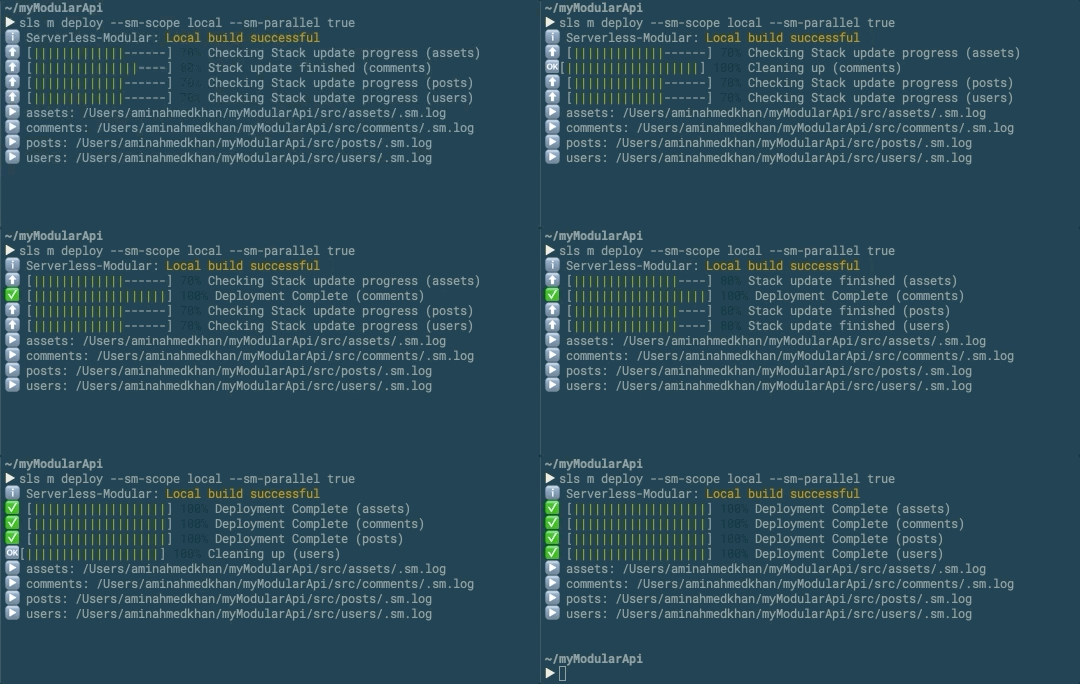
Serverless M (or Serverless Modular) is a plugin for the serverless framework. This plugins helps you in managing multiple serverless projects with a single serverless.yml file. This plugin gives you a super charged CLI options that you can use to create new features, build them in a single file and deploy them all in parallel
Currently this plugin is tested for the below stack only
- AWS
- NodeJS λ
- Rest API (You can use other events as well)
Make sure you have the serverless CLI installed
# Install serverless globally
$ npm install serverless -g
To start the serverless modular project locally you can either start with es5 or es6 templates or add it as a plugin
# Step 1. Download the template
$ sls create --template-url https://github.com/aa2kb/serverless-modular/tree/master/template/modular-es6 --path myModularService
# Step 2. Change directory
$ cd myModularService
# Step 3. Create a package.json file
$ npm init
# Step 3. Install dependencies
$ npm i serverless-modular serverless-webpack webpack --save-dev
# Step 1. Download the template
$ sls create --template-url https://github.com/aa2kb/serverless-modular/tree/master/template/modular-es5 --path myModularService
# Step 2. Change directory
$ cd myModularService
# Step 3. Create a package.json file
$ npm init
# Step 3. Install dependencies
$ npm i serverless-modular --save-dev
If you dont want to use the templates above you can just add in your existing project
plugins:
 - serverless-modular
Now you are all done to start building your serverless modular functions
The serverless CLI can be accessed by
# Serverless Modular CLI
$ serverless modular
# shorthand
$ sls m
Serverless Modular CLI is based on 4 main commands
sls m initsls m featuresls m functionsls m buildsls m deploy
sls m initThe serverless init command helps in creating a basic .gitignore that is useful for serverless modular.
The basic .gitignore for serverless modular looks like this
#node_modules
node_modules
#sm main functions
sm.functions.yml
#serverless file generated by build
src/**/serverless.yml
#main serverless directories generated for sls deploy
.serverless
#feature serverless directories generated sls deploy
src/**/.serverless
#serverless logs file generated for main sls deploy
.sm.log
#serverless logs file generated for feature sls deploy
src/**/.sm.log
#Webpack config copied in each feature
src/**/webpack.config.js
The feature command helps in building new features for your project
This command comes with three options
--name: Specify the name you want for your feature
--remove: set value to true if you want to remove the feature
--basePath: Specify the basepath you want for your feature, this base path should be unique for all features. helps in running offline with offline plugin and for API Gateway
| options | shortcut | required | values | default value |
|---|---|---|---|---|
| --name | -n | ✅ | string | N/A |
| --remove | -r | ❎ | true, false | false |
| --basePath | -p | ❎ | string | same as name |
# Creating a jedi feature
$ sls m feature -n jedi
# A feature with different base path
$ sls m feature -n jedi -p tatooine
# Anakin is going to delete the jedi feature
$ sls m feature -n jedi -r true
The function command helps in adding new function to a feature
This command comes with four options
--name: Specify the name you want for your function
--feature: Specify the name of the existing feature
--path: Specify the path for HTTP endpoint helps in running offline with offline plugin and for API Gateway
--method: Specify the path for HTTP method helps in running offline with offline plugin and for API Gateway
| options | shortcut | required | values | default value |
|---|---|---|---|---|
| --name | -n | ✅ | string | N/A |
| --feature | -f | ✅ | string | N/A |
| --path | -p | ❎ | string | same as name |
| --method | -m | ❎ | string | 'GET' |
# Creating a cloak function for jedi feature
$ sls m function -n cloak -f jedi
# Creating a cloak function for jedi feature with custom path and HTTP method
$ sls m function -n cloak -f jedi -p powers -m POST
The build command helps in building the project for local or global scope
This command comes with four options
--scope: Specify the scope of the build, use this with "--feature" tag
--feature: Specify the name of the existing feature you want to build
| options | shortcut | required | values | default value |
|---|---|---|---|---|
| --scope | -s | ❎ | string | local |
| --feature | -f | ❎ | string | N/A |
You can also save config in serverless.yml file
custom:
 smConfig:
 build:
 scope: local
# Building all local features
$ sls m build
# Building a single feature
$ sls m build -f jedi -s local
# Building all features with global scope
$ sls m build -s global
The deploy command helps in deploying serverless projects to AWS (it uses sls deploy command)
This command comes with four options
--sm-parallel: Specify if you want to deploy parallel (will only run in parallel when doing multiple deployments)
--sm-scope: Specify if you want to deploy local features or global
--sm-features: Specify the local features you want to deploy (comma separated if multiple)
| options | shortcut | required | values | default value |
|---|---|---|---|---|
| --sm-parallel | ❎ | ❎ | true, false | true |
| --sm-scope | ❎ | ❎ | local, global | local |
| --sm-features | ❎ | ❎ | string | N/A |
| --sm-ignore-build | ❎ | ❎ | string | false |
You can also save config in serverless.yml file
custom:
 smConfig:
 deploy:
 scope: local
 parallel: true
 ignoreBuild: true
# deploy all local features
$ sls m deploy
# deploy all global features
$ sls m deploy --sm-scope global
# deploy all global features
$ sls m deploy --sm-features jedi
# deploy all global features
$ sls m deploy --sm-features jedi,sith,dark_side
# deploy all global features
$ sls m deploy --sm-features jedi,sith,dark_side --sm-parallel false
The remove command helps in removing serverless projects from AWS (it uses sls remove command)
This command comes with four options
--sm-parallel: Specify if you want to remove parallel (will only run in parallel when doing multiple removals)
--sm-scope: Specify if you want to remove local features or global
--sm-features: Specify the local features you want to remove (comma separated if multiple)
| options | shortcut | required | values | default value |
|---|---|---|---|---|
| --sm-parallel | ❎ | ❎ | true, false | true |
| --sm-scope | ❎ | ❎ | local, global | local |
| --sm-features | ❎ | ❎ | string | N/A |
You can also save config in serverless.yml file
custom:
 smConfig:
 remove:
 scope: local
 parallel: true
# remove all local features
$ sls m remove
# remove all global features
$ sls m remove --sm-scope global
# remove all local features
$ sls m remove --sm-features jedi
# remove all local features
$ sls m remove --sm-features jedi,sith,dark_side
# remove all local features in sequence
$ sls m remove --sm-features jedi,sith,dark_side --sm-parallel false
- Amin Ahmed Khan - Project Creator - aa2kb