Skip to content

Navigation Menu

Sign in
Appearance settings

Search code, repositories, users, issues, pull requests...

Provide feedback

We read every piece of feedback, and take your input very seriously.

Saved searches

Use saved searches to filter your results more quickly

Sign up
Appearance settings

仿QQ新消息数的小红圈徽标Badge,橡皮筋效果

Notifications You must be signed in to change notification settings

SwiftLiu/LPBadgeView

Folders and files

NameName
Last commit message
Last commit date

Latest commit

History

18 Commits

Repository files navigation

LPBadgeView

仿QQ新消息数的小红圈徽标Badge,橡皮筋效果 ####一、Demo演示 演示
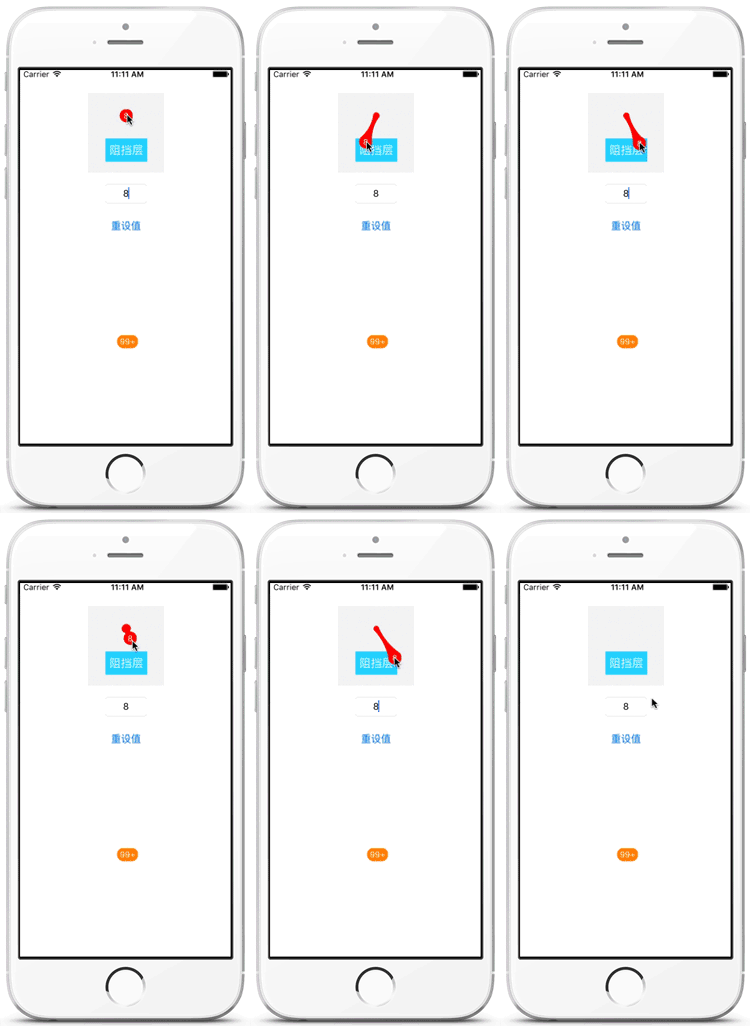
####二、使用说明

下载Demo,将文件夹LPBadgeView直接导入工程即可使用。

####三、代码

1.初始化

1代码初始化

///默认color(主题颜色)为红色
+ (LPBadgeView *)badgeWithColor:(UIColor *)color;

2直接使用xib/storyboard初始化 拖入主件UIView,修改类为LPBadgeView即可,默认颜色为拖入的UIView主件的背景色。

2.属性

1Badge值:

@property (assign, nonatomic) NSInteger value;

2Badge消失回调

@property (strong, nonatomic) void (^hiddenBlock)(NSInteger value);

About

仿QQ新消息数的小红圈徽标Badge,橡皮筋效果

Resources

Stars

Watchers

Forks

Releases

No releases published

Packages

No packages published

AltStyle によって変換されたページ (->オリジナル) /