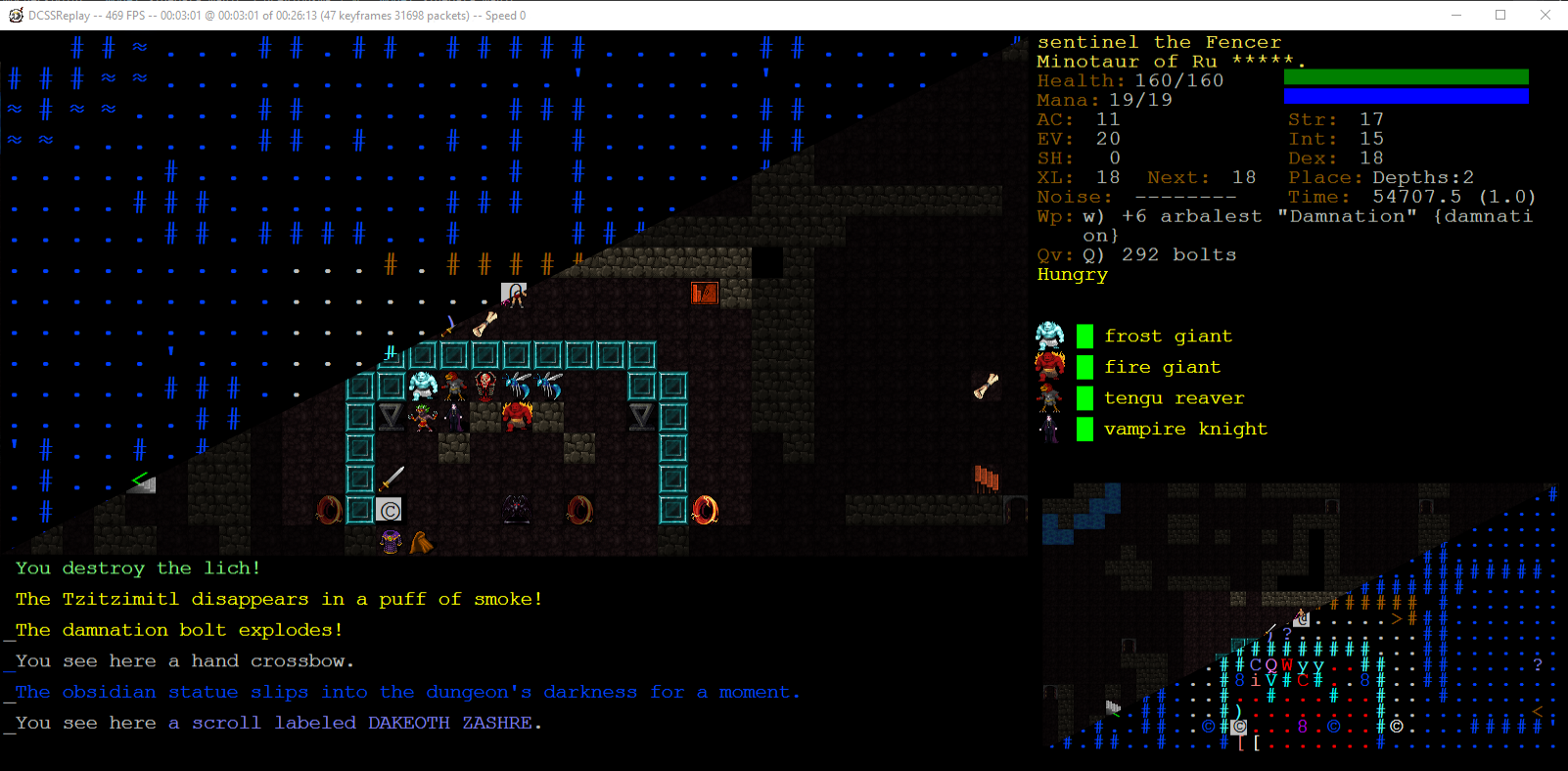
 CONTROLS
Ctrl+O Open a ttyrec from filesystem
Ctrl+G Open ttyrec download window
Ctrl+C Open Configuration window
Ctrl+F Open ttyrec event search window
Escape Close ttyrec and return here
Alt+Enter Toggle fullscreen
A / S Switch Tile to console / Full Console Mode
 PLAYBACK CONTROLS
ZXC Play backwards at x100, x10, or x1 speed
V, SPACE Play / Pause"
BNM Play forwards at 1x, x10, or x100 speed
M can stack repeatedly to go forward in time
F / G Adjust speed by +/- 1
D / H Adjust speed by +/- 0.2

, (Comma) Frame Step Back
. (Dot) Frame Step Back
Left Arrow Time Step Backward 5 Seconds
Right Arrow Time Step Forward 5 Seconds
I Used VS 2019 Enterprise, should work for older versions as well
- Open DCSSReplay.sln
- Select the project TtyRecMonkey and make it your startup project before running.
- restore nuget packages
- rebuild the solution to trigger the PuttyDLL build
- it should now work
If your distro is Debian-based (Ubuntu, etc.) install dependencies with:
- sudo apt install monodevelop mono-complete dialog libncurses5 libncurses5-dev
(For non-Debian-based distros, do whatever the equivalent is on your distro.)
Open the DCSSReplay solution in monodevelop. A couple of the projects (SlimPutty and PuttyDLL) will fail to open, but don't worry.
Nuget packages fail to restore for the WASM version of DCSSReplay, so unload it.
- Right-click on the DCSSTV.WASM project and select "Unload"
You must build the 64-bit version because one of the NuGet dependencies (SkiaSharp native Linux assets) only comes in 64-bit flavour:
- Right-click on the solution -> Options -> Configuration -> Configuration Mappings.
- Change the TTyRecMonkey configuration to Debug|x64 for the solution's Debug build and to Release|x64 for the solution's Release build.
Now, you are ready to build:
- Change the active configuration to Release (unless you specifically want the Debug build).
- Right-click on the solution and select "Restore NuGet Packages"
- Right-click on the TtyRecMonkey project and select "Set as Startup Project"
- Rebuild All (Ctrl+F8 or select from the Build menu).
To run:
- Open a terminal in the top-level solution folder
- cd bin/x64/Release
- mono TtyRecMonkey.exe
PuttyDLL is a native C project which is takes the inner workings of the PUTTY.DSP project from the official PuTTY source code.
Key differences:
- It's been converted to a VS2008 project via the upgrade manager (which worked flawlessly)
- It's then been converted to a VS2012 project, which also worked
- It now generates DLLs instead of EXEs
- _*_SECURE_NO_DEPRECATE have been added to supress warning spam from standard library functions
- export.c has been added which exposes methods for PuttySharp (C#) to PInvoke
- Other source files may be modified to expose more to export.c -- should be mostly cosmetic/making availbe outside the TU
- Overrided encoding check, to always output UTF-8, since DCSS TtyRecs are in that format
- Removed all of the platform specific code, all interface elements, leaving only the code needed to run it and decode the ttyrec data stream
PuttySharp is a C# library which wraps the methods exposed by PuttyDLL for easier consumption in C#
It is currently small enough that it ended up well commented and designed. This probably won't last very long.
Parses Ttyrec files, prepares for feeding the data to Putty
TtyRecMonkey is the main C# program which is the point of this project. It is not well written.
It currently handles:
- Controlling the threading for individual frame generation
- Updating the main display window
- Inputs from user
Contains a Model that is used for frame Generation.
Parser fills the Model with data before every frame from the terminal Character array that is passed to it.
The Big One - Takes all the custom rules along with the Model for each frame and tries to make an image that resembles what the screen would look like on a real DCSS game in that moment.
Looks similar quite often.
Is just a bit of a mess in general.
- Creates .msi installers for releases.
- Has seperate repository
- https://github.com/Rytisgit/DCSSReplayInstaller