pub package pub points likes license
Query Android usage statistics from Flutter: app usage and events, configuration
changes, app standby buckets, on-device storage usage, and per-app network data.
The plugin wraps Android's UsageStatsManager, NetworkStatsManager,
StorageStatsManager, and PackageManager behind a single UsageStats facade.
This package is Android only. iOS does not expose comparable per-app usage data to third-party apps, so the plugin declares no iOS implementation.
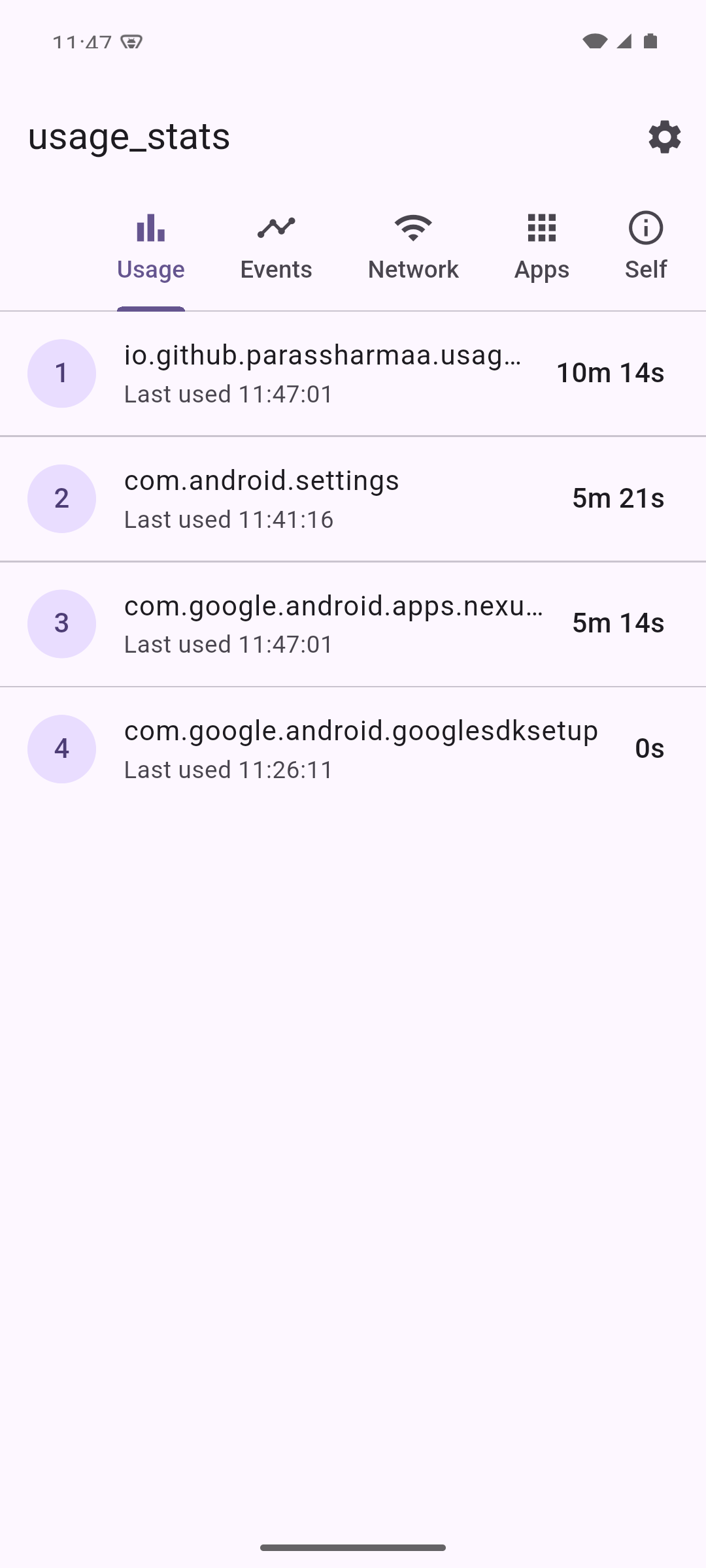
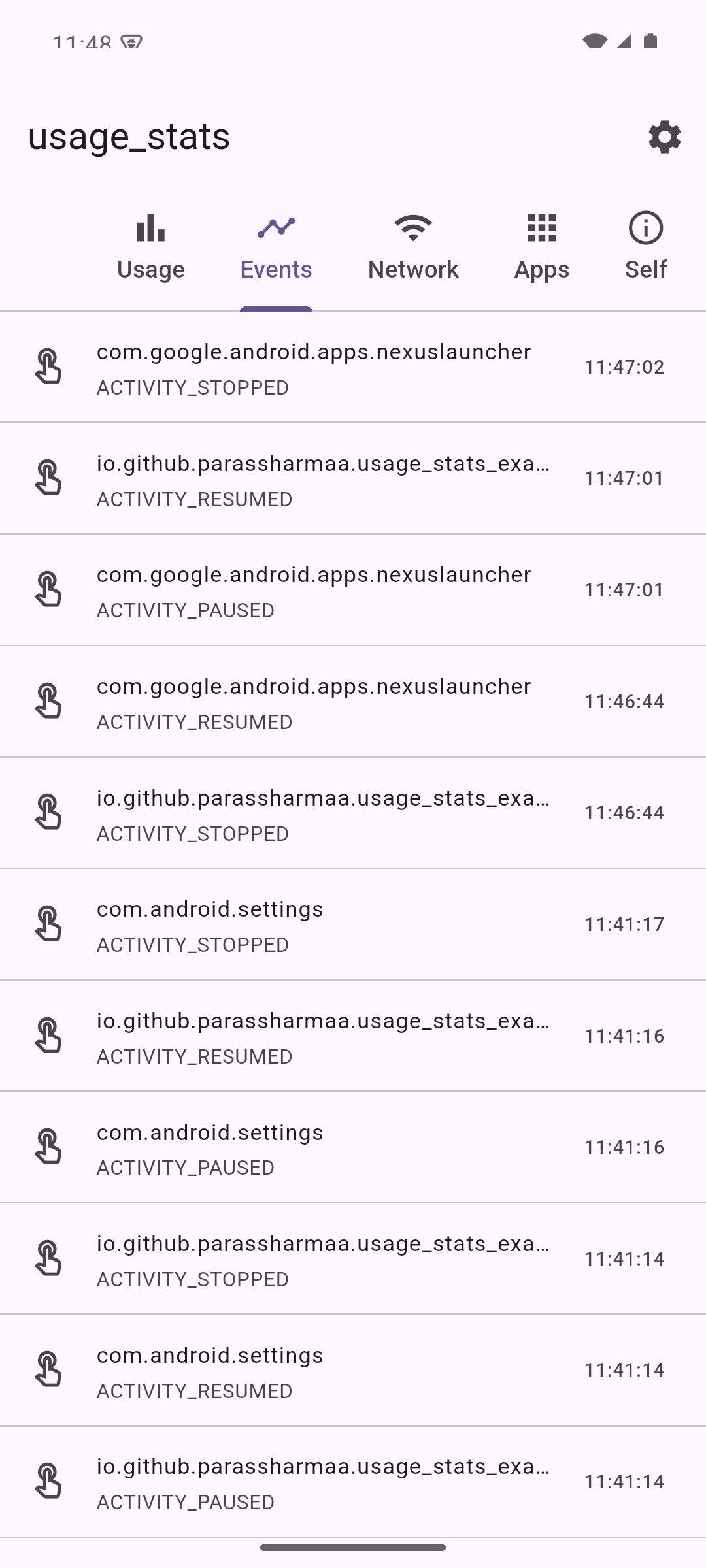
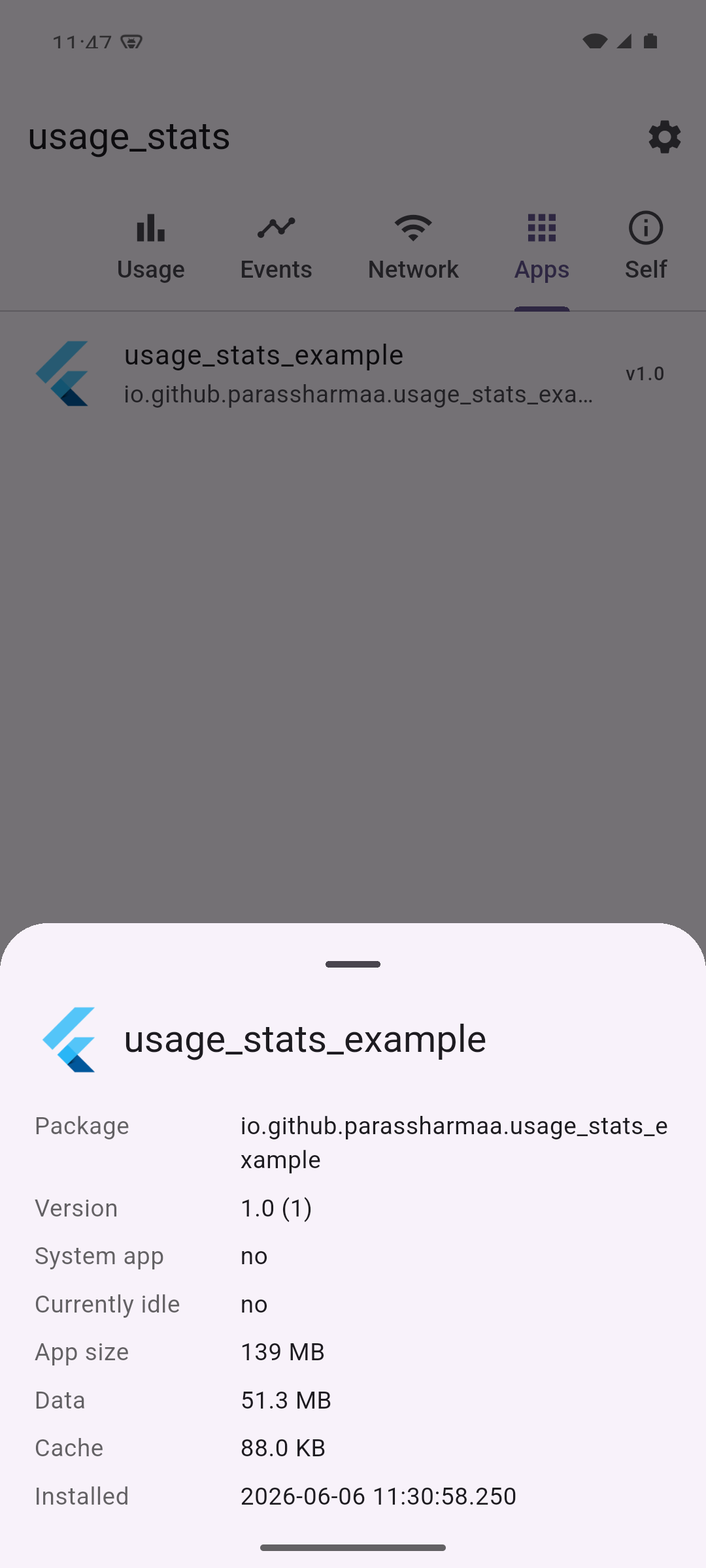
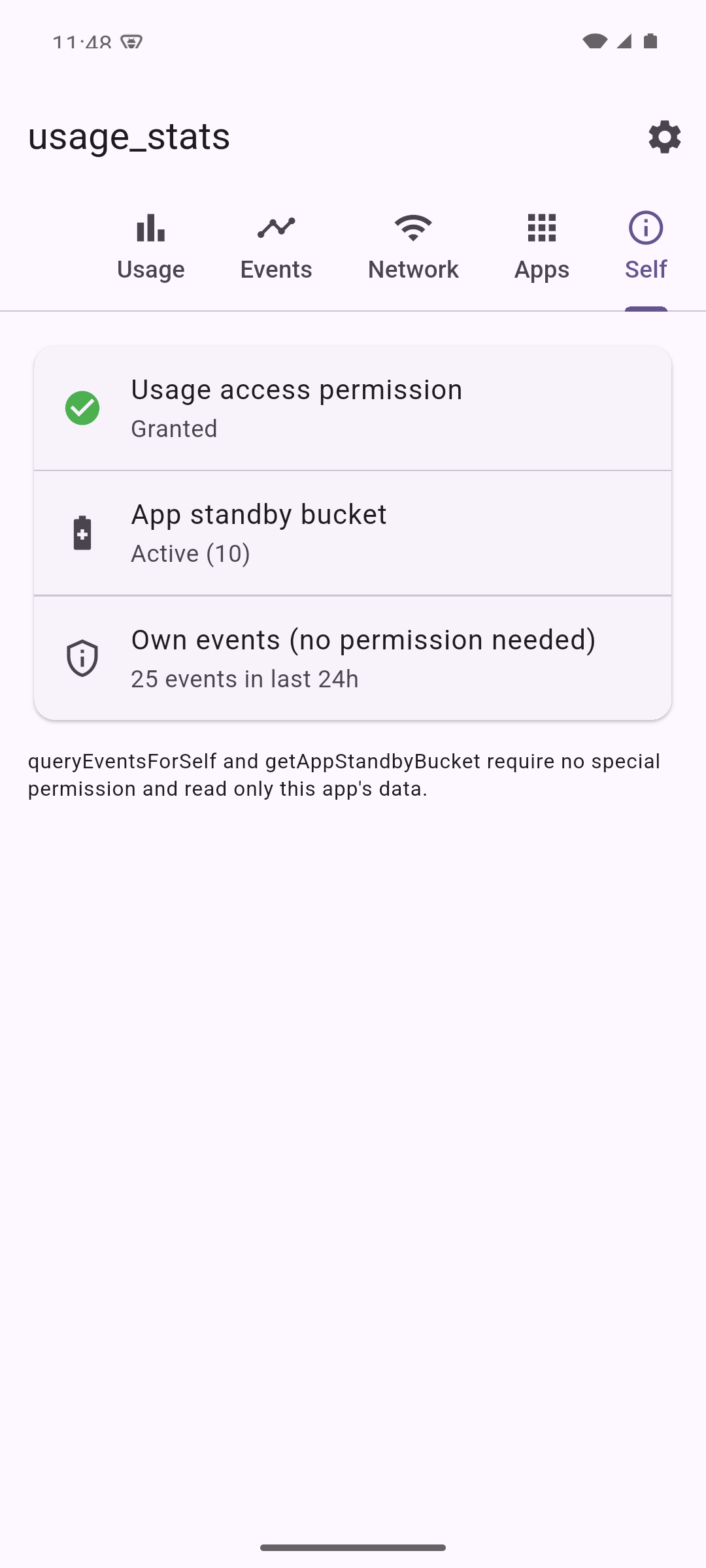
The bundled example app showcases every API:
Per-app foreground usage Usage events with readable types Per-app storage and metadata App standby bucket and self events
Add usage_stats to your pubspec.yaml:
dependencies:
 usage_stats: ^2.0.0
The plugin targets API level 23 (Android 6.0) as a minimum. Most queries need the
special PACKAGE_USAGE_STATS permission, which the user grants from system
settings rather than through a runtime dialog.
Add the permission to your android/app/src/main/AndroidManifest.xml, inside the
manifest element:
<manifest xmlns:android="http://schemas.android.com/apk/res/android"
 xmlns:tools="http://schemas.android.com/tools">
 <uses-permission
 android:name="android.permission.PACKAGE_USAGE_STATS"
 tools:ignore="ProtectedPermissions" />
 <application ...>
Send the user to the system "Usage access" screen and check whether access has been granted:
import 'package:usage_stats/usage_stats.dart';
// Opens the system Usage Access settings screen (only if not yet granted).
await UsageStats.grantUsagePermission();
// Opens the same screen unconditionally, e.g. for a "Manage access" button.
await UsageStats.openUsageAccessSettings();
// Returns true once the user has enabled access for your app.
bool? granted = await UsageStats.checkUsagePermission();
final endDate = DateTime.now();
final startDate = endDate.subtract(const Duration(days: 1));
// Raw usage events (foreground/background transitions, screen on/off, ...).
List<EventUsageInfo> events = await UsageStats.queryEvents(startDate, endDate);
// Per-app foreground usage.
List<UsageInfo> usage = await UsageStats.queryUsageStats(startDate, endDate);
// Per-app usage aggregated by package, keyed by package name.
Map<String, UsageInfo> aggregated =
 await UsageStats.queryAndAggregateUsageStats(startDate, endDate);
// Configuration (locale/orientation/...) statistics.
List<ConfigurationInfo> configs =
 await UsageStats.queryConfiguration(startDate, endDate);
// Aggregated event statistics (Android 9 / API 28+).
List<EventInfo> eventStats =
 await UsageStats.queryEventStats(startDate, endDate);
queryUsageStats and queryEventStats accept an optional intervalType that
maps to UsageStatsManager.INTERVAL_*. It defaults to IntervalType.best.
final monthly = await UsageStats.queryUsageStats(
 startDate,
 endDate,
 intervalType: IntervalType.monthly,
);
// Per-app network usage for all apps.
List<NetworkInfo> network = await UsageStats.queryNetworkUsageStats(
 startDate,
 endDate,
 networkType: NetworkType.all, // or NetworkType.wifi / NetworkType.mobile
);
// Network usage for a single package.
NetworkInfo info = await UsageStats.queryNetworkUsageStatsByPackage(
 startDate,
 endDate,
 packageName: 'com.example.app',
);
Network totals are summed across the Wi-Fi and cellular transports. When a VPN is active the platform may attribute traffic to the VPN app as well as the originating app, which can make per-app totals appear higher than expected.
// App, data, and cache bytes for a package (Android 8 / API 26+).
StorageInfo? storage = await UsageStats.queryStorageStats('com.example.app');
print(storage?.totalBytes);
Querying your own package needs no permission; querying other packages requires
PACKAGE_USAGE_STATS.
// Label, system flag, version, and install times for one package.
AppInfo? app = await UsageStats.getAppInfo('com.example.app');
// Every installed app the caller can see (set includeSystem: false to skip
// system apps).
List<AppInfo> installed =
 await UsageStats.queryInstalledApps(includeSystem: false);
// PNG launcher icon bytes.
Uint8List? icon = await UsageStats.getAppIcon('com.example.app');
On Android 11+ (API 30) package-visibility rules apply. Without a <queries>
entry in your manifest, queryInstalledApps returns only visible packages. The
plugin deliberately does not request QUERY_ALL_PACKAGES, since it is a
Play-policy sensitive permission.
// This app's standby bucket (no permission required, Android 9 / API 28+).
int? bucket = await UsageStats.getAppStandbyBucket();
// Whether a package is currently idle (Android 6 / API 23+).
bool? idle = await UsageStats.isAppInactive('com.example.app');
// This app's own events without the usage-access prompt (Android 9 / API 28+).
List<EventUsageInfo> ownEvents =
 await UsageStats.queryEventsForSelf(startDate, endDate);
For backwards compatibility the model fields are returned as strings, mirroring the raw platform values. Every model also exposes typed getters so you do not have to parse them yourself:
final info = usage.first;
info.totalTimeInForegroundMs; // int? (milliseconds)
info.lastTimeUsedDate; // DateTime?
events.first.eventTypeDescription; // e.g. 'ACTIVITY_RESUMED'
network.first.rxTotalBytesValue; // int?
totalTimeInForeground is reported in milliseconds.
| Method | Min API | Permission |
|---|---|---|
queryUsageStats, queryEvents, queryConfiguration, queryAndAggregateUsageStats |
23 | PACKAGE_USAGE_STATS |
queryEventStats |
28 | PACKAGE_USAGE_STATS |
queryNetworkUsageStats, queryNetworkUsageStatsByPackage |
23 | PACKAGE_USAGE_STATS |
queryStorageStats |
26 | own package: none; others: PACKAGE_USAGE_STATS |
getAppStandbyBucket, queryEventsForSelf |
28 | none |
isAppInactive |
23 | PACKAGE_USAGE_STATS for other packages |
getAppInfo, queryInstalledApps, getAppIcon |
21 | none (subject to package visibility) |
API-gated methods degrade gracefully on older devices, returning null or an
empty list rather than throwing.
The Dart code is linted with flutter analyze against
flutter_lints. The Android Kotlin
sources are checked with detekt and
ktlint:
./tool/lint_kotlin.sh