

logo
Markdown Checkbox

Version Rating Installs Downloads
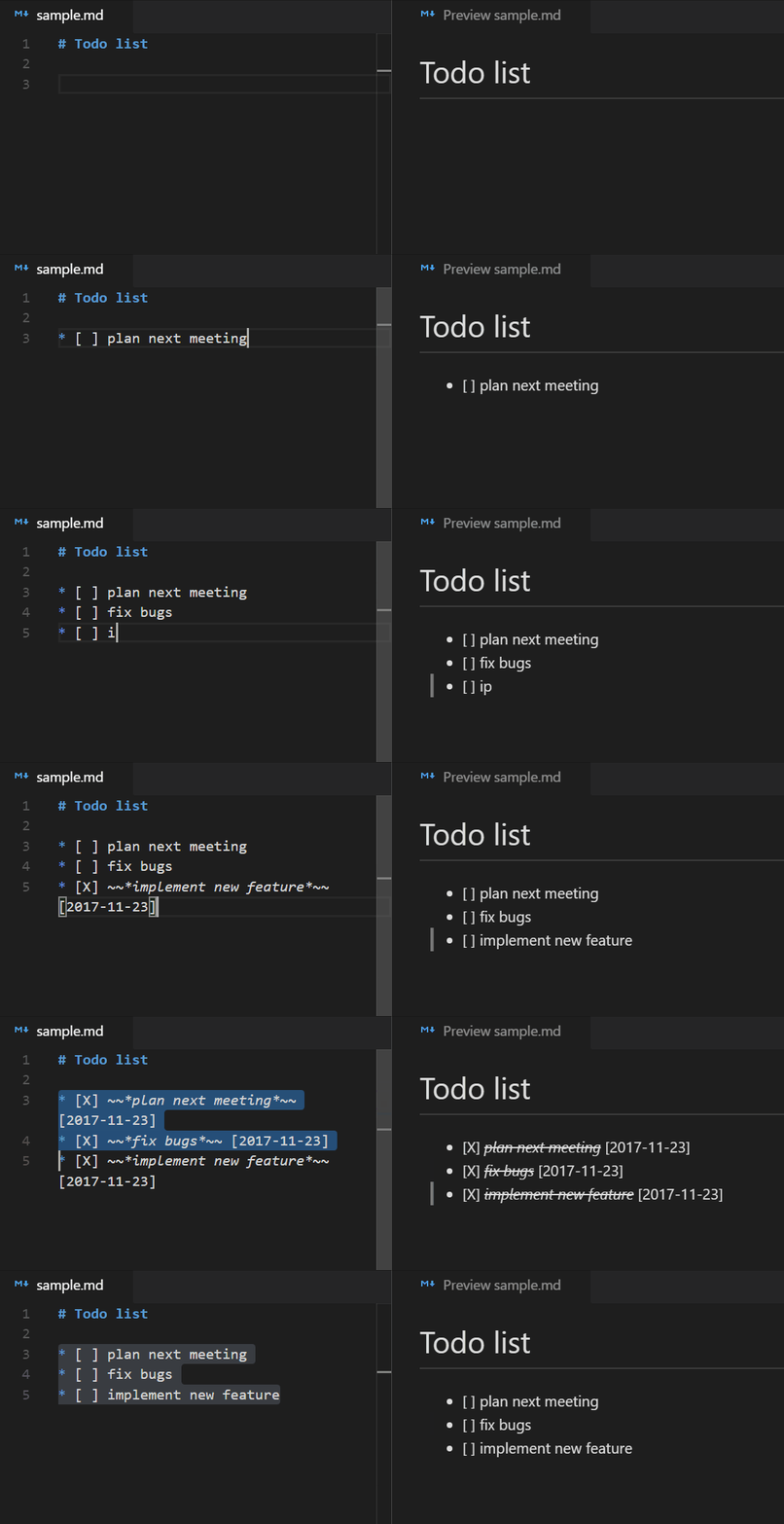
With this extension for Visual Studio Code it's possible to create todo lists in markdown. The extension provides shortcuts and some workspace configurations to create checkboxes and mark them with a shortcut.
Preview of status bar information

At least one checkbox must exist in a file to see this information.
Toggle all checkboxes in the current document with the Multi-Select QuickPick:
Preview of Multi-Select QuickPick

The QuickPick can be opened either from the command palette or by clicking on the status bar item.
| Command | Windows | Mac |
|---|---|---|
| Create a checkbox | CTRL + Shift + c | ⌘ + ⇧ + c |
| Toggle checkbox | CTRL + Shift + Enter | ⌘ + ⇧ + Enter |
These are the initial keyboard shortcuts, which can be customized by the Keyboard Shortcuts settings in VS Code.
This extension can be customized with the following options.
If bullet points before the checkboxes are required, then they can be enabled with the following setting:
options: true | false
"markdown-checkbox.withBulletPoint": true
Example:
* [ ] todo
Select a type of bullet point:
options: "*" | "-" | "+"
"markdown-checkbox.typeOfBulletPoint": "*"
Example
* [ ] asterisk
- [ ] minus
+ [ ] plus
Select a type of checkmark:
options: "X" | "x"
"markdown-checkbox.checkmark": "X"
Example
- [X] uppercase checkmark
- [x] lowercase checkmark
Italic font style of line of the checkbox after the checkbox has been checked:
options: true | false
"markdown-checkbox.italicWhenChecked": true
Preview
- this line is italic
Strikethrough the line of the checkbox after the checkbox has been checked:
options: true | false
"markdown-checkbox.strikeThroughWhenChecked": true
Preview:
-
(削除) this line has been crossed out (削除ここまで)
Add date behind the checkbox item after the checkbox has been checked:
options: true | false
"markdown-checkbox.dateWhenChecked": true
Preview:
-
(削除) sample with date (削除ここまで)[2017年11月23日]
If dates are enabled, they can be formatted with the following user setting:
"markdown-checkbox.dateFormat": "YYYY-MM-DD"
It makes use of the JavaScript library moment.js which means that the date format patterns can be found there.
In addition the syntax around in which the date is placed can be defined via template. {date} will be replaced by the actual date value:
"markdown-checkbox.dateTemplate": "({date})"
Preview:
-
(削除) sample with date (削除ここまで)(2017年11月23日)
Besides markdown, this extension can also be used for other languages in VS Code. The language IDs can be specified in the user settings like this:
"markdown-checkbox.languages": [
 "markdown",
 "plaintext"
]
The Quick Pick can be closed with the ESC key. The behavior can be configured with the following setting:
"markdown-checkbox.quickPickEscBehavior": "doNothing"
Possible values are:
doNothing: Do nothing when ESC is presseduncheckAll: Uncheck all checkboxes when ESC is pressed