Static security code scanner (SAST) for Node.js applications.
platform License python Requirements Status
Install Postgres and configure SQLALCHEMY_DATABASE_URI in core/settings.py
pip3 install -r requirements.txt
python3 migrate.py # Run once to create database entries required
python3 app.py # Testing Environment
gunicorn -b 0.0.0.0:9090 app:app --workers 3 --timeout 10000 # Production Environment
This will run NodeJsScan on http://0.0.0.0:9090
If you need to debug, set DEBUG = True in core/settings.py
The command line interface (CLI) allows you to integrate NodeJsScan with DevSecOps CI/CD pipelines. The results are in JSON format. When you use CLI the results are never stored with NodeJsScan backend.
virtualenv venv -p python3
source venv/bin/activate
(venv)pip install nodejsscan
(venv)$ nodejsscan
usage: nodejsscan [-h] [-f FILE [FILE ...]] [-d DIRECTORY [DIRECTORY ...]]
 [-o OUTPUT] [-v]
optional arguments:
 -h, --help show this help message and exit
 -f FILE [FILE ...], --file FILE [FILE ...]
 Node.js file(s) to scan
 -d DIRECTORY [DIRECTORY ...], --directory DIRECTORY [DIRECTORY ...]
 Node.js source code directory/directories to scan
 -o OUTPUT, --output OUTPUT
 Output file to save JSON report
 -v, --version Show nodejsscan version
import core.scanner as njsscan
res_dir = njsscan.scan_dirs(['/Code/Node.Js-Security-Course'])
res_file = njsscan.scan_file(['/Code/Node.Js-Security-Course/deserialization.js'])
print(res_file)
[{'title': 'Deserialization Remote Code Injection', 'description': "User controlled data in 'unserialize()' or 'deserialize()' function can result in Object Injection or Remote Code Injection.", 'tag': 'rci', 'line': 11, 'lines': 'app.use(cookieParser())\n\napp.get(\'/\', function(req, res) {\n if (req.cookies.profile) {\n var str = new Buffer(req.cookies.profile, \'base64\').toString();\n var obj = serialize.unserialize(str);\n if (obj.username) {\n res.send("Hello " + escape(obj.username));\n }\n } else {', 'filename': 'deserialization.js', 'path': '/Users/ajin/Code/Node.Js-Security-Course/deserialization.js', 'sha2': '06f3f0ff3deed27aeb95955a17abc7722895d3538c14648af97789d8777cee50'}]
NodeJsScan Docker images can be built for both the Web UI and CLI version.
-
Web UI
docker build -t nodejsscan . docker run -it -p 9090:9090 nodejsscan -
CLI
# Use -f to override default Dockerfile
docker build -t nodejsscan-cli -f cli.dockerfile .
# Mount a volume to the container that points to your source directory and reference it in -f, -d and -o arguments
docker run -v /path-to-source-dir:/src nodejsscan-cli -d /src -o /src/results.json
docker pull opensecurity/nodejsscan
docker run -it -p 9090:9090 opensecurity/nodejsscan:latest

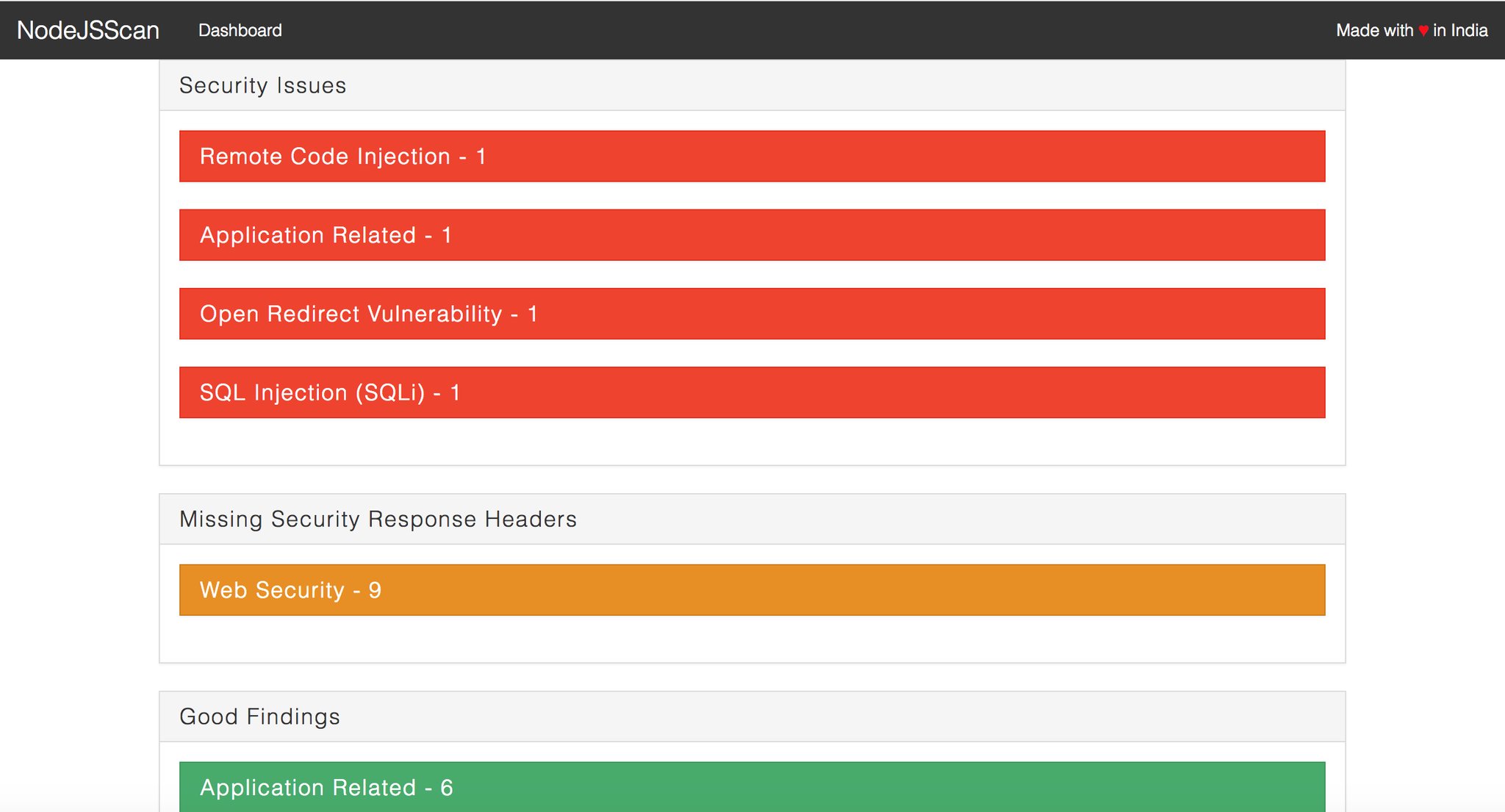
NodeJsScan Static Scan Results NodeJsScan Static Scan Vulnerability Details NodeJsScan CLI