
| MonitorUI Example | Scroller Example | View Prototype |
|---|---|---|

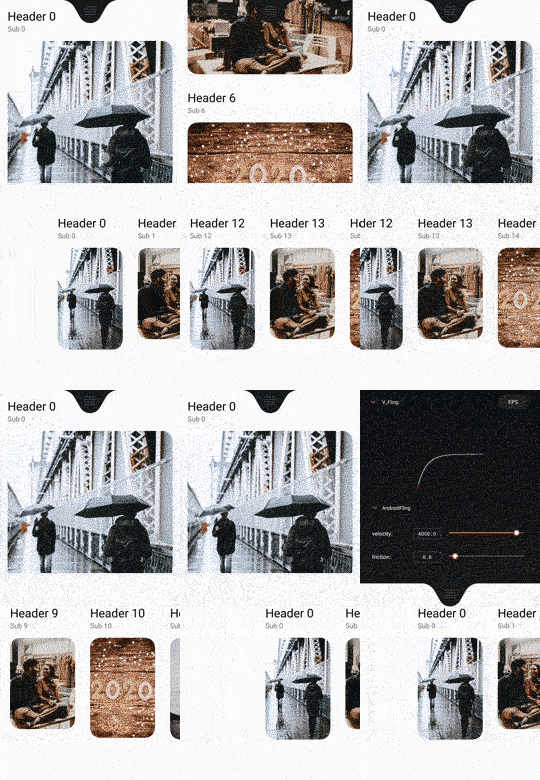
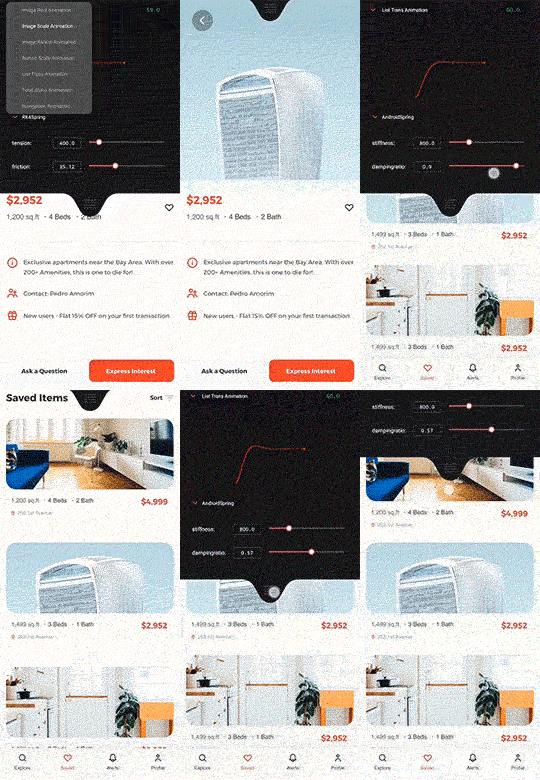
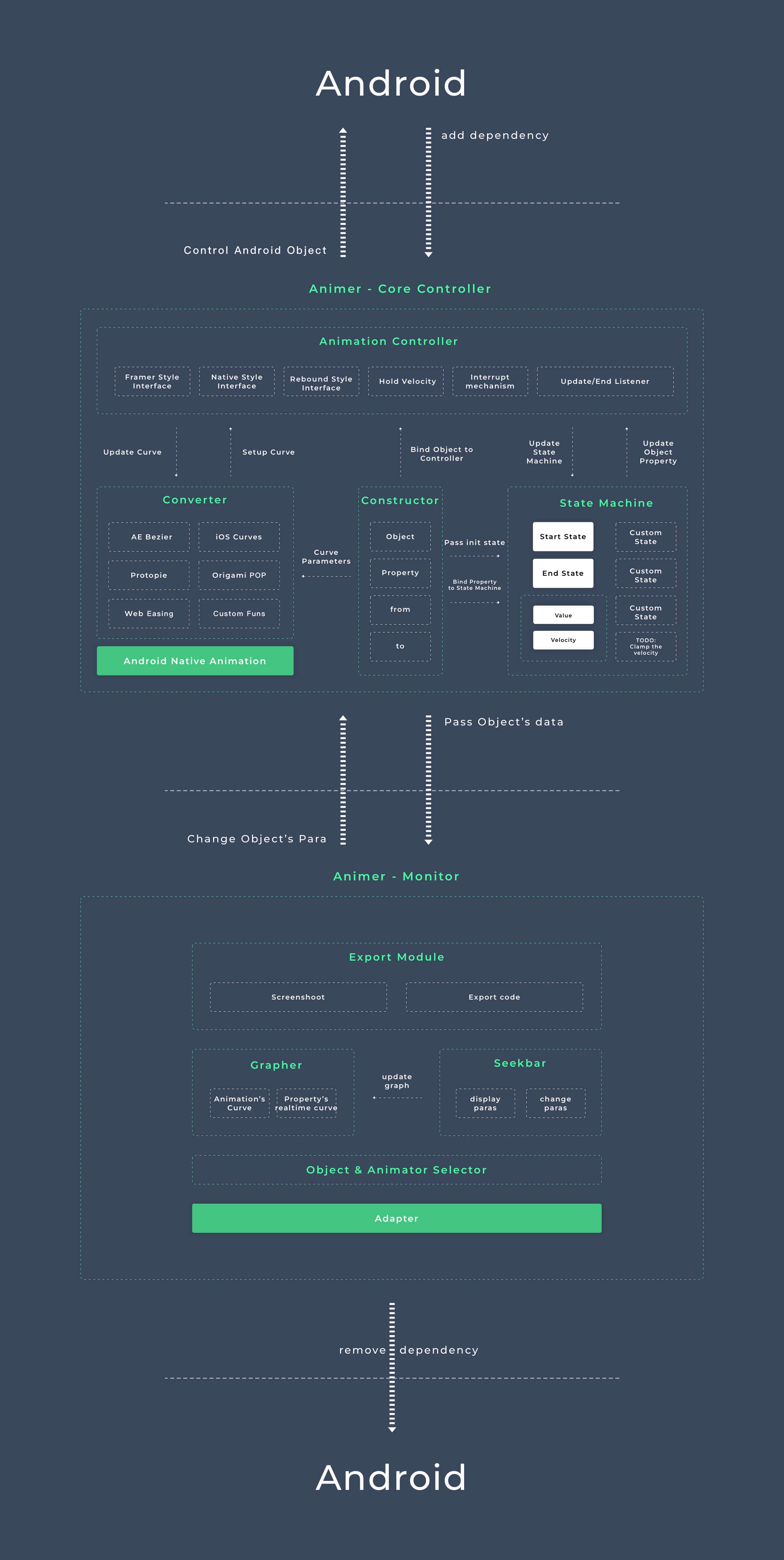
Animer is a java library which designed for a better Android animation experience.(Currently is more like a view animation controller)
It contains animation curves in Android iOS Origami(POP or Rebound in Client) Principle Protopie FramerJS
Unlike Rebound,Animer didn't use Choreographer or self-building Looper for
creating an Animator from scratch.
All these animation algorithm will be translated into Android's native implementation like DynamicAnimation & TimingInterpolator,which can improve the performance of animation.
It also provides a real-time controller & graph UI for tweaking parameters.
Web version(Convert Any Animation tools' parameters to Android's) —— Animer_Web
AE Script —— Animer AE
Animer supports multiple ways of animating:
// equal to Android's TimingInterpolator
Animer.AnimerSolver solver = Animer.interpolatorDroid(new AccelerateDecelerateInterpolator(),600)
// similar to ObjectAnimator
Animer animer = new Animer(myView,solver,Animer.TRANSLATION_Y,0,200);
animer.start();
// animer.cancel();
// animer.end();
// equal to Android's SpringAnimation
Animer.AnimerSolver solver = Animer.springDroid(1000,0.5f);
Animer animer = new Animer();
// add a solver to Animer;
animer.setSolver(solver);
// add value to different state;
animer.setStateValue("stateA",300);
animer.setStateValue("stateB",700);
animer.setStateValue("stateC",200);
// add a listener to observe the motion of the Animation
animer.setUpdateListener(new Animer.UpdateListener() {
 @Override
 public void onUpdate(float value, float velocity, float progress) {
 myView1.setTranslationX(value);
 myView2.setScaleX(1.f+value/100);
 myView2.setScaleY(1.f+value/100);
 }
});
// switch immediately
animer.switchToState("stateA");
// or animate to state value
// animer.animateToState("stateB");
// equal to Facebook Origami POP Animation
Animer.AnimerSolver solver = Animer.springOrigamiPOP(5,10);
Animer animer = new Animer(myView,solver,Animer.SCALE);
// setup a listener to add everything you want
animer.setUpdateListener(new Animer.UpdateListener() {
 @Override
 public void onUpdate(float value, float velocity, float progress)
 myView.setScaleX(value);
 myView.setScaleY(value);
 }
});
animer.setCurrentValue(1.f);
boolean isScaled = false;
myView.setOnClickListener(view -> {
 if(!isScaled){
 animer.setEndValue(0.5);
 }
 else{
 animer.setEndValue(1);
 }
 isScaled = !isScaled;
});
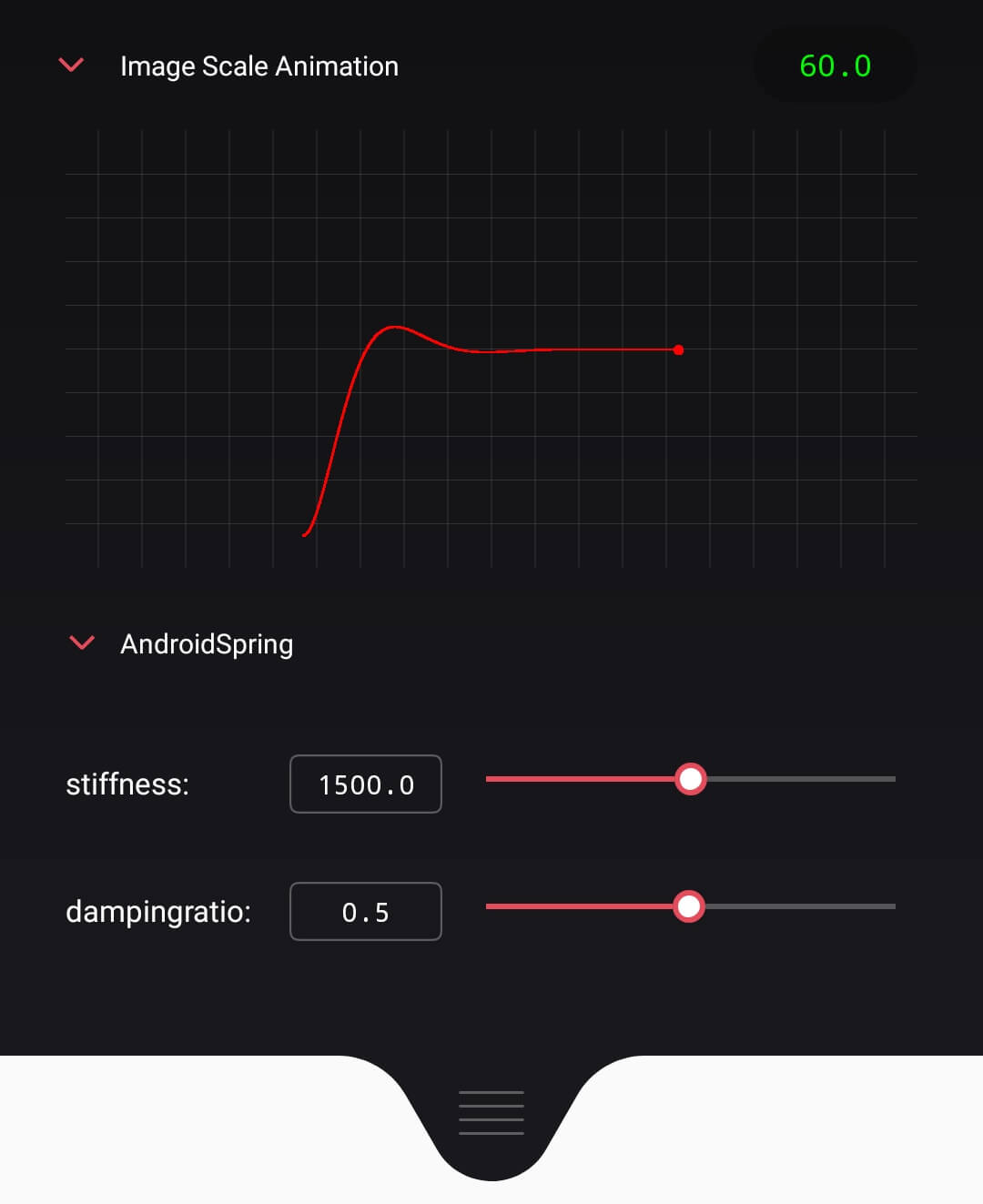
init in xml
<com.martinrgb.animer.monitor.AnConfigView
 android:id="@+id/an_configurator"
 android:layout_width="match_parent"
 android:layout_height="wrap_content"/>
add animers' config in java
AnConfigView mAnimerConfiguratorView = (AnConfigView) findViewById(R.id.an_configurator);
AnConfigRegistry.getInstance().addAnimer("Card Scale Animation",cardScaleAnimer);
AnConfigRegistry.getInstance().addAnimer("Card TranslationX Animation",cardTransXAnimer);
mAnimerConfiguratorView.refreshAnimerConfigs();
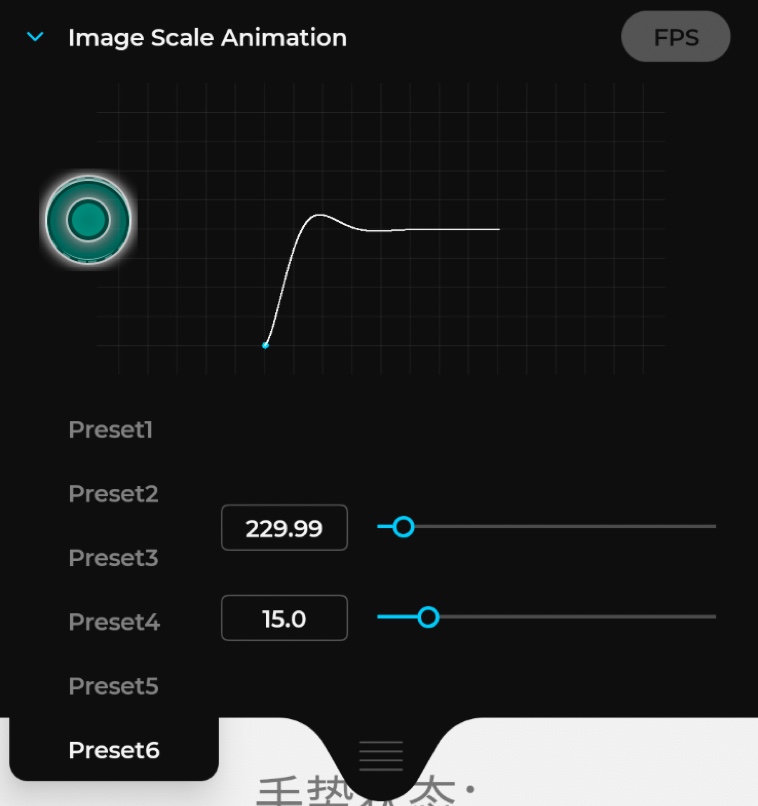
first you need clean all the solver configs,then add yourselves.
AnConfigRegistry.getInstance().removeAllSolverConfig();
AnConfigRegistry.getInstance().addSolver("Preset1",Animer.springDroid(500.0f,0.96f));
AnConfigRegistry.getInstance().addSolver("Preset2",Animer.flingDroid(400.f,0.95f));
...
mAnimerConfiguratorView.refreshAnimerConfigs();
Animer.TRANSLATION_X
Animer.TRANSLATION_Y
Animer.TRANSLATION_Z
Animer.SCALE // equal to SCALE_X + SCALE_Y
Animer.SCALE_X
Animer.SCALE_Y
Animer.ROTATION
Animer.ROTATION_X
Animer.ROTATION_Y
Animer.X
Animer.Y
Animer.Z
Animer.ALPHA
Animer.springDroid(stiffness,dampingratio) // Android Dynamic SpringAnimation
Animer.flingDroid(velocity,friction) // Android Dynamic FlingAnimation
Animer.springiOSUIView(dampingratio,duration) // iOS UIView SPring
Animer.springiOSCoreAnimation(stiffness,damping) // iOS CASpringAnimation
Animer.springOrigamiPOP(bounciness,speed) // Origami POP
Animer.springRK4(tension,friction) // Framer-RK4
Animer.springDHO(stiffness,damping) // Framer-DHO
Animer.springProtopie(tension,friction) // Protopie
Animer.springPrinciple(tension,friction) // Principle
// Custom Bounce Interpolator(Romain Guy's DropInMotion)
Animer.interpolatorDroid(new CustomBounceInterpolator(),duration)
// Custom Damping Interpolator(Romain Guy's DropInMotion)
Animer.interpolatorDroid(new CustomDampingInterpolator(),duration)
// MocosSpring Interpolator (https://github.com/marcioapaiva/mocos-controlator)
Animer.interpolatorDroid(new CustomMocosSpringInterpolator(),duration)
// Custom Spring Interpolator(https://inloop.github.io/interpolator/)
Animer.interpolatorDroid(new CustomSpringInterpolator(),duration)
// Android Native Interpolator Below
Animer.interpolatorDroid(new PathInterpolator(),duration) // Cubic Bezier Interpolator
...
Animer.interpolatorDroid(new DecelerateInterpolator(),duration) // Android Decelerate Interpolator
...
- A State Machine which can control interface's state(current is only object propertyValue's state)
- Redesign the API
- Rewrite the glsl shader
- Consider scences in activity/fragment transition
- Hook mechanism
- Redesign the ConfigUI,it's difficult to tweak paras in small screen,maybe consider 'adb+electron in desktop client'
Data
- State machine concpet from FramerJS ✅
- Aniamtion converter from my Animation Converter ✅
- Support external JSON to edit animation data
Althogrim
- Physics animation concept from Rebound & Android DynamicAnimation ✅
- LookupTable Interpolation Animator + RK4 Solver + DHO Solver ✅
- Physics simulation from Flutter Physics & UIKit Dyanmic
- Momentum
- Calculating mass by Elements' area
- Limit SpringAnimation's by time or overshoot counts
Advanced Animation Setting
- Addtive animation (compose mulitple animation)
- Chained animation (one by one)
- Parallax animation (same duration but differnt transition)
- Sequencing animation (same transition but different startDelay)
User-Control
- Gesture-Driven animation,you can interact with the animation even it is animating(Like iOS's
CADisplayLinkOr Rebound'sSetEndValue) ✅ - Package a gesture animator for interactive animation,attach gesture's velocity to animation system,make a flawess experience.
- Easy2use animation listener for controlling other element when the object is interacting or animating ✅
Performance
- Use android framework native DyanmicAniamtion And TimingInterpolator ✅
- Pre-save animation's data for less calculation
- Hardware Acceleration ✅
Design Component
- Scrollview|Scroller|PageViewer Component & Example
- Drag | DND Component & Example
- Button Component & Example
- Transition Component & Example(Maintain different element's property in state machine)
- Scroll-selector Component & Example(Scroll to fixed position)
- Swipe to delete Component & Example
Dev Tools
- Data-bind graph to modify and preview animation in application ✅
- Data-bind selctor to change animation-type in application ✅(Still has some bugs)
Utils
- AE Plugin for converting curves & revealing codes ✅(Will update GUI later)
See Apache License here