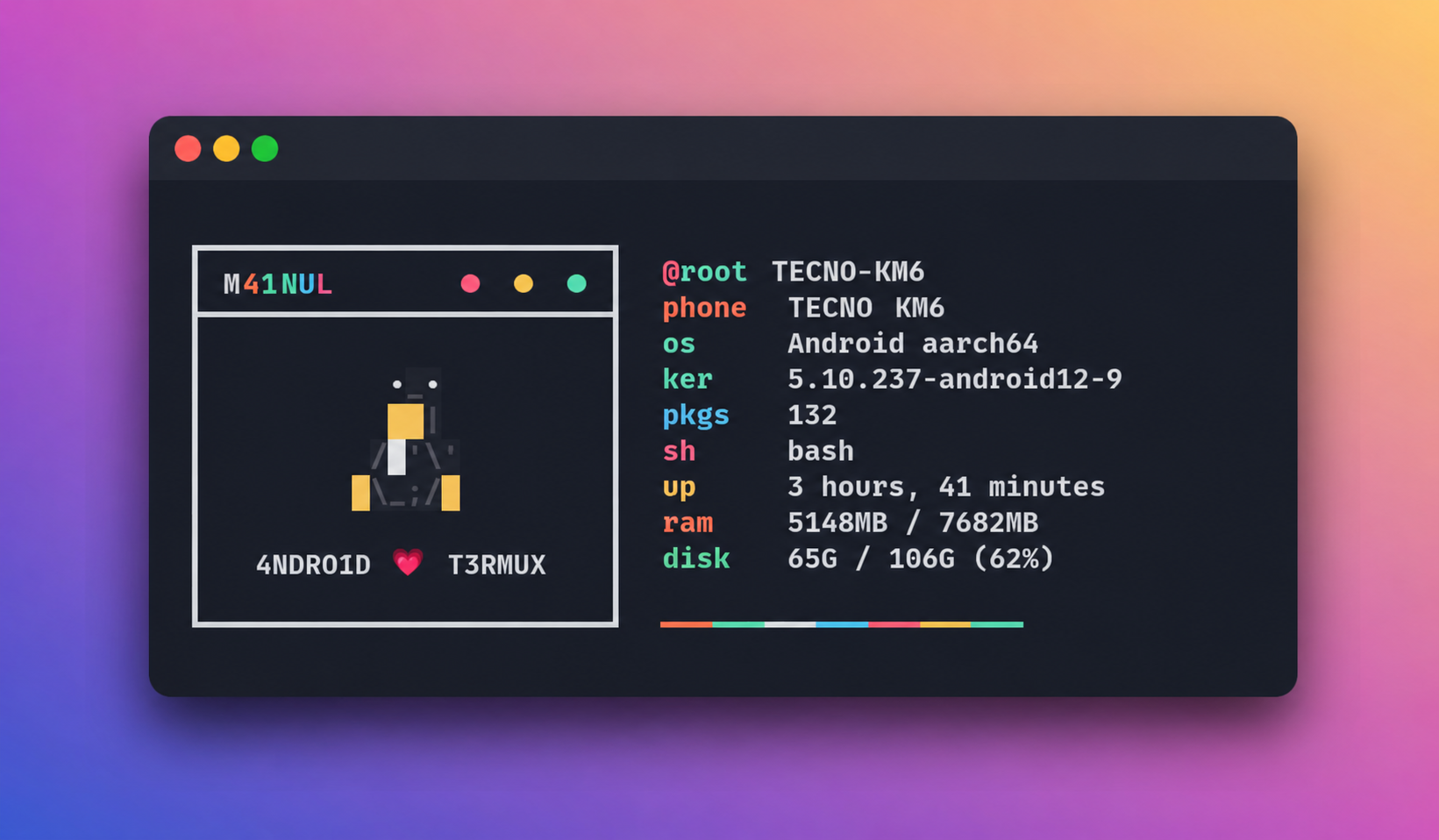
Termux Theme Changer (TTC) is a fully automated, pure-shell Termux customization suite. One command installs everything — dependencies, ZSH plugins, custom fonts, a personalized ASCII banner, and a themed color palette. It auto-detects first-time users and runs setup automatically, and checks for version updates on every launch.
- Pure shell — no Python required, runs entirely in Bash/ZSH.
- Auto-install — missing tools (
git,zsh,figlet,fzf, etc.) are installed automatically on first run. - First-time detection — automatically starts theme installation for new users, no extra steps needed.
- Version-based update system — checks
version.jsonon GitHub on every launch and notifies you when a new version is available. - Flexible update prompt — choose to update now, skip once, or skip this version entirely.
- Modular structure — main controller, installer, and updater are separate files for easier maintenance.
- Auto-size UI — all boxes auto-fit to your terminal width.
- Fully customized ZSH prompt with colors and modern aesthetics.
- ZSH plugins: autosuggestions, syntax-highlighting, autocomplete, fzf, bgnotify.
logo-lsintegration for a modernlsexperience with icons.- Custom Nerd Font +
termux.propertiesconfiguration. - Personalized RXFETCH-style terminal banner with your name.
- Restore script to safely revert Termux to its default state.
One-time setup — clones the repo and creates the
ttccommand globally.
Step 1 — Clone the repo
apt update && apt upgrade -y
pkg install git -y
git clone https://github.com/M41NUL/termux-theme-changer.git
cd termux-theme-changer
Step 2 — Run setup
bash setup.sh
The setup will:
- Install any missing required tools automatically
- Set up ZSH plugins, Nerd Font, and color theme
- Create the
ttcglobal command - Auto-launch TTC after setup completes
Step 3 — Run anytime after install
ttc
Re-install / Update manually
cd termux-theme-changer
bash setup.sh
Recommended: Run on a fresh Termux installation for best results.
Remove TTC folder:
rm -rf ~/termux-theme-changerRemove the ttc global command:
rm -f $PREFIX/bin/ttcRemove ZSH config (optional):
rm -f ~/.zshrc ~/.zsh_history ~/.profile
Or use the built-in restore script to reset everything:
bash ~/restore.sh| Command | Description |
|---|---|
ttc |
Launch TTC main menu |
bash setup.sh |
Install or re-install TTC |
bash ~/restore.sh |
Restore Termux to default clean state |
| Option | Action |
|---|---|
01 |
Install / Reinstall theme |
02 |
Check for updates |
03 |
View developer profile & contacts |
04 |
About this tool & version info |
00 |
Exit TTC |
Every time ttc launches, it fetches version.json from GitHub and compares it with the local version.
| Response | What happens |
|---|---|
y |
Downloads and applies the latest update |
n |
Skips this time — you will be reminded on next run |
s |
Skips this version permanently — no more reminders for it |
To release a new update, only version.json needs to be changed:
{
 "version": "2.0.0",
 "message": "Added new features and improvements."
}On every ttc launch, these packages are checked and installed if missing:
git curl zsh figlet fzf neofetch
No user input needed — all done automatically.
| Alias | Command | Description |
|---|---|---|
c |
clear |
Clear terminal |
q |
exit |
Exit session |
sd |
cd /sdcard |
Go to internal storage |
dl |
cd /sdcard/Download |
Go to Downloads folder |
neo |
neofetch |
Show system info |
ls |
logo-ls |
List with icons |
ll |
logo-ls -l |
Detailed list with icons |
pacupg |
pkg upgrade |
Upgrade all packages |
pacupd |
pkg update |
Update package lists |
| Plugin | Description |
|---|---|
zsh-autosuggestions |
Fish-like command suggestions |
zsh-syntax-highlighting |
Real-time syntax coloring |
zsh-autocomplete |
Live completion menu |
zsh-fzf-history-search |
Fuzzy history search with fzf |
bgnotify |
Background task notifications |
termux-theme-changer/
├── ttc.sh # Main controller & menu
├── install.sh # Theme installer (modular)
├── update.sh # Version check & update logic
├── setup.sh # One-time repo setup
├── version.json # Current version info (checked on every launch)
├── shared/
│ └── prog.sh # Shared colors, progress bar, helpers
├── installer/
│ ├── env/i1-env.sh # figlet + TTC ASCII display
│ ├── core/i2-core.sh # Core packages (bash, curl, git, zsh)
│ ├── extra/i3-extra.sh # logo-ls build & aliases
│ ├── plugins/i4-plugins.sh # ZSH plugins clone
│ ├── theme/i5-theme.sh # Colors, font, termux.properties, banner
│ ├── shell/i6-shell.sh # .zshrc write & zsh default shell
│ ├── restore/i7-restore.sh # Create ~/restore.sh
│ └── final/i8-final.sh # Done message
├── Font/
│ └── font.ttf # Custom Nerd Font
└── themes/
 └── banner.sh # RXFETCH-style terminal banner (generated)
GitHub Telegram Channel Group YouTube Email
© 2026 CODEX-M41NUL. All Rights Reserved.