Mindorks Android Weekly Android Arsenal API Download Open Source Love License
Android Debug Database is a powerful library for debugging databases and shared preferences in Android applications.
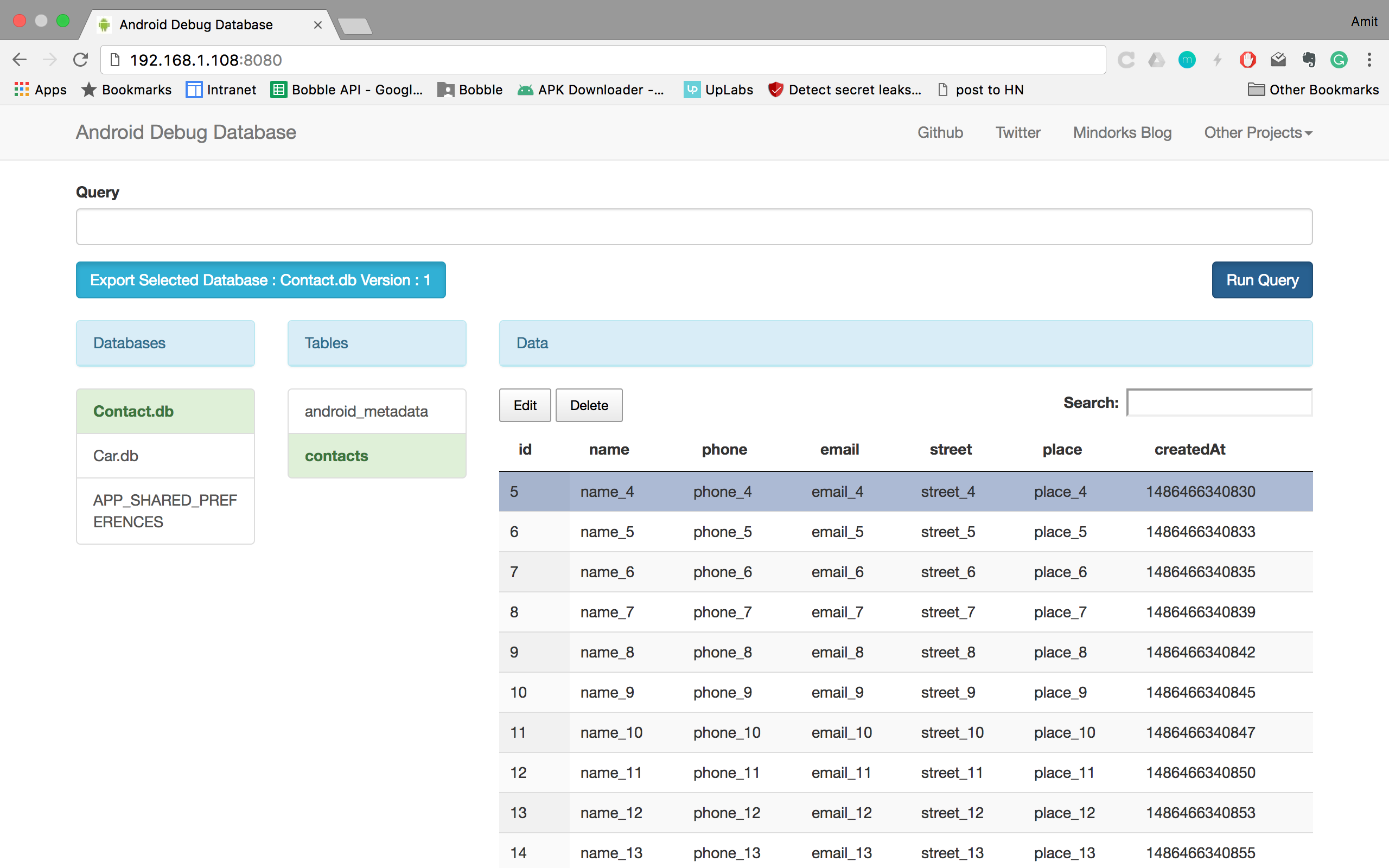
Android Debug Database allows you to view databases and shared preferences directly in your browser in a very simple way.
- See all the databases.
- See all the data in the shared preferences used in your application.
- Run any sql query on the given database to update and delete your data.
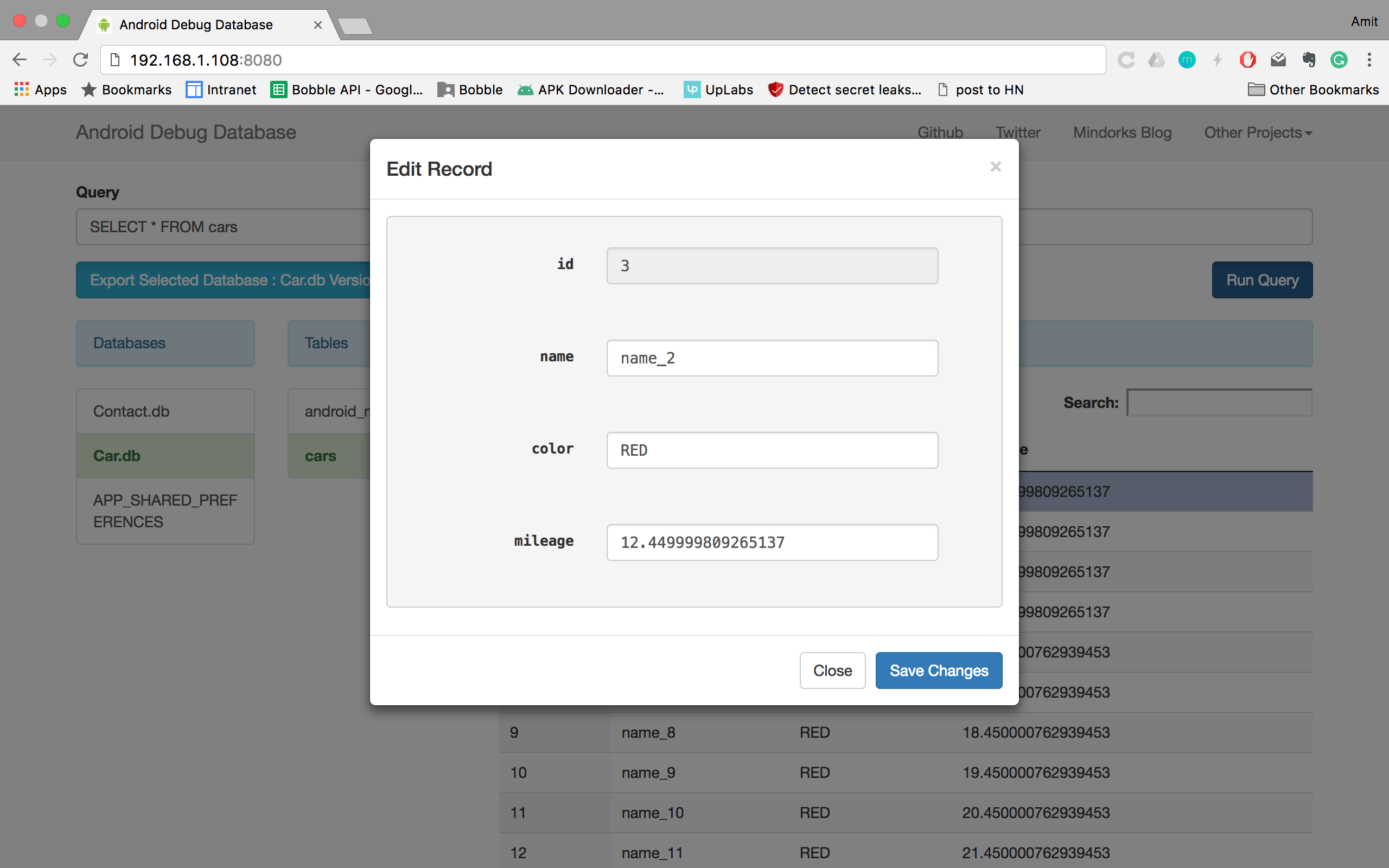
- Directly edit the database values.
- Directly edit shared preferences.
- Delete database rows and shared preferences.
- Search in your data.
- Sort data.
- Download database.
Add this to your app's build.gradle
debugCompile 'com.amitshekhar.android:debug-db:1.0.0'Use debugCompile so that it will only compile in your debug build and not in your release apk.
That’s all, just start the application, you will see in the logcat an entry like follows :
-
D/DebugDB: Open http://XXX.XXX.X.XXX:8080 in your browser
-
You can also always get the debug address url from your code by calling the method
DebugDB.getAddressLog();
Now open the provided link in your browser.
Important:
- Your Android phone and laptop should be connected to the same Network (Wifi or LAN).
- If you are using it over usb, run
adb forward tcp:8080 tcp:8080
Note : If you want use different port other than 8080. In the app build.gradle file under buildTypes do the following change
debug {
 resValue("string", "PORT_NUMBER", "8081")
}
You will see something like this :
- Android Default Emulator: run
adb forward tcp:8080 tcp:8080and open http://localhost:8080 - Genymotion Emulator: Enable bridge from configure virtual device (option available in genymotion)
As this library is auto-initialize, if you want to get the address log, add the following method and call
public static void showDebugDBAddressLogToast(Context context) {
 if (BuildConfig.DEBUG) {
 try {
 Class<?> debugDB = Class.forName("com.amitshekhar.DebugDB");
 Method getAddressLog = debugDB.getMethod("getAddressLog");
 Object value = getAddressLog.invoke(null);
 Toast.makeText(context, (String) value, Toast.LENGTH_LONG).show();
 } catch (Exception ignore) {
 }
 }
}
- Support it by clicking the ⭐ button on the upper right of this page. ✌️
- Simplify emulator issue Issue Link
- And of course many more features and bug fixes.
###Check out Mindorks awesome open source projects here
 Copyright (C) 2016 Amit Shekhar
 Copyright (C) 2011 Android Open Source Project
 Licensed under the Apache License, Version 2.0 (the "License");
 you may not use this file except in compliance with the License.
 You may obtain a copy of the License at
 http://www.apache.org/licenses/LICENSE-2.0
 Unless required by applicable law or agreed to in writing, software
 distributed under the License is distributed on an "AS IS" BASIS,
 WITHOUT WARRANTIES OR CONDITIONS OF ANY KIND, either express or implied.
 See the License for the specific language governing permissions and
 limitations under the License.
Just make pull request. You're in!