1️⃣ Guided setup to ensure the server has all it needs
2️⃣ Toggleable auto-restart
3️⃣ Customisable JVM flags (+ RAM allocation + GUI)
4️⃣ (Optional) Calculated JVM flags based on hardware, Java version, and RAM allocation
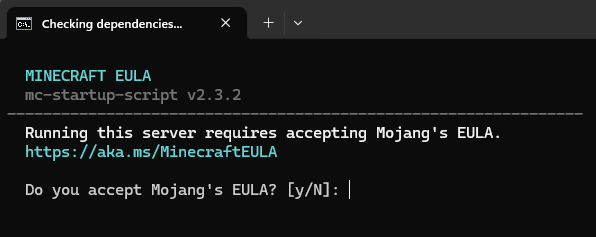
5️⃣ Auto-generate EULA
6️⃣ Automatic Java detection/selection
7️⃣ Discord webhook integration
8️⃣ Auto-updates with latest version from GitHub
- Windows OS
- Windows PowerShell 5.1
- Java 8 or newer, depending on the Minecraft version
- Download the script's latest
START.BATrelease (ensure it is saved as a '.bat'). - Place it in your Minecraft server's root directory.
- Run the script by either double clicking the file, or executing via CMD.
- Upon first use, the script will automatically download
core.ps1and run you through the configuration prompts.
The first run creates config/StartupScript.json. It can be edited directly for advanced options such as custom JVM flags or webhook text.
Older v1 installations using config/StartupScript.conf are imported automatically when v2 starts. The original file is left untouched as a backup.
To apply configuration changes while the script is still running (i.e. console is still open), simply restart the Minecraft server.
No need to restart the script.
📸 Click to view screenshots
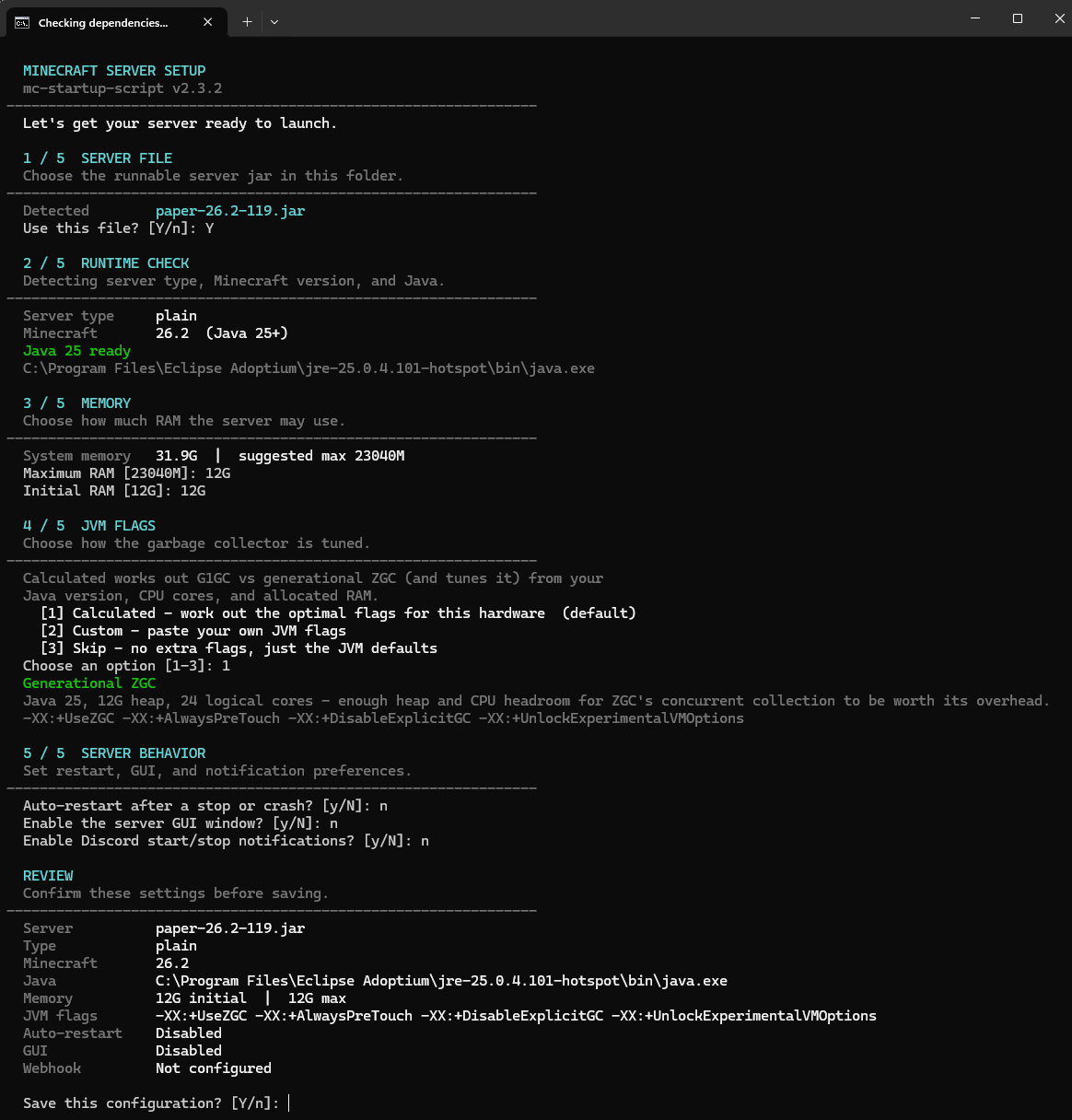
Screenshot of the setup wizard
Screenshot of the EULA acceptance dialogue
- Prompts user for server .jar filename. Checks if the file exists.
- Prompts user to allocate initial and maximum RAM for the server. Checks if entry is a valid value.
- Queries user whether the server should auto-restart or not.
- Queries user whether server should use pre-configured JVM arguments. Regardless of result, will generate file for flag storage.
- Queries user whether to launch with GUI.
- Queries user whether to use Discord webhooks. If yes, user inputs webhook URL.
- Lets user confirm choices. If confirmed, continue to normal startup. If rejected, will restart initial configuration.
- Stores configuration in
/config/StartupScript.json. - Generates auto-accepted EULA.
- Checks for updates to this script.
- Checks for config folder, config file, and sets restart counter. If config is missing, reverts back to initial setup.
- Checks for EULA, if non-existent, creates accepted eula.txt.
- Reads the JSON configuration and validates the selected Java runtime.
- Displays configuration to user and initialises the server.
- Uses built-in JVM defaults, with an optional
jvmFlagsoverride in the JSON configuration. - Checks auto-restart config to decide launch path.
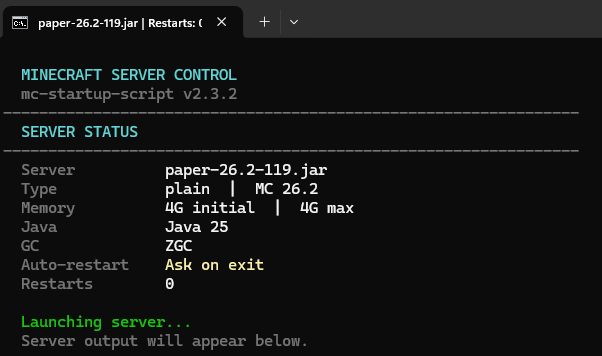
- Launches server, changes console title to the configurable title + restart count, and (if configured) sends Discord message.
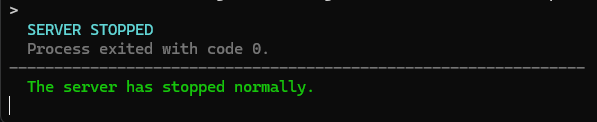
- Upon crash or restart, increments the restart counter, reloads configuration + JVM flags, and (if configured) sends Discord message.
- Launches server and changes console title to the configurable title, and (if configured) sends Discord message.
- Upon crash or restart, prompts user whether to restart or exit, and (if configured) sends Discord message.