




- Guide, WordPress development
- 10 min read
React WordPress Theme Development: Benefits and Drawbacks
Explore the benefits and drawbacks of React WordPress theme development for performance, flexibility, scalability, and UX.
Custom WordPress website development can boost your business's growth. The experienced-based guide by GetDevDone explains all the aspects, from costs to challenges, and fixes.
TL;DR
Bespoke WordPress development means building WordPress around your business requirements instead of adapting your business to a theme.
Think of themes as furnished apartments: quick to move into but limited by the floor plan. Bespoke WordPress development services are your built house: every room, integration, and content type planned for how your team actually works. That means clean editorial workflows, optimized performance, secure API connections, and dashboards when you need them without contorting your business to fit a template.
It can be something simple, like a cleaner editorial process for a media site. Or something more complex, like handling subscriptions, syncing stock across systems, or generating personalized dashboards for logged-in users.
Most teams understand the real difference only after trying to retrofit a theme to requirements it was never meant to support. At some point, you stop tweaking and start wishing the site had been built properly from day one.
Verdict: Theme customization works for simple sites, but becomes fragile and expensive once real business logic, performance requirements, or scalability enter the picture.
Theme customization used to be fine for smaller sites. Today, it often turns into a slow fight against technical debt. The reason is simple: most themes and page builders are built to cover as many use cases as possible, which means they carry assumptions you can’t easily remove.
Page builders make this even more obvious. Take Elementor as a concrete example. It gives non-technical users a quick way to assemble pages, but the convenience comes with a structure you don’t fully control. Layouts depend on deeply nested wrappers, widgets inject their own CSS and JS, and small design changes can ripple across the page in ways you didn’t expect. Over time, you start stacking addons to fill gaps, and the site becomes a bundle of micro plugins glued together at the layout level. That fragility shows up when you try to scale, redesign, or improve performance.
Elementor isn’t unique here. It’s just a clear example of how page builders work under the hood. They generate layouts dynamically, and dynamic layouts are harder to optimize, harder to keep consistent, and harder to maintain for years. When every visual adjustment depends on the builder’s logic, long-term flexibility shrinks instead of growing.
A bespoke build starts without baggage. You get:
Modern WordPress makes this even more practical than before. Block themes, patterns, ACF, WPGraphQL, and headless setups give developers far more freedom.
The point isn’t that themes or builders are bad tools. It’s the moment you outgrow them, you pay interest on every workaround.
Verdict: WordPress remains a strong foundation for bespoke development because it combines architectural flexibility, a mature ecosystem, and long-term platform stability.
Businesses pick WordPress for bespoke builds because it remains one of the few platforms flexible enough to handle unusual requirements without locking you into someone else’s idea of how your site should work.
At a practical level, it gives you three things that are hard to get together elsewhere: control, ecosystem, and longevity.
You control the stack. With self-hosted WordPress, you decide where it runs, how it scales, which tools it talks to, and how far you want to push customization. You are not renting space on a proprietary platform that can change features, pricing, or API access at any moment.
The ecosystem is huge, but more importantly, it is deep. There are mature solutions for caching, security, multilingual setups, subscriptions, and every structure you might need. And for eCommerce, WooCommerce serves as the core foundation. It isn’t just a plugin – it’s infrastructure. Most real-world stores extend it with advanced pricing logic, tailored checkout flows, subscription frameworks, inventory synchronisation, ERP/CRM integrations, and business-specific rules that no off-the-shelf setup can handle cleanly. WooCommerce provides a stable foundation, while bespoke engineering turns it into a platform that fits your actual operational needs.
WordPress also sits in a useful middle ground between simplicity and power. Drupal, for example, is a developer-first, enterprise-oriented CMS with strong architectural foundations, but it comes with operational overhead. Teams often need specialized developers, more rigid workflows, and heavier deployment processes. Iteration slows down because every structural decision carries more weight. Non-technical users frequently rely on developers for tasks WordPress editors handle themselves.
And then there’s the opposite end of the spectrum: tightly integrated proprietary platforms. HubSpot CMS is a good example. It’s convenient, polished, and deeply tied to the CRM, which makes it appealing for sales-led teams that want everything in one place. But that convenience comes with constraints. HubSpot controls the templates, the deployment model, the scripting layer, and the data flows. You can extend it, but only inside the boundaries they define. Tailored workflows often require workarounds, and migrating away from the platform later is never trivial because content, automation, and analytics all live inside a single ecosystem.
That’s the tradeoff. Proprietary systems remove friction early on but limit your ability to shape the product long term. WordPress gives you the opposite: freedom to structure the system however you need, connect it to whatever tools your business relies on, and move it wherever you want in the future.
And WordPress has had time to harden. It has been battle-tested on tiny blogs and on sites serving millions of users. That maturity matters when you are building a system you expect to run for years, not months.
It is flexible enough to handle:
On top of that, modern WordPress is comfortable with headless setups and API driven architectures. If you need a React frontend, a mobile app, or other channels consuming the same content, WordPress can act as the stable content and logic layer instead of just “the website.”
Competitors have their place. Webflow works for simple marketing sites where content structures are modest and integrations are light. Shopify is excellent for standard eCommerce with relatively normal requirements. HubSpot shines when your whole operation revolves around its CRM, and you want a fully unified toolset.
But the moment you say “we need something specific” – a workflow, a data model, a permission system, an integration pattern that these platforms do not support cleanly – WordPress becomes a hard foundation to beat.
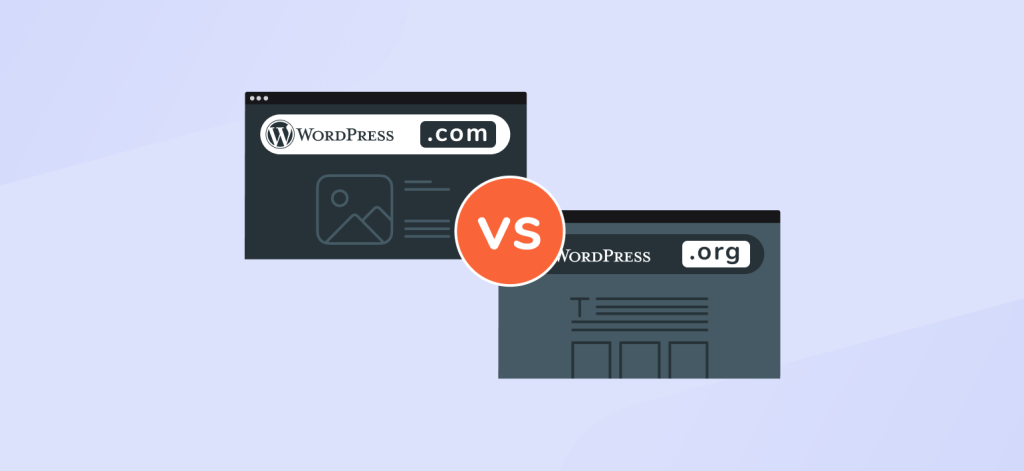
WordPress.org gives full control over code, plugins, infrastructure, and integrations, which bespoke projects require.
If you’re building something tailored to specific requirements, these two often get mixed up, but they behave very differently.
WordPress.org is the open-source version you host yourself. This is what almost every bespoke WordPress project is built on. WordPress.com is a hosted service. Convenient for beginners, but with real ceilings once you move beyond basic needs. Even on higher-tier plans, you’re still operating inside someone else’s sandbox.
Here’s how the differences matter when you’re building a site around your own requirements.
On WordPress.org, you own the whole environment. You can shape the database, modify backend logic, create own post types, install whatever plugins you need, or write your own.
On WordPress.com, you’re working inside their rules. Depending on the plan, plugin access may be limited, server-level changes are off the table, and custom code is allowed only within boundaries.
If your project involves unique workflows or integrations, these boundaries get tight very quickly.
A bespoke build depends on the developer’s ability to shape the CMS. WordPress.org lets you do that freely. Specific fields, blocks, advanced caching layers, CI pipelines, headless setups – all possible.
WordPress.com handles hosting, security, and automatic updates, which is nice, but in exchange, you lose access to the deeper layers that custom projects rely on.
Performance tuning is often part of the work: server configuration, CDN choices, caching strategies, and database optimization.
WordPress.org gives you this level of control. On WordPress.com, you get whatever defaults the platform has decided. They’re fine for general use, but not tailored for high-traffic or specialized workloads.
With WordPress.org, you decide what to spend money on: hosting, CDN, developer time, plugins, or services you actually need.
WordPress.com bundles hosting with platform constraints. Once your requirements advance, you end up on more expensive plans without gaining the flexibility that bespoke development relies on.
If the project goes beyond a standard setup, WordPress.org is the practical choice because it gives you the flexibility to build without platform-imposed constraints.
An original design is built around your tone, your product, and your structure rather than adapted from a popular theme. Clean visual hierarchy, content blocks designed for your messaging, and layouts that guide visitors the way you want. Nothing feels bolted on.
This also helps with consistency. When everything is defined intentionally instead of inherited from a template, the brand feels tighter and more coherent.
Every business has quirks. Maybe you need a tailored booking flow, a partner dashboard, a way to sync product data with an ERP, or a publishing workflow that lets editors move fast without breaking things.
When development starts with those requirements, they aren’t workarounds. They’re part of the blueprint.
You get a content model that mirrors the real world instead of one you try to squeeze into a theme’s idea of blog posts and pages.
Themes carry weight because they try to solve everything for everyone. A custom build solves only what you need.
That means:
Performance isn’t just a technical metric. It affects user trust, search visibility, and conversion rates. A lighter, well‐structured site simply behaves better under pressure.
Requirements change. You add a new product line, rebuild your funnel, expand into new markets, or decide to go headless.
A bespoke WordPress build can evolve because it isn’t glued to someone else’s architecture. New features slot into place without tearing up the foundation.
Security problems often come from outdated plugins, bloated themes, or abandoned code. A tailored build avoids most of that by eliminating unnecessary moving parts.
You decide what gets installed. You decide how data flows. You decide the authentication rules. And you can harden the setup at the server level instead of relying on whatever defaults a theme came with.
This part is often overlooked. A purpose-built backend gives teams dashboards, editor screens, and content tools designed around how real people work, rather than a generic audience.
Editors get fewer steps to publish. Marketers get the fields they need. Developers get a clean codebase without plugin spaghetti.
When the tools fit, the team works faster and breaks fewer things.
Verdict: You should choose tailored WordPress development when adapting your business to a theme costs more than building a system around your real workflows.
Not every site deserves a fully bespoke build. Sometimes, a good theme and a few careful plugins are perfectly fine. The right question is not “can we afford this type of development?” but “what happens if we do not?”
You should start thinking seriously about a build that perfectly matches your business when the cost of bending tools starts to exceed the cost of building the right tool.
One or two small hacks are normal. But if every change feels like a workaround, you are in the wrong setup.
Typical signs:
Themes are opinionated products. They come with their own layout logic, pattern library, and assumptions about how content should be structured. When your requirements push against those assumptions, complexity grows sideways.
A custom build flips this logic. You define the requirements first, then design architecture that supports them. No more squeezing a booking flow into a “contact form” pattern or forcing pricing rules into a generic product grid.
Bespoke WordPress development improves performance by removing unused code, controlling asset loading, and designing caching around real traffic patterns. This leads to faster load times, more stable Core Web Vitals scores, and predictable behaviour under traffic spikes.
If your site is mostly a brochure with light traffic, a decent theme can be good enough. But as soon as you:
then performance becomes a revenue question, not a technical one.
Themes and page builders often load:
You can spend months trimming and tuning, or you can start with a lean, custom theme development that only does what your site needs to do.
With bespoke development, you can:
The more your business model deviates from “simple pages and a blog,” the more tailored development makes sense.
Some examples:
You can sometimes glue this together with plugins, but every plugin adds its own opinionated UI, database structure, and update cycle. Over time, your site becomes a collection of small applications that do not know or care about each other.
A purpose-built solution lets you model your business logic cleanly inside WordPress:
This structure makes everything else easier: search, filtering, automation, and reporting.
Most people focus on the frontend because it is visible. But the backend is where time is lost.
You might be ready for bespoke development if:
A tailored backend can give your team:
If you are paying people to fight the CMS every week, development that fit your business starts looking like a productivity investment.
Yes, WordPress can handle complex integrations.
Bespoke WordPress development supports direct CRM, ERP, payment, and automation integrations using APIs, background jobs, and controlled data flows.
At some point, your site stops being “just a site” and becomes part of a wider stack.
Think about:
Off-the-shelf plugins can cover straightforward cases. But serious integrations usually need:
WordPress development lets you make integrations first-class citizens, not afterthoughts. The site can be built around data flows instead of having them bolted on later.
If the site is a short-term campaign, heavy customization rarely makes sense.
But if this is your main digital property, you should assume that:
With a bespoke build, you can treat the site like an evolving product. You get a clear architecture, version control, and a predictable way to add features without breaking everything else.
Signs you have outgrown the “quick” phase:
A personalized build, once well structured, is often cheaper than rebuilding a messy theme-based site every few years.
If you operate in regulated industries or serious B2B environments, you cannot afford “whatever the plugin does” as a policy.
You may need:
Bespoke development gives you visibility into every layer. You are not dependent on how a third-party plugin happened to implement a feature five years ago.
If you can clearly describe your site as “a pretty standard brochure with a contact form,” you probably do not need a fully bespoke build.
If instead you find yourself spending time explaining workflows, exceptions, and “it is a bit unusual, but…” then you are already in custom territory. The sooner the site reflects that reality, the less you will pay in workarounds later.
A bespoke site is more than a design and a few templates. It’s a collection of purposeful components working together. The exact mix changes per project, but most tailored builds include a few common deliverables.
This isn’t a modified off‐the‐shelf theme. It’s a lean theme with only the templates, blocks, and logic your site needs. No leftover layouts, no hidden page-builder code, no unused scripts. It keeps everything predictable. When something changes, you know exactly where to look.
Modern WordPress revolves around blocks. For a bespoke build, these blocks become tailored tools: hero sections, product highlights, testimonial sliders, callouts, cards, anything your editors need.
Each block is:
Structured content models (post types, taxonomies, and fields depending on your needs) support the blocks so everything stays clean behind the scenes.
Sometimes you need functionality that doesn’t belong in a theme. In those cases, a custom plugin isolates the logic. This could be:
Keeping logic inside plugins instead of themes prevents technical debt and makes maintenance easier.
Most modern builds rely on outside systems. Proper integrations are engineered, not duct-taped.
A bespoke project may include:
These integrations need error handling, logging, retries, and stable authentication. They’re rarely plug-and-play.
Bespoke development allows you to bake performance into the architecture:
SEO isn’t magic. It’s clarity and speed. A bespoke build gives you both.
A tailored build doesn’t end at launch. WordPress imporoves, PHP versions change, browsers shift, content models grow. Without maintenance, any site slows down and breaks.
Ongoing support usually includes:
This guide is based on patterns that GetDevDone’s WordPress engineers and project managers see across custom builds for marketing agencies and product-driven teams. It reflects what consistently works, what breaks under scale, and where teams tend to underestimate complexity.
This is where the project is defined in plain language before anyone touches code.
The goal is to understand:
This phase often surfaces things nobody mentions at first: internal workflows, abandoned plugins that still affect data, odd content structures, marketing needs, long-term scalability concerns.
A good discovery process produces something concrete: a clear set of requirements and constraints. It prevents expensive surprises later.
This is where WordPress is shaped to fit the business instead of the other way around.
Key decisions happen here:
Think of this as the blueprint phase. A site with a strong architecture avoids the slow decay that theme-driven builds often suffer from.
Design comes after the structure is known, not before. This avoids the common pattern of designing pretty layouts that WordPress cannot support.
Typical outputs here:
Everything is built as a library of parts instead of a gallery of pages. That makes the site easier to maintain and extend.
This is where functionality takes shape.
Developers build:
Because the architecture is already clear, this phase is focused and predictable. Features slot into the system rather than piling onto chaos.
A tailored build is tested at several levels:
Thorough WordPress testing at this stage helps surface issues early, ensuring the site behaves predictably across real user scenarios before and after launch.
Launch is rarely a single moment. It’s a controlled rollout, with monitoring and quick fixes as real users start interacting with the system.
After launch, the site becomes a product. You refine, extend, and adjust it as the business changes. A well built site makes these changes routine instead of risky.
A bespoke build only works if the underlying stack is stable, modern, and maintained. WordPress does not demand a complicated setup, but it does demand a thoughtful one. The stack below reflects what most serious projects use today.
At the heart of every WordPress build:
The original flexibility of WordPress is still there, but the modern workflow is closer to real software development. Version control, dependency management, build pipelines, and automated testing are no longer optional on long lived projects.
For more advanced WordPress projects, you want hosting that gives you real control:
Platforms like Kinsta, WP Engine, or high-quality VPS/cloud setups (DigitalOcean, Vultr, AWS, Hetzner) work well. The key is being able to configure the environment around the site instead of accepting one-size-fits-all defaults.
Modern WordPress development often includes:
These tools keep the codebase predictable and prevent the sprawl that often happens when everything is done with plugins.
The frontend side benefits from a modern workflow too:
The result is a site that is lighter, easier to maintain, and less brittle when content changes.
Complex builds often rely on external services. Common patterns include:
WPGraphQL, in particular, has become a strong choice for headless builds or data-heavy projects.
Everything should live in Git. No FTP patchwork, no “editing files on production”, no guessing.
Typical workflows:
A clean deployment pipeline reduces risk and keeps teams aligned.
Security is not just a plugin. It’s a set of decisions:
Purpose-built development can reduce the attack surface by removing unnecessary features instead of piling them on.
A solid technical stack does not guarantee a perfect project, but it does guarantee that the site behaves like a product rather than a collection of experiments.
Hosting matters more for complex builds than for a typical theme-based site. Once you introduce business-specific logic, integrations, or higher traffic expectations, you need an environment you can actually tune.
There are three broad categories worth considering.
This is usually the safest middle ground. Platforms like Kinsta, WP Engine, and Pressable give you:
These hosts handle the infrastructure so you can focus on the product. The main tradeoff is less control at the server level, but for most businesses, that is fine. Managed hosting works best for sites with predictable traffic and no exotic server requirements.
A virtual private server (DigitalOcean, Vultr, Linode) or cloud provider (AWS, Google Cloud, Hetzner) – often considered among the top cloud hosting platforms – gives you full control. You can customize everything from PHP workers to caching systems, queue runners, and CDN configuration.
This is ideal when you need:
The tradeoff is responsibility. You (or your developer) must manage updates, logs, backups, monitoring, and security. For large or technically demanding builds, this level of control becomes a real advantage.
Shared hosting still exists and still attracts smaller sites because of the low price. But it is not a good fit for tailored development.
Limitations usually include:
If you are investing in an advanced WordPress build, shared hosting becomes the weakest link. Everything else in the stack may be built for speed and reliability, but the server will slow it down.
For most businesses, managed WordPress hosting is the best balance of performance, control, and convenience.
For more demanding or unconventional projects, a VPS or cloud setup is the right choice because it removes every ceiling.
The rule of thumb is simple: if the site has business-specific logic, traffic spikes, or integrations that must run reliably, don’t host it in a place where you cannot control the environment.
If you are comparing specific providers, this guide to choosing the best WordPress hosting for your site walks through the main criteria in more detail.
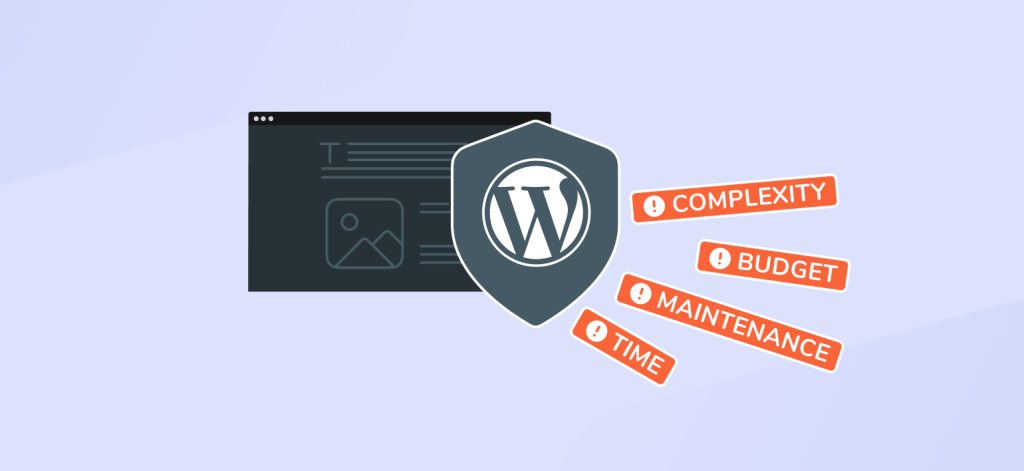
A purpose-built solution gives you freedom, but that freedom comes with responsibilities. These challenges are not reasons to avoid a more flexible development approach. They are simply realities you need to plan for.
More flexible projects can create the temptation to build everything from scratch. But adding features without a clear purpose leads to a heavy, brittle system.
The challenge is deciding which requirements truly need dedicated development and which are better handled with existing tools or simpler workflows.
Content modelling sounds straightforward until you start mapping real-world needs. If the model is too simple, editors become frustrated. If it’s too complex, the backend becomes confusing.
The goal is to:
Poor modelling is one of the easiest ways to create technical debt.
Plugins aren’t the enemy. Overusing them is. Even good plugins can create problems when:
A well-structured build requires discipline: a minimal set of trusted plugins, each selected for a clear purpose.
A site may perform well in development or staging and behave differently under real traffic. Business-specific logic, API calls, large queries, or inefficient loops can put additional strain on the server.
Performance work is not something you “add at the end.” It must be baked into:
Without intentional performance planning, custom features can become bottlenecks.
External systems don’t always behave the way documentation promises. APIs fail, tokens expire, rate limits break flows, and data formats change.
Handling integrations well means:
Without proper deployment workflows, small differences between local, staging, and production environments can cause bugs that are hard to reproduce.
To keep things stable:
This removes guesswork and keeps the team aligned.
A purpose-built WordPress site ages like any other software. WordPress core evolves, PHP versions change, dependencies update, browsers shift, and new business needs emerge.
The challenge is committing to:
A well-maintained build stays stable for years. A neglected one accumulates friction.
A more flexible development approach can solve problems that standard themes cannot, but it also requires a team that treats the site as a living product. These challenges are manageable as long as you account for them from the start.
There’s no universal price tag for a WordPress website development services because the cost depends on what the site actually has to do. Design complexity, best-fit functionality, integrations, content modelling, and hosting each push the project into a different range.
Below are the main things that shape the budget.
In GetDevDone’s experience, cost overruns rarely come from design changes.
They almost always come from unclear requirements, rushed discovery, or delayed integration planning.
A marketing site with a few templates sits in a different category than a membership platform or anything with heavy integrations. Complexity drives cost far more than page count.
Typical factors:
The more the site behaves like a product rather than a brochure, the higher the cost.
A complete design system takes time to define how components look, behave, scale, and adapt to different content.
If the brand requires:
the design phase becomes a meaningful part of the budget.
Old sites usually come with messy content, inconsistent formatting, unused fields, orphaned media, and legacy plugins. Cleaning and migrating this data affects both timeline and cost.
Managed WordPress hosting keeps things predictable. A VPS or dedicated cloud environment with background tasks, queues, or advanced caching adds to infrastructure costs.
A bespoke build is an evolving product. You’ll want:
This is part of long-term planning, not an afterthought.
GetDevDone’s breakdown of WordPress pricing highlights a familiar pattern:
The industry’s consistent takeaway: complexity, not page count, defines the price.
You probably want numbers, so here’s a rough sense of scale based on public benchmarks and typical industry practice.
For simple setups using off-the-shelf themes or light configuration, total spending can range from a few hundred dollars to a few thousand. That aligns with GetDevDone’s estimates for basic blogs, themes, hosting, and domains.
Once the project requires original templates, structured content, integrations, complex user flows, or a full design system, the cost rises significantly. WordPress projects at this level typically fall into the tens of thousands rather than the low thousands, with the final figure depending heavily on scope and technical complexity.
These figures are not price quotes. They simply provide context for the ranges you are likely to see when budgeting for a more advanced WordPress project.
A practical way to manage a budget is to treat the first release as an MVP. Not cutting corners, but building the smallest version of the system that solves the core problems.
An MVP for a more advanced WordPress typically means:
This keeps the early budget focused on structure, validates real-world assumptions, and creates a foundation that can evolve without rewrites.
A bespoke WordPress build isn’t a commodity purchase. It’s investing in owning your platform instead of renting it from a theme developer or plugin ecosystem.
If the site is central to how you acquire customers, publish content, sell products, or operate internally, doing it properly once is almost always cheaper than years of patching a fragile setup.
Once you commit to a bespoke build, the next question is who should own it. Both agencies and freelancers can deliver excellent work, but they solve different problems and fit different contexts.
Freelancers work well when the project is focused, well-defined, and doesn’t require multiple specialists.
They’re a good choice if:
A strong freelancer can move fast, avoid bureaucracy, and adapt to feedback quickly. For smaller builds or highly technical tasks (like building a block, structuring ACF fields, or creating an integration), this can be ideal.
The tradeoffs are capacity and continuity. If the project grows, or if the freelancer becomes unavailable, progress can stall. A single person can only cover so many roles.
Agencies make more sense when the project is complex or long-term.
They’re equipped for:
An agency brings a team: designers, developers, QA, DevOps, and project managers. That matters when your site is a core business asset rather than a small marketing project.
You also get continuity. If someone leaves the team, the knowledge doesn’t disappear. Processes stay in place.
The tradeoff is cost. Agencies are almost always more expensive, but the structure and stability can save money in the long run for complex builds.
A simple rule of thumb:
And one more thing. Whoever you choose, look for someone who can explain their decisions in simple language. Bespoke WordPress development isn’t about clever code – it’s about solving real problems without turning the site into a puzzle only the original developer understands.
You’re not just buying lines of code. You’re choosing who will own a critical part of your business for months or years.
A good partner – agency or freelancer – makes the entire project easier. A poor fit doubles the cost.
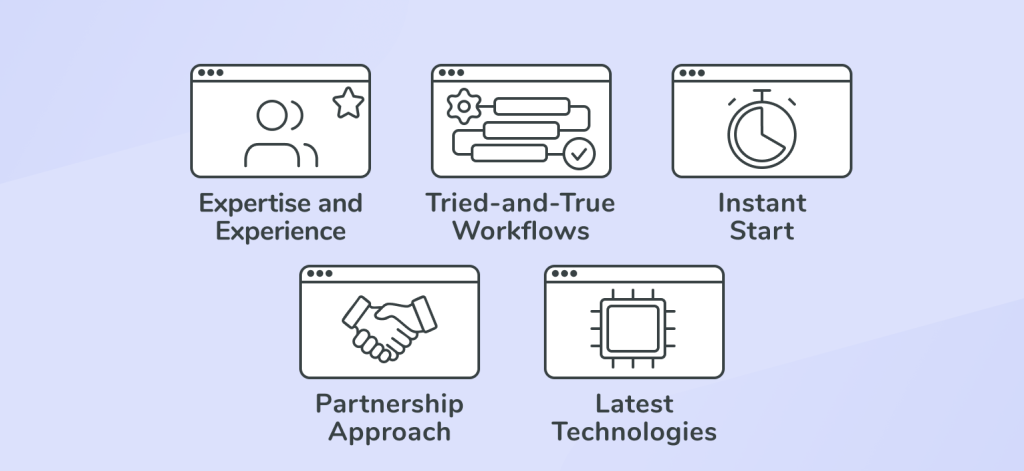
Here’s what matters.
A good developer doesn’t jump into solutions. They ask about workflows, pain points, edge cases, integrations, and long-term goals. If the discovery phase feels shallow, the build will be too.
If someone can’t explain their technical choices without jargon, you’ll struggle during the project. Clarity isn’t optional.
Theme modification is not the same thing as specific architecture. Look for:
This is non-negotiable for this type of work:
If someone still deploys via FTP, that is a red flag.
A site evolves. Bugs appear. Integrations change. Without support in place, you’ll end up rebuilding more often than you should.
Tailored WordPress development is part software engineering, part communication. The partner you choose should handle:
The best partners feel like an extension of your team rather than a vendor delivering a package.
*****
The perspectives in this article come from teams who build, maintain, and extend WordPress systems over multiple years, not from one-off launches.
That long-term exposure shapes how GetDevDone approaches architecture, tooling, and delivery choices.
So, you’ve found your perfect partner. Congratulations! But now you need to make the most of this partnership to ensure they create a unique website exactly as you see it in your mind’s eye. How? Let’s explore the main points.
Smooth and transparent communication is extremely important for the ultimate success of your project. You need to be in constant touch with the development team to ensure you’re on the same page regarding the timelines, goals, and results.
So what exactly can you do to achieve that? Here’re some key steps you can take:
The project scope is like a roadmap for your website, defining the features it needs and the resources required to create them. So, one of the first steps you should take is to clearly outline the scope, providing specific details, such as the design elements, third-party integrations, and SEO enhancements.
Be flexible in your requirements and preferences. The WordPress development team you’ve chosen probably has years of experience to its credit.
They’re following the latest technological advancements and implementing the industry best practices to ensure the top-notch quality and functionality of your website. Trust their recommendations if they suggest alternatives that add more value than your original plan.
Establish a clear feedback loop with your team. Otherwise, how do they know they’re moving forward in the right direction, aligning with your vision precisely?
Be objective. When you see that they’ve done something against your expectations, speak out openly about it. But also praise them when you like their work.
Turn WordPress site into a scalable business platform
ORDER NOWThe moment your requirements keep fighting the theme, you’re already in custom territory. If every change feels like a workaround, performance becomes a revenue issue, or your business logic isn’t something a normal theme was designed for, a bespoke build will cost less in frustration and long-term fixes than trying to bend a template into shape.
Not necessarily. It’s justified when your workflows, data structures, or integrations aren’t generic. Even a medium-sized site can benefit if the backend slows your team down or if you rely on logic themes simply don’t support cleanly.
When small tweaks start creating ripple effects you can’t control. Themes and builders carry assumptions that work until you ask them to do something they weren’t designed for. After that point, every patch adds technical debt and your developer spends more time fixing things than building anything new.
No. It means shaping WordPress around your business logic. You still use the core platform, the ecosystem, and proven tools like ACF, WPGraphQL, or WooCommerce. You’re not rewriting WordPress, you’re removing the parts you don’t need and building only what you do.
Yes. It sits in a practical middle ground: flexible architecture, enormous ecosystem depth, and long-term stability. It scales from marketing sites to eCommerce to membership systems without locking you into proprietary constraints.
Custom builds run on WordPress.org. You need full control over code, plugins, hosting, integrations, and performance. WordPress.com’s sandbox limits all of that, even on higher-tier plans.
A lean theme, structured content models, blocks, plugins for unique logic, engineered integrations, performance foundations, and a plan for ongoing maintenance. It’s a system, not just “a nicer design.”
By removing clutter and giving editors only the fields, blocks, and workflows they actually use. The backend becomes predictable instead of a maze of page-builder options or plugin-generated UI.
Building too much, designing a messy content model, relying on too many plugins, skipping performance planning, and treating deployment as an afterthought. None of these are specific to WordPress – they’re software-engineering problems.
Because a site built for your business purpose behaves like software. WordPress core improves, PHP versions change, integrations shift, and your objectives change. Without maintenance, even a clean build collects friction over time.
There’s no flat number. Cost follows complexity, not page count. Development usually sits in the tens-of-thousands range because it involves architecture, structured content, integrations, design systems, and long-term maintainability.
Yes, and it’s often the smartest way to control budget. Build the correct content model and essential workflows first, ship the smallest version that solves real problems, then extend the system over time.
A freelancer works well when the scope is focused and doesn’t require multiple disciplines. An agency makes sense when there’s complex design, integrations, long-term roadmaps, or a need for predictable support and continuity.
Someone who asks the right questions, explains decisions clearly, understands business-specific architecture (not just theme tweaks), uses a real dev workflow (Git, CI, staging), offers ongoing support, and collaborates instead of disappearing behind jargon.
If this guide resonated, it probably means your site has moved beyond the “just use a theme” phase.
GetDevDone works with teams who treat WordPress as a long-term product rather than a short-term deliverable.
Our bespoke WordPress development focuses on architecture, performance, integrations, and systems that stay maintainable as requirements evolve.
You can learn more about how we approach custom WordPress builds here.
If you already have a clear scope and want to move forward, you can start the process directly.
Explore the benefits and drawbacks of React WordPress theme development for performance, flexibility, scalability, and UX.
Learn how to choose the right Magento development company by evaluating expertise, communication, support, and project delivery.
Custom Shopify theme development for performance, responsive image handling, and the limits of off-the-shelf themes