- JavaScript 100%
| tests | Add a test for plan failures | |
| .gitignore | Initial add | |
| CHANGELOG.md | Update change log with release date and list of improvements | |
| index.js | Add help screen | |
| jsconfig.json | Add jsconfig.json file | |
| LICENSE | Add license (ISC) | |
| package-lock.json | Update package lock file | |
| package.json | Remove Tape support; all tests passing for node:test | |
| README.md | Fix typo | |
Tap Monkey
🍌️🐒️
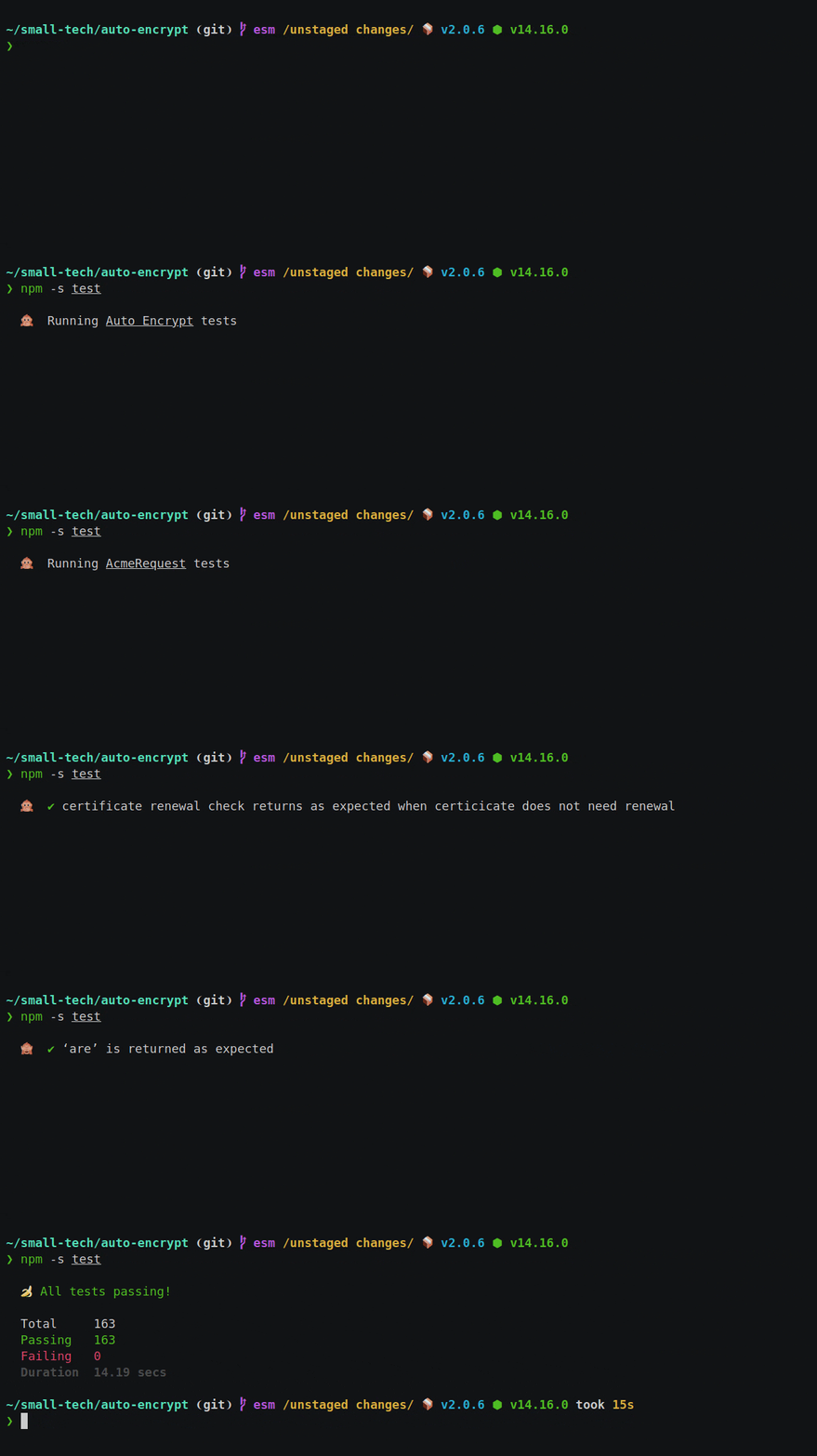
A tap formatter for node:test that’s also a monkey.
Displays test runner status using a static single-line spinner (hint: it’s a monkey) and only fills your screen with text on failures and with your coverage report.
If you’re looking for a version of Tap Monkey that works with tape, please see the 1.x branch.
Install
npm i @small-tech/tap-monkey
Use
Pipe your tap test output to tap-monkey:
node --test --test-reporter test.js | npx tap-monkey
Or, as a test task in your package.json file:
"scripts" : {
 "test": "node --test --test-reporter=tap test.js | tap-monkey"
}
Or, if you have more than one test file:
"scripts" : {
 "test": "node --test --test-reporter=tap 'tests/*.js' 'tests/lib/*.js' 'tests/routes/*.js' 'tests/middleware/*.js' 'tests/data/*.js' | tap-monkey"
}
Accessibility
For a quieter monkey, use the --quiet flag. e.g.,
"scripts" : {
 "test": "tape test/**/*js | tap-monkey --quiet"
}
When this flag is passed, only an initial notice is shown that tests are running and no further updates are given unless there are failures or until the final summary and/or coverage report are shown.
This is a general accessibility and usability feature. It might help folks using assistive devices like screen readers who might otherwise get overwhelmed by notifications of running/passing tests as well as anyone else who wants a generally calmer monkey.
Code coverage
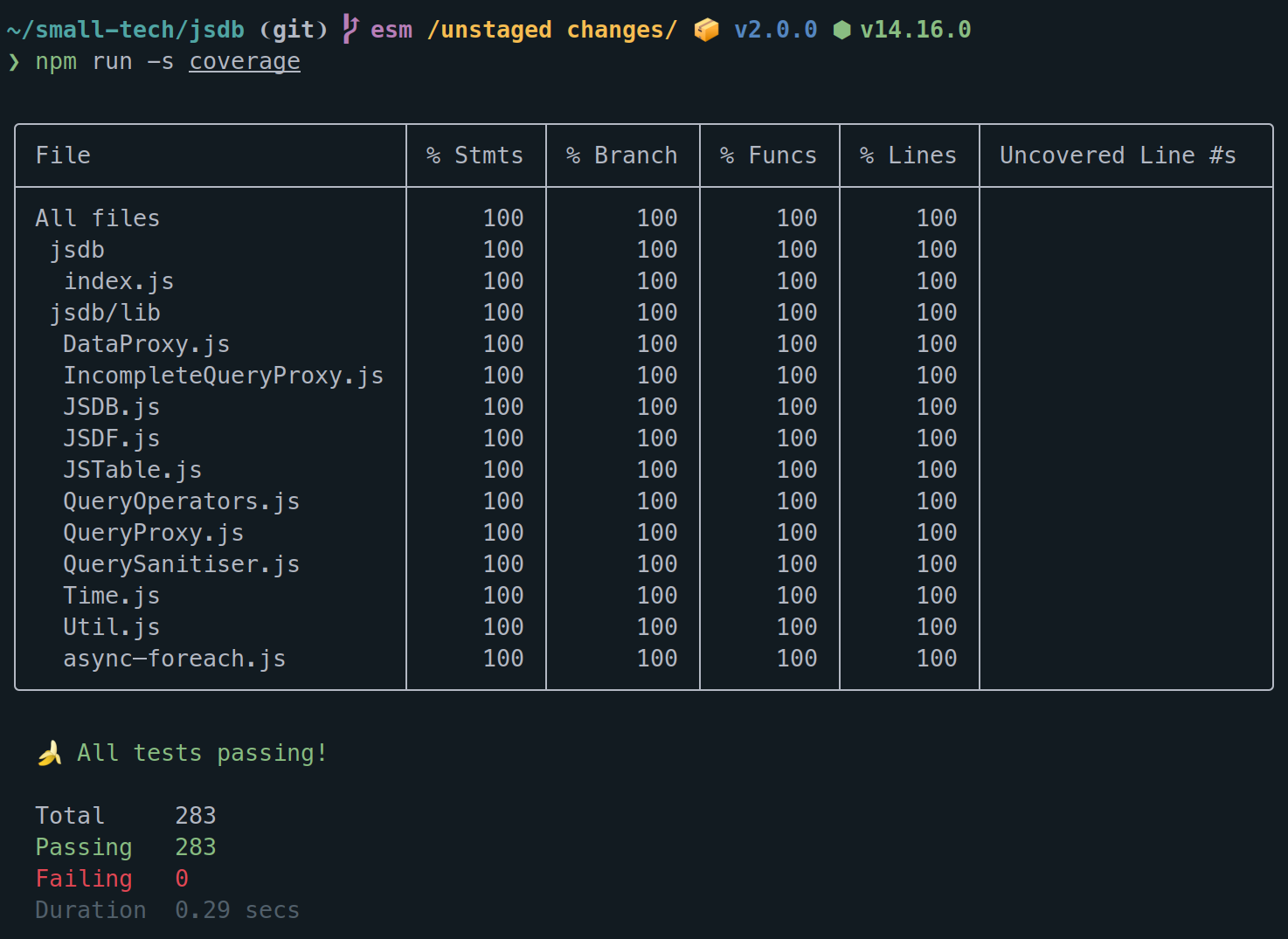
💡 Note that Node’s coverage support is experimental. Currently, the output doesn’t match Tape’s which means that the coverage reports in Tap Monkey won’t look perfect (the borders of the table don’t align). I’m going to wait to see if Node fixes their whitespace issues before implementing a workaround as this is purely an aesthetic concern.
Use Tap Monkey for code coverage in exactly the same way as you do for your tests.
"scripts" : {
 "coverage": "node --test --test-reporter=tap --experimental-test-coverage 'tests/*.js' | tap-monkey"
}
Test failures
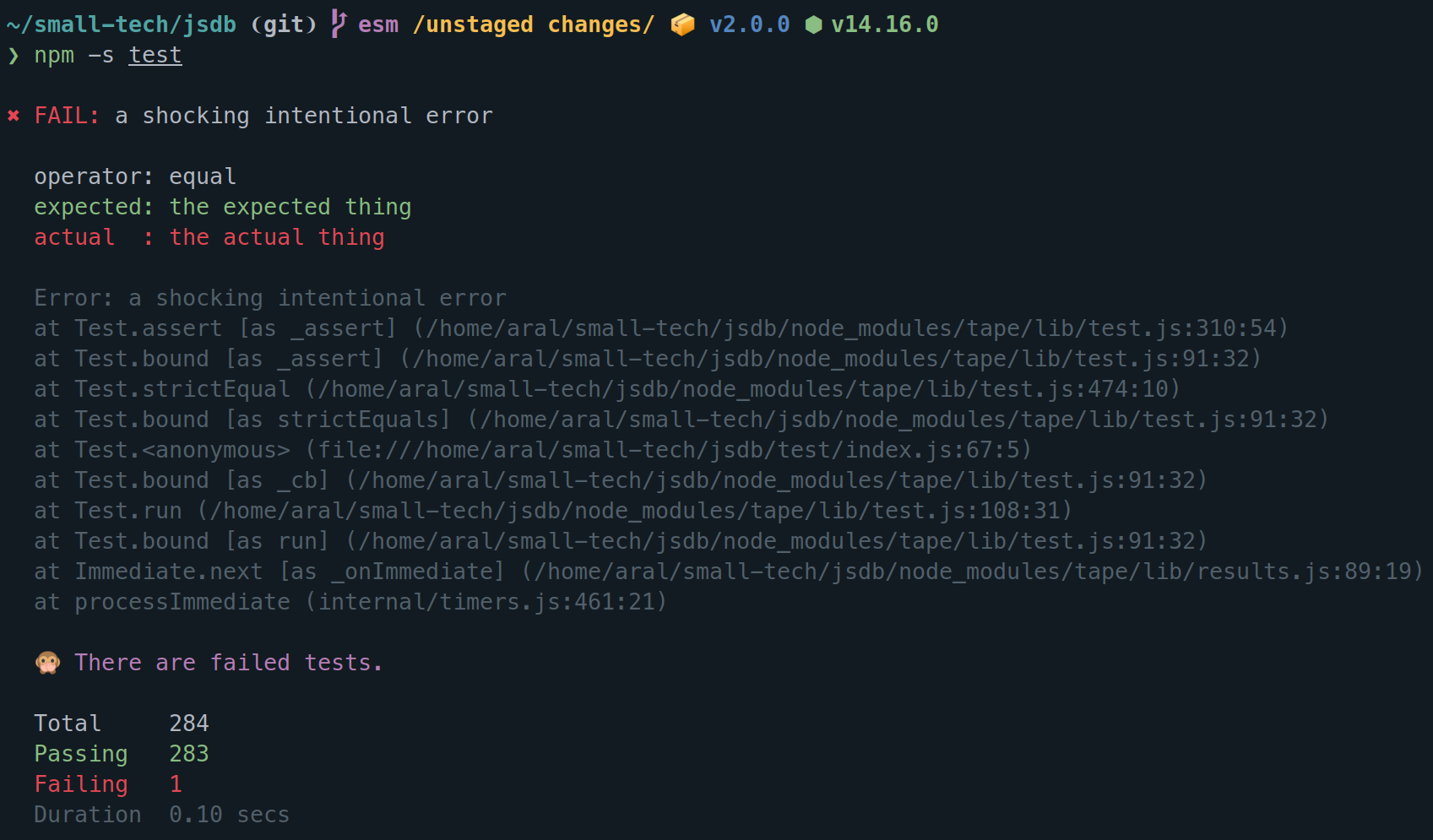
While passing tests are displayed ephemerally in the status line so as not to fill up your terminal window with unnecessary information, failed tests are always written in full to the terminal.
(When running tests, we don’t care about passing tests, only failing ones.)
Debug output
The opposite of --quiet is --debug.
With this boolean option set, Tap Monkey will display all TAP comments (which are usually hidden).
Any console output that is generated by your program (e.g., from console.log() statements) is displayed in full and separate from the current test status line.
This is useful while debugging.
Testing Tap Monkey
Tap Monkey itself, of course, comes with unit tests displayed by none other than *drumroll* Tap Monkey!
Run tests
npm run -s test
Run coverage
npm run -s coverage
Like this? Fund us!
Small Technology Foundation is a tiny, independent not-for-profit.
We exist in part thanks to patronage by people like you. If you share our vision and want to support our work, please become a patron or donate to us today and help us continue to exist.
Copyright
© 2021-present Aral Balkan, Small Technology Foundation.
License
AGPL version 3.0.