No description
- Lua 100%
| lua/custom | Change screenshot link | |
| .gitignore | remove unnecessary lines | |
| .stylua.toml | Initial Commit | |
| init.lua | feat!(Refactor): rework config, split files, and update keymaps | |
| LICENSE.md | Initial Commit | |
| README.md | Change screenshot link | |
Neovim Config
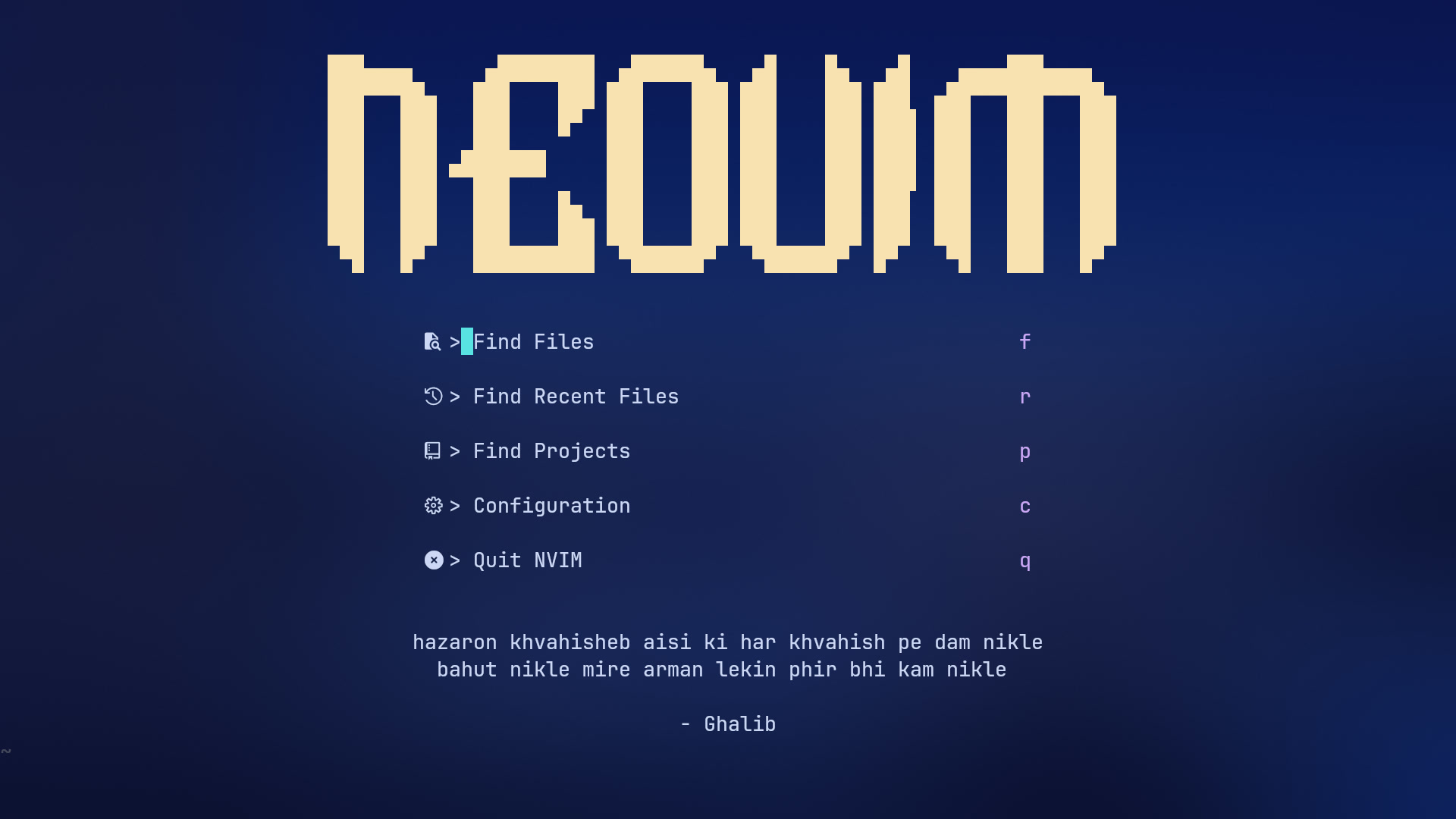
This is my personal Neovim setup, originally based on kickstart.nvim. This README serves as a guide for myself.
- Managed with lazy.nvim
- LSP via Mason and native
vim.lsp.config() - Treesitter via tree-sitter-manager.nvim
- Fuzzy finding via Telescope
Requirements
gittree-sitter-cliand a C compiler in$PATHfor parser installationmake(optional. This enablestelescope-fzf-native.nvimfor faster fuzzy matching)- Nerd Font for icons in the statusline, dashboard, and file explorer
Installation
git clone https://github.com/shellheim/nvim/ ~/.config/nvim
nvim
Structure
.
├── init.lua # Bootstraps lazy.nvim, wires up config/keymaps/plugins
├── lazy-lock.json # Pinned plugin versions
└── lua/custom/
 ├── conf/ # Core Neovim options, loaded before plugins
 │ ├── init.lua # Entry point, requires the two files below
 │ ├── options.lua # vim.o / vim.wo settings
 │ └── diagnostics.lua # Diagnostic float/sign config
 ├── keymaps/
 │ └── keymaps.lua # Global keymaps (see cheatsheet below)
 └── plugins/ # One lazy.nvim spec per file, auto-imported
 ├── lsp.lua # nvim-lspconfig, Mason, lazydev
 ├── completion.lua # nvim-cmp, LuaSnip, friendly-snippets, lspkind
 ├── conform.lua # Formatting on save
 ├── nvim-lint.lua # Linting
 ├── telescope.lua # Fuzzy finder + fzf-native + project switching
 ├── harpoon.lua # Fast file/buffer navigation
 ├── neo-tree.lua # File explorer
 ├── git-signs.lua # Git gutter signs + hunk navigation
 ├── catppuccin.lua # Colorscheme (latte, transparent background)
 ├── lualine.lua # Statusline (shows attached LSP + formatters)
 ├── tree-sitter-manager.lua # Treesitter parser installation/management
 ├── toggleterm.lua # Floating terminal
 ├── alpha.lua # Start screen / dashboard
 ├── trivial.lua # Small plugins not worth their own file
 │ # (vim-fugitive, vim-rhubarb, vim-sleuth,
 │ # which-key, indent-blankline,
 │ # rainbow-delimiters, Comment.nvim)
 └── autopairs.lua, colorizer.lua, eyeliner.lua, mdx.lua, surround.lua
To write a new config file, add it under lua/custom/plugins/. It will be automatically picked up via { import = 'custom/plugins' } in init.lua.
Keymap cheatsheet
Leader is <Space>.
Search (Telescope)
| Keymap | Action |
|---|---|
<leader>sf |
Find files |
<leader>sg |
Grep for a string across the whole project |
<leader>sw |
Grep the word under the cursor |
<leader>sG |
Grep for a string, scoped to the git root |
<leader>gf |
Find git-tracked files |
<leader><space> |
Find open buffers |
<leader>so |
Recently opened files |
<leader>sr |
Resume the last search |
<leader>sd |
Search diagnostics |
<leader>sh |
Search help tags |
<leader>sp |
Switch projects |
<leader>uc |
Choose a colorscheme |
<leader>/ |
Fuzzy search in the current buffer |
LSP
| Keymap | Action |
|---|---|
gd |
Go to definition |
gD |
Go to declaration |
gi |
Go to implementation |
td |
Go to type definition |
<leader>fs |
Find all references |
<leader>k |
Hover documentation |
<leader>rs |
Rename symbol |
<leader>ca |
Code action |
<leader>cf |
Format buffer |
[d / ]d |
Previous / next diagnostic |
<leader>gl |
Open diagnostic float |
<leader>q |
Open diagnostics list |
Navigation & files
| Keymap | Action |
|---|---|
<leader>e |
Toggle file explorer (Neo-tree) |
<leader>l |
Toggle Harpoon quick menu |
<leader>ak |
Add current file to Harpoon |
<leader>1-<leader>4 |
Jump to Harpoon file 1-4 |
<C-S-P> / <C-S-N> |
Previous / next Harpoon buffer |
]c / [c |
Next / previous git hunk |
<leader>hp |
Preview git hunk |
<C-p> |
Toggle floating terminal |
Misc
| Keymap | Action |
|---|---|
<C-s> |
Save in normal and insert mode |
<C-/> |
Toggle comment |
j / k |
Move by visual line when a line is wrapped |
License
MIT — See LICENSE.md.