- JavaScript 100%
Auth
Auth is a Discord Bot to verify user, giving server owner the ability to pull back members in case of deletetion or forgot login.
Usage
1. Create a bot in Discord Developer Portal
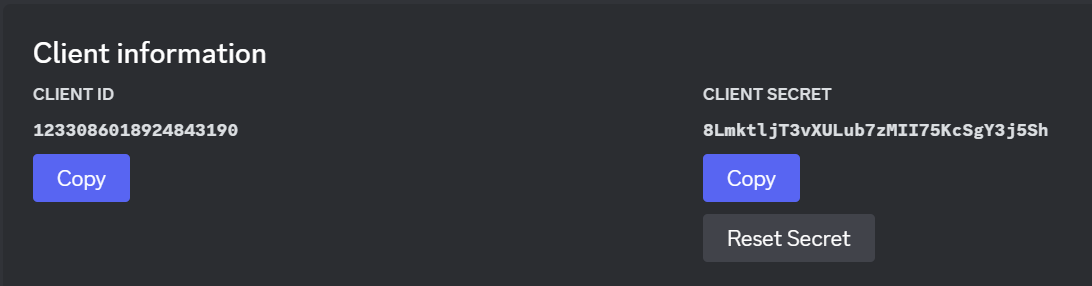
Copy TOKEN, CLIENT ID and CLIENT SECRET (Bot Tab, OAuth2 Tab) Discord Token Discord Client

Caution
Please keep the TOKEN and CLIENT SECRET personally, DO NOT share to the others.
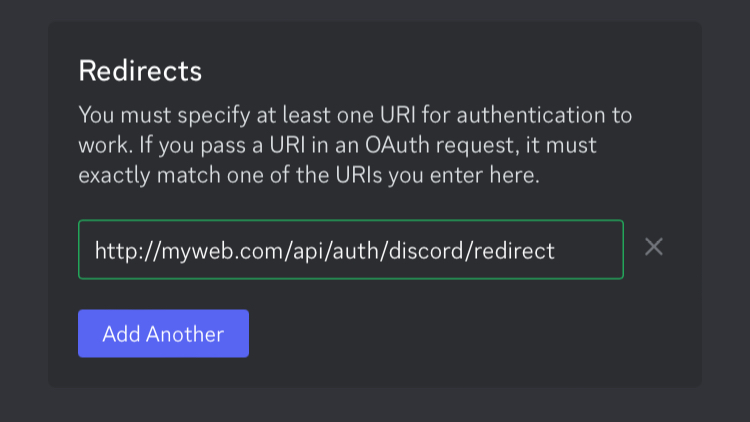
2. Paste your URL to Redirects (OAuth2 Tab)
Tip
The URL is formed by (http/https)://(domain)/api/auth/discord/redirect
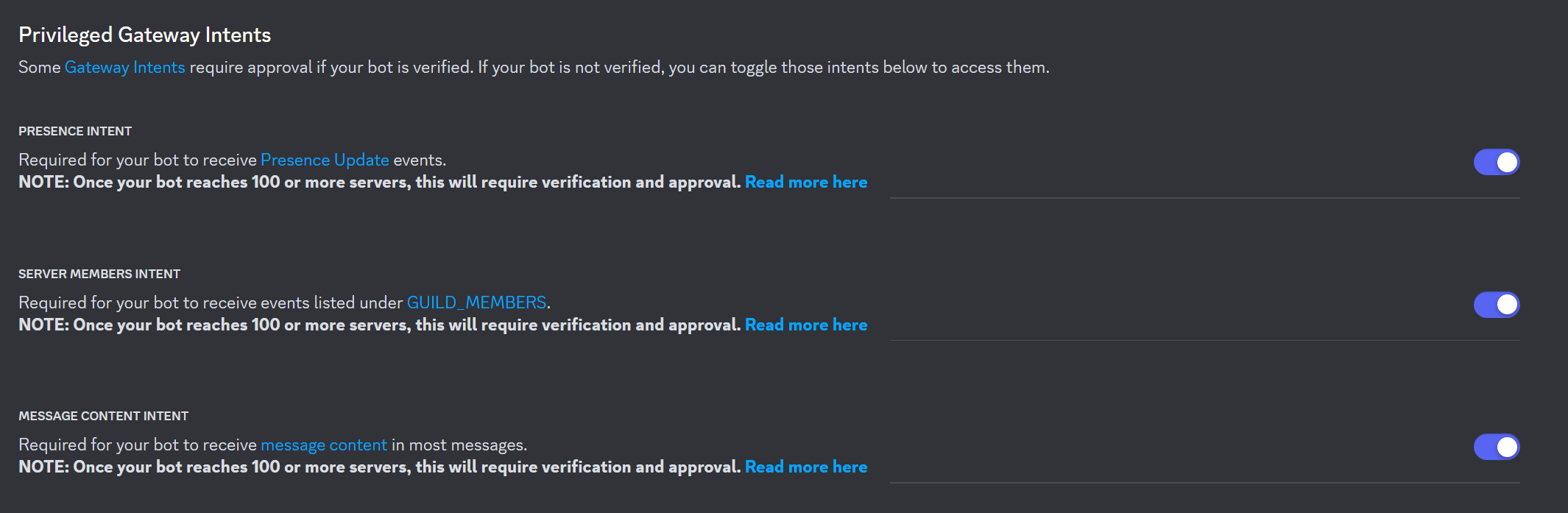
3. Enable Intents
4. Generate Bot Invite URL (OAuth2 Tab)
Tick these boxes in SCOPES:
- bot
- applications.commands
Tick these boxes in BOT PERMISSIONS:
- Manage Server
- Manage Roles
- Manage Channels
- Create Instant Invite
- Read Messages/View Channels
- Send Messages
- Manage Messages
- Read Message History
Important
Please make sure your bot has enabled Intents and Permissions mentioned above, or else some functions might not work
Then, use the link at the bottom to invite your bot to Servers.
5. Setting up database
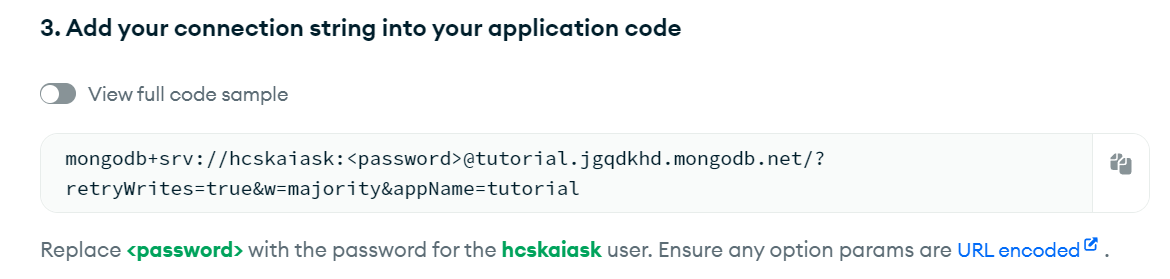
Create a Mongo Database
Go to Overview > Data Services > Connect > Drivers.
Copy the code in Step 3
Mongo
6. Choose the host you are using
Replit
7. Create a new project by importing from github
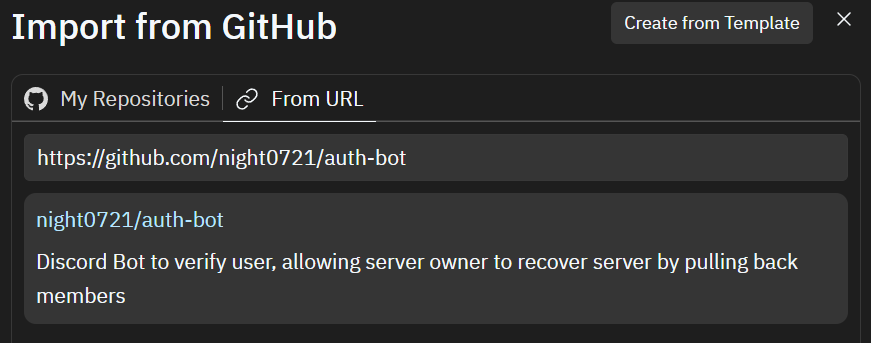
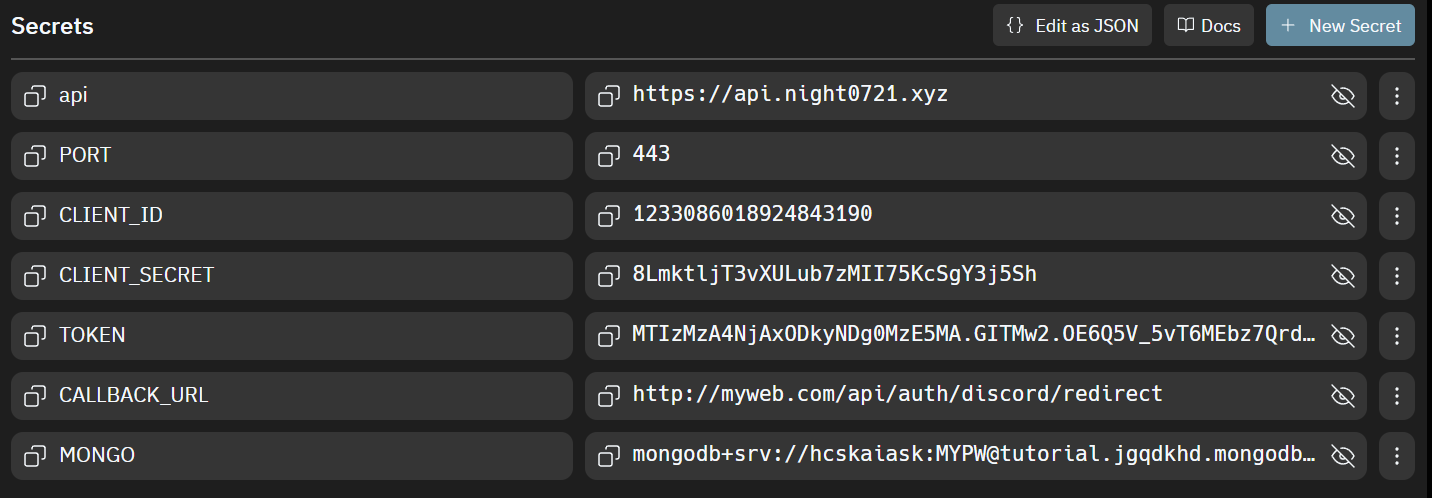
8. Paste the information you have copied in (1, 2, 5) to Secrets
Other Host
7. Clone the repository and install the dependencies
git clone https://github.com/night0721/auth-bot.git
cd auth-bot
npm install
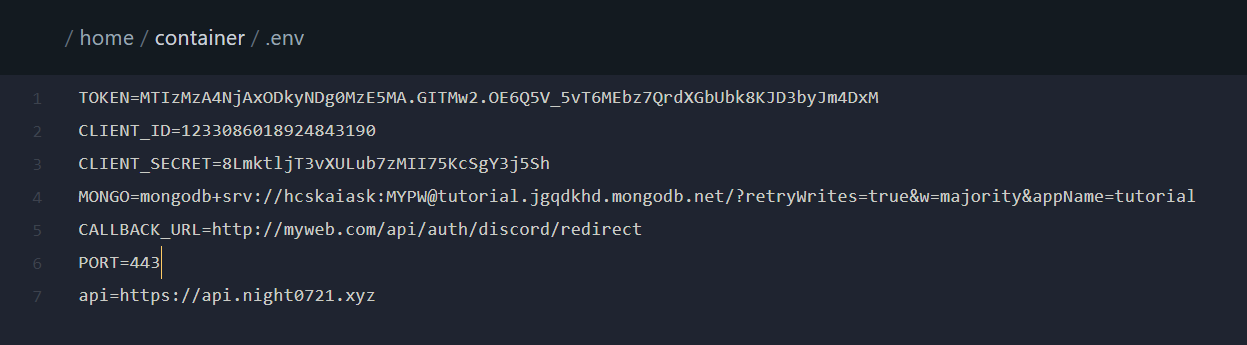
8. Create a .env file and paste the code below
Replace XXX with the value you have copied in (1, 2, 5)
TOKEN=XXX
CLIENT_ID=XXX
CLIENT_SECRET=XXX
MONGO=mongodb+srv://XXX
CALLBACK_URL=http://XXX.XXX/api/auth/discord/redirect
PORT=XXX
api=https://api.night0721.xyz
9. Run the server, and now enjoy!
npm run dev
or click Start button for Replit user
Note
Try running /setup command in your server's verify channel, please remember to keep the code sent by your bot for pulling members.
Join our Discord Server for update's news!
Support
If you need support, you can join the Discord Server
Contributions
Contributions are welcomed, feel free to open a pull request.
License
This project is licensed under the GNU Public License v3.0. See LICENSE for more information.