1
1
Fork
You've already forked zop
0

Add MCP and CLI Tool Calling Support #26

Merged
peterwwillis merged 8 commits from feature/add-features-1 into main 2026年03月21日 08:37:50 +01:00
peterwwillis commented 2026年03月19日 06:21:52 +01:00 (Migrated from github.com)
Copy link

This PR adds support for the Model Context Protocol (MCP) and CLI tool calling (run_command) to zop.

Changes:

  • Updated provider interfaces and implementations (Anthropic, OpenAI, Google) to support tool calling.
  • Added a tool registry and a built-in run_command tool.
  • Integrated mark3labs/mcp-go for MCP client support.
  • Updated the Controller to handle tool calling loops.
  • Added tests for tool calling, MCP configuration, and the Controller loop.
This PR adds support for the Model Context Protocol (MCP) and CLI tool calling (run_command) to zop. ### Changes: - Updated provider interfaces and implementations (Anthropic, OpenAI, Google) to support tool calling. - Added a tool registry and a built-in `run_command` tool. - Integrated `mark3labs/mcp-go` for MCP client support. - Updated the Controller to handle tool calling loops. - Added tests for tool calling, MCP configuration, and the Controller loop.

gemini-code-assist[bot] commented 2026年03月19日 06:22:19 +01:00 (Migrated from github.com)
Copy link

Summary of Changes

Hello, I'm Gemini Code Assist1 ! I'm currently reviewing this pull request and will post my feedback shortly. In the meantime, here's a summary to help you and other reviewers quickly get up to speed!

This pull request significantly enhances the application's capabilities by introducing support for external tool integration via the Model Context Protocol (MCP) and direct CLI tool calling. This allows the language models to interact with the system and execute commands, expanding their utility beyond text generation. The core application logic, provider integrations, and configuration have been updated to seamlessly incorporate these new functionalities, enabling more dynamic and powerful interactions.

Highlights

  • Model Context Protocol (MCP) Support: Added comprehensive support for the Model Context Protocol (MCP), enabling integration with external tool servers.
  • CLI Tool Calling: Implemented functionality for language models to call CLI tools, including a built-in run_command tool for executing shell commands.
  • Provider Integration: Updated existing provider interfaces and implementations (Anthropic, OpenAI, Google) to support the new tool calling mechanisms.
  • Core Application Logic: Refactored the main application controller to manage a tool registry and handle iterative tool execution loops during prompt completion.
  • Configuration: Introduced new configuration options for defining and connecting to MCP servers.
Using Gemini Code Assist

The full guide for Gemini Code Assist can be found on our documentation page, here are some quick tips.

Invoking Gemini

You can request assistance from Gemini at any point by creating a comment using either /gemini <command> or @gemini-code-assist <command>. Below is a summary of the supported commands on the current page.

Feature Command Description
Code Review /gemini review Performs a code review for the current pull request in its current state.
Pull Request Summary /gemini summary Provides a summary of the current pull request in its current state.
Comment @gemini-code-assist Responds in comments when explicitly tagged, both in pull request comments and review comments.
Help /gemini help Displays a list of available commands.

Customization

To customize Gemini Code Assist for GitHub experience, repository maintainers can create a configuration file and/or provide a custom code review style guide (such as PEP-8 for Python) by creating and adding files to a .gemini/ folder in the base of the repository. Detailed instructions can be found here.

Limitations & Feedback

Gemini Code Assist may make mistakes. Please leave feedback on any instances where its feedback is incorrect or counter productive. You can react with 👍 and 👎 on @gemini-code-assist comments. If you're interested in giving your feedback about your experience with Gemini Code Assist for GitHub and other Google products, sign up here.


  1. Review the Privacy Notices, Generative AI Prohibited Use Policy, Terms of Service, and learn how to configure Gemini Code Assist in GitHub here. Gemini can make mistakes, so double check it and use code with caution. ↩︎

## Summary of Changes Hello, I'm Gemini Code Assist[^1]! I'm currently reviewing this pull request and will post my feedback shortly. In the meantime, here's a summary to help you and other reviewers quickly get up to speed! This pull request significantly enhances the application's capabilities by introducing support for external tool integration via the Model Context Protocol (MCP) and direct CLI tool calling. This allows the language models to interact with the system and execute commands, expanding their utility beyond text generation. The core application logic, provider integrations, and configuration have been updated to seamlessly incorporate these new functionalities, enabling more dynamic and powerful interactions. ### Highlights * **Model Context Protocol (MCP) Support**: Added comprehensive support for the Model Context Protocol (MCP), enabling integration with external tool servers. * **CLI Tool Calling**: Implemented functionality for language models to call CLI tools, including a built-in `run_command` tool for executing shell commands. * **Provider Integration**: Updated existing provider interfaces and implementations (Anthropic, OpenAI, Google) to support the new tool calling mechanisms. * **Core Application Logic**: Refactored the main application controller to manage a tool registry and handle iterative tool execution loops during prompt completion. * **Configuration**: Introduced new configuration options for defining and connecting to MCP servers. <details> <summary><b>Using Gemini Code Assist</b></summary> <br> The full guide for Gemini Code Assist can be found on our [documentation page](https://developers.google.com/gemini-code-assist/docs/review-github-code), here are some quick tips. <b>Invoking Gemini</b> You can request assistance from Gemini at any point by creating a comment using either `/gemini <command>` or `@gemini-code-assist <command>`. Below is a summary of the supported commands on the current page. Feature | Command | Description --- | --- | --- Code Review | `/gemini review` | Performs a code review for the current pull request in its current state. Pull Request Summary | `/gemini summary` | Provides a summary of the current pull request in its current state. Comment | @gemini-code-assist | Responds in comments when explicitly tagged, both in pull request comments and review comments. Help | `/gemini help` | Displays a list of available commands. <b>Customization</b> To customize Gemini Code Assist for GitHub experience, repository maintainers can create a configuration file and/or provide a custom code review style guide (such as PEP-8 for Python) by creating and adding files to a `.gemini/` folder in the base of the repository. Detailed instructions can be found [here](https://developers.google.com/gemini-code-assist/docs/customize-gemini-behavior-github). <b>Limitations & Feedback</b> Gemini Code Assist may make mistakes. Please leave feedback on any instances where its feedback is incorrect or counter productive. You can react with :thumbsup: and :thumbsdown: on @gemini-code-assist comments. If you're interested in giving your feedback about your experience with Gemini Code Assist for GitHub and other Google products, sign up [here](https://google.qualtrics.com/jfe/form/SV_2cyuGuTWsEw84yG). </details> [^1]: Review the [Privacy Notices](https://policies.google.com/privacy), [Generative AI Prohibited Use Policy](https://policies.google.com/terms/generative-ai/use-policy), [Terms of Service](https://policies.google.com/terms), and learn how to configure Gemini Code Assist in GitHub [here](https://developers.google.com/gemini-code-assist/docs/customize-gemini-behavior-github). Gemini can make mistakes, so double check it and [use code with caution](https://support.google.com/legal/answer/13505487).
gemini-code-assist[bot] (Migrated from github.com) reviewed 2026年03月19日 06:23:54 +01:00
gemini-code-assist[bot] (Migrated from github.com) left a comment
Copy link

Code Review

The pull request successfully integrates Model Context Protocol (MCP) and CLI tool calling capabilities into the application. The changes are comprehensive, covering updates to provider interfaces (Anthropic, OpenAI, Google), the introduction of a tool registry, and the implementation of tool calling loops in both the Controller and CLI components. New MCP client and tool wrapping logic are well-defined, and the RunCommandTool provides a clear example of extending functionality. The addition of unit tests for tool calling and MCP configuration is commendable, ensuring the robustness of these new features.

## Code Review The pull request successfully integrates Model Context Protocol (MCP) and CLI tool calling capabilities into the application. The changes are comprehensive, covering updates to provider interfaces (Anthropic, OpenAI, Google), the introduction of a tool registry, and the implementation of tool calling loops in both the `Controller` and CLI components. New MCP client and tool wrapping logic are well-defined, and the `RunCommandTool` provides a clear example of extending functionality. The addition of unit tests for tool calling and MCP configuration is commendable, ensuring the robustness of these new features.
gemini-code-assist[bot] (Migrated from github.com) commented 2026年03月19日 06:23:54 +01:00
Copy link

medium

The assertion assert.True(t, len(msgs) >= 4) is a bit broad. While it ensures at least 4 messages, it doesn't strictly verify the expected sequence of messages (system, user, assistant tool call, tool result, assistant final answer) as implied by the comment. Making this assertion more specific would improve test clarity and robustness. For example, you could assert assert.Equal(t, 5, len(msgs)) if a system prompt is always expected, or assert.Equal(t, 4, len(msgs)) if not, and then check the roles and contents of specific messages.

assert.Equal(t, 5, len(msgs))
![medium](https://www.gstatic.com/codereviewagent/medium-priority.svg) The assertion `assert.True(t, len(msgs) >= 4)` is a bit broad. While it ensures at least 4 messages, it doesn't strictly verify the expected sequence of messages (system, user, assistant tool call, tool result, assistant final answer) as implied by the comment. Making this assertion more specific would improve test clarity and robustness. For example, you could assert `assert.Equal(t, 5, len(msgs))` if a system prompt is always expected, or `assert.Equal(t, 4, len(msgs))` if not, and then check the roles and contents of specific messages. ```suggestion assert.Equal(t, 5, len(msgs)) ```
@ -0,0 +56,4 @@
Capabilities:mcp.ClientCapabilities{},
ClientInfo:mcp.Implementation{
Name:"zop",
Version:"0.1.0",
gemini-code-assist[bot] (Migrated from github.com) commented 2026年03月19日 06:23:54 +01:00
Copy link

medium

The Version field in ClientInfo is hardcoded to "0.1.0". It would be more maintainable and accurate to derive this version from a central application version constant or a build-time variable, rather than hardcoding it here. This ensures consistency across the application and simplifies updates.

Version: "zop.Version",
![medium](https://www.gstatic.com/codereviewagent/medium-priority.svg) The `Version` field in `ClientInfo` is hardcoded to "0.1.0". It would be more maintainable and accurate to derive this version from a central application version constant or a build-time variable, rather than hardcoding it here. This ensures consistency across the application and simplifies updates. ```suggestion Version: "zop.Version", ```
github-actions[bot] commented 2026年03月19日 06:25:16 +01:00 (Migrated from github.com)
Copy link

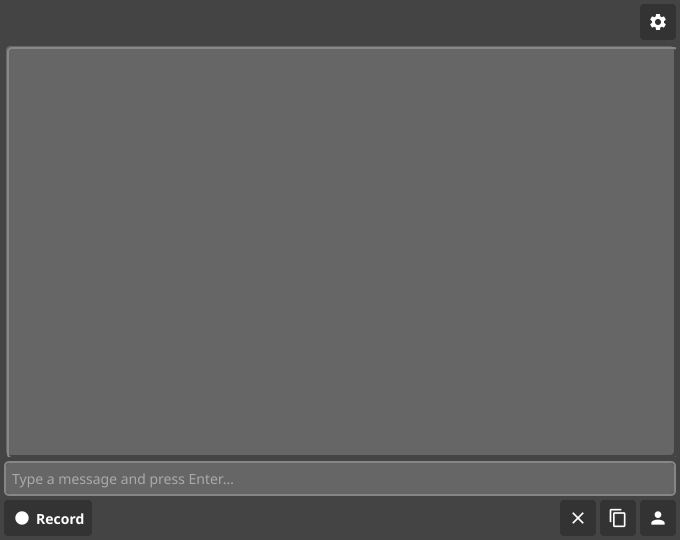
Mobile UI Screenshot

zop mobile UI

### Mobile UI Screenshot ![zop mobile UI](https://raw.githubusercontent.com/peterwwillis/zop/ui-screenshots/pr-26/zop-mobile-ui.png) <!-- Sticky Pull Request Commentzop-mobile-ui -->
Sign in to join this conversation.
No reviewers
Milestone
Clear milestone
No items
No milestone
Projects
Clear projects
No items
No project
Assignees
Clear assignees
No assignees
1 participant
Notifications
Due date
The due date is invalid or out of range. Please use the format "yyyy-mm-dd".

No due date set.

Dependencies

No dependencies set.

Reference
mutablecc/zop!26
Reference in a new issue
mutablecc/zop
No description provided.
Delete branch "feature/add-features-1"

Deleting a branch is permanent. Although the deleted branch may continue to exist for a short time before it actually gets removed, it CANNOT be undone in most cases. Continue?