- Common Lisp 97%
- NewLisp 1.4%
- Emacs Lisp 1.3%
- C 0.3%
logo

McCLIM Version 0.9.8 "Yule"
McCLIM, an implementation of the "Common Lisp Interface Manager CLIM II Specification", is a portable and high-level user interface management system toolkit for Common Lisp. It has a powerful presentation model which allows us to directly link the visual representation of an object to its semantics. It has several high-level programming capabilities that enable us to develop a user interface conveniently; including formatted output, graphics, windowing and commands that are invoked by typing text, keyboard shortcuts or clicking a mouse button.
McCLIM works with Allegro CL, Clozure CL, CLISP, CMUCL, Embeddable CL, the Scieneer CL Common-lisp, SBCL and the LispWorks implementations. Right now the only backend supported by McCLIM is CLX, which ties it to the Xserver on the host system. Any platform capable of running Xserver may run McCLIM applications.
Installing McCLIM
McCLIM is available on Quicklisp. Make sure
you have installed a supported Common Lisp implementation and Quicklisp is
configured correctly. Then, McCLIM can be installed by entering the following in
your REPL:
(ql:quickload "mcclim")
To see if McCLIM works on your host you may load the system with examples and run the example browser application:
(ql:quickload "clim-examples") ; Load the system with examples.
(clim-demo:demodemo) ; Run the example browser application.
An Example
- Quickload McCLIM by running
(ql:quickload "mcclim"). - Put the following code in a file
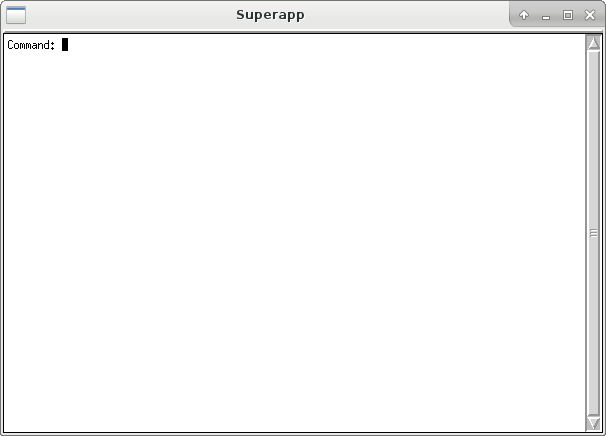
example.lisp.(in-package :common-lisp-user) (defpackage "APP" (:use :clim :clim-lisp) (:export "APP-MAIN")) (in-package :app) ;;; Define a application-frame (a.k.a. application window in traditional GUI's). (define-application-frame superapp () () ;; :panes section describes different parts of the ;; application-frame. This application has only one pane. (:panes (int :interactor :height 400 :width 600)) ;; :layouts section describes how the panes are layed out. ;; This application has one layout named "default" which has a single pane. (:layouts (default int))) ;;; Following function launches an instance of "superapp" application-frame. (defun app-main () (run-frame-top-level (make-application-frame 'superapp))) - Load the file and run:
example.lisp(app:app-main)
Documentation
You can access the McCLIM manual draft in HTML and PDF formats if you want, but it's still a work in progress. Several other CLIM 2 resources are listed on CLiki and McCLIM homepage.
Subdirectory Overview
Apps- sample applications. This includes:Apps/Clouseau- A powerful inspector for Lisp objects.Apps/Listener- Andy Hefner's Lisp Listener.Apps/Debugger- Peter Mechleborg's debugger (similar to Slime's).Apps/Functional-Geometry- Frank Buss and Rainer Joswig's functional geometry package for drawing "Escher" tiles.Apps/Scigraph- BBN's graphing package.
Documentation- Contains available documentation such as Documentation for LibrariesDreiandESA, A Guided Tour of CLIM, Specification in LATEX source and Manual in texinfo sources.Examples- Sources for the examples inclim-examples. These are of varying quality and style; many of them date from when McCLIM was quite incomplete.Extensions- Contains several extensions to CLIM 2 spec, such as fonts, extra layouts, images etc. Most of them are loaded automatically with McCLIM.Libraries- ContainsDreiandESALibraries. See Documentation for details.