- JavaScript 59.2%
- HTML 24.3%
- Python 8%
- Shell 3%
- Dockerfile 2.9%
- Other 2.6%
| files | Initial commit | |
| .gitlab-ci.yml | Initial commit | |
| build.sh | Initial commit | |
| Dockerfile | Initial commit | |
| Dockerfile-local | Initial commit | |
| README.md | Update README.md to clarify SSL example and configuration | |
Patching Status
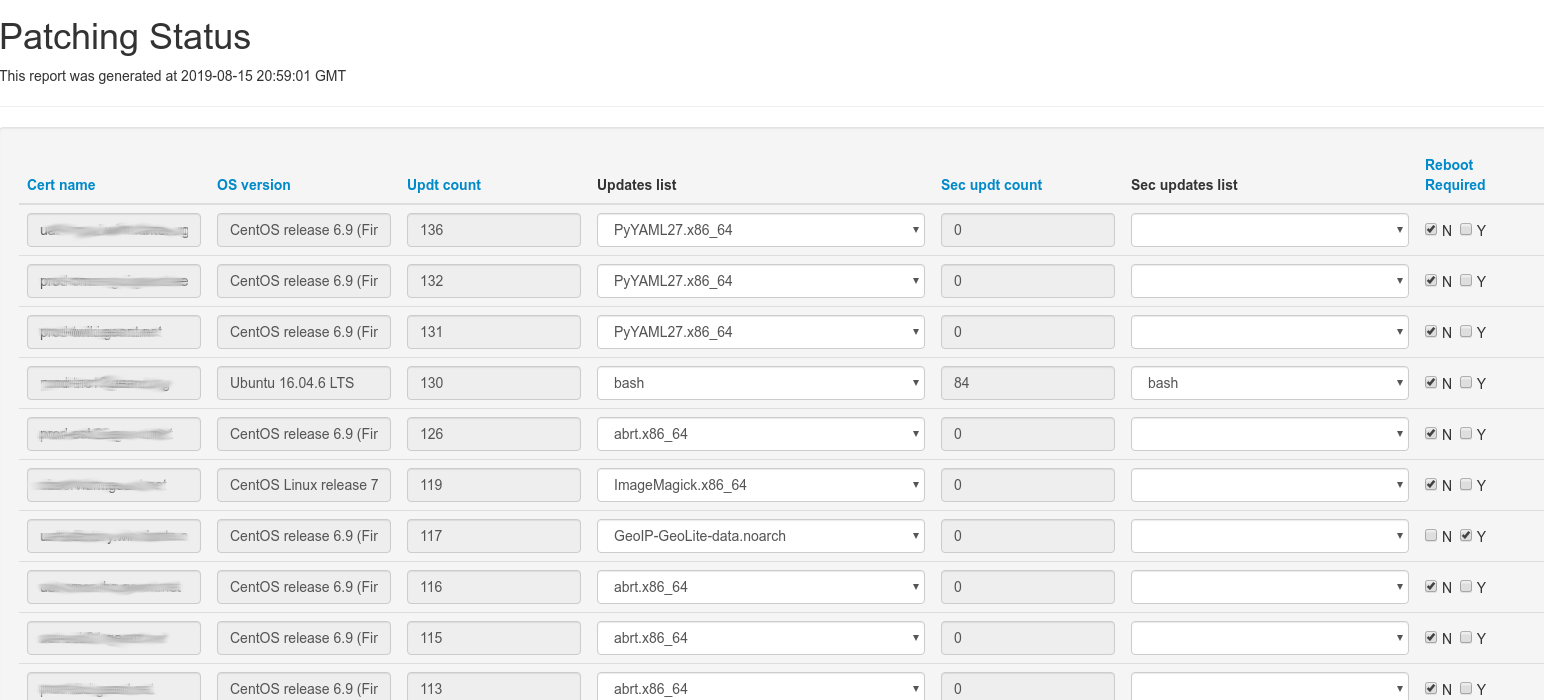
Patching Status for Puppet/OpenVox
Preamble
This container serves a web page showing patching status of your systems. It works in conjunction with the Puppet module albatrossflavour/os_patching.
It runs a scheduled job that pulls data from PuppetDB, which are then displayed on an HTML page.
Configuration
There is only one configuration file: /etc/patching-status.yaml
---puppetdb:puppetdb.example.orgpuppetdb_port:8080ssl_enable:false# ssl_cert_path: /path/to/ssl/certs/puppetdb.crt# ssl_key_path: /path/to/ssl/private/puppetdb.key# ca_cert_path: /path/to/ssl/certs/ca-bundle.pemby default SSL is disabled, and the SSL certificate paths are commented out.
Crontab
There is a cron job running the script. It uses supercronic, and its default schedule is defined in /etc/crontab:
*/15 * * * * /usr/bin/puppetdb_json.py
Example with SSL
First, you can pull the container from Artifactory:
docker pull artifactory.software.geant.org/geant-devops-docker/patching-status
If your PuppetDB enforces SSL, we assume that your local host has the following PuppetDB client certificates and configuration file:
./patching-status.yaml
./puppetdb.crt
./puppetdb.key
./ca-bundle.pem
your configuration file patching-status.yaml contains:
---puppetdb:puppetdb.domain.orgpuppetdb_port:8081ssl_enable:truessl_cert_path:/etc/ssl/certs/puppetdb.crtssl_key_path:/etc/ssl/private/puppetdb.keyca_cert_path:/etc/ssl/certs/ca-bundle.pemand you can run the container like this:
docker run -d --name patching-status \
 -p 8080:80 \
 -v ./patching-status.yaml:/etc/patching-status.yaml:ro \
 -v ./puppetdb.crt:/etc/ssl/certs/puppetdb.crt:ro \
 -v ./puppetdb.key:/etc/ssl/private/puppetdb.key:ro \
 -v ./ca-bundle.pem:/etc/ssl/certs/ca-bundle.pem:ro \
 patching-status
Screenshot
Building instructions
Building the container
You can build and run a local image using the script build.sh. You can use --help as follows:
./build.sh --help
Usage: build.sh [-n|--no-cache] [-r|--run] [-h|--help]
options:
 -h, --help Print this help and exit
 -n, --no-cache Do not use cache when building the image [default: no]
 -r, --run Run the container after build [default: no]
Create a new release
Add these lines to ~/.gitconfig:
[alias]
 pp = !git pull && git push
 pushall = !git remote | xargs -L1 git push --all
 pushall-tags = !git remote | xargs -L1 git push --tags
We assume that we are applying our change to main branch and create a tag starting from main.
To create a new release (for example, version 1.2.3), run the following commands. This will trigger the CI pipeline and build the new container image:
git checkout main # make your changes ...
git commit "my new change"
git push
git tag 1.2.3
git pushall-tags