Compiz add transparency to titlebar along with the panel
| Affects | Status | Importance | Assigned to | Milestone | |
|---|---|---|---|---|---|
| Unity |
Fix Released
|
Medium
|
Sam Spilsbury | ||
| 4.0 |
Fix Released
|
High
|
Sam Spilsbury | ||
| unity (Ubuntu) |
Fix Released
|
Medium
|
Unassigned | ||
| Oneiric |
Fix Released
|
High
|
Unassigned | ||
Bug Description
When using a translucent panel using CCSM, compiz also adds the transparency value to the titlebar of unmaximized apps.
I noticed this in unity trunk, ppa:unity-
Version: 5.0.0~+
Update:
-------
Just noticed that overlay scrollbars thumb also turns transparent
Testcase:
---------
Change the panel opacity in CCSM
Move a window
The decorations should not be transparent
Related branches
- Unity Team: Pending requested
-
Diff: 11 lines (+1/-0) 1 file modifiedapiplugins/unityshell/src/unityshell.cpp (+1/-0)
- Unity Team: Pending requested
-
Diff: 3942 lines (+3100/-74) (has conflicts) 42 files modifiedapiAUTHORS (+4/-0)
CMakeLists.txt (+5/-0)
ChangeLog (+393/-0)
manual-tests/QuicklistOnExpo.txt (+14/-0)
manual-tests/ReadMe.txt (+47/-0)
manual-tests/custom-dash-home/HomeShortcutsCustomized-4-entries.json (+22/-0)
manual-tests/custom-dash-home/HomeShortcutsCustomized-8-entries.json (+44/-0)
manual-tests/custom-dash-home/HomeShortcutsCustomized-broken.json (+23/-0)
manual-tests/custom-dash-home/custom-dash-home.txt (+46/-0)
manual-tests/launcher.txt (+11/-0)
plugins/unityshell/resources/dash-widgets.json (+5/-0)
plugins/unityshell/src/BamfLauncherIcon.cpp (+31/-0)
plugins/unityshell/src/DashController.cpp (+5/-0)
plugins/unityshell/src/DashSearchBar.cpp (+5/-0)
plugins/unityshell/src/DashView.cpp (+25/-2)
plugins/unityshell/src/DashView.h (+6/-0)
plugins/unityshell/src/FilterBar.cpp (+41/-0)
plugins/unityshell/src/FilterExpanderLabel.cpp (+110/-0)
plugins/unityshell/src/FilterGenreWidget.cpp (+76/-0)
plugins/unityshell/src/FilterMultiRangeButton.cpp (+194/-0)
plugins/unityshell/src/GeisAdapter.cpp (+1/-1)
plugins/unityshell/src/IMTextEntry.cpp (+15/-0)
plugins/unityshell/src/JSONParser.cpp (+13/-0)
plugins/unityshell/src/JSONParser.h (+4/-0)
plugins/unityshell/src/LauncherIcon.cpp (+25/-0)
plugins/unityshell/src/LensView.cpp (+7/-0)
plugins/unityshell/src/PanelTray.cpp (+4/-0)
plugins/unityshell/src/PanelView.cpp (+8/-0)
plugins/unityshell/src/PlacesHomeView.cpp (+237/-59)
plugins/unityshell/src/PlacesHomeView.h (+4/-0)
plugins/unityshell/src/ResultViewGrid.cpp (+31/-2)
plugins/unityshell/src/ScreenEffectFramebufferObject.cpp (+237/-0)
plugins/unityshell/src/ScreenEffectFramebufferObject.h (+87/-0)
plugins/unityshell/src/SwitcherModel.cpp (+7/-0)
plugins/unityshell/src/comptransientfor.cpp (+6/-1)
plugins/unityshell/src/transientfor.cpp (+12/-4)
plugins/unityshell/src/unityshell.cpp (+90/-4)
plugins/unityshell/src/unityshell.h (+12/-1)
tests/CMakeLists.txt (+438/-0)
tests/GLFuncLoader.cpp (+51/-0)
tests/GLFuncLoader.h (+33/-0)
tests/TestScreenEffectFramebufferObject.cpp (+671/-0)
- Jay Taoko (community): Approve
-
Diff: 11 lines (+1/-0) 1 file modifiedapiplugins/unityshell/src/unityshell.cpp (+1/-0)

This is intended, isn't it? Or am I missing something?
No. Only the top panel should turn transparent nothing else.
BTW, the screenshot is an unmaximized window.
Can you double-check in the list of running processes if you're using unity-window-
Might be an issue with gtk-window-
If it doesn't help, try if unity --reset fixes the issue.
No, this is not a bug in gtk-window-
What fixes the issue is making the panel 100% opaque.
Ok, now this is being touted as 5.0's new feature https:/
The funny thing is this bug can become a nice little feature, however if it's to become one it needs blur, just like the Dash and the Panel :)
Seriously, is this a feature or a bug?
Well, there is not an option for titlebar opacity in CCSM, which kinda indicates that this is more of a bug, but even if that's a fact, I still consider it more of a feature.
Anyway I am in favour of adding blur and making option in CCSM for "titlebar opacity"
And one. more thing: If this "thing" is to become a feature the windows controls (e.g. close, minimize and maximize buttons) should *not* become transparent.
I vote for feature.
Obviously people might want to have different transparency levels for the panel and titlebar. However the matching transparency levels look good. Having the blur would improve readability of the titles etc.
I'm gonna chime in and say it's a bug. Doing this breaks the coherency provided by the new titlebar and toolbar themes that blend together really well.
- radiance.png Edit (148.6 KiB, image/png)
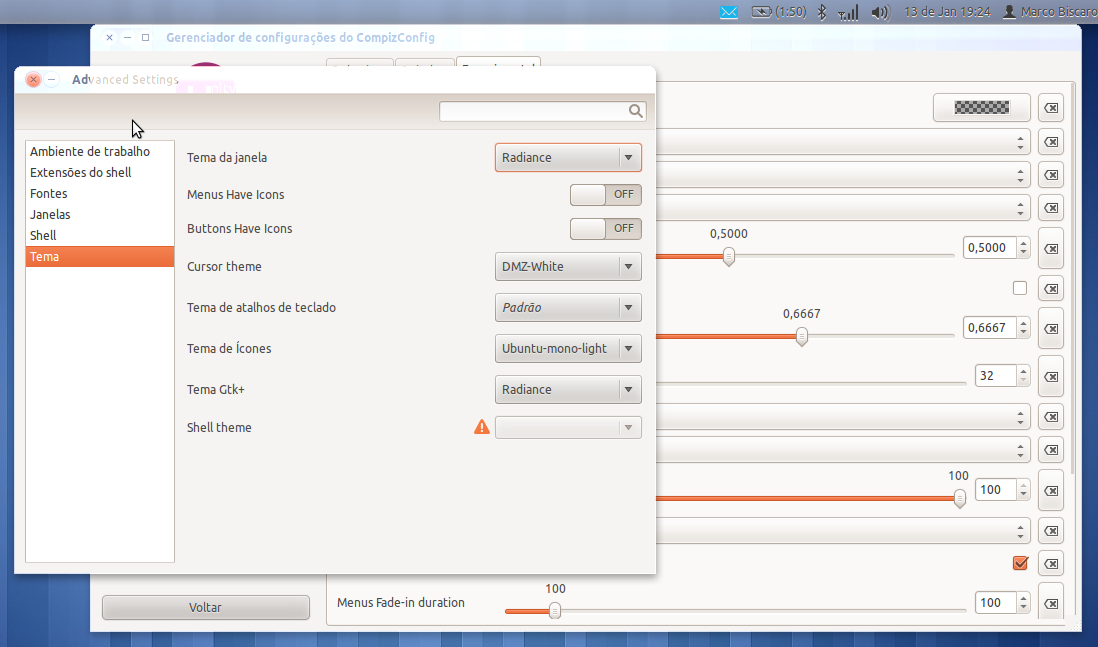
If it's a feature, it's broken because of buttons (comment #13) and because it looks really ugly with light themes (see the attached screenshot; it looks bad when using, for example, Radiance).
@smspillaz, can you help us? :)
Thinking of what @CassidyJames said and from pure design point of view I don't consider transparent titlebars to be a good idea, because they break the consistency with the window bellow them *BIG* time (Win 7, anyone). That means even if this ... well whatever it is becomes a feature (gets fixed to look nice with all themes, buttons should stay opaque etc...) it should not come enabled out of the box.
Also, if "panel transparency" also affects the thumbs of the overlay scrollbars, that's gotta be a bug.
I think it's a bug.
Additionally the background of the "root-terminal" (/usr/bin/
Depending the theme, it could happen, no character could be read anymore.
For me it's a bug, too!!
Have the same issue on panel opacity < 1
Nothing much have changed in compiz in Precise, just the SRU from oneiric was take in so is mostly a unity BUG.
Status changed to 'Confirmed' because the bug affects multiple users.
I am still not able to reproduce this bug on my system, I have the transparent panel but dont see the issue o_O
aha, so the issue Does not happen on my nvidia machine with the nvidia-current but on my netbook it happens which have intel graphics.
sorry, its all confusing; I see it on both intel and NVIDIA.
since the issue is also happening in unity 4.28.0 (the -proposed oneiric update) where there are not much changes, it might be easier to hunt the responsible commit. (BigFBO ?)
I *can* confirm that it happens for Intel and ATi videos (the 2nd with both fglrx and the open source driver), however I'm unable to replicate it with nVidia card (with both - the proprietary and the open source driver). It's weird.
My Intel and ATi machines both run Unity 5.0 and the nVidia 4.28.0 and according to @om26er it *should* be happening to all of the machines ... weird.
Status changed to 'Confirmed' because the bug affects multiple users.
It is definately a bug, because the transparency is also applied to terminal windows (tried with Terminal and Terminator). And if you have already set a transparency value, they are added up.
If this should be a feature, then please make panel and titlebars configurable separately.
I have reduced the importance for Unity(upstream) and unity in precise since its a non-standard option but kept the priority high for the stable series since its a regression there
Hello Owais, or anyone else affected,
Accepted unity into oneiric-proposed, the package will build now and be available in a few hours. Please test and give feedback here. See https:/
Hey Martin,
I'm sorry but I can't test the packages in proposed as I've only Precise installed on my laptop. I can confirm it works fine on precise.
Hi Martin, I can cconfirm it's fixed in Unity 5.x in Precise and Oneiric (via the staging PPA).
However I can't test for Unity 4.x for Oneiric, at least not now.
I guess it should be tagged as "Fix Rleased" for milestone Unity 5.2.0 "Greased Weasel"
- Снимка-2012年01月20日 17:55:19.png Edit (349.2 KiB, image/png)

I can confirm it's fixed in Ubuntu 11.10 Unity 4.30 from the proposed repo :)
Evidence: see the screenie :)
It think it's pretty safe to say that it can be tagged as "Fix Released :P
removed: verification-needed
This only affected oneiric-proposed, so closing oneiric task now.
wasn't fixed with latest updates from the staging ppa in Oneiric
This bug was fixed in the package unity - 5.2.0-0ubuntu1
---------------
unity (5.2.0-0ubuntu1) precise; urgency=low
* New upstream release.
- Unity needs a way to switch (tab) between windows on current workspace
(LP: #863399)
- compiz crashed with SIGSEGV in BamfLauncherIco
(LP: #865840)
- Gradual degradation in desktop performance. (LP: #888039)
- compiz (unity) crashes with SIGSEGV when a window is minimized.
(LP: #918329)
- FavoriteStore external change support (LP: #681503)
- Launcher - Make Launcher left of screen reveal more responsive and less
prone to false positives (LP: #765819)
- Window auto-maximise functionality should be disabled on monitors with a
resolution above 1024 x 600 (LP: #797808)
- Dash: very high latency responding to input (LP: #828582)
- Dash - Behaviour of the 'All' button in the Dash filters broken in
several ways (LP: #841864)
- alt-tab - The app title in the top left of the top bar should change as
the alt-tab focus changes (LP: #855516)
- Keyboard shortcut - Add keyboard shortcut hint overlay that is displayed
when a user presses and holds the Super key (LP: #855532)
- Unity crashes when started in an environment without utouch support
(LP: #860707)
- Dash - Remove Dash Home shortcut icons (LP: #885738)
- Dash - Most Frequently Used apps change to Recently Used, without
Launcher favorites (LP: #893214)
- Should have a launcher on every monitor (LP: #915944)
- Launcher autohide behaviour on multi-monitor (LP: #915946)
- the unity wrapper should kill compiz before restarting it (LP: #919132)
- Launcher - Implement workspace/launcher cross interactions (LP: #690143)
- Application icons should only display windows from the current workspace
in the window spread (LP: #689733)
- Notification area ("system tray") missing when using dual monitors of
different sizes, with their bottoms aligned (LP: #778256)
- Clicking Nautilus launcher icon fails to open a Nautilus file explorer
window when copying a file and all other Nautilus windows are closed /
bamf should skip the taskbar (LP: #784804)
- Dash - the search box is not aligned correctly relative to the Launcher
BFB button (LP: #838904)
- Dash - A expand/collapse arrow is missing from all the filter category
headers (LP: #841870)
- Dash - the filter buttons should not have a mouse over state
(LP: #838901)
- Dash - the "Filter results" text is the wrong size, wrong font weight,
and aligned incorrectly in both the vertical and horizontal axis
(LP: #863240)
- Add SUPER+TAB switching mode that enables the user to switch
applications via the Launcher (LP: #891620)
- Software Centre - automatically add app icon to launcher (LP: #761851)
- Compiz add transparency to titlebar along with the panel (LP: #912682)
- The search box is too opaque and dark (LP: #913717)
- Dash - Make statefulness of Dash Home and Dash Lenses consistent
(LP: #914759)
- Unity 5.0: "All" button for filters render as "..." (LP: #91...