[G45] No DisplayPort support in -intel driver
| Affects | Status | Importance | Assigned to | Milestone | |
|---|---|---|---|---|---|
| xf86-video-intel |
Fix Released
|
Wishlist
|
|||
| linux (Ubuntu) |
Fix Released
|
Undecided
|
Unassigned | ||
| xserver-xorg-video-intel (Ubuntu) |
Won't Fix
|
Wishlist
|
Unassigned | ||
Bug Description
Binary package hint: xserver-
[Problem]
When the monitor is connected to the DisplayPort, grub and usplash display just fine but X aborts with
(EE) intel(0): No valid modes.
(EE) Screen(s) found, but none have a usable configuration.
Switching to low graphics mode and/or login console is only possible when changing boot options from "quiet splash" to "xforcevesa".
Full resolution only works when monitor is connected via VGA.
[Discussion]
a) DisplayPort + "quiet splash"
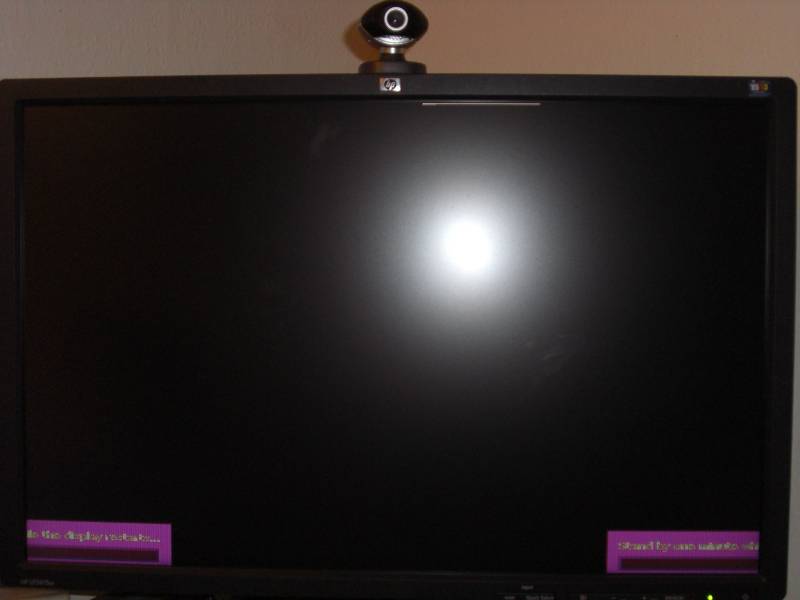
With monitor connection Displayport and the standard boot options "quiet splash" the start of X aborts after usplash and displays a failsafe option dialog window where Xorg.0.log can be viewed and options to switch to low graphics mode or login console are presented. But both low graphics mode (see pic) and login console end in screen corruption.
Login through ssh works but xrandr says it cannot connect to screen.
files associated:
dmesg.log
Xorg.0.log
Xorg.failsafe.log
lspci-vvnn.log
displayport-
b) DisplayPort + "xforcevesa"
When starting with boot option "xforcevesa" X aborts again but this time switching to the rescue modes works. The low graphics mode first presents a blue dialog (see pic) and after choosing yes X starts with the vesa driver in 1600x1200 mode, but not in native 1900x1200 resolution.
files:
dmesg.xforceves
Xorg.0.
Xorg.failsafe.
ddcprobe.
xrandr-
displayport-
c) VGA
Connected via VGA the native resolution is correctly recognized and activated by the intel driver.
files:
dmesg.vga.log
Xorg.0.vga.log
ddcprobe.vga.log
xrandr-
(most recent) System environment:
-- chipset: Intel G45
-- system architecture: 64-bit
-- xf86-video-intel: 2:2.7.99.
-- xserver: 2:1.6.1.
-- mesa: 7.6.0~git200905
-- libdrm: 2.4.11+
-- kernel: 2.6.30-5-generic #6-Ubuntu SMP Mon May 11 20:46:57 UTC 2009 x86_64 GNU/Linux
-- Linux distribution: mythbuntu 9.10 alpha1 / XFCE + xorg-edgers ppa
-- Machine or mobo model: Foxconn G45M-S (X4500 HD)
-- BIOS version: 080015 (02/26/2009)
-- CPU: Intel Core 2 Duo E7400
-- RAM: ADATA 2x2GB
-- Display connector: DisplayPort
-- Monitor: HP LP2475w, 24", 1900x1200 native resolution
[lspci]
00:00.0 Host bridge [0600]: Intel Corporation 4 Series Chipset DRAM Controller [8086:2e20] (rev 03)
Subsystem: Foxconn International, Inc. Device [105b:0de3]
00:02.0 VGA compatible controller [0300]: Intel Corporation 4 Series Chipset Integrated Graphics Controller [8086:2e22] (rev 03)
Subsystem: Foxconn International, Inc. Device [105b:0de3]
Current driver doesn't support DisplayPort yet.
Keith may have some code for trial.
(In reply to comment #1)
> Current driver doesn't support DisplayPort yet.
> Keith may have some code for trial.
>
The HDMI code with audio is a great enhancement, and would be perfect if it weren't for the fact that I am trying to drive a 2560x1600 30" display. It would be great to see similar support for DisplayPort outputs.
Just did a "pull", and not seen any new code/activity on the master branch. If there's a patch or any trial code, I'd be happy to give it a go!
I'll be glad to test new drivers too. I have a 24" 1920x1200 monitor to be connected through DP (GMA 4500HD).
Dear All,
I have exactly the same problem with Intel x4500 chip set, Displayport and a 24" 1920x1200 monitor.
Displayport does not work. I tried compiling and installing the Intel xf86 graphic drivers but it made no difference.
Any help would be much appreciated.
There is some sample code on the display-port branch of the 2D driver. I'd like to get some feedback on whether this works in other environments.
Hi Keith,
Just tested it today. It looks good:
$ xrandr -q
Screen 0: minimum 320 x 200, current 1440 x 900, maximum 3360 x 1200
VGA disconnected (normal left inverted right x axis y axis)
LVDS connected 1440x900+0+0 (normal left inverted right x axis y axis) 331mm x 2
07mm
1440x900 59.9*+ 40.0
1152x864 75.0
1024x768 85.0 75.0 70.1 60.0
832x624 74.6
800x600 85.1 72.2 75.0 60.3 56.2
640x480 85.0 72.8 75.0 59.9
720x400 85.0
640x400 85.1
640x350 85.1
HDMI-1 disconnected (normal left inverted right x axis y axis)
DP-1 connected (normal left inverted right x axis y axis)
1920x1200 60.0 +
1600x1200 60.0 60.0
1400x1050 74.8 60.0
1280x1024 75.0 60.0 60.0
1280x960 60.0
1152x864 75.0 75.0
1024x768 75.1 75.0 70.1 60.0
832x624 74.6
800x600 72.2 75.0 60.3 56.2
640x480 75.0 72.8 75.0 60.0 59.9
720x400 70.1
HDMI-2 disconnected (normal left inverted right x axis y axis)
DP-2 disconnected (normal left inverted right x axis y axis)
DP-3 disconnected (normal left inverted right x axis y axis)
TV disconnected (normal left inverted right x axis y axis)
However, I don't get any output in the monitor connected through the DP:
$ xrandr --output DP-1 --auto --left-of LVDS
The monitor enters power save mode, no ouput if I switch off-switch on again, change source and back to DP, etc. Xorg does resize.
I think this is the expected behaviour as it's just sample code to see if it is correctly detected, right?
No, it should bring up the display and work. Can you post your Xorg.0.log file so I can check to see what errors might have been reported? Also, it's worth trying a few other modes to see if they'll come up. It's still a bit twitchy for me, so additional information would be useful.
Also, turn on
Option "ModeDebug" "YES"
in your xorg.conf "Device" section as that will output a few other details.
(In reply to comment #6)
> However, I don't get any output in the monitor connected through the DP:
> $ xrandr --output DP-1 --auto --left-of LVDS
>
> The monitor enters power save mode, no ouput if I switch off-switch on again,
> change source and back to DP, etc. Xorg does resize.
I confirm this behaviour. For the first try I had exactly the same symptoms.
Although, I was able to use 1600x1200 resolution using "--mode" option, and with the next try the native 1920x1200 also worked fine:
$ xrandr --output DP-1 --auto --output LVDS --off
Screen 0: minimum 320 x 200, current 1920 x 1200, maximum 1920 x 1200
VGA disconnected (normal left inverted right x axis y axis)
LVDS connected (normal left inverted right x axis y axis)
1440x900 60.2 + 40.2
1152x864 75.0
1024x768 85.0 75.0 70.1 60.0
832x624 74.6
800x600 85.1 72.2 75.0 60.3 56.2
640x480 85.0 72.8 75.0 59.9
720x400 85.0
640x400 85.1
640x350 85.1
HDMI-1 disconnected (normal left inverted right x axis y axis)
DP-1 connected 1920x1200+0+0 (normal left inverted right x axis y axis) 580mm x 360mm
1920x1200 60.0*+
1600x1200 60.0 60.0
1680x1050 60.0
1400x1050 74.8 60.0
1280x1024 75.0 60.0 60.0
1280x960 60.0
1152x864 75.0 75.0
1024x768 75.1 75.0 70.1 60.0
832x624 74.6
800x600 72.2 75.0 60.3 56.2
640x480 75.0 72.8 75.0 60.0 59.9
720x400 70.1
HDMI-2 disconnected (normal left inverted right x axis y axis)
DP-2 disconnected (normal left inverted right x axis y axis)
DP-3 disconnected (normal left inverted right x axis y axis)
TV disconnected (normal left inverted right x axis y axis)
I can confirm what Adam says, output is working here too. I didn't do further tests because I thought the driver wasn't ready yet, sorry.
So, apparently these are the cases:
- X started with DP connected: it works since first try
- X started without DP connected: it works at second try, fi:
$ xrandr --output DP-1 --auto # Doesn't work yet...
$ xrandr --output DP-1 --auto # Now it does work
Once one gets output for the first time, it works even disconnecting the port and restarting X, etc, until a cold reboot, then you have the same scenario as above.
So it works 100%, only the little issue of the first try when DP is connected after starting X.
It's great to see DP support finally!
Do you still want to take a look at the log? I'll attach it if so.
Yes, all logs are useful at this point, with ModeDebug enabled it may show where it fails and how that differs from when it works. If not, we'll stick more stuff into the log until we figure out how to make it work reliably.
Created an attachment (id=24437)
Xorg.log
Xorg.log: DP disconnected at X start.
I will attach another log for the case when DP is connected before X starts.
Created an attachment (id=24450)
Xorg.log -- DP connected before startx
This is the X.org log file when the DisplayPort is connected before starting X.
Ok, I found a bunch of little mistakes in the user-mode Display Port code:
* not actually setting the voltage/
* setting the M/N values after enabling the pipe. This would cause the first attempt to enable the output to fail, as those values are part of the pipe configuration and not loaded except at pipe enable time.
* Not saving/restoring the M/N registers. This would cause return to text mode to fail if the M/N values needed to change.
I'm pretty happy with the current code; please retest the display-port branch and report back any failures.
I cannot get it to compile:
$ ./autogen.sh
...
checking for DRM... configure: error: Package requirements (libdrm >= 2.4.6) were not met:
Requested 'libdrm >= 2.4.6' but version of libdrm is 2.4.5
The previous version tested asked for libdrm >= 2.4.5 so I upgraded because I had 2.4.4. Now it asks libdrm 2.4.6, but here http://
What do you suggest to be able to build it?
Created an attachment (id=24589)
X.org log now DP output works at first try
I've just compìled it changing the dependency check in the configure script. The driver works well so far, now it gets the output at the first try when DP is connected after startx.
Everything is working as expected for me. I attach the X.org log, maybe it could be useful.
Thanks for confirming that it works now. I'd love to see additional tests with monitors other than the Dell 2408WFP (which I have as well).
Once we get this moved to the kernel, I'll be closing this bug unless someone finds additional issues.
(In reply to comment #16)
> Thanks for confirming that it works now. I'd love to see additional tests with
> monitors other than the Dell 2408WFP (which I have as well).
I can confirm that it now works almost fine with Dell 2709W LCD monitor. I say "almost", because I have another problem with DisplayPort and DVI outputs on my laptop (Dell Latitude E6400) with this monitor, but this is rather unrelated to this bug.
The problem is that when I use a digital output (DVI or DP), the fan in my laptop starts running at the highest speed and never stops even, if the CPU is idle (30C on both cores). This does not happen, if I connect my external monitor with VGA cable or if I use LVDS display only. I suspect some performance critical operations in Intel driver when using digital output connectors. Should I open a new bug report for this issue?
Can you post an Xorg.0.log file with
option "ModeDebug" "true"
in your config file? I'd like to see if running the PLL at 270MHz might be causing this extra power consumption; there shouldn't be any difference running DP compared to other outputs...
Created an attachment (id=24611)
Xorg log with external monitor attached to DisplayPort
(In reply to comment #18)
> Can you post an Xorg.0.log file with
>
> option "ModeDebug" "true"
>
> in your config file? I'd like to see if running the PLL at 270MHz might be
> causing this extra power consumption; there shouldn't be any difference running
> DP compared to other outputs...
I have just attached the relevant Xorg.0.log file. I hope you will find out something, because it is quite annoying to work with this laptop when DVI or DisplayPort is used (fans runs at maximum RPM level and are very noisy). Now I still use VGA output due to this reason.
BTW, I observed similar fan (or video heating) problems even with LVDS display, when I was using earlier xf86-video-intel driver (version 2.3.2 and 2.4.3) and xorg-server (ver. 1.3.0 and 1.4.2) with 2.6.27 kernel.
Thanks in advance!
/Adam
(In reply to comment #17)
> The problem is that when I use a digital output (DVI or DP), the fan in my
> laptop starts running at the highest speed and never stops even, if the CPU is
> idle (30C on both cores). This does not happen, if I connect my external
> monitor with VGA cable or if I use LVDS display only. I suspect some
> performance critical operations in Intel driver when using digital output
> connectors. Should I open a new bug report for this issue?
Yesterday I upgraded my system to use the following packages:
- xorg-server-1.6.0
- mesa-7.4
- libdrm-2.4.6
and configured video driver to use UXA acceleration. I had to disable "Tilling" option to make this work on my GM45 platform. Otherwise, the display was unusable.
Now, when I use the DisplayPort, I no longer observe the cooling problems I had before. I hope that UXA will work stable on my platform in this configuration.
When do you plan to merge the display-port branch to some release branch? In 2.8?
Thanks,
/Adam
Binary package hint: xserver-
[Problem]
When the monitor is connected to the DisplayPort, grub and usplash display just fine but X aborts with
(EE) intel(0): No valid modes.
(EE) Screen(s) found, but none have a usable configuration.
Switching to low graphics mode and/or login console is only possible when changing boot options from "quiet splash" to "xforcevesa".
Full resolution only works when monitor is connected via VGA.
[Discussion]
a) DisplayPort + "quiet splash"
With monitor connection Displayport and the standard boot options "quiet splash" the start of X aborts after usplash and displays a failsafe option dialog window where Xorg.0.log can be viewed and options to switch to low graphics mode or login console are presented. But both low graphics mode (see pic) and login console end in screen corruption.
Login through ssh works but xrandr says it cannot connect to screen.
files associated:
dmesg.log
Xorg.0.log
Xorg.failsafe.log
lspci-vvnn.log
displayport-
b) DisplayPort + "xforcevesa"
When starting with boot option "xforcevesa" X aborts again but this time switching to the rescue modes works. The low graphics mode first presents a blue dialog (see pic) and after choosing yes X starts with the vesa driver in 1600x1200 mode, but not in native 1900x1200 resolution.
files:
dmesg.xforceves
Xorg.0.
Xorg.failsafe.
ddcprobe.
xrandr-
displayport-
c) VGA
Connected via VGA the native resolution is correctly recognized and activated by the intel driver.
files:
dmesg.vga.log
Xorg.0.vga.log
ddcprobe.vga.log
xrandr-
(most recent) System environment:
-- chipset: Intel G45
-- system architecture: 64-bit
-- xf86-video-intel: 2:2.7.99.
-- xserver: 2:1.6.1.
-- mesa: 7.6.0~git200905
-- libdrm: 2.4.11+
-- kernel: 2.6.30-5-generic #6-Ubuntu SMP Mon May 11 20:46:57 UTC 2009 x86_64 GNU/Linux
-- Linux distribution: mythbuntu 9.10 alpha1 / XFCE + xorg-edgers ppa
-- Machine or mobo model: Foxconn G45M-S (X4500 HD)
-- BIOS version: 080015 (02/26/2009)
-- CPU: Intel Core 2 Duo E7400
-- RAM: ADATA 2x2GB
-- Display connector: DisplayPort
-- Monitor: HP LP2475w, 24", 1900x1200 native resolution

First of all, thank you for filing a very good and thorough bug report, even setting ModeDebug for good logs. I hope we will see more good bug reports from you (well, I really hope you experience no more bugs, but failing that...).
I checked a bit around, and it seems that the intel driver does not support DisplayPort yet (I guess the G45 is their first card with DisplayPort support(?)). There is some progress in making it work which is described at this upstream bug report: https:/
+ [G45] No DisplayPort support in -intel driver
What I am wondering is if DisplayPort support is really not yet implemented (correctly) in the latest -intel driver or if maybe my HP LP2475w (hardware rev GIG111, firmware version GIG045) has a bad DisplayPort/EDID implementation, since I have found reports that suggest something like this might be possible (http://
The link you refer to is for using a nvidia graphics card, which of
course uses the nvidia driver. Since monitor detection is something
that happens in the graphics card driver, the fact that the nvidia
driver supports DisplayPort does not automatically mean that the intel
driver does.
The link suggests that there may be some problems with getting the
EDID information for this particular monitor. But if the driver can't
handle DisplayPort, it won't work for any monitor.
Btw, it looks from the upstream bug report that they only had tested
the display-port branch for Dell monitors and that it would be useful
for them to have feedback from people testing with other monitors.
Geir, would you mind creating a page on wiki.ubuntu.
Especially if the issues are monitor-specific, I don't want this bug report to become an endless discussion of unsupported monitors. Once oencke's issue is worked out we can close this one.
Actually nevermind, I just talked to jbarnes and he confirmed it is not yet implemented however keith packard is working on it and it is targeted to the .31 kernel. So we don't need a testing page, and this bug can be closed once the .31 released kernel is available and we've verified displayport works on it.
Fwiw, dupe bug 378617 has some links for upstream branches where this feature is being developed.
although it was working earlier with 8.04 since i upgraded to 8.10 it worked for several days then ubuntu upgrade came in the middle and killed displayport
what might be different?
Hmm, looking at dates of filing it seems this bug should be the duplicate of Bug #328484 rather, not the opposite...
Anyway, since this is where this issue is tracked now, I'll put info here:
https:/
Many thanks to Sarvatt who explained me where and how to get missing header files.
Cheers
Morg
from where to get xserver-xorg-core 2:1.5.99 ?
You shouldn't need it: all drivers (those from jaunty, karmic and the one I provided) depend on xserver version higher than this and in Jaunty there's 2:1.6.0.
Cheers
Morg
it seems i damaged my driver, it can't load intel how its default one
plus i couldn't import the digital signature to be able to use the drivers in my sources.lst
any idea why?
> it seems i damaged my driver, it can't load intel how its default one
Could you elaborate? It's hard to say anything with so few info: which driver are you using, what happened and what did you expected? Some snippets from logs would also be very helpful.
> plus i couldn't import the digital signature to be able to use the drivers in my sources.lst
>
> any idea why?
You should ask a question related to soyuz using 'answers' tab at the top of the page. Again you need to provide more information if you want to see any answer.
Generally http://
Cheers
Morg
Is there a roadmap available somewhere for when DisplayPort is planned included in the mainline intel driver?
When reading the comments from this bug tracker, it would seem as most issues are cleared, and that DisplayPort might be ready to open for some wider testing by including it in mainline, perhaps by marking it as experimental when enabled, or something like that?
Thanks in advance!
Created an attachment (id=27052)
xorg for Q45
Hi guys,
i am still not succesfull with using the DisplayPort of my linux box.
i attached my xorg.log, maybe somebody can tell me what to do. By the way i am using the latest xserver-xorg including the latest libdrm too from Debian Sid. My intel chipset is Q45/Q43.
I get a black screen, only if i change to the VESA driver i get something, but not the modeline 1360X768.
Thanks in advance,
Carlos
- Xorg.0.log Edit (24.8 KiB, text/plain)
Hi Piotr,
i followed all the steps explained at https:/
By the way my Intel Chipset is Q45/Q43 and not G45. I use the latest xserver-xorg-core from Debian Sid.
i hope somebody using the same Chipset was already succesfull.
thanks
Carlos
Hi Carlos,
What do you mean by "no success"? Does the X crash or is there just no DP output or sth else?
If there's just no DP output then please try switching to text console with ctrl+alt+F1 and then back to graphic one and see if it helps: it recently started to happen to me that I have to perform above steps to get DP output.
If it doesn't help then please try with stock xserver-xorg-core.
If it still does not help then please let Keith know about it in the upstream bug (link at the top of this page). Don't forget to attach your xorg.conf then.
Hope you will manage to make it work soon.
Cheers
Morg
FWIW:
DP stopped working after updating the last two rounds of intel-drivers
I am following the "bleeding edge" procedure mentioned in:
http://
It was all fine for a month ...
Eduard,
What do you mean by "the last two rounds of intel-drivers"? Switch from https:/
Cheers
Morg
I quote from the forum post I mention:
Append the following text into the end of this file, then save and close:
Code:
deb http://
deb-src http://
last two rounds mean:
about June 23 it broke
new driver yesterday did not fix it
Eduard Wulff wrote, On 06/25/2009 06:26 PM:
> I quote from the forum post I mention:
>
> Append the following text into the end of this file, then save and close:
> Code:
> deb http://
> deb-src http://
>
> last two rounds mean:
> about June 23 it broke
> new driver yesterday did not fix it
>
>
This works even with ubuntu 8.04 ?
ok now I see and it doesn't surprise me: how do you expect driver
without DP support to make DP work?
xorg-edgers built their packages from head of master branch, while DP
support is developed by Keith in a separate branch (display-port).
Cheers
Morg
On Thu, Jun 25, 2009 at 5:26 PM, Eduard Wulff<email address hidden> wrote:
> I quote from the forum post I mention:
>
> Append the following text into the end of this file, then save and close:
> Code:
> deb http://
> deb-src http://
>
> last two rounds mean:
> about June 23 it broke
> new driver yesterday did not fix it
- Xorg.0.log Edit (89.6 KiB, text/plain)
driver today 2:2.7.99.
does not help either
xorg looks strange... "randr" disabled?
Hi Piotr,
thanks for your advices, i followed them but the problem is still not fixed.
By no success i meant that there is no DP output at all. Of course i can return to graphic one but i need DP to work because i have to attach it to a HDMI or DVI Digital Input. I can not use analog VGA. Failsafe VESA would be a alternative but there you cannot use 16:9 Modelines.
I found this in my Xorg.log :
dp_aux_ch error status 0x5d450085
Maybe your patch only works with G45 chipsets. Mine is unfortunately Q45.
Regards,
Carlos
Hi Carlos,
Sorry to here you still have problems with this.
Could you attach your /etc/X11/xorg.conf file here as well as in the upstream bug?
If you have some specific options there please try if DP works without them (preferably with empty config file - most things should be probed correctly).
Thanks
Morg
- Xorg.0.log Edit (170.0 KiB, text/plain)
Hi Piotr,
I mixed up the repositories - now I have enabled your ppa again and DP is "kind of working": artefacts, moving a window (e.g. Firefox with running video) makes the xserver restart
I "cleaned" my xorg.conf:
Section "Device"
Identifier "Configured Video Device"
# Option "AccelMethod" "uxa"
# Option "EXAOptimizeMig
# Option "MigrationHeuri
# Option "Tiling" "true"
EndSection
I will reenable uxa and check again...
Eduard,
First of all you should revert to the stable version of xserver-xorg-core and see if it works better then. I'd recommend to remove xorg-edgers repository at all from your sources list unless you really know why do you need it or want to be alpha tester (which means you are prepared to the situation when x crashes when you move the window).
Cheers
Morg
To make DP work for me, I am using packages from the xorg-updates PPA:
http://
along with a direct git checkout from the display-port branch of xf86-video-intel:
git://anongit.
The most recent display-port commit (May 7) does not seem to work with anything in x-updates. I reset to commit 8fd7fc619273316
I built the intel driver using './autogen.sh && make && sudo make install' which puts the modules in /usr/local/
Section "Files"
ModulePath "/usr/local/
ModulePath "/usr/lib/
EndSection
Be sure to remove that section if you ever switch to a packaged driver!
I gave up trying to get KMS (kernel mode setting) and DisplayPort working together. It appears that the necessary code is only just being merged into the mainline kernel:
http://
As such, make sure you aren't using KMS if you want to take my approach. It can probably be made to work using some kernel branch but I ran out of time to mess with that. I'd like to know if someone else gets it working.
Instead of this complicated procedure you can just use drivers from my ppa ;] They are built from the head of display-port branch.
Most probably the reason why you can't use display-port branch above commit from April 30th is that libdrm from x-updates you are using is stripped from necessary header files. They are however present in package from my ppa.
Cheers
Morg
On Sat, Jun 27, 2009 at 5:20 PM, Jedediah Smith<email address hidden> wrote:
> To make DP work for me, I am using packages from the xorg-updates PPA:
> http://
>
> along with a direct git checkout from the display-port branch of xf86-video-intel:
> git://anongit.
>
> The most recent display-port commit (May 7) does not seem to work with
> anything in x-updates. I reset to commit
> 8fd7fc619273316
> seems stable for me.
>
> I built the intel driver using './autogen.sh && make && sudo make
> install' which puts the modules in /usr/local/
> by default. I put the following in xorg.conf to make sure those drivers
> get loaded:
>
> Section "Files"
> ModulePath "/usr/local/
> ModulePath "/usr/lib/
> EndSection
>
> Be sure to remove that section if you ever switch to a packaged driver!
>
> I gave up trying to get KMS (kernel mode setting) and DisplayPort working together. It appears that the necessary code is only just being merged into the mainline kernel:
> http://
>
> As such, make sure you aren't using KMS if you want to take my approach.
> It can probably be made to work using some kernel branch but I ran out
> of time to mess with that. I'd like to know if someone else gets it
> working.
This is now merged into linus master.
Eric,
You are probably talking about kernel side changes, but there are also X driver changes in Keith's display-port branch (http://
Cheers
Morg
I won't be adding user-mode DisplayPort support to the X driver, if you want DisplayPort, you'll need to use kernel mode setting. There are several important features (like suspend/resume and unplug/re-plug) that cannot work reliably from user mode.
(In reply to comment #26)
> I won't be adding user-mode DisplayPort support to the X driver, if you want
> DisplayPort, you'll need to use kernel mode setting. There are several
> important features (like suspend/resume and unplug/re-plug) that cannot work
> reliably from user mode.
>
Ah, I thought both sides (kernel and X) are required to make it fully work.
Thanks for the clarification! I'll test kernel support then.
According to the upstream bug, this is fixed for the KMS case (which is the one we mostly care about) in current linus master, and won't be fixed for the non-KMS case.
"I won't be adding user-mode DisplayPort support to the X driver, if you want
DisplayPort, you'll need to use kernel mode setting. There are several
important features (like suspend/resume and unplug/re-plug) that cannot work
reliably from user mode."
Marking this DDX task as won'tfix, and opening a kernel task...
(Possibly this is already in the karmic kernel, but the comments in the upstream bug are a tad ambiguous so leaving it open for kernel team to review.)
FWIW:
I installed a new 2.6.31 Kernel as described here:
https:/
The last thing I saw (after disabling splash etc.) before my monitor went black was:
failure to load KMS module(s)
On a Lenovo X200 with a docking station.
I've got to say that on my system (see bug description) the bug got solved with the installation of Kernel 2.26.31-rc3 (and xorg-edgers ppa). At least I could boot to XFCE without having the VGA connector attached and the correct/native display resolution is selected automatically. I hope it stays that way.
Thanks a lot to everyone involved in the development.
Olaf, thanks for the feedback. Since you are the original bug reporter and have confirmed this is resolved after updating to the 2.6.31-rc3 kernel I'm marking this Fix Released as the Ubuntu kernel for Karmic recently rebased against 2.6.31-rc3.
@Eduard, please be sure you've tested with a 2.6.31-rc3 or newer kernel. You can try a Mainline kernel build from https:/
is it THAT DIFFICULT to click on the link I provided?
It seems that driver in my PPA does not work with kernel 2.6.31: I have similar symptoms like Eduard. I added appropriate warning in description of PPA.
Personally I won't upgrade my Jaunty to kernel 2.6.31 probably and will be using driver from my PPA.
Cheers
Morg
Is this still on the wishlist ?