The Webflow Python Library provides convenient access to the Webflow Data API from applications written in Python.
The library includes type definitions for all request and response fields, and offers both synchronous and asynchronous clients powered by httpx.
Explore the API reference documentation here.
Add this dependency to your project's build file:
pip install webflow
# or
poetry add webflowSimply import Webflow and start making calls to our API.
from webflow.client import Webflow
client = Webflow(
 access_token="YOUR_ACCESS_TOKEN"
)
site = client.sites.get("site-id")
The SDK also exports an async client so that you can make non-blocking calls to our API.
from webflow.client import AsyncWebflow
client = AsyncWebflow(
 access_token="YOUR_ACCESS_TOKEN"
)
async def main() -> None:
 site = await client.sites.get("site-id")
 print("Received site", site)
asyncio.run(main())
To implement OAuth, you'll need to register a Webflow App in your Workspace
The first step in OAuth is to generate an Authorization URL. Use this URL to fetch your Authorization Code. See the docs for more details.
from webflow.oauth import authorize_url
from webflow import OauthScope
url = authorize_url(
 client_id="YOUR_CLIENT_ID",
 scope=OauthScope.USERS_READ, # or [OauthScope.USERS_READ, OauthScope.USERS_WRITE]
 state="1234567890", # optional
 redirect_uri="https://my.server.com/oauth/callback", # optional
)
print(url)
Use the get_access_token function and pass in your client_id,
client_secret, and authorization_code.
from webflow.oauth import get_access_token
access_token = get_access_token(
 client_id="YOUR_CLIENT_ID",
 client_secret="YOUR_CLIENT_SECRET",
 code="YOUR_AUTHORIZATION_CODE"
 )
Instantiate the client using your access_token.
from webflow.client import Webflow
client = Webflow(
 access_token=access_token
)
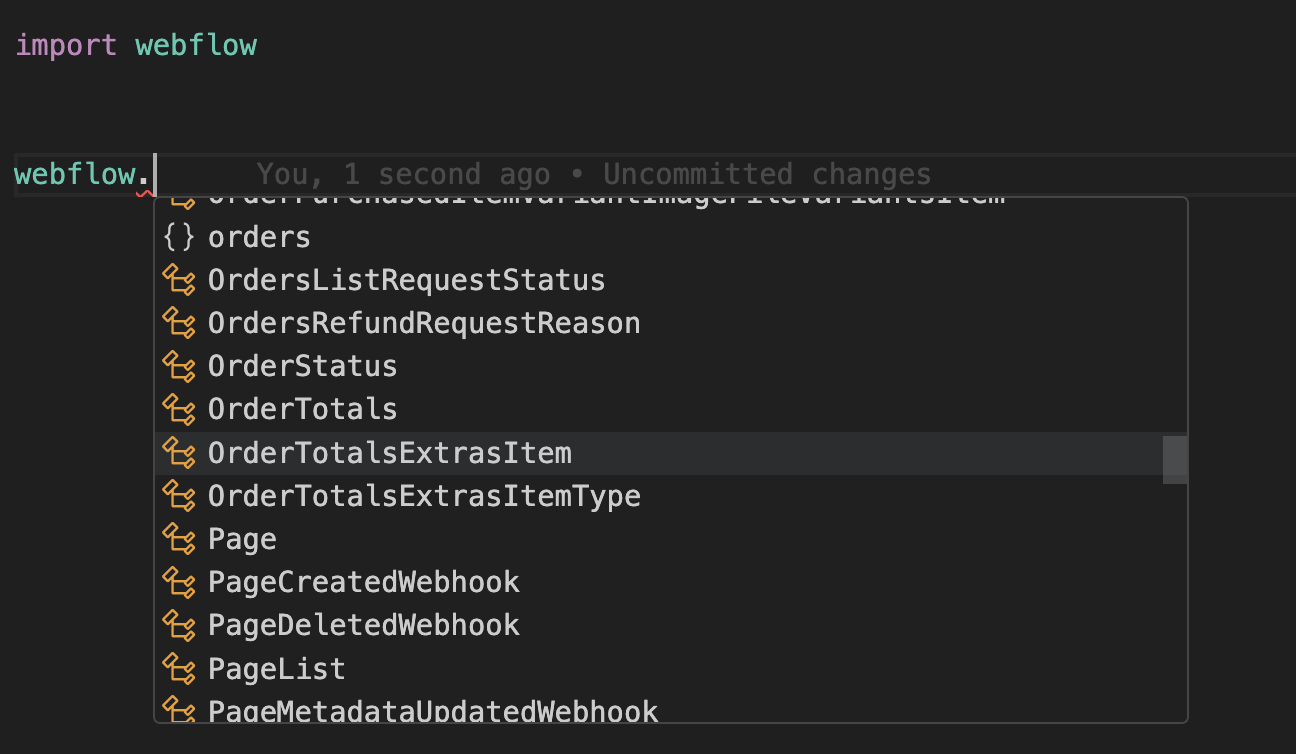
All of the models are nested within the Webflow module. Let IntelliSense guide you!
Use IntelliSense to guide API usage
All errors thrown by the SDK will be subclasses of ApiError.
import webflow
try:
 client.sites.get(...)
except webflow.core.ApiError as e: # Handle all errors
 print(e.status_code)
 print(e.body)
except webflow.BadRequestError as e: # Handle specific error
 print(e.status_code)
 print(e.body)
By default, requests time out after 60 seconds. You can configure this with a timeout option, which accepts a float.
from webflow.client import Webflow
client = Webflow(
 # 20 seconds
 timeout=20.0,
)
You can override the httpx client to customize it for your use-case. Some common use-cases include support for proxies and transports.
import httpx
from webflow.client import Webflow
client = Webflow(
 http_client=httpx.Client(
 proxies="http://my.test.proxy.example.com",
 transport=httpx.HTTPTransport(local_address="0.0.0.0"),
 ),
)
This SDK is in Preview, and there may be breaking changes between versions without a major version update.
To ensure a reproducible environment (and minimize risk of breaking changes), we recommend pinning a specific package version.
While we value open-source contributions to this SDK, this library is generated programmatically. Additions made directly to this library would have to be moved over to our generation code, otherwise they would be overwritten upon the next generated release. Feel free to open a PR as a proof of concept, but know that we will not be able to merge it as-is. We suggest opening an issue first to discuss with us!
On the other hand, contributions to the README are always very welcome!