June 21, 2022
Data Loss Prevention for Drive helps protect sensitive data when users upload files to external Google Forms, now generally available
Quick summary
In April, we announced a beta that allows users to respond to external forms that contain file upload questions, while also helping to prevent the leak of sensitive and confidential information.
This feature is now generally available and will apply your domain’s existing Data Loss Prevention (DLP) for Drive policies to files that your users submit to Google Forms, without creating new rules or updating any existing ones.
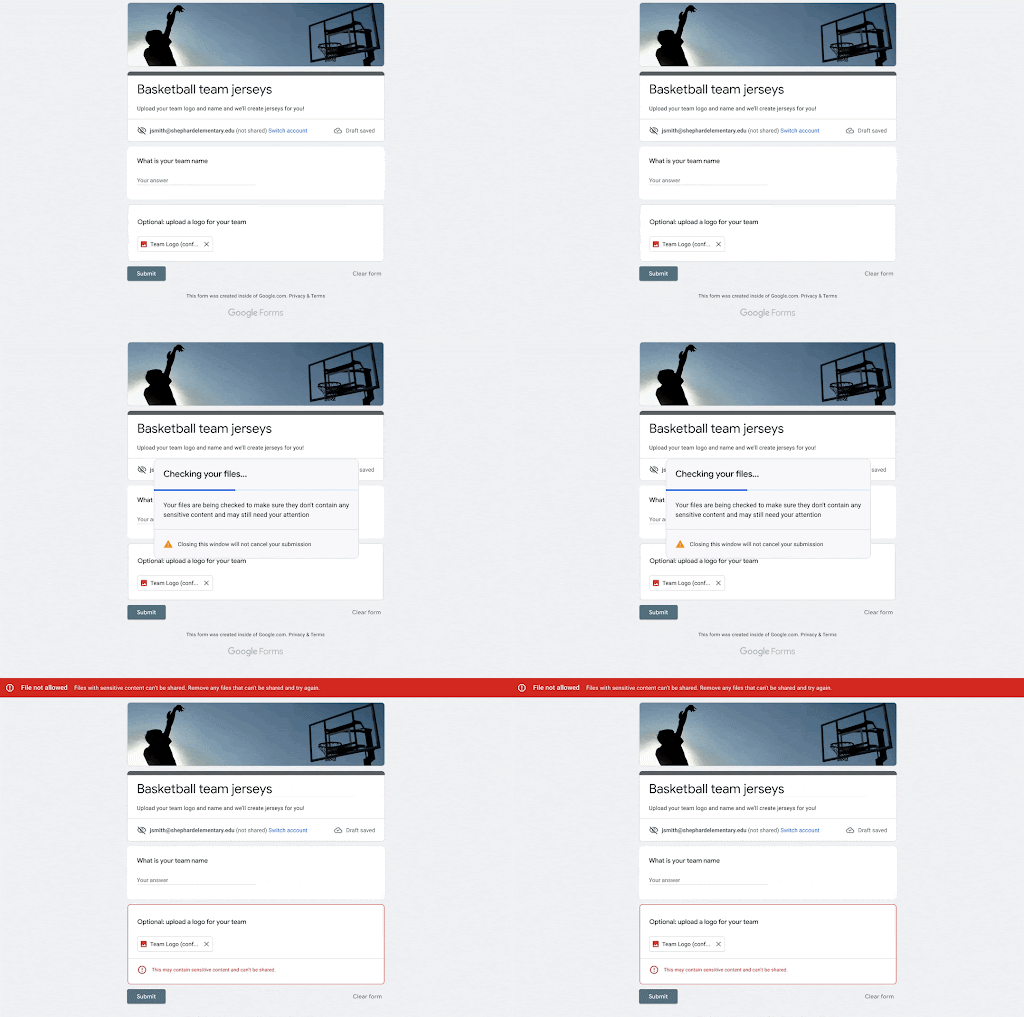
Getting started
- Admins:
- DLP for Drive rules defined for your domain will be applied to files submitted to file upload questions in Google Forms outside your domain.
- If you are not using DLP for Drive, you can create DLP rules at the domain, OU, or group level in the Admin console under Security > Data protection. You can apply block, warn or audit actions. Visit the Help Center to learn more about turning Workspace DLP on for your organization.
- End users:
- End users can respond to forms as usual, but can now respond to forms outside their domain, including forms that have file upload questions.
- If a form violates DLP for Drive rules for their domain, end users may see warnings or be blocked from submitting.
Rollout pace
- Rapid Release domains: Gradual rollout (up to 15 days for feature visibility) starting on June 21, 2022
- Scheduled Release domains: Gradual rollout (up to 15 days for feature visibility) starting on July 11, 2022
Availability
- Available to Google Workspace Enterprise Standard, Enterprise Plus, Education Fundamentals, Education Standard, and Education Plus customers
- Not available to Google Workspace Essentials, Business Starter, Business Standard, Business Plus, Enterprise Essentials, Frontline, the Teaching and Learning Upgrade, and Nonprofits, as well as legacy G Suite Basic and Business customers
- Not available to users with personal Google Accounts