July 23, 2021
Image placeholders make it easy to work as a team with images in Slides themes and layouts
Quick launch summary
Now when you create a theme in Slides, you can add image placeholders to your layouts. Slides editors can then easily replace these image placeholders with the desired images. This new feature should improve your team’s workflow efficiency, design quality, and ease of formatting.
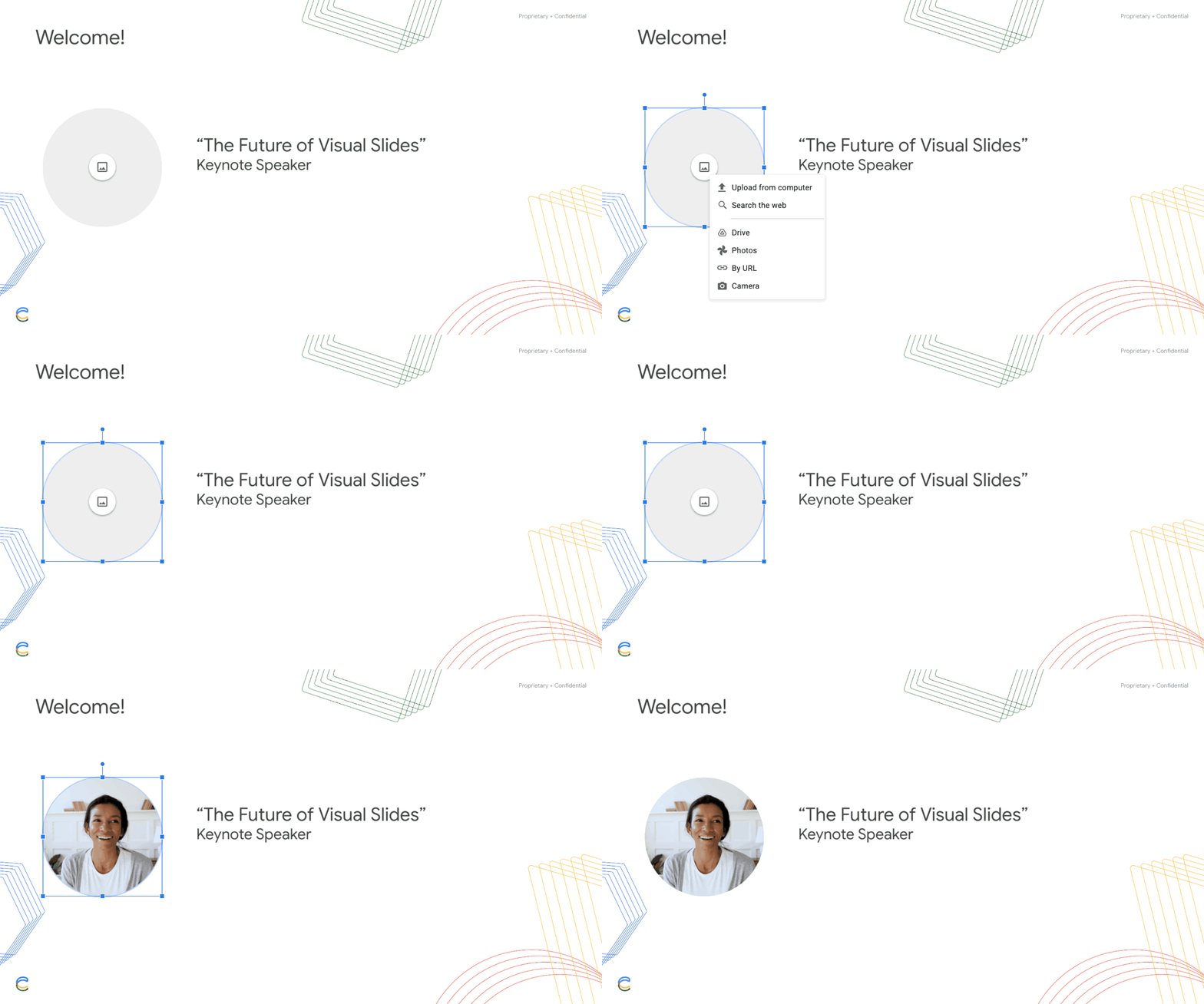
When a user creates a slide from a layout that uses image placeholders, they can click directly on the placeholder, select a source for the upload, select the file, and the image is inserted.
Getting started
- Admins: There is no admin control for this feature.
- End users: There is no end user setting for this feature. Visit the Help Center to learn more about how to insert or delete images & videos.

Image placeholders can be inserted from the Theme Builder View through the Insert menu.
Rollout pace
- Rapid Release and Scheduled Release domains: Gradual rollout (up to 15 days for feature visibility) starting on July 15, 2021
Availability
- Available to all Google Workspace customers, as well as G Suite Basic and Business customers