Lately, I have been trying many browsers to replace Chrome. Because Google Chrome lacks many features that other browsers, like Opera, provide out of the box, the Chrome experience has become increasingly cluttered. Still, I stayed because of the ecosystem, a great set of extensions, and the fact that moving a browser is like moving house in this digital-first age.
Among the many browsers I used, one I did not expect to like was DuckDuckGo. It's a privacy-centric browser that I just tried for the sake of it—but stayed installed for a good number of reasons.

- OS
- Windows, Android, MacOS, iOS
- Developer
- DuckDuckGo
DuckDuckGo is a privacy-first browser that automatically blocks third-party trackers and enforces encryption. It simplifies online security with a "Fire Button" to instantly wipe all tabs and browsing data, ensuring a fast, private experience without tracking your history.
- Price model
- Freemium
My internet is a bit quieter and saner
No, I don't want a cookie
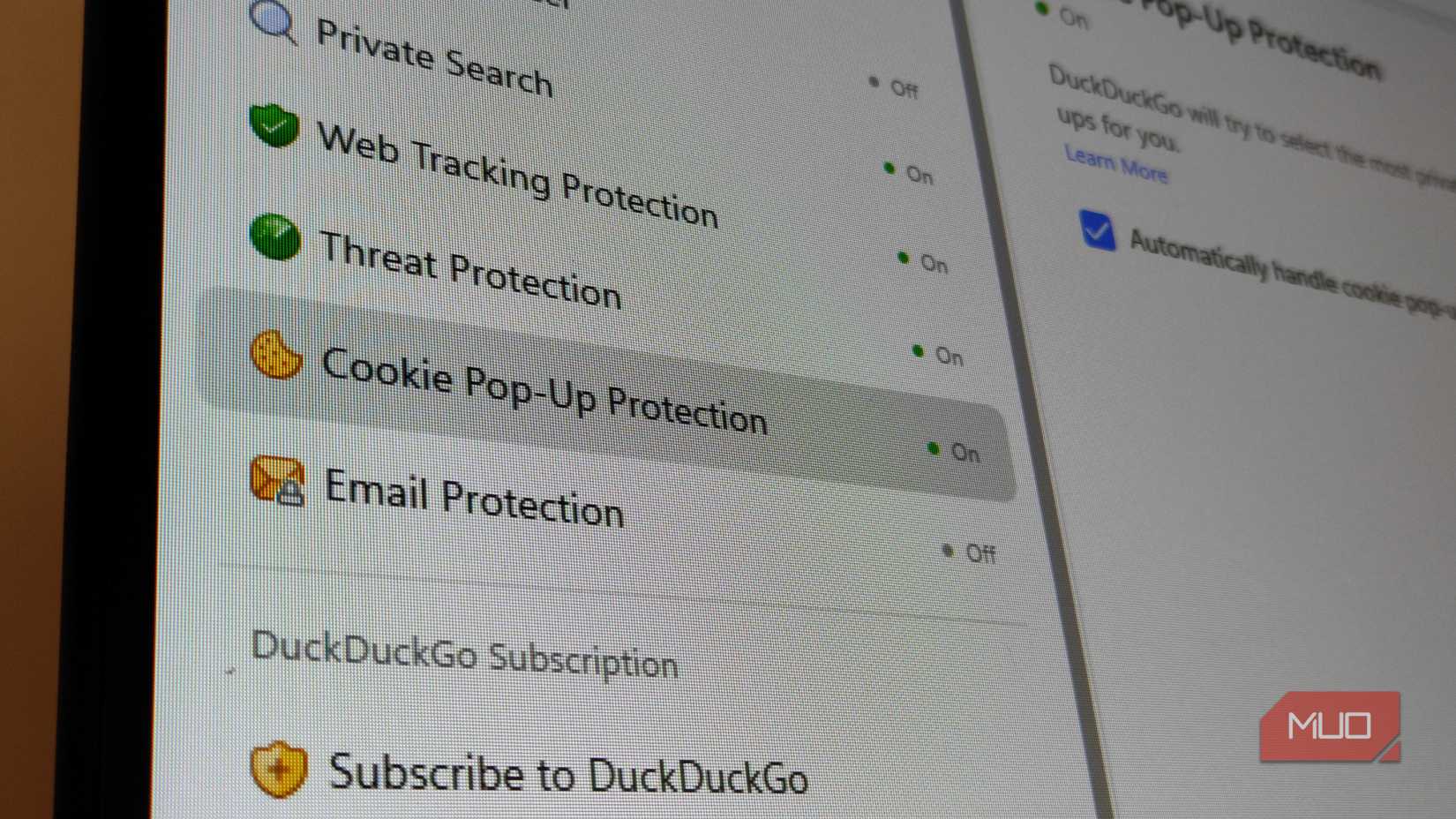
Every time I open a link, before I even spin my scroll wheel, I am greeted with a pop-up that asks me to "accept" a cookie, followed by three options: Accept all, Manage preferences, and Reject. When I am on a laptop, this becomes frustrating as it consumes almost half of my screen real estate and feels intrusive.
This is the problem DuckDuckGo's cookie pop-up management solves. It's a quality-of-life improvement I never thought I needed. When DuckDuckGo detects a cookie consent pop-up, it selects the most private option (usually "Necessary only" or "Reject all") and hides the pop-up completely.
This puts me at ease, knowing that I won't be storing any unnecessary or potentially malicious cookies on my system, and saves a bit of bandwidth, improving loading speeds. When you don't have to pause for two seconds on every new tab to dismiss a legal notice, the web feels fluid again. It made me realize just how much "admin work" Chrome was pushing me to do on every single website.
The feature that makes my YouTube feed better
Duck Player changed how I stream YouTube videos

Duck Player is a built-in overlay in the DuckDuckGo browser that runs when you watch YouTube. It plays the YouTube video in a clean, distraction-free environment that strips out targeted ads and prevents your watch history from influencing recommendations.

This lets me be assured that my feed won't get overloaded with the topic of the video I am watching. I was so fed up with surveillance capitalism always influencing what I watched and not what I subscribed to when I opened YouTube.

I Can’t Use YouTube Without These 6 Extensions
These YouTube browser extensions make your watching experience so much better.
History protection
Wipe your traces with one click
When you browse something, the residual files from the sessions, like cookies, cache, and browsing history, influence your next session. When you want to clear it in Chrome, you have to go through a tedious process: open Settings -> Privacy and security -> Clear browsing data to clear your history and cookies.
That too, you have to select an individual history from your session and clear it one by one. It is designed to be just inconvenient enough that you don't do it often.
And in general, privacy is not Chrome's strongest suit. On the other end, DuckDuckGo gamified this process with a Fire Button. It's located in the top-right corner of the browser. One click, and a literal flame will wipe your last browsing session, letting you start fresh.
It effectively compartmentalizes browsing sessions. I found myself using it multiple times a day, treating each research session as a fresh start, ensuring that trackers from my morning shopping browsing weren't following me into my afternoon work research.
Duck AI
Noiseless quack that answers correctly

DuckDuckGo also lets you use AI tools like ChatGPT without sweating about the privacy trade-off. DuckDuckGo recently integrated Duck.ai (or AI Chat), a feature that enables you to access powerful models like OpenAI’s GPT-4o mini, Anthropic’s Claude 3 Haiku, and other open-source options like Llama 3.1—all for free and completely anonymous.
Usually, using these AI chatbots requires creating an account and agreeing to let your data train their models. DuckDuckGo acts as a privacy intermediary; it strips your IP address and metadata before sending your query to the AI provider.
The providers never see who is asking, and DuckDuckGo doesn't save your chats. It lives right in the sidebar (or is accessible via the !ai shortcut), so I can ask for code snippets or summaries without feeding my personal data into the tech giant's training algorithms.
Added Email protection
Don't think twice before subscribing to newsletters

DuckDuckGo's browser-integrated Email Protection feature lets you generate a @duck.com alias when signing up for any newsletter. This lets DuckDuckGo strip any hidden trackers from any incoming email before forwarding it to your actual email address.
Seeing the summary list of blocked trackers grow over the week was an eye-opening metric of just how much data Chrome had been letting through the gates.
DuckDuckGo is still not a perfect replacement for Chrome
It's good but not great

If I'm honest, the transition was not very seamless. If you have been a lifelong Chrome user, you will have speedbreakers. The most significant one is the gap in the extension library. While it's improved from when I last used DuckDuckGo a couple of years ago, it now supports a curated list of extensions (including some of the better password managers like Bitwarden and 1Password).
It still does not support seamless, native access to the entire Chrome Web Store library, which has some of the most amazing extensions I can't live without. So, if your workflow relies on any developer-centric niche extensions, you will be out of luck.
But extensions are not the only issue. I find the sync support of Chrome's ecosystem is more robust. Its ability to instantly sync history, open tabs, and passwords across multiple devices at once works every time.
DuckDuckGo offers sync and backup features, but setting them up involves scanning QR codes and manual pairing. It feels secure, but it lacks the mindless convenience of logging into a Google account, which we have been using in Chrome.

I put these 5 open-source extensions on every browser I touch
Browsing feels broken without these open-source tools.
Am I going back to Chrome?
Are the inconveniences too big a deal?

Despite the shortcomings, I am still not making my way back to Chrome; at least not entirely. During my time with DuckDuckGo, I figured that the friction of having fewer extensions is actually a plus. It keeps the browser lean.
In Chrome, I had a graveyard of extensions that were consuming system resources and slowing it down. Not by a considerable margin, but the difference is noticeable when your workflow requires multiple tabs. Also, not forgetting the possibility of extensions that are not in use might be siphoning my browsing data.
By moving to DuckDuckGo, I was forced to simplify my digital workspace, and after using it for quite a while, I am actually happy about it. As a user who values a quieter web experience and is concerned about privacy, I'm going to keep DuckDuckGo, even though I initially used it as an experiment.