Zight for Chrome
for Chrome, Edge, and Brave Browser
Install Extension- Record directly in your browser
- Share instantly with secure links
- Fast async communication
- Browser integration
Zight for Mac
Download our Mac desktop app
Download for Mac- Screen recording, GIFs, screenshots
- Annotate images, GIFs, videos
- Quick access from menu bar
- Works seamlessly with macOS
Zight for Windows
Download our Windows desktop app
Download for Windows- Screen recording, GIFs, screenshots
- Annotate images, GIFs, videos
- Quick access from Windows taskbar
- Great for team collaboration
Zight for iOS
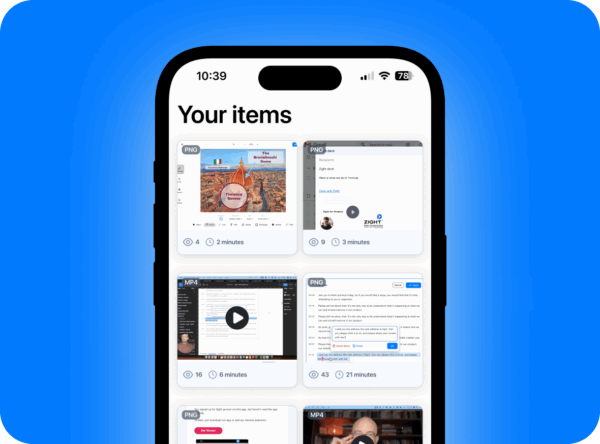
Download our iPhone & iPad app
Download for iPhone & iPad- Record screen and camera with ease
- Share links fast through iOS share sheet
- Stay productive on the go with mobile access
Powering the World’s Best Teams
Join 5m+ users who rely on Zight to increase their productivity
Download
Choose your preferred option above.
Install
Follow the installation prompts.
Record Video
Start capturing and sharing instantly.
See What Our Users Are Saying
Jordan Rosenberg
Chief Marketing Officer (Fractional) - Vanity123"I was searching for an alternative to Loom and found Zight to be the best option. I’m so impressed that I’m upgrading to the pro version today, even before my trial ends. It is saving me a ton of time helping my direct reports with questions they have about our products and services or how to use the software that is in our tech stack. Time saved as my team to sell more and allows me to concentrate on higher level tasks."
Luisa Zapata García
Strategic Customer Success Manager - Globalization Partners"Zight is by far, the leader in screenshots with so many features! First, I love how easy it is to set up different commands, so it becomes seamless for you to trigger the screenshot after you’ve done your command about 4 to 5 times. The fact that this saves on the cloud and I can share those links directly, both internally and externally is a huge plus. It’s so easy to edit the picture, and add arrows and squares to really make your point stand. A huge plus I haven’t found in other apps is that you can “pixel” all the sensitive information perhaps you don’t want to share. Oh, and don’t forget about the gifs! Those are pure gold when showing customers how to do X or Y."
Edward Wikstrom
Director of Technology - St. Dominic High School“Request Video is so much better than users trying to explain what’s happening in an e-mail or sending me photos or videos from their phones. I can see exactly when an issue occurs and what is causing it. We are primarily Chromebook, with some Windows PCs, so not having to download any software to make and send the recording is ideal! I will definitely continue to use this feature. The main reason I switched to Zight is that it’s completely cloud-based. Also, the AI has been a huge help with professional development videos by automatically adding chapters and turning videos into printed step-by-step guides”
Daniel R. Odio
CEO, Storytell.ai"The AI features you guys built are amazing for my use case, as I send a lot of videos to my team. It makes it nicer for them on the receiving end."
Rohit Divate
Head of Operations & Finance - Sprig"Btw I’ve been using it for the last 3 days and it’s amazing how good it is at screenshot, video recording, link sharing and high level SOP writing. Basically replaced recording with Zooms, uploading to Loom and having to use chatGPT to summarize the transcript. Also my biggest pet peeve”
Marija Golubovic
UX Researcher - Lunchbox"Zight has been a blessing for creating short clips from user sessions and providing actionable feedback to developers. It’s become an irreplaceable tool in our daily workflow."
Justin Cash
Product Support Lead - L2"Zight is wonderful, 10 out of 10 and an absolutely necessary tool in my day to day. Keyboard shortcuts are programmed so taking a screenshot or recording a video to share with clients is honestly second nature. Annotating is super simple and easy as well – calling out areas in the screenshot with either an arrow or highlighted box, and redacting any personal client information is a breeze."
Kate Frappell
Senior Design Lead - Ofload"Zight has been great, I’ve used it for many years now. Primarily I use it as a visual reference in Slack messages. I will write up instructions/updates etc and link specific words to Zight screenshots to illustrate my point. As a designer this happens a lot, so I’m doing quick UI mocks to get concepts across fast."
Jennuel Venus – Gonzales
Account Manager - Pandadoc“Zight allows me to quickly capture and share GIFs or snapshots of instructional material for both my clients and colleagues. As a visual learner, it’s helpful to have a tool that lets you capture the whole instance and share it with just a link!"
Heroly Chour
Managing Director & Co-founder - Busable“I love Zight Smart Actions! Documenting bug reports that used to take me 5-10 minutes now only take me 30 seconds.”
Mandy Gartrell
CEO & Co-Founder - Angry Shrimp Media“The U/I is amazing, the value is exceptional, and my Zight has become an indispensable tool for our company; operations, marketing and sales.”
Massimo Rigoni Savioli
CEO - SOSidee“Zight is a lightweight yet surprisingly powerful tool for fast and effective visual communication. It allows you to capture screenshots and record videos with ease, automatically uploading them to the cloud. It also includes built-in editing tools that make it simple to annotate, highlight, or add details in just a few clicks. Perfect for remote teams or anyone who needs to share visual feedback in real time without complications.”
Natalie Wilkins
Product Specialist"Zight is FANTASTIC. I use it all day, every day. We use it to send help videos and screenshots to our customers. I’ve never had any issues trying to figure out how to use it."
Prince Lang
User Experience Designer - Power Home Remodeling"I help build technology and user experiences as a living. And I must say I enjoy the user experience of Zight. It’s a great, reliable and helpful product. So much so, I’m willing to pay out of pocket for it."
Aris Sevilla
Founder - Platform Freaks"I’ve already recommended you to a lot of my colleagues. The automated AI generated breakdown of a How To Video is a huge time saver!"
Alex Zaltsman
QA Executive - CanCap Group Inc.“The Smart Actions feature has been great, really helpful for creating quick documentation.”
Kyle Eberle
Enterprise Architect - Bloomerang"The new AI features in Zight are not invasive at all and yet provide a ton of value. That’s a very well thought out implementation."
Ellie Peterson
Senior Product Manager: Partner Innovations - Qualtrics"Easy to use, high quality, customizable sharing settings/permissions… love it!"
Fred Pike
Managing Director - Northwoods"I’ve had the AI add-on for about a month now and the video transcriptions, the chapters in the video, and the summary data – wow, it’s great! I wasn’t sure it’d be worth it, but it absolutely is – I love those features!"
George Gill
President/Founder - RentaBikeNow"I stumbled on the features by accident but was thrilled to see how easy it was to execute and how accurate the content was. It also gave me a chance to sit back and evaluate the content I just recorded to make sure it was accurate and delivered the message I intended. Awesome feature, awesome service. Couldn’t live without it."
Bruce Kraft J.
Marketing, Operations, and Development - Beck Computer Systems Inc."I love the fact that I can take a branded walk-through video, and then share the video screen record grab, and then brand the landing page with my company logo. LOVE love love the branding."
Dillon Chi
UX Researcher - BeenVoyage"This is the most useful implementation of AI I have ever seen. I recently recorded a different video using Zight and used Gemini to do the write-up for our onboarding manual, but this is brilliant because it captures all the nuances without me having to instruct Gemini what the nuances are. As a UX Researcher I applaud your use of monitoring user actions."
Zight is available for Mac, Windows, Chrome and iOS. Need help?
Contact UsFrequently Asked Questions
Yes, you’ll need to sign up for a free Zight account or log in to an existing one to start capturing and sharing content.
Click the Install Extension button, which will redirect you to the Chrome Web Store. Click "Add to Chrome," then pin the extension for easy access.
Click the Download App button, then run the installer and follow the prompts to complete the installation.
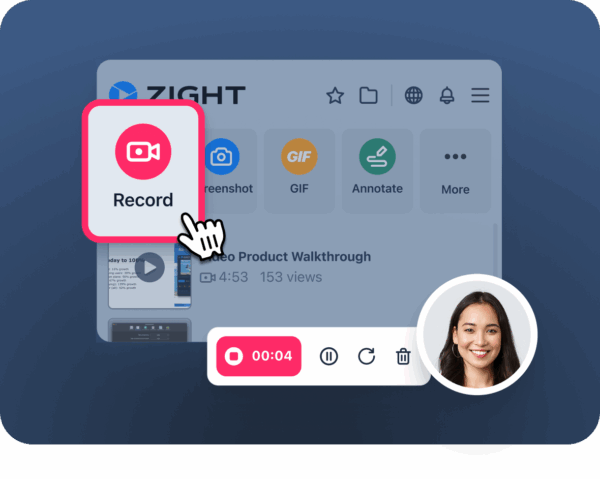
After installation, click on the Zight icon and choose the type of recording: screen, webcam, or both. Then click record. When you’re done, the link to your recording will automatically copy to your clipboard.
All your captures are saved securely in your Zight account. You can access them via your web dashboard at any time.
Yes. Zight is SOC2 certified, meaning your data is encrypted, scalable, and protected according to industry best practices. Learn more about our security.
Yes, Zight integrates with platforms like Slack, Zendesk, Gmail, and more. View our integrations.
Zight includes AI features like Smart Actions, which can automatically generate transcripts, summaries, and guides from your recordings. Explore AI features.
Absolutely. Zight is designed for asynchronous communication, letting teams record, explain, and share on their own time. But with real-time notifications and instant links, it fits seamlessly into fast-moving workflows too.
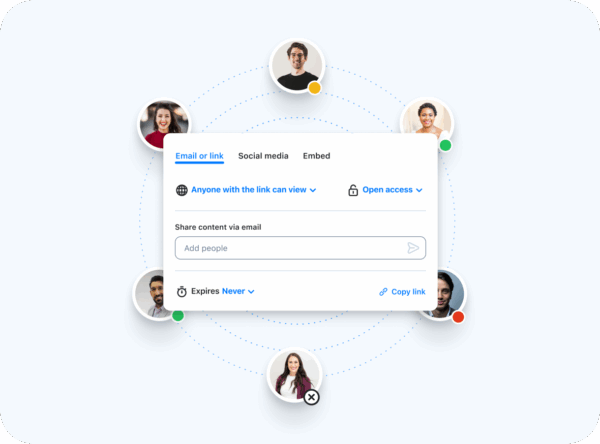
Yes. You can make share links public, private, or password-protected, and even restrict access by email domain (Pro feature).
Yes! Zight offers team plans where you can invite teammates, manage permissions, and share content internally.
Yes! Zight offers a free plan with core features to help you get started quickly.
Yes! Zight is available on Mac, Windows, and as a Chrome extension. You can also access all your content through the web dashboard.
Ultimate Guide to Downloading Zight
Looking for the fastest way to download and start using Zight? This guide walks you through everything you need to know—whether you’re on Mac, Windows, or mobile.
1. What is Zight?
Zight is an all-in-one screen recorder, screenshot tool, and video messaging platform built for modern teams. With Zight, you can record your screen, capture GIFs, share instantly, and collaborate faster.
2. How to Download Zight
Downloading Zight takes less than a minute. Just follow the steps for your device:
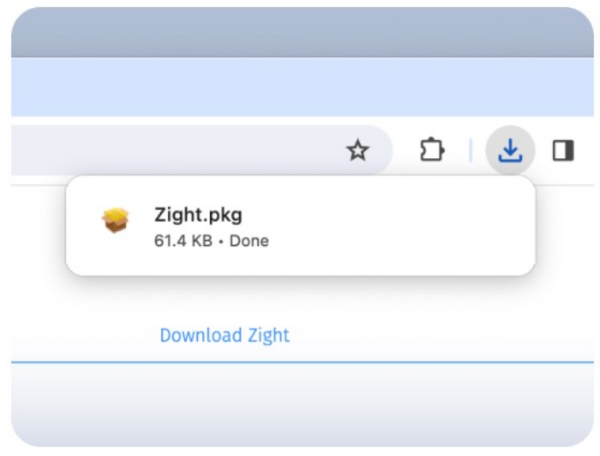
Download Zight for Mac
-
Visit the Zight Mac download page.
-
Click Download for Mac.
-
Open the
.dmgfile and drag Zight into your Applications folder. -
Launch Zight and sign in with your account.
Download Zight for Windows
-
Go to the Zight Windows download page.
-
Click Download for Windows.
-
Open the
.exeinstaller and follow the prompts. -
Start Zight and log in to begin recording.
Download Zight for iOS
Download Zight for Chrome
-
Visit the Zight Chrome extension.
-
Click Add to Chrome.
-
Log in and start sharing right from your browser.
3. Zight Download FAQ
Is Zight free to download?
Yes! Zight is free to download and use with core features. Paid plans unlock advanced tools.
What devices support Zight?
Zight works on Mac, Windows, iOS, and Chrome.
How do I update Zight?
Updates install automatically, but you can also check manually in the app settings.
4. Why Download Zight?
-
Save time with instant sharing links.
-
Boost collaboration with video messages and annotated screenshots.
-
Work anywhere across devices.
[画像:Share your links with your coworkers]
👉 Download Zight now and start recording, sharing, and collaborating in seconds.