Network Planning, Design and Wi-Fi Site Survey
NetSpot is a professional multiplatform app for Wi-Fi network planning, wireless site surveys, Wi-Fi analysis, and troubleshooting. Best in its class for over 15 years.







Analyze surrounding Wi-Fi networks in real time

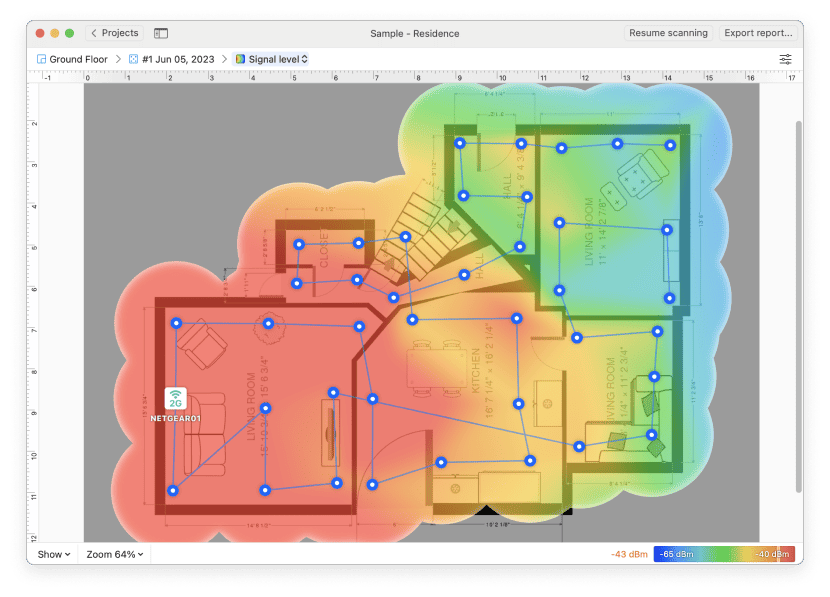
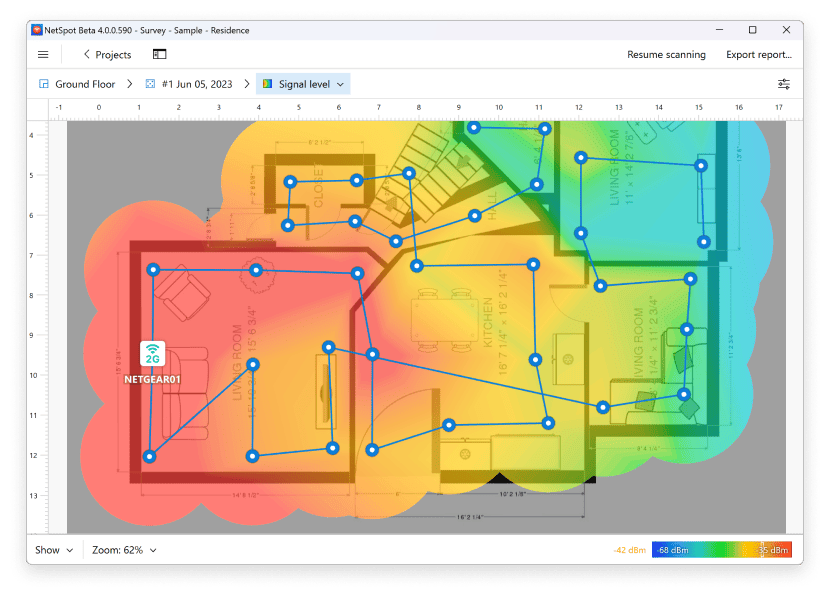
Create interactive Wi-Fi heatmaps and extensive reports

Design your future networks with predictive Wi-Fi surveys
Analyze your Wi-Fi Coverage
Discover the WiFi networks around you, and use their information to easily identify the least loaded channel, determine the WiFi signal level, etc. NetSpot will conveniently lay out the networks' names and information, like SSID, BSSID, signal strength, frequency bands, and more.
You will appreciate the interface responsiveness with an easy switch between the table and chart views, data filters by a variety of parameters, as well as the export of gathered data to CSV format.
Available in NetSpot for macOS , Windows and Android
All NetSpot features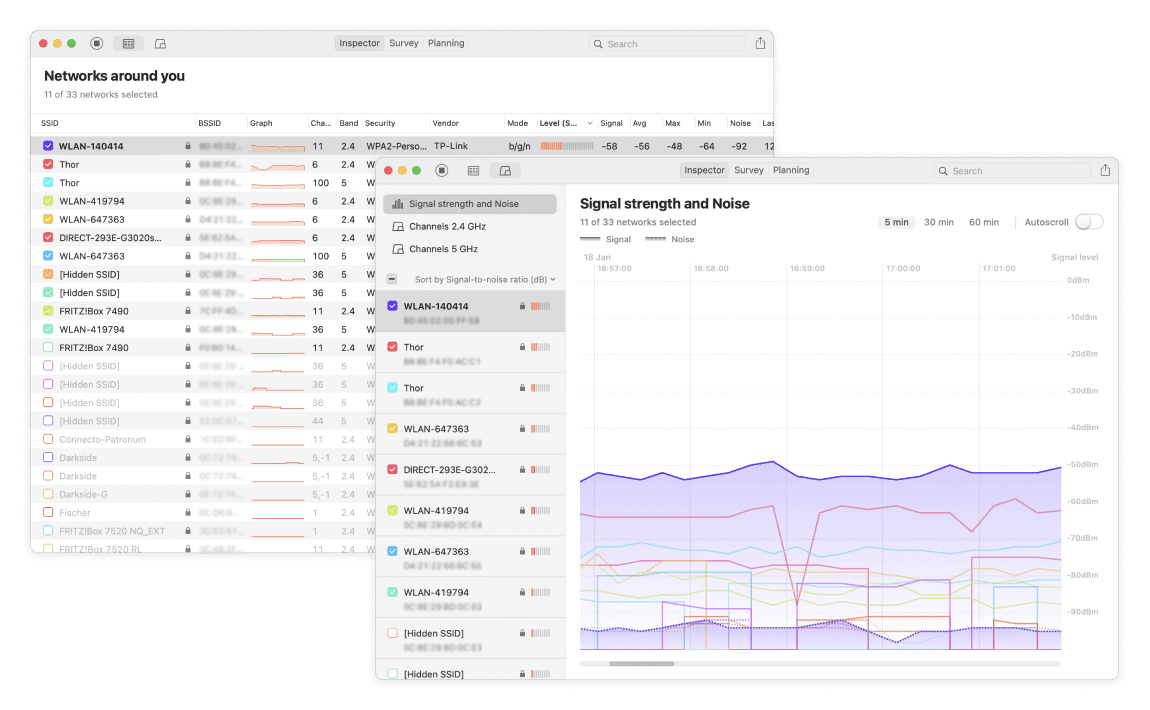
Visualize Your Wireless Network
NetSpot is certainly the most accessible native WiFi site survey app for Mac, Windows and Android. A few clicks, and you can begin a network site survey. Just point to where you are on the map and NetSpot starts measuring the wireless signal.
Move around your designated area proceeding to take measurements in every spot you want to analyze. That's it!
Now you have all the needed info to survey radio signal leakages, discover noise sources, map channel usage, analyze access points efficiency, etc. The snapshots of different scanned areas can be merged to create a detailed APoS survey.
Available in NetSpot for macOS , Windows , Android and iOS
All NetSpot features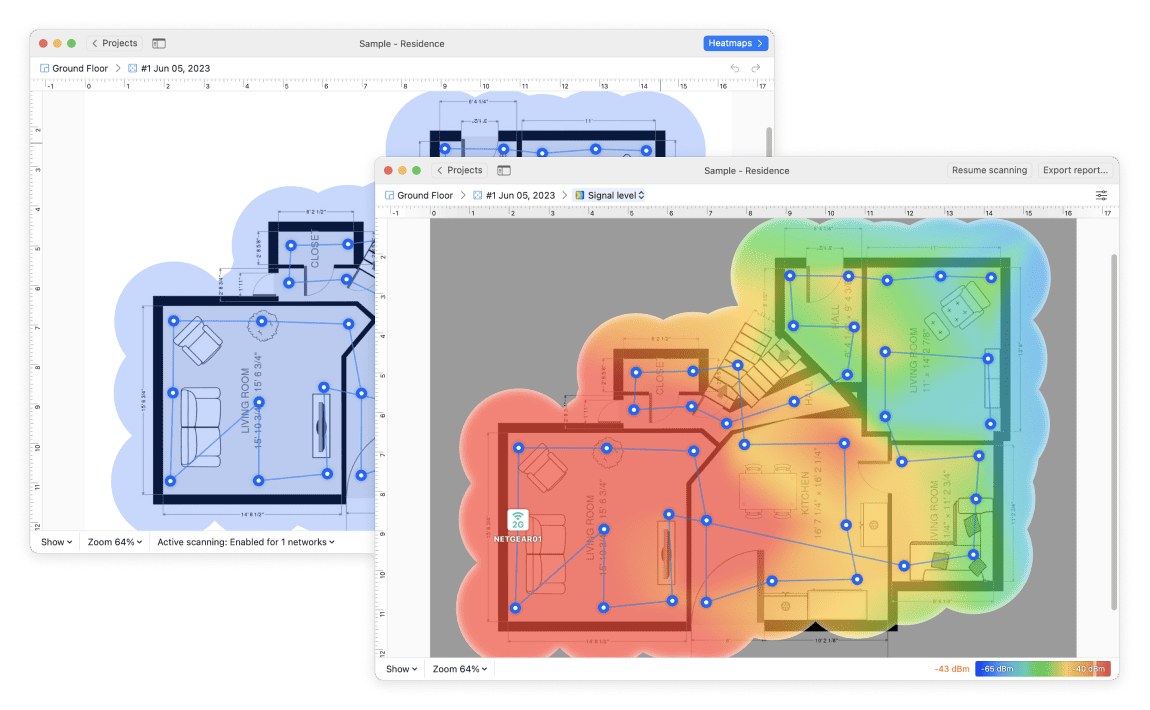
Troubleshoot Wireless Networks
NetSpot is your indispensable assistant in achieving a balanced WiFi network signal. You can build various visual heatmaps to clearly decide on the most optimal placement of access points, or to properly choose the bands and channels for a stronger wireless signal.
Additional possibilities include measuring the Internet download and upload speeds, generating such heatmaps as "Issues with SNR" and "High level of noise", etc.
Available in NetSpot for macOS and Windows
All NetSpot features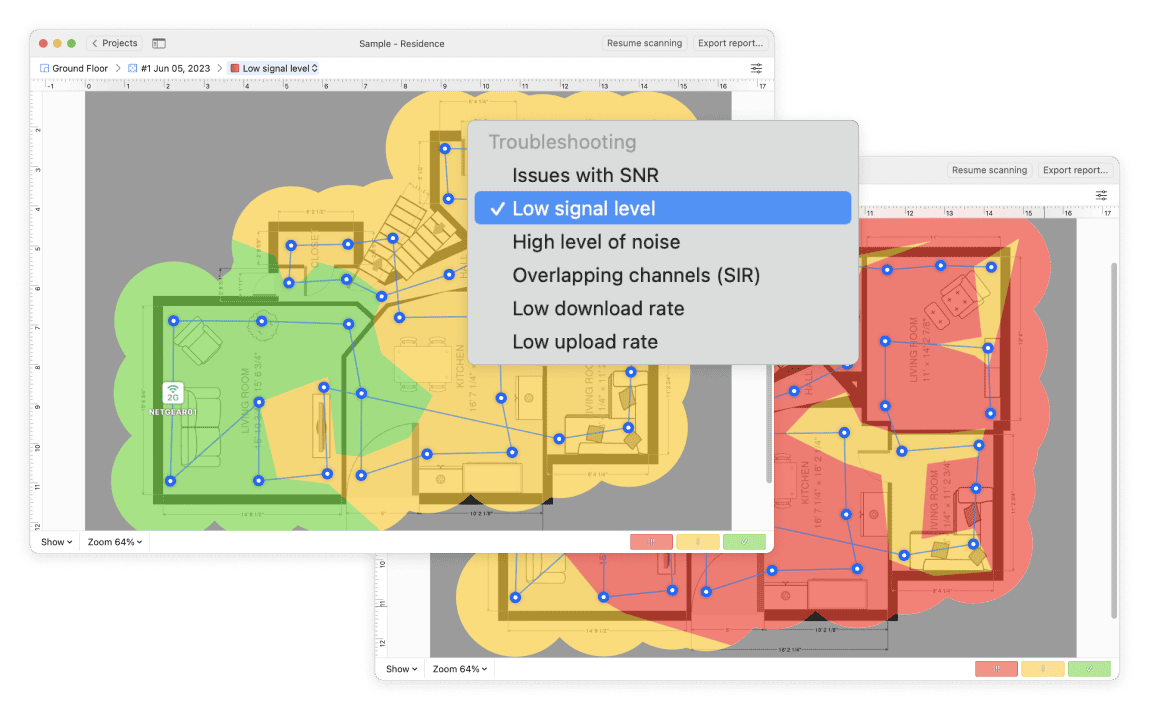
Wireless Network Planning
A proper planning of a future wireless network is essential and will potentially save you a lot of money and time by being thoughtfully deployed from the very beginning. NetSpot has an extensive toolset allowing you to design your future WiFi space.
Create a multi-floor or single-level design with various wall materials to create the space layout, doors and windows, stairwells and atriums, choose the WiFi AP type and model, rooms and their sizes and plans, etc.
Real-time signal distribution preview allows you to assess the AP placement on the fly even before you generate heatmaps.
Once the visual heatmaps are generated based on your data, you can create the most comprehensive reports and order exactly as much hardware equipment as you need for a smooth and ubiquitous wireless connection.
Available in NetSpot for macOS , Windows and Android
All NetSpot features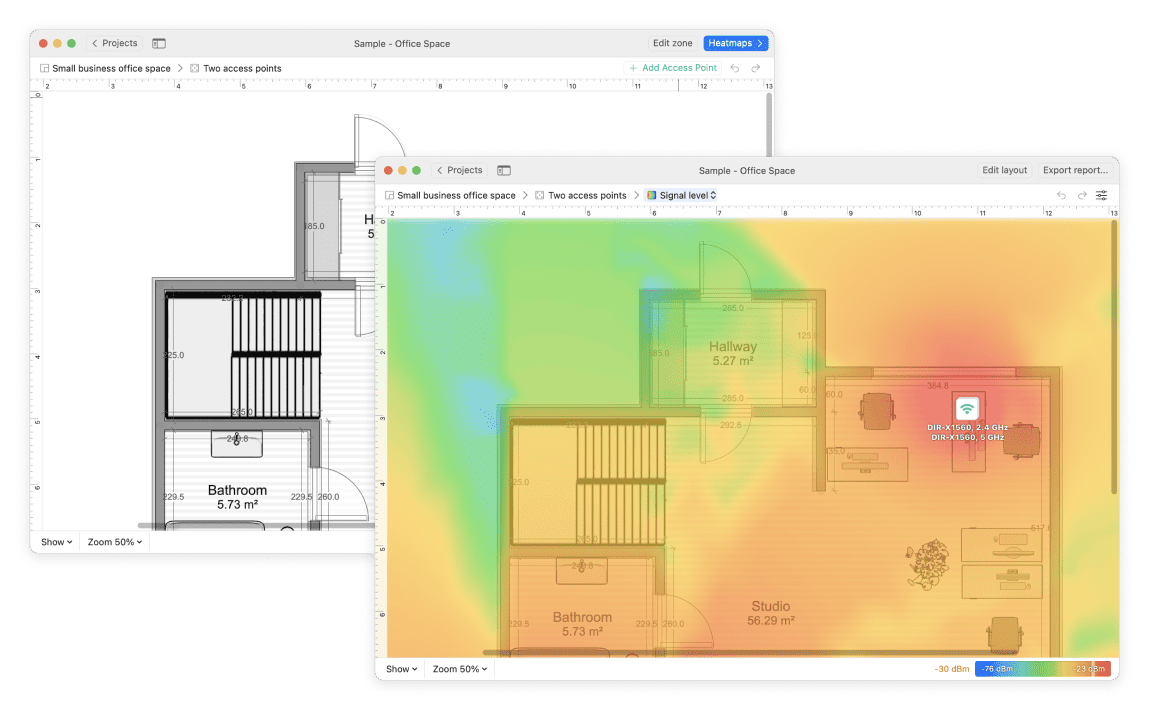
NetSpot Reviews from Real People Like You
4.9 score, based on 215 user reviews
"I have been using Netspot for years now and it has changed my business. Now with the Planning feature, it has made quoting much easier and without the need for site visits saving me time and money. Go Pro of go broke... well worth the money."[画像:Jay] JayNetwork Administrator

"NetSpot is the best tool for auditing wireless networks. It allows you to map the hot spots (and cold) of your office or home, lets you fix problems or discover another network failures. It is a simple but powerful application."[画像:Sergio Lorente] Sergio LorenteApple Consultants Network

"There isn’t anything better than NetSpot when it comes to fully analyzing Wi-Fi signals, hotspots and routers. The incredible app."[画像:Ander Murillo] Ander MurilloGenius at Everything

"I have been using Netspot for the last 8 years to test, survey and plan wifi systems in homes, offices and hotels. It provides the same stats you get with much more expensive systems. A great pro tool for wifi installers."[画像:Ofir Gal] Ofir GalSystem Engineer

"NetSpot works extremely well on the latest OS X. Very good info collected for wireless networks, especially if you are a techie! The mapping feature is highly useful to show wireless coverage, or lack of it, to my clients."[画像:Michael Kulyk] Michael KulykApple Certified Technical Coordinator

"I use NetSpot for simple, effective network surveying and Wi-Fi planning at home and at my customer’s sites. NetSpot is a really outstanding piece of software!"[画像:Christian Sommer] Christian SommerMac Enthusiast

Which NetSpot is for you?
We developed NetSpot, our accessible cross-platform wireless network analysis tool, with users of all levels and scale in mind. Tackle any project, large or small, with commercial usage rights. Choose our PRO or Enterprise license based on your team size. Reach out for custom and reseller pricing.
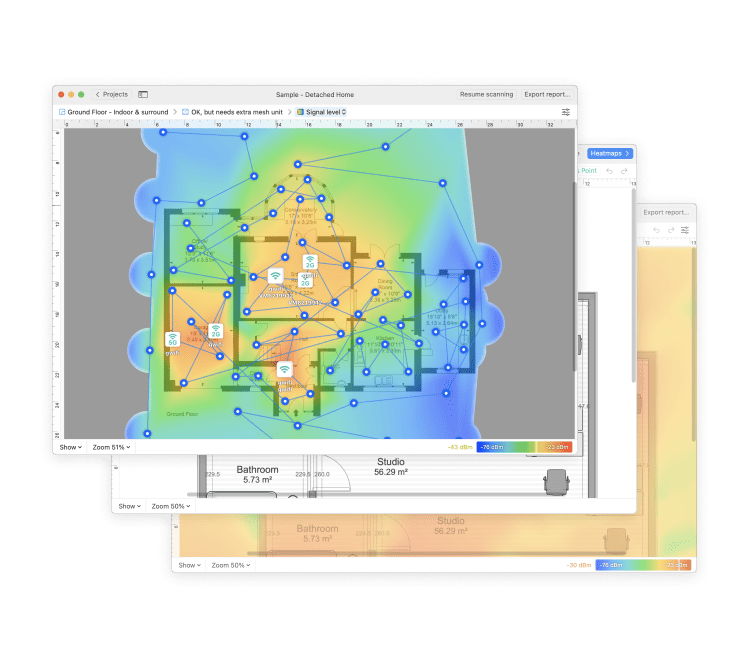
WiFi site surveys of any size with extensive reports
What's the scale of your project? NetSpot can help you deploy, survey, and then service a wireless network in an office building, a warehouse, or even a stadium!
The Enterprise license provides an unlimited use of NetSpot capabilities for your system administrators, engineers and other technicians involved in a WiFi implementation project.
It is perfect for larger companies and their clients with the unlimited zones, snapshots and data points.
- Design a future WiFi network of any scale
- Survey WiFi networks for commercial clients
- Troubleshoot WiFi issues for extra large areas
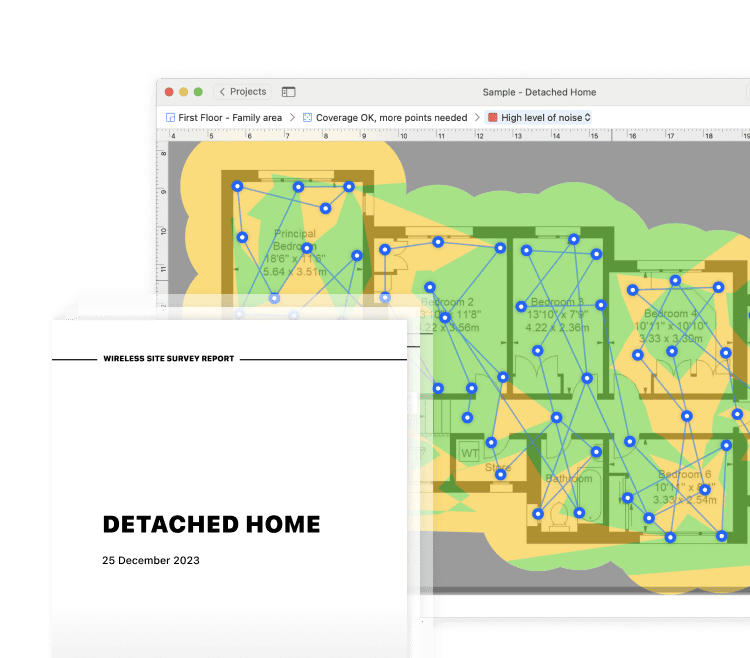
Maximize WiFi potential of your small business or home
MSP, strategic consultants, IT service providers, IT administrators, other professionals and non-professional WiFi enthusiasts alike, will greatly benefit with NetSpot PRO.
NetSpot covers all professional and home-use scenarios from the optimal WiFi network predictive planning to assessing and improving a pre-existing WiFi setup.
NetSpot PRO is perfect for smaller businesses or independent contractors providing them with commercial rights on a smaller scale to survey and assess a wireless network coverage, perform an in-depth analysis and offer the most optimal solutions to their customers in terms of WiFi optimization and improvement.
Home owners can build heatmaps of WiFi coverage of a private dwelling, immediately discovering the weakest spots lacking the proper signal strength. Effective WiFi heatmaps will help identify and eliminate any potential issues with WiFi. WiFi planning heatmaps are also available.
- Plan out an optimal WiFi network for a client
- Troubleshoot and eliminate WiFi issues on the spot
- Create in-depth reports for your clients
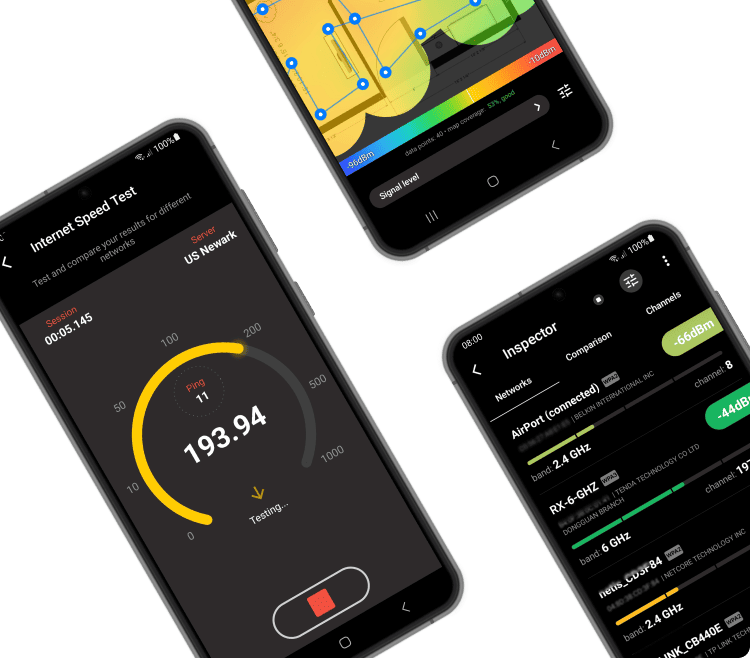
Mobile WiFi survey and analysis
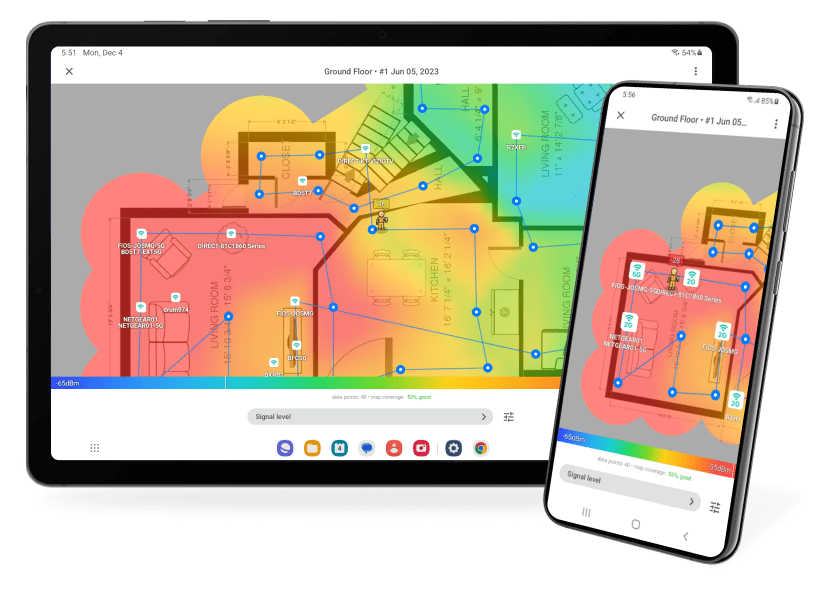
Build WiFi heatmaps in NetSpot on your Android phone or tablet! Visualizing your existing wireless signal is essential for finding possible wireless dead spots, trying new AP placement to eliminate the dead spots and boost the WiFi strength. You can also design a new, properly fitted out WiFi network.
Free NetSpot for Android is an ideal co-pilot for the desktop edition. You can create Wi-Fi site surveys and WiFi planning projects using your mobile device and export the entire project to NetSpot PRO or Enterprise for macOS and Windows.
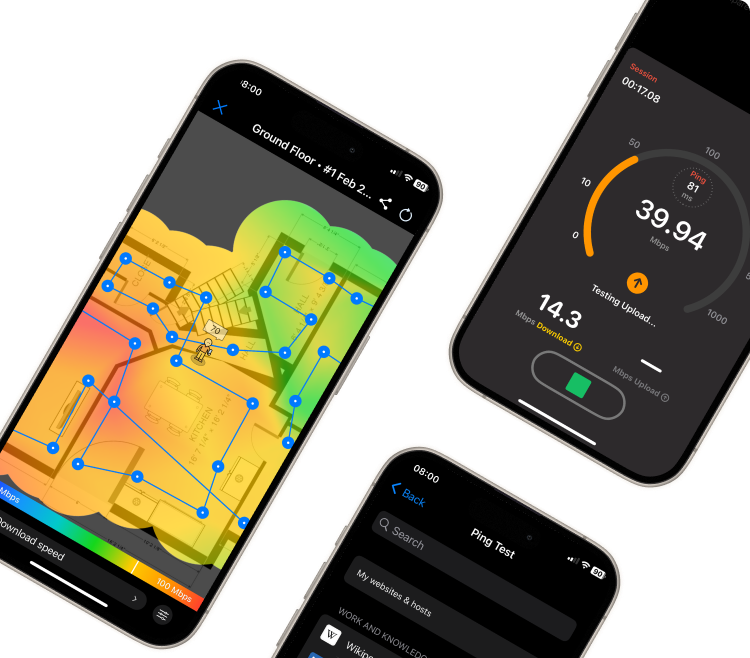
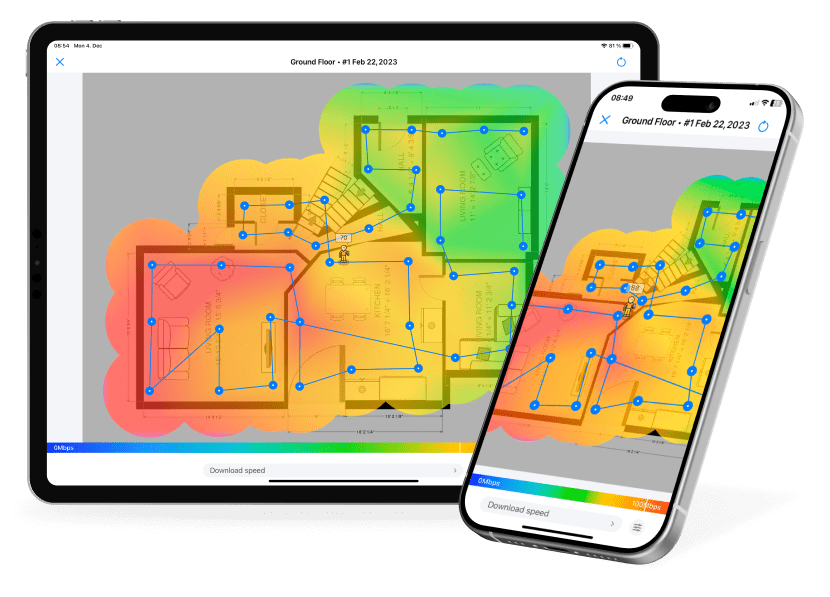
Internet Speed heatmap
The network speed analyzer for iPhone and iPad allows you to collect data for a detailed heatmap of Internet speed in your home or office no matter the size.
The visual representation of your Internet speed in different areas of the analyzed space can help remedy the possible issues with your WiFi coverage. You can also discover devices using your network as well as perform ping tests for a more complete picture of your network performance.
Press on NetSpot
Some of the noteworthy mentions of NetSpot









Writing a story about NetSpot? You'll find the materials you might need in our Press Kit.

Better WiFi is just a download away
Runs on a MacBook (macOS 11+) or any laptop (Windows 7/8/10/11) with a standard 802.11be/ax/ac/n/g/a/b wireless network adapter. Read more about the 802.11be support here.
Your projects are cross-platform and can be opened in NetSpot for macOS, Windows, and Android.