Pygame, a popular Python library for game development, allows you to create exciting and interactive games with ease. One way to enhance your Pygame creations is by adding random moving objects. These objects can be obstacles, enemies, power-ups, or anything that adds dynamism to your game world.
Create a Simple Game
Start by setting up a basic Pygame window and adding a player object along with some platforms. You can also implement basic player movement using the arrow keys or using touch inputs.
The code used in this article is available in this GitHub repository and is free for you to use under the MIT license.
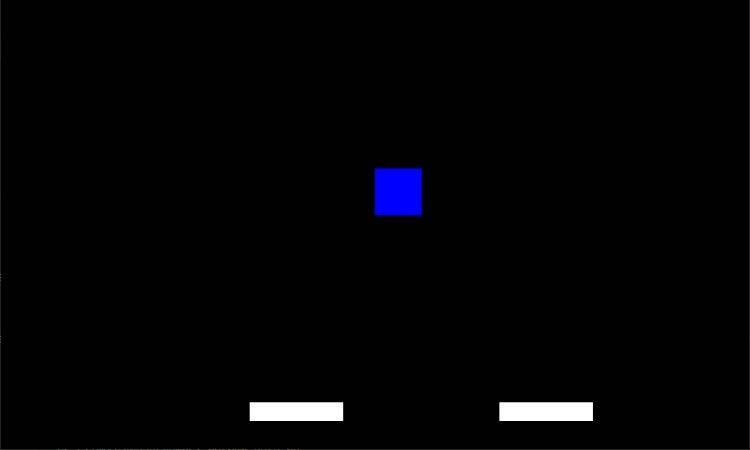
Create a new file named simple-game.py and add the code for your basic game.
Add Multiple Moving Objects
Now that you have a simple game with a player object and platforms, add multiple random moving objects to the game. These objects will move horizontally across the screen at different speeds.
object_width, object_height = 30, 30
object_speed_range = (2, 7)
objects = []
def create_random_object():
 return {
 'x': random.randint(0, screen_width - object_width),
 'y': random.randint(0, screen_height - object_height),
 'speed': random.randint(*object_speed_range)
 }
for _ in range(5):
 objects.append(create_random_object())
def draw_object(obj):
 obj_dim = (obj['x'], obj['y'], object_width, object_height)
 pygame.draw.rect(screen, WHITE, obj_dim)
# Game loop
while running:
 screen.fill((0, 0, 0))
 # ... (previous code)
 for obj in objects:
 obj['x'] += obj['speed']
 if obj['x'] > screen_width:
 obj['x'] = -object_width
 draw_object(obj)
 pygame.display.update()
 clock.tick(60)
pygame.quit()
Below is the output:

Implement Random Movement Algorithm
Currently, your random moving objects move only in a straight horizontal line. To make their movement more unpredictable, you can add a random movement algorithm.
# Random Movement Algorithm
def update_random_movement(obj):
 # Change the direction randomly
 if random.random() < 0.01:
 obj['speed'] = -obj['speed']
# Game loop
while running:
 # ... (previous code)
 for obj in objects:
 obj['x'] += obj['speed']
 if obj['x'] > screen_width:
 obj['x'] = -object_width
 update_random_movement(obj)
 draw_object(obj)
 pygame.display.update()
 clock.tick(60)
pygame.quit()
Make Objects Move Towards the Player
To add more complexity to the game, you can introduce some objects that move toward the player. You can achieve this by calculating the angle between the object and the player and adjusting the object's position accordingly.
import math
# Objects Moving Towards Player
def move_towards_player(obj):
 player_center_x = player_x + player_width // 2
 player_center_y = player_y + player_height // 2
 object_center_x = obj['x'] + object_width // 2
 object_center_y = obj['y'] + object_height // 2
 angle1 = player_center_y - object_center_y
 angle2 = player_center_x - object_center_x
 angle = math.atan2(angle1, angle2)
 obj['x'] += obj['speed'] * math.cos(angle)
 obj['y'] += obj['speed'] * math.sin(angle)
# Game loop
while running:
 # ... (previous code)
 for obj in objects:
 obj['x'] += obj['speed']
 if obj['x'] > screen_width:
 obj['x'] = -object_width
 move_towards_player(obj)
 draw_object(obj)
 pygame.display.update()
 clock.tick(60)
pygame.quit()
Make Objects Move Only When the Player Enters Surroundings
Instead of having all objects moving from the start, you can allow objects to start moving only when the player enters their surroundings.
# Objects Start to Move When Player Enters Surroundings
surrounding_distance = 150
def should_start_moving(obj):
 surrounded1 = abs(obj['x'] - player_x) < surrounding_distance
 surrounded2 = abs(obj['y'] - player_y) < surrounding_distance
 return surrounded1 or surrounded2
# Game loop
while running:
 # ... (previous code)
 for obj in objects:
 if should_start_moving(obj):
 obj['x'] += obj['speed']
 if obj['x'] > screen_width:
 obj['x'] = -object_width
 update_random_movement(obj)
 move_towards_player(obj)
 draw_object(obj)
 pygame.display.update()
 clock.tick(60)
pygame.quit()
Collision Detection and Interaction
To make the game even more engaging, you can add collision detection between the player and the moving objects. For example, you can remove an object from the screen when the player collides with it.
# Collision Detection and Interaction
def is_collision(obj):
 condition1 = player_x + player_width > obj['x']
 condition2 = player_x < obj['x'] + object_width
 condition3 = player_y + player_height > obj['y']
 condition4 = player_y < obj['y'] + object_height
 return ( condition1 and condition2 and condition3 and condition4)
# Game loop
while running:
 # ... (previous code)
 for obj in objects:
 if should_start_moving(obj):
 obj['x'] += obj['speed']
 if obj['x'] > screen_width:
 obj['x'] = -object_width
 update_random_movement(obj)
 move_towards_player(obj)
 if is_collision(obj):
 objects.remove(obj)
 draw_object(obj)
 pygame.display.update()
 clock.tick(60)
pygame.quit()
Including Additional Features
Adding random moving objects can serve as a foundation for implementing various exciting features in your Pygame. Here are some additional ideas to take your game to the next level:
Scoring and Progression
Assign different scores to objects based on their difficulty level or rarity. You can create and display a scoring system that rewards players for successfully navigating through moving objects or collecting special items.
Implement a progress tracker that increases the game's difficulty as players achieve higher scores, keeping them engaged and motivated to improve.
Power-Ups and Bonuses
Create special objects that grant the player temporary advantages when collected. These power-ups could include increased speed, invincibility, or even the ability to freeze or destroy other objects temporarily.
Be creative with the effects of these power-ups to add strategic depth to the gameplay.
Enemy AI and Behavior
Design more sophisticated movement patterns for enemy objects to make them more challenging for players to avoid. Implement simple AI algorithms to make enemies pursue the player intelligently or move in coordinated patterns.
Varying enemy behaviors will keep players on their toes and prevent the game from becoming monotonous.
Collectibles and Rewards
Scatter collectible items throughout the game world. These can be coins, gems, or any other thematic items. When the player collects a certain number of these items, they can unlock new levels, characters, or even secret features in the game.
Best Practices for Adding Random Moving Objects
When incorporating random moving objects into your Pygame, following these best practices will help you create a well-balanced and polished gaming experience:
Balancing Difficulty
The speed and movement patterns of random moving objects should be carefully balanced to provide a fair challenge. Avoid making objects move too fast or erratically, as it might frustrate players and make the game feel unfair.
On the other hand, overly slow-moving objects can make the game too easy and less engaging.
Optimization for Performance
If your game includes a large number of random moving objects or complex movement algorithms, consider optimizing the code to improve performance. Use efficient data structures and algorithms to handle collisions and movement calculations.
Minimize unnecessary computations to ensure smooth and responsive gameplay, especially on older or less powerful devices.
Testing and Tweaking
Thoroughly test your game with various scenarios to ensure that the random moving objects interact correctly with other game elements. Test for collisions, interactions with the player, and any special movement behaviors.
Adjust the speed, behavior, and patterns of the objects based on playtesting feedback to achieve the optimal gameplay experience.
Randomness With Control
Although the term "random" is used for these moving objects, having complete randomness might not always be desirable. Consider incorporating controlled randomness, where certain movements or patterns are defined within a range or set of possibilities.
Controlled randomness ensures that the game remains challenging and enjoyable without becoming too chaotic.
Making Games More Engaging With Random Moving Objects
Random moving objects add an element of surprise and unpredictability to your game, making it more dynamic and engaging. They keep players on their toes, requiring quick reflexes and strategic thinking. Additionally, the variety of movements and interactions with these objects ensures that no two gameplay experiences are the same.