Linters help to improve the quality and readability of your code by analyzing it for syntax and style errors. The resulting code is cleaner and more consistent, making it easier to maintain and debug.
A linter is an essential tool in modern programming, helping you catch and fix issues early in your development process. Due to JavaScript’s flexible nature and the widely-distributed nature of Node.js, code consistency can be a challenge. Using a linter reduces the risk of avoidable bugs making their way into your production codebase.
The following linters earn a place on this list based on several key criteria. These include popularity, speed, ease of use, customizability, and adaptability.
1. ESLint

ESLint is an open-source, configurable Node.js linter. It finds problems such as potential runtime bugs, best practice violations, invalid syntax, and code style issues.
The linter has a wide range of built-in rules that you can configure to enforce coding conventions and detect possible errors. The built-in rules include:
- Implementing consistent indentation.
- Requiring strict equality (===) instead of loose equality (==).
- Checking potential security vulnerabilities, such as the declaration of unused variables.
Typically, you’ll store ESLint rules in a configuration file, which can be in various formats. It can include settings for built-in rules, plugins with custom rules, and sharable configurations, like the popular Airbnb JavaScript style guide.
Setting up ESLint can be a daunting and time-consuming task, with lots of configuration to specify your requirements. But you can use the ESLint CLI tool to integrate ESLint into your project quickly and then add or remove rules as you like.
ESLint may not be suitable for all projects, particularly small or simple ones. You may not be able to justify the overhead of setting up and configuring ESLint. It is ideal for large projects with diverse teams, where code quality and consistency are top priorities.
2. JSLint

JSLint is a strict linter that enforces a specific set of rules for writing JavaScript code. These rules cover a wide range of issues, some of which include:
- Enforcing the use of semicolons.
- Requiring curly braces around conditional statements and loops.
- Preventing the use of specific language features, such as using the var keyword, which can affect how hoisting works, leading to unexpected behavior.
Integrating JSLint into a codebase is relatively easy, requiring little or no configuration to lint your code. One way you can achieve this is by using the command-line tool. You can pass your JavaScript files to the JSLint command-line tool, which will output any errors or warnings.
While you can integrate JSLint into your codebase, it is less flexible than other linters, such as ESLint, due to its limited customization options. However, it provides integrations for various code editors, making it easy to incorporate into your workflow.
Since JSLint has a limited set of rules and no support for custom rules or plugins, it may not be suitable for complex projects that require more flexibility and a lot of customization.
Overall, JSLint is a useful tool for enforcing a specific set of coding standards and best practices. Still, it may not be ideal for all projects due to its lack of customization and flexibility.
3. JSHint
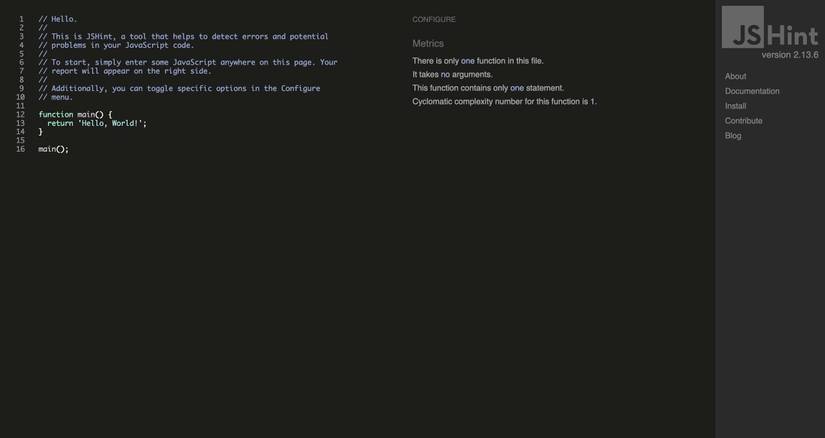
JSHint is a tool that analyzes JavaScript code and identifies common mistakes and potential bugs. It can detect various issues, such as syntax errors, implicit type conversions that could cause bugs, variables that may be leaking, and many other errors.
It was created to serve as a more configurable version of JSLint, adding support for various JavaScript environments and frameworks, including Node.js, jQuery, and QUnit, among others.
JSHint, similar to ESLint, also provides a range of built-in rules that you can configure to enforce coding conventions and detect potential errors, such as missing semicolons, unused variables, and undefined functions.
However, unlike ESLint, JSHint has no support for custom rules, limiting your linting to rules provided by JSHint.
JSHint is relatively easy to use compared to JSLint and works well out of the box, requiring minimal configuration to get started. It is ideal for small to medium-sized projects where the main goal is to catch common coding mistakes and enforce good coding practices.
4. quick-lint-js

quick-lint-js is a lightweight and fast linter for JavaScript. According to quick-lint-js’s benchmarks, it is approximately 130 times faster than ESLint, so it’s the ideal linter for projects where speed and efficiency are priorities.
quick-lint-js gives you instant linting feedback as you code. It owes its speed to its minimalistic design, which features less infrastructure and fewer components. This allows quick-lint-js to manage and reduce runtime parsing costs and, by extension, lint your code faster than most linters in the Node.js ecosystem.
quick-lint-js works out of the box without any additional configuration, specifying good presets for most of its rules. You can, though, still customize it using a quick-lint-js.config file.
It also provides integration support in the form of plugins for various IDEs, such as VsCode, Vim, Neovim, Sublime Text, and Emacs, among others. It also comes with a fully-featured command-line tool to aid in your linting. This tool is available for GNU/Linux, macOS, and Windows operating systems.
Overall, quick-lint-js is ideal for projects undergoing fast-paced development, irrespective of their size. Although it is important to note that this tool is relatively new compared to other linters discussed in this article, so you might find it hard to find help when you run into errors not extensively covered in their documentation.
5. StandardJS
StandardJS is a JavaScript linter that emphasizes a consistent and opinionated coding style. It enforces a set of pre-set built-in rules for formatting and style that promotes consistency across all codebases you use.
StandardJS saves a lot of time and reduces the number of decisions you have to make about code style by providing a strict and standardized approach. One of the main features of StandardJS is its "zero configuration" approach, which means that it does not need a configuration file to be set up before you can use it.
Once installed, you just have to run the standard command to lint and point to the exact location of style violations in all the JavaScript files in your working directory.
By enforcing a strict and standardized approach to coding style, StandardJS reduces the need for developers to spend time debating the best way to format code. This means teams can focus on writing high-quality code that is consistent and easy to maintain over time.
However, one potential drawback of StandardJS is its strict adherence to a specific coding style. This may not be ideal for all development teams, particularly those who prefer a more flexible or customizable approach to code style.
Pick a Good Linter That Works for You
Several linting tools are available for Node.js, each with its own strengths and weaknesses. ESLint is a highly customizable and widely used linter with comprehensive linting capabilities and many built-in rules.
JSLint is a strict linter that offers little room for customization but is easy to use and integrates well into codebases. JSHint is a flexible linter that balances customization and ease of use. quick-lint-js is very fast, while StandardJS is a zero-configuration linter that emphasizes following a specific set of conventions.