Summary
- Bitsy and Twine are user-friendly engines for creating text-based and pixel art games without coding.
- PuzzleScript allows visual coding and is ideal for creating puzzle games with basic mechanics.
- Construct is great for polished browser-based games requiring no coding, making it suitable for beginners.
In the past two years, I’ve become interested in making video games, but always found myself stymied about how to start. Luckily, I attend a monthly event where each attendee tries to build a game in two hours using a different engine every session. It’s a lot of fun, even if the games are messy and weird.
Luckily for you, you don’t need to find a monthly meetup to do something similar. Just check out the following websites, which will have you building a game of your very own within minutes.
1 Bitsy

If you’re a fan of old-school exploration games like the Legend of Zelda series, then Bitsy is right up your alley for making your own. As the name implies, it lets you create small pixel art games where you can control a character, pick up items, and display dialogue—all without writing a single line of code.
It runs in your browser, so there’s no need to install anything, and each game is saved as an HTML file, so it’s super easy to share with friends and family.
There are plenty of Bitsy games to check out on itch.io (I recommend the works of Cecile Richard). For those who find it a bit too simplistic, many folks have made their own modifications to the engine, like Bitsy HD (which adds more pixels to your rooms).
2 Twine

For aspiring choose-your-own-adventure writers, Twine is the best place to start. You can run it in your browser or download the desktop app. Twine is for creating text-based stories with branching options: Do you want to try the red door or the green door? Will you take the left or the right path? Should you go on a date with Betty or Veronica tonight?
Each choice is represented by a box with each story connection represented by a line, making it very easy to visualize your narrative. You can check out some examples on itch.io.
More advanced users can add all sorts of bells and whistles like graphics and sound and there is lots of documentation outlining how to do these things. However, even if after adding all that, you still find Twine too limiting, keep in mind that lots of professional game developers use Twine to prototype their games before moving to a more robust engine like Godot—meaning it’s still worth learning how to use.
3 PuzzleScript

You may be familiar with sokoban-type games: puzzle games in which you solve each level by pushing boxes around. PuzzleScript lets you make your own, right from the comfort of your browser.
As hinted by its name, PuzzleScript is a tad more on the coding side of gamemaking, but it’s still incredibly visual. You draw sprites and rooms with colored numbers and indicate relations between them with symbols like arrows and brackets.
The forums and documentation are easily accessible right from the editing screen, which means you can spend more time trying to think of a good puzzle rather than struggling with getting basic game mechanics working. Or, if you’re like me, you can just make a game where you make boxes disappear and still have fun. The variety of PuzzleScript games on sites like itch.io is mindboggling.
4 Construct

Chances are, if you play a lot of browser games, you’ve probably played games made with Construct. That’s because Construct is great for making extremely polished browser-based games, no coding required. Instead, you make sprites and backgrounds and then select from a menu of options for how it moves and acts.
That includes platforming options if you’re a big fan of games like the Super Mario series or Hollow Knight. You won’t be able to make a game like those right away, but it is possible with a little time and elbow grease.
Construct is the only game engine on this list that has a paid option and you’ll need that if you plan to work on something super complex like Hypnospace Outlaw or find yourself making dozens of projects. But for casual hobbyists or raw beginners, the free trial of Construct will do just fine.
5 Scratch
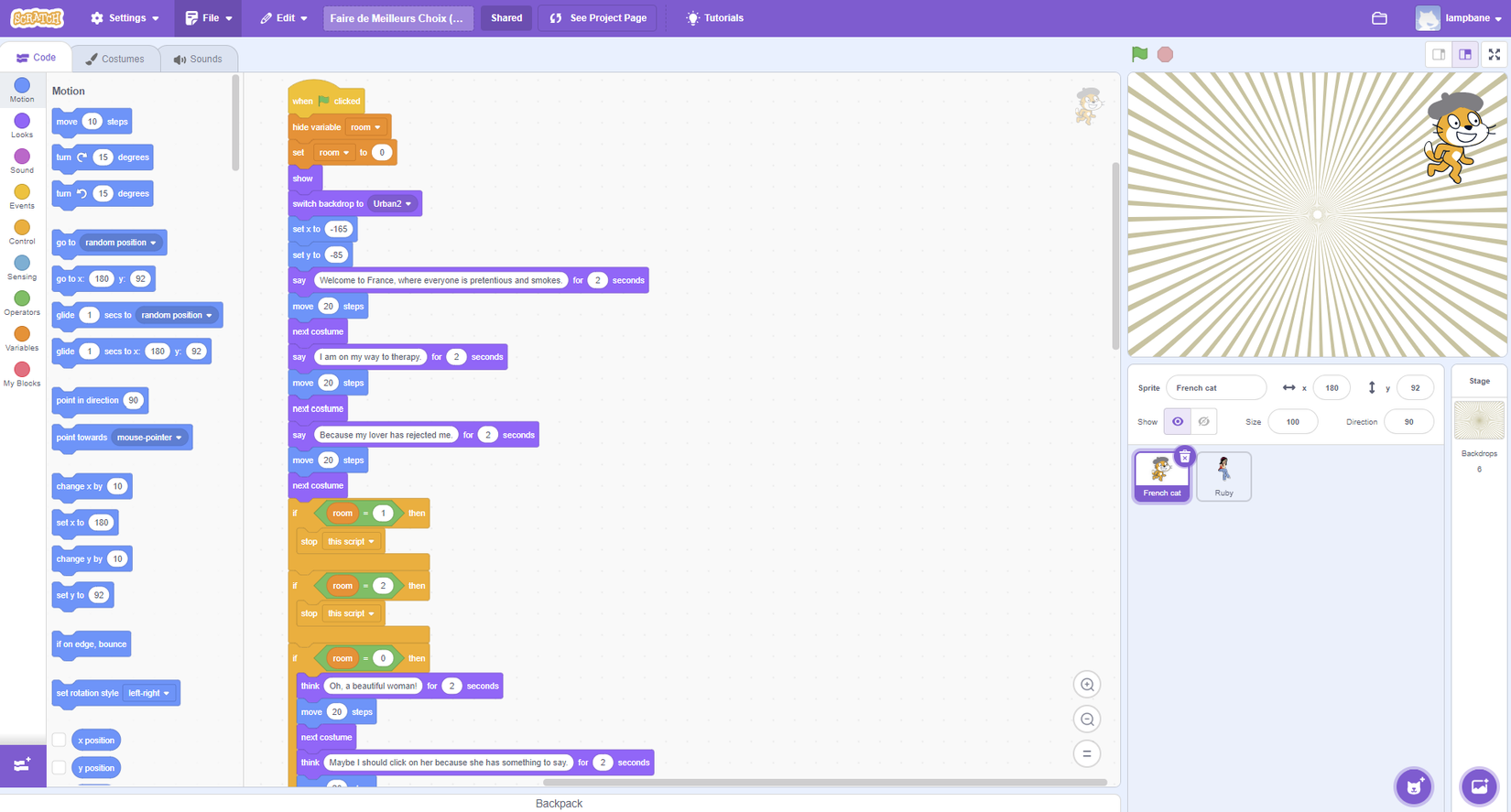
Scratch is a tool designed to teach kids code, but that makes it perfect for people who want to dip their toe into the waters of coding but who always found traditional tools (like beginner projects and coding boot camps) for adults intimidating.
All the different commands are represented by literal “blocks” of code, colored according to what they do and easy to add to your game: just click and drag each block onto the field and click the pieces into place like you’re putting a puzzle together. It makes coding fun, in addition to helping you put together a game.
If you know enough about code to find the pre-existing blocks too limited, Scratch has you covered, as you can make your own blocks right there in your browser and add them to any game you make. Check out some projects on the Scratch site for ideas.
Keep in mind that, as with many things, mastery takes time. You won't be making something on the level of a Nintendo game on your first day. You'll need to practice and make a lot of mistakes first.
But what I like about all of the above engines is that they're fun to use, so it never feels like a drag. Once you've finally made something cool, you can easily export your files and send them to friends and family (or post on a site like itch.io like I did) and proudly say, "Check out this cool thing I made!"