A lot of coding involves text manipulation, from language translation to simply joining words together. Java, like most other languages, has excellent built-in support to help you work with strings.
Java supports the simple case of joining—or concatenating—strings very well. In fact, there are enough different ways of joining text that you’ll want to know their differences and why you might use each approach.
Use the + Sign
Of all the things you should know about Strings in Java, basic concatenation using the + operator is one of the most fundamental. When you have two or more strings, you can use the + sign to join them together.
Here’s how you can do it:
public class StringConcat_Java {
 public static void main(String[] args)
 {
 String var1 = "Hello,";
 String var2 = "My name is";
 String var3 = "Advait";

 System.out.println(var1 + " " + var2 + " " + var3);
 }
}
The final output is as follows:
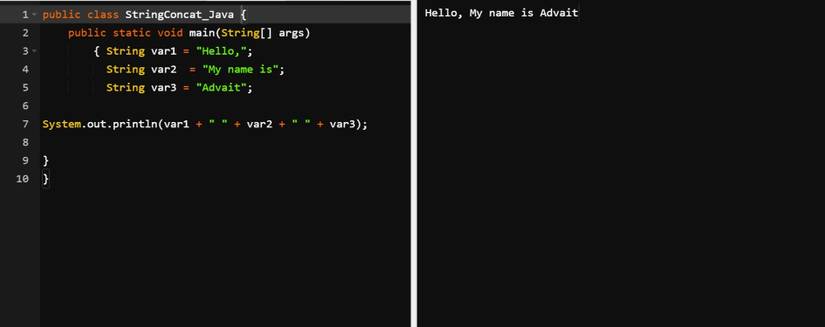
In the above code, you have string values in three different variables (var1, var2, and var3), which you join with the + sign.
The empty quotes encase spaces, which you can refer to as the delimiter. In this case, they act as the spaces between words in the final sentence. The println function prints the final output as the last step.
Concatenate Multiple Lines of Strings With the + Sign
You can join several strings together even if they’re spread over different lines. To do so, just use a + sign between each string:
public class StringConcat_Java {
 public static void main(String[] args)
 {
 String var1 = "Hello, " +
 "My name is Advait." +
 " " +
 "I am a writer at MUO.";

 System.out.println(var1);
 }
}
Here's the output of the above code:
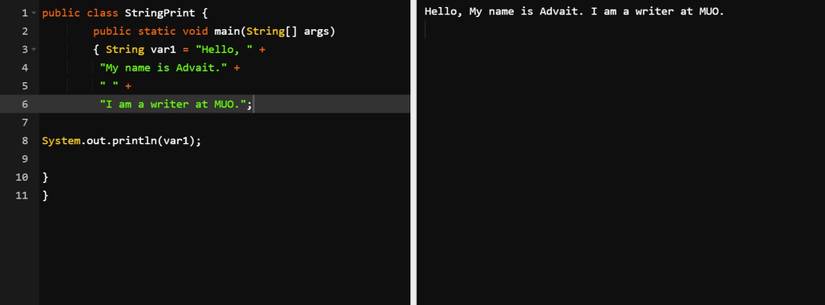
When you run the above code, it joins all the strings together to make one single piece of text.
Use a StringBuilder
You can also use the StringBuilder class to concatenate strings in Java.
One immediate drawback of this method is that it uses a different class altogether: StringBuilder, not String. However, you can easily obtain a String object from a StringBuilder by invoking its toString() method. This happens by default in many contexts.
You can use the append method to add a String to the end of the StringBuilder’s current contents.
public class StringConcat_Java {
 public static void main(String[] args)
 {
 StringBuilder strn_builder = new StringBuilder();

 strn_builder.append("Hello,");
 strn_builder.append(" I'm");
 strn_builder.append(" Advait Singh");

 System.out.println(strn_builder.toString());
 }
}
Here's what the output looks like:
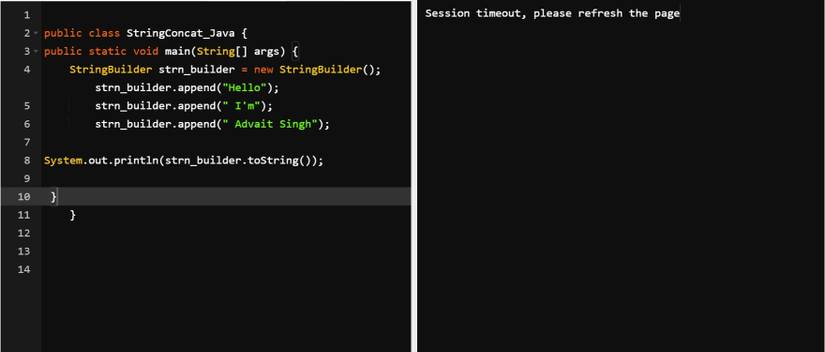
As the name suggests, the append() function joins values onto the end of the StringBuilder’s internal String.
Learn to Use the Concat() Function in Java
This function is straightforward and does the job without hassle. Before you start using this function, you need to note the following:
- You can use the concat function with strings only.
- You can only join two strings using this function. However, you can chain the method since it returns a String, so code like str1.concat(str2).concat(str3) will work as you’d expect.
Here’s how you can use the concat() function in Java:
public class Stringconcat_Java {
 public static void main(String[] args)
 {
 // Define the string values in var1 and var2
 String var1 = "Hello, ";
 String var2 = "My name is Advait Singh";

 // var3 contains the concatenated value, wherein var1 is joined with var2
 String var3 = var1.concat(var2);

 // Print the final version stored in var3
 System.out.println(var3);
 }
}
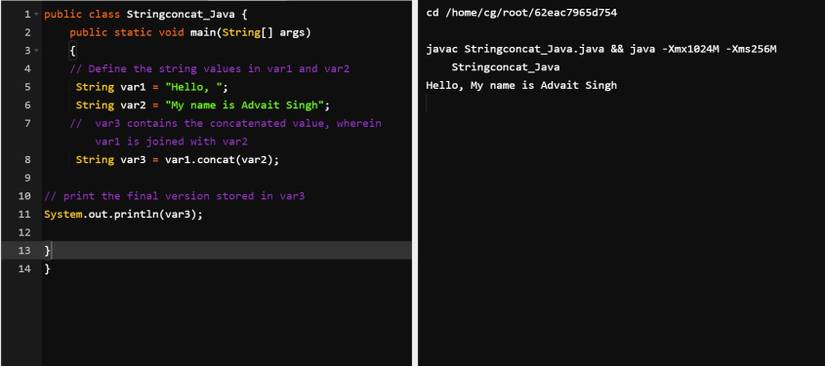
The var1 and var2 variables store the strings while var3 stores the result of joining them. The concat method joins the second variable, var2, to var1. The code assigns the result from concat to the third variable, var3, and prints it:
Using the Format Function in Java
Another method is the format function, which is quite helpful for concatenating strings. This is a common function, available in many programming languages. Python’s format method, for example, is very similar.
The basic syntax for this function is string.format(), followed by theformat specifier(e.g. %s) and the string values/objects.
public class Stringconcat_Java {
 public static void main(String[] args)
 {
 // Define the string values in the first and second variable
 String var1 = "Hello, ";
 String var2 = "My name is Advait Singh";

 // Use the format function to concatenate strings
 String var3 = String.format("%s%s", var1, var2);

 // Print the output stored in var3
 System.out.println(var3);
 }
}
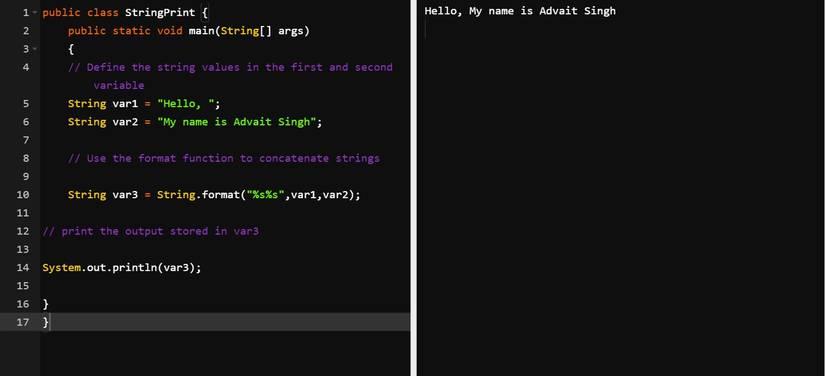
This example uses the %s format specifier which acts as a placeholder for a String. Since the format argument includes two strings, you need to follow it with exactly two String arguments: var1 and var2 in this case. The result is then the formatted String which the code prints to the console:
Using the String.join() Method
There are many methods that work with strings in Java. Another useful function is the String.join() method, which joins two strings together. Note that this is a class method, not an instance one. You call it on the String class itself, not an individual String object.
You’re not limited to concatenating just two strings with the join method. You can pass any number of string parameters and join will combine them all using the first parameter, the delimiter:
public class Stringconcat_Java {
 public static void main(String[] args)
 {
 // Create new strings and store them in var1 and var2 variables
 String var1 = "Hello,";
 String var2 = "My name is Advait";

 // Use the String.join method to combine the strings
 String var3 = String.join(" ", var1, var2);

 System.out.println(var3);
 }
}
This code combines two String literals, stores the result in var3, then prints it to the console:
.jpg?q=50&fit=crop&w=825&dpr=1.5)
Advait singh personal system screenshot from an online Java compiler
Java’s Multi-Faceted String Concatenation Functions
Java’s practical functions give you many options to consider when carrying out the simple task of joining strings. It’s a good idea to practice using these alternative approaches so you understand how they work and what their differences are.
There are many similarities between concatenating strings in Java and doing so in Python. You can often transfer knowledge of string concatenation between languages. A good example is the syntax of format specifiers that String.format uses. Languages like Python, C, and PHP reuse this concept and at least some of its details.