My search for the ultimate navigation app has taken me far and wide, and I have discovered some compelling solutions, each with its own strengths and weaknesses. Despite the wealth of options available, I usually end up resorting to Google Maps as the one-size-fits-all app that covers all bases. There is, however, one feature of the ubiquitous Google Maps that could be significantly improved: its offline navigation.
As someone who often takes long trips into the back of beyond, I found that Google Maps’ offline feature is too light on detail and unreliable in sparsely populated areas. This is why my attention turned to OsmAnd as a free solution that beats Google Maps at its offline game, hands down.

OsmAnd Maps
- OS
- Android, iOS
- Individual Pricing
- Free
OsmAnd is a free and open-source map and navigation app available for Android and iOS devices. It uses OpenStreetMap data to provide highly detailed offline maps that can be stored on your device, enabling navigation without an internet connection. OsmAnd offers turn-by-turn voice guidance for driving, biking, and walking, with features such as lane guidance, street name display, estimated time of arrival, automatic rerouting, and support for multiple intermediate stops on your route.
Complete and highly detailed offline maps
Full-country downloads and proper data layers matter when the signal vanishes


While I have been impressed by some apps’ offline capabilities—Sygic comes to mind as a solid contender—Google Maps’ offline mode is helpful but constrained. It covers large rectangles rather than entire countries, trims features, and quietly expires unless I remember to refresh it.
OsmAnd, on the other hand, offers a more comprehensive solution. You download entire countries, states, or custom regions, including contour lines, points of interest, cycle paths, hiking trails, speed limits, routing rules, and searchable addresses. Once downloaded, the map is yours in its entirety. Features like routing, re-routing, search, altitude profiles, and lane guidance are included in your download, with no data connection required.
In places where cell service fades into the ether, such as mountain passes, remote villages, and empty highways, OsmAnd continues navigating with all the confidence of the Ordnance Survey paper maps of yesteryear, albeit without the coffee stains.
Tools that appeal to professionals and explorers
Advanced features that turn the app into a multifunction navigation instrument


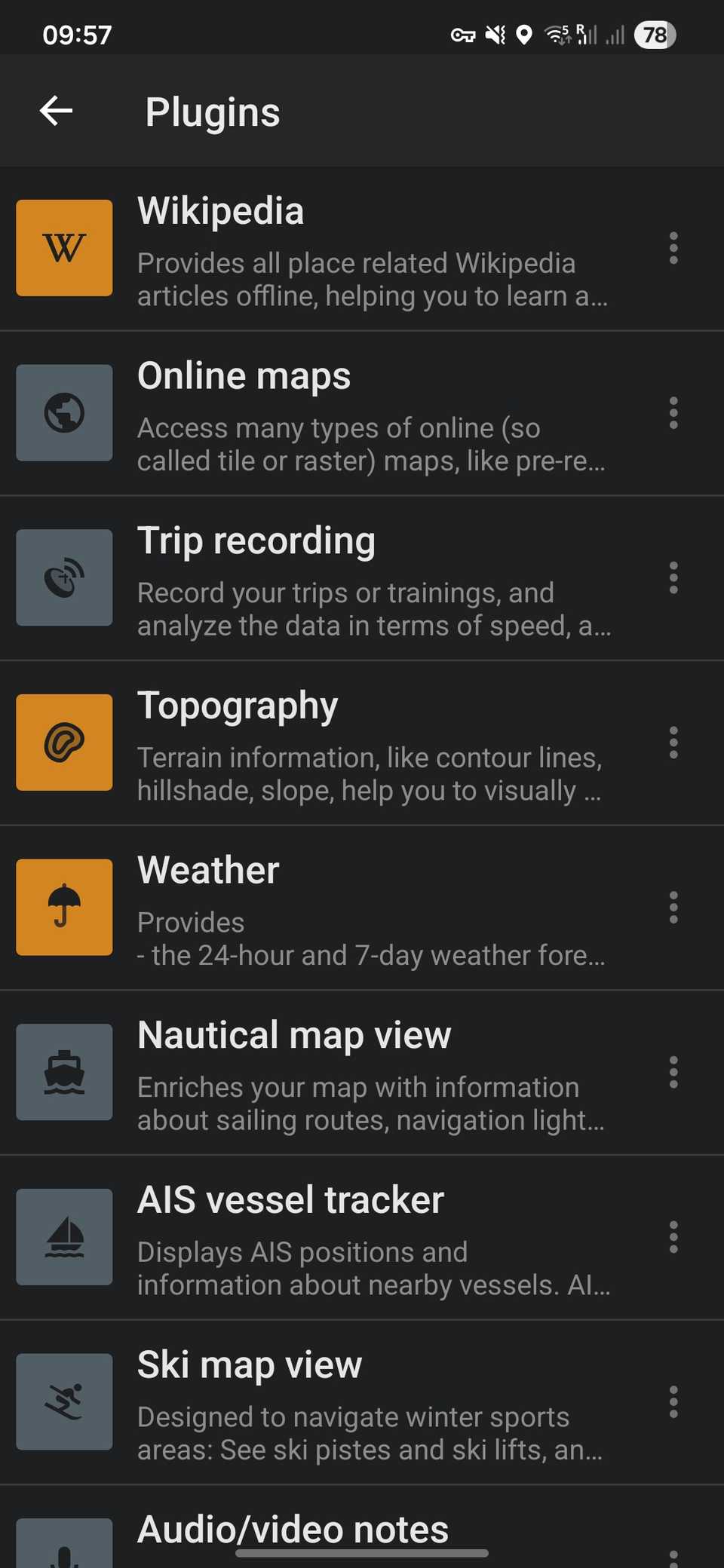

It is clear where Google Maps’ priorities lie: car navigation and business discovery. Conversely, OsmAnd has specialist tools that appeal to casual and serious users alike. GPX file support allows travelers to import routes from hiking organizations or bikepacking communities. Plugins unlock recorded trip tracking, nautical charts, contour lines, and even in-map Wikipedia articles for places of significant interest.
For cyclists, it calculates elevation gain and shows surface conditions. For hikers, it displays contour lines and shady areas. For privacy-minded users, it operates at a level similar to Magic Earth, storing everything locally by default and sending nothing back to the server unless explicitly allowed. It’s like a Swiss Army Knife for serious travelers and hobbyists, with utility that goes far beyond standard navigation features.
Customization options that make navigation feel personal
Map controls that adapt to your habits rather than forcing you to use presets


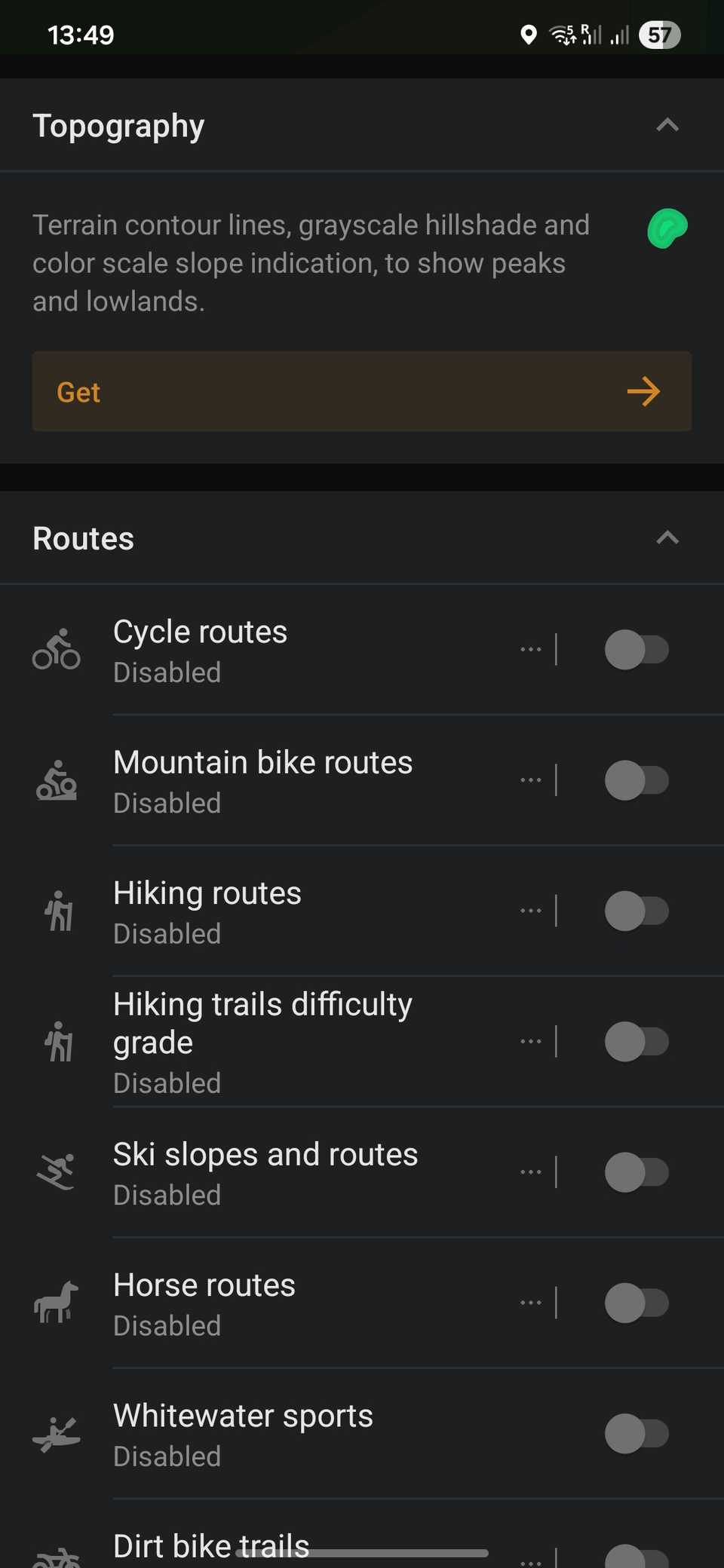
I have always liked Google Maps for its simplicity; however, this comes at the cost of hiding more complex features. OsmAnd takes a different approach: it hands you a suite of options that can be configured to suit your requirements. You can emphasize hiking trails, public transport lines, or road surface types. You can create custom routing profiles for cycling, skiing, or off-road driving. You can customize your night mode with soft colors or color-coded slopes for a mountain trek.
With OsmAnd, users can overlay multiple data layers, adjust map rendering, tweak recalculation behavior, and even assign separate audio prompts for different activities. The resulting experience feels like your own personalized map, molded to your priorities rather than those of a global advertising platform.
Google Maps still outshines OsmAnd in certain areas
Where real-time data, a slick interface, and ecosystem advantages still prevail

As I stated earlier, Google Maps is my go-to navigation tool that covers all bases. It remains unmatched when it comes to real-time traffic analysis, business listings, reviews, and location sharing, to name a few. I like that its interface is polished and familiar, and lacks cartoonish or fussy graphics, steadily focusing on the job at hand.
OsmAnd cannot replicate Google Maps’ traffic rerouting, live incident reporting, 3D street-level imagery, and its integrations with countless online services. Whenever I am driving within city limits and going about my day-to-day business, Google Maps is more than sufficient for all my navigation needs. However, it cannot hurt to have a reliable secondary navigation source with superior offline functionality for when your data lets you down.
OsmAnd’s value lies in reliability, control, and independence
While Google Maps shines in areas with strong data connections, this is often not enough. Navigation apps, by definition, should function in all conditions, not just in places with good infrastructure. When your data connection evaporates, it’s helpful to have a backup, and to this end, I can’t recommend OsmAnd highly enough.
It’s essential to think of OsmAnd as a different tool from Google Maps. This is not so much a connected city guide as a dependable navigation instrument that never panics when reception disappears. If, like me, you often travel outside the cellular perimeter, OsmAnd could be the lifeline you need to get you home safely and efficiently. Even in cities, its local storage provides quick rendering, strong privacy, and control over your data.
When the signal dies, OsmAnd thrives. It may not be your everyday solution, but as a travel essential, this is one tool that you should keep handy—if only for its offline superiority over the ubiquitous Google Maps.