When you purchase an item from a store, the parallel black stripes of varying widths on the item you purchase is called barcode. Barcodes are a method of representing data in a visual, machine-readable format. Barcodes are used to store information about products for easy identification and tracking. Various industries use barcodes for inventory management.
Using Python you can generate barcodes, scan and read the content of a barcode.
How to Generate and Customize Barcodes
The following steps show how to generate barcodes using the python-barcode library.
1. Install the Required Library
Open your terminal or command prompt and run the following pip command to install the required library. Ensure you have pip installed on your machine.
pip install python-barcode
2. Import the Required Modules
In your script, include the following import statements to import the modules needed for barcode generation.
import barcode
from the barcode.writer import ImageWriter
Writers handle the generation and saving of barcode images in different formats. The python-barcode library provides different barcode writers. Here you're going to use the ImageWriter class which renders barcodes as images.
3. Code to Generate Barcode
The python-barcode library offers various barcode formats, such as Code39, Code128, EAN13, and ISBN-10 for generating barcodes.
def generate_barcode(data, barcode_format, options=None):
 # Get the barcode class corresponding to the specified format
 barcode_class = barcode.get_barcode_class(barcode_format)
 # Create a barcode image using the provided data and format
 barcode_image = barcode_class(data, writer=ImageWriter())
 # Save the barcode image to a file named "barcode" with the specified options
 barcode_image.save("barcode", options=options)
The generate_barcode function generates a barcode based on the given data and format (barcode_format) and saves the barcode image to a file, barcode.png. The file extension depends on the writer class you use.
4. Generate and Customize Barcode
To generate a barcode, call the generate_barcode function and pass the required parameters.
generate_barcode("MakeUseOf", "code128")
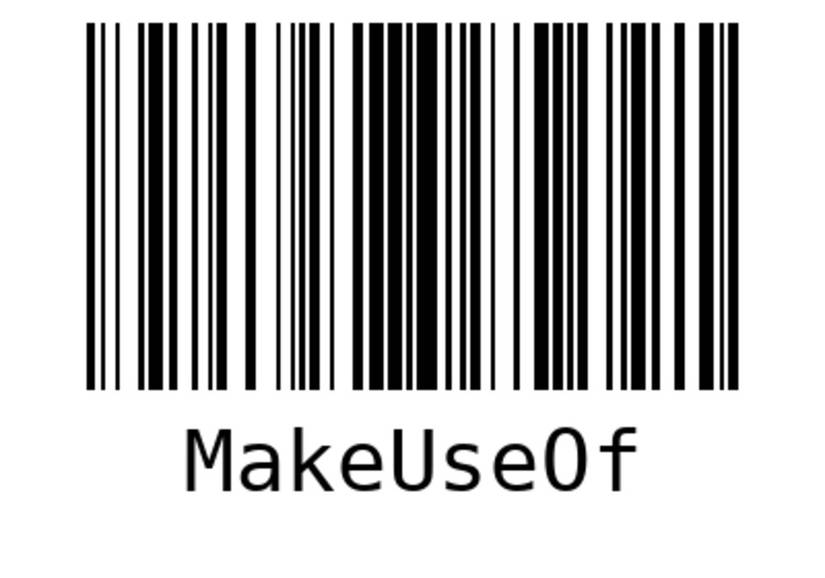
Writers take several options that allow you to customize barcodes. Customization options include modifying the size, font, color of the barcode, and so on. You can refer to the python-barcode documentation to access the complete list of common writer options.
generate_barcode("MakeUseOf", "code128", options={"foreground":"red",
 "center_text": False,
 "module_width":0.4,
 "module_height":20})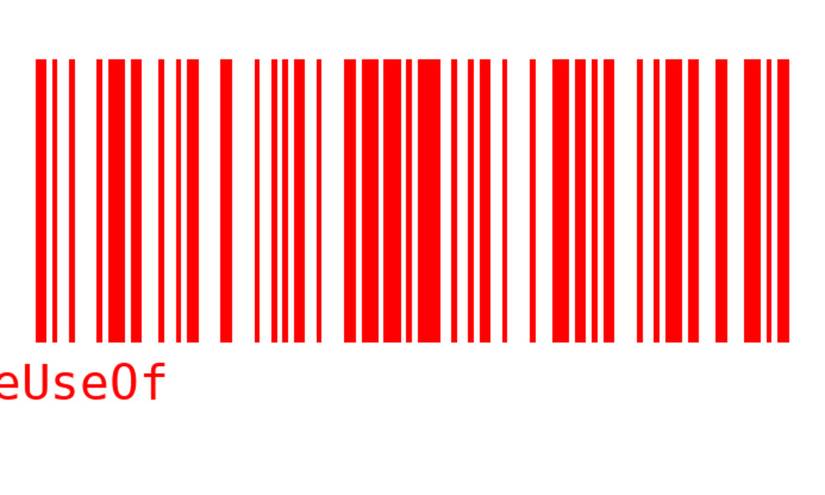
How to Scan and Decode Barcodes
The following steps show how to scan and decode barcodes using the Python pyzbar library.
1. Install the Required Libraries
To scan and decode barcodes, you need to install the following libraries:
brew install zbar # Mac OS X
sudo apt-get install libzbar0 # Linux OS
pip install pyzbar opencv-python
2. Import the Required Modules
After installing the libraries, add the following import statements to your script to import the necessary modules.
import cv2
from pyzbar import pyzbar
3. Scan Barcodes From Images
To scan barcodes from image files:
- Load the image using OpenCV's imread function. This returns an instance of numpy.ndarray.
- Pass the output array to pyzbar.decode for detection and decoding. You can also pass instances of PIL.Image.
def scan_barcode_from_image(image_path):
 # Read the image from the provided file path
 image = cv2.imread(image_path)
 # Decode barcodes from the image using pyzbar
 barcodes = pyzbar.decode(image)
 # Iterate through detected barcodes and extract data from the barcode
 for barcode in barcodes:
 # uses UTF-8 encoding
 barcode_data = barcode.data.decode("utf-8")
 barcode_type = barcode.type
 print("Barcode Data:", barcode_data)
 print("Barcode Type:", barcode_type)
The function takes an image_path parameter, reads the image, decodes any barcodes present in the image, and prints the decoded data and barcode type for each detected barcode.
scan_barcode_from_image("barcode.png")
> Barcode Data: MakeUseOf
> Barcode Type: CODE128
4. Scan Barcodes From Webcam Stream
You can also scan and read barcodes in real-time from a webcam stream with the help of the Python OpenCV library.
def scan_barcode_from_webcam():
 # Initialize video capture from the default webcam (index 0)
 video_capture = cv2.VideoCapture(0)
 while True:
 # Get a frame from the webcam stream
 _, frame = video_capture.read()
 # Decode barcodes in the frame
 barcodes = pyzbar.decode(frame)
 # Process detected barcodes
 for barcode in barcodes:
 # Extract barcode data and type and print them
 barcode_data = barcode.data.decode("utf-8")
 barcode_type = barcode.type
 print("Barcode Data:", barcode_data)
 print("Barcode Type:", barcode_type)
 # Check for exit condition: Press 'q' to quit the loop
 if cv2.waitKey(1) & 0xFF == ord("q"):
 break
 # Release video capture and close OpenCV windows
 video_capture.release()
 cv2.destroyAllWindows()
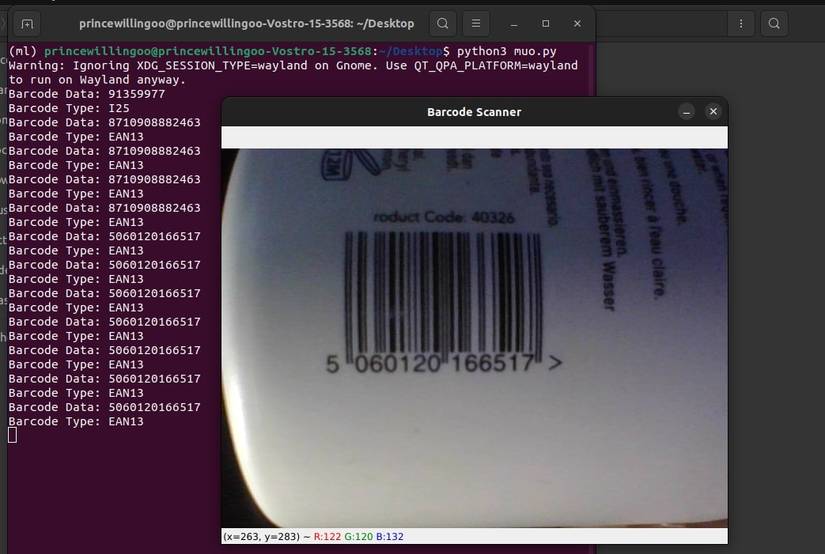
scan_barcode_from_webcam()
The scan_barcode_from_webcam function continuously captures frames from the webcam, decodes any barcodes present in the frame, extracts information about the barcode, and prints the information. To quit press the letter q on your keyboard.
Generating Barcodes and QR Codes in Python
With Python, generating and reading barcodes becomes accessible and efficient. By following the steps outlined, you can generate a variety of barcodes to suit your needs.
QR codes (Quick Response codes) are two-dimensional barcodes that can be scanned and read by smartphones, tablets, or other devices equipped with a camera and a QR code reader application. Using the Python qrcode library you can generate, scan and read QR Codes efficiently.