File Selection
Contents
Standard file selection and save dialog. Allows someone to select a file to open, or set a name and location for saving.
Designers
William Jon McCann, JakubSteiner, AllanDay
Objectives
Functional requirements:
- Saving:
- Select a location
- Enter a file name
- Create folders
- Clearly identify where the file will be saved
- File selection:
- Select one or more files
- Allow picking a recently used file
- Folder selection: select a folder
- Allow application filtering of available files
General considerations:
- Consistent with the Files app experience (particularly important for navigation - having the same locations and structure)
- Effective search
- Provide useful and consistent file previews
- Focused on picking
Constraints:
API compatible with existing GtkFileChooser
- Uses a dialog form factor (compact)
- Support embedding "extra" widgets
Personas
- Frequent filers
- Spring cleaners
- No filers
Relevant Art
Windows 10
Open:
https://docs.microsoft.com/en-us/windows/uwp/files/images/picker-multifile-600px.png
Save:
https://mk0intowindows84fvao.kinstacdn.com/wp-content/uploads/2017/08/save-an-email-as-PDF-in-Windows-10-pic3_thumb.png
Mac
Open:
Mac Open
Save:
Mac Save Simple
Clicking the button to the right of the save as field shows a more complete dialog:
Mac Save Complex
GNOME 3.30
Open:
GNOME Open
Save:
GNOME Save
Discussion
- How does preview work with multi-select?
- How can we allow typing or pasting a URI?
- Should we support both list and icon view?
- Do we need to do bookmark management?
- Is trash ever needed?
- Can we supply better default names and locations in Save mode?
- What should we show?
- Columns
- Metadata
- Order
One of the persistent questions facing the file chooser is how much file manager functionality it should incorporate.
Issues that have been raised about the existing file chooser/save dialog:
- When the dialog is selecting a directory and a directory is highlighted, it isn't clear whether pressing the open button will navigate to the directory or select it
- You have to select an image to get a preview (technically it is difficult to show an thumbnail grid in the dialog, apparently)
- Keyboard input conflicts between typeahead find, tab completion and search
Tentative Design
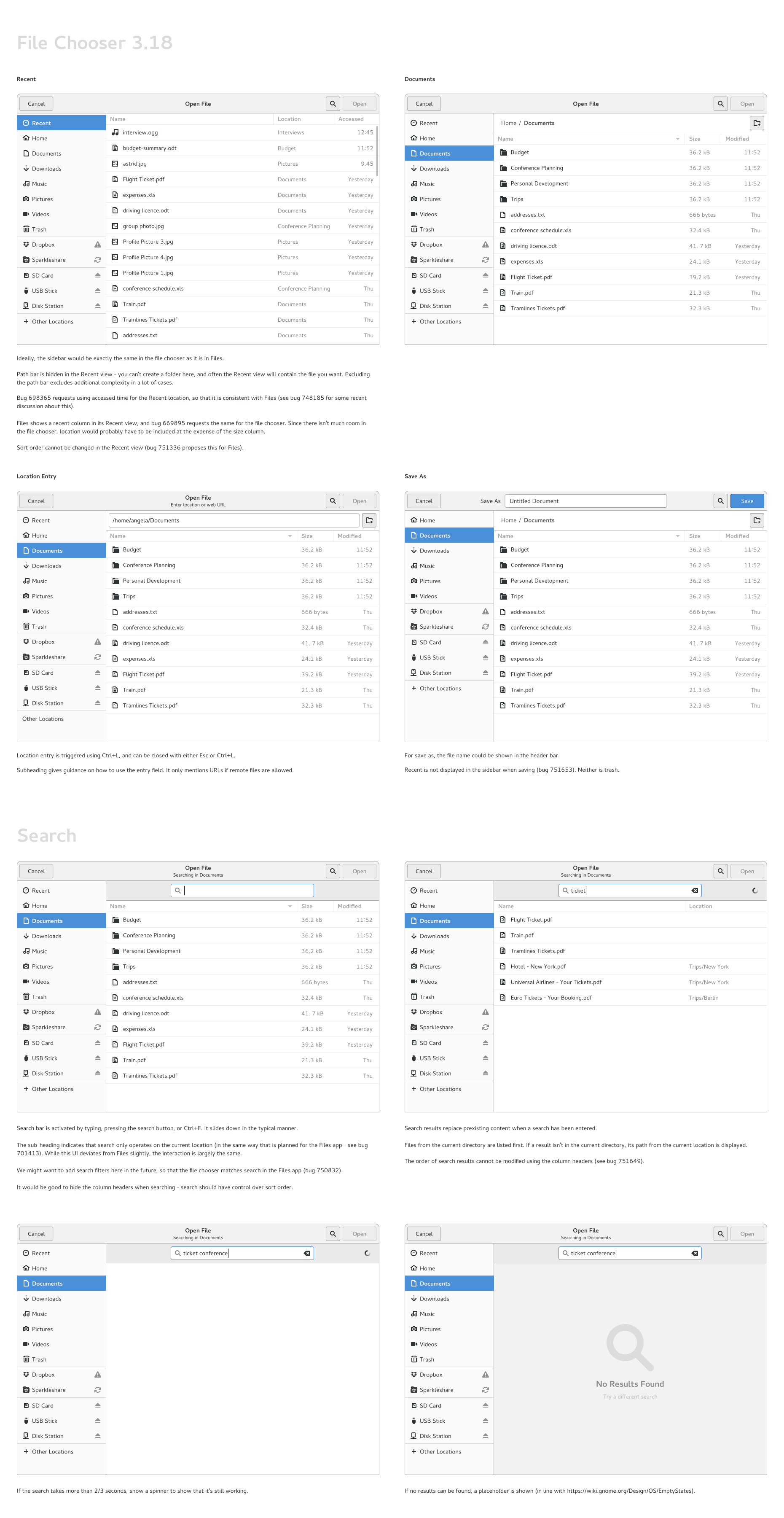
- Older mockups:


Comments