Ace Code Editor 2.0.7 - CI Ace Code Editor 2.0.7 Cucumber Automated Functional Acceptance Testing report
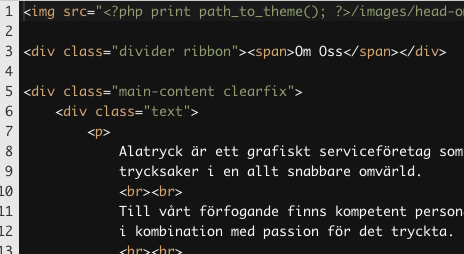
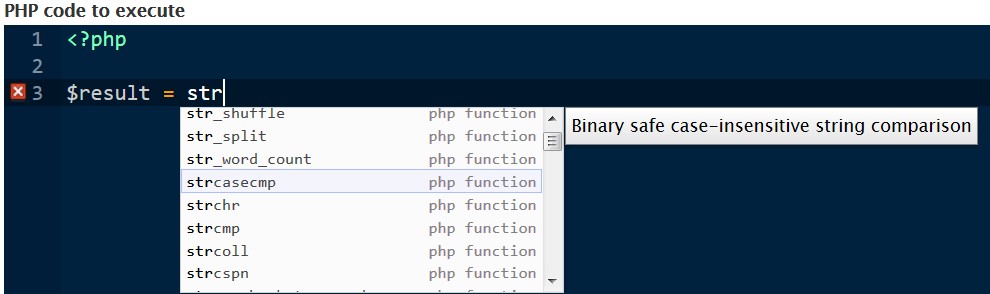
Ace is a code editor written in JavaScript: syntax highlighting, indentation, keyboard shortcuts, auto-completion, code folding, and find and replace with regular expressions. Try the demo.
This module brings Ace into Drupal as a text editor, a field widget, a field formatter, a text filter, and an API for embedding code snippets in content.
Installation
From 2.0.5 the module requires the Ace library itself. No Asset Packagist, no npm-asset installer path, no installers-extender.
composer require drupal/ace_editor:~2.0
drush en ace_editor
Composer installs vardot/ace at web/libraries/ace. Without Composer, put one build from ace-builds under /libraries/ace.
Features
Text editor
Go to /admin/config/content/formats, pick a text format, and choose Ace Editor as its text editor.
Field widget and formatter
On the form display, set a long text field to the Ace Editor widget. On Manage display, set it to Ace Format to render it read-only with syntax highlighting.
Code snippets in content
Add the Ace syntax highlighting filter to a text format, then wrap code in an <ace> tag. Attributes override the defaults:
<ace theme="twilight" height="200px" font-size="12pt" print-margin="1">SOME CODE</ace>
The README lists every attribute.
Requirements
Drupal 10.1, 11 or 12. For Drupal 7, use the 1.x branch.
Credits
Thanks to boaloysius for the initial Drupal 8 release.
Project information
- Project categories: Administration tools, Content editing experience
- chart icon7,245 sites report using this module
- Created by nylin on , updated
- shieldStable releases for this project are covered by the security advisory policy.
Look for the shield icon below.