-
Notifications
You must be signed in to change notification settings - Fork 45
Raspberry Pi Imager
- Install
-
Windows: Raspberry Pi Imager
- Desktop shortcut "Raspberry Pi Imager" » Right-click »Propterties» "Target":-
If no shortcut:
- » Right-click Desktop »
New»Shortcut - "Type the location ...":
- » Right-click Desktop »
-
(click 1 on the right to copy)
"C:\Program Files\Raspberry Pi Ltd\Imager\rpi-imager.exe" --repo https://github.com/rern/rAudio/raw/refs/heads/main/rpi-imager.json -
-
Linux:
rpi-imager- Edit
/usr/share/applications/com.raspberrypi.rpi-imager.desktop - Append line
Exec=...with » (click 1 on the right to copy)
--repo https://github.com/rern/rAudio/raw/refs/heads/main/rpi-imager.json - Edit
-
- Plugin SD card
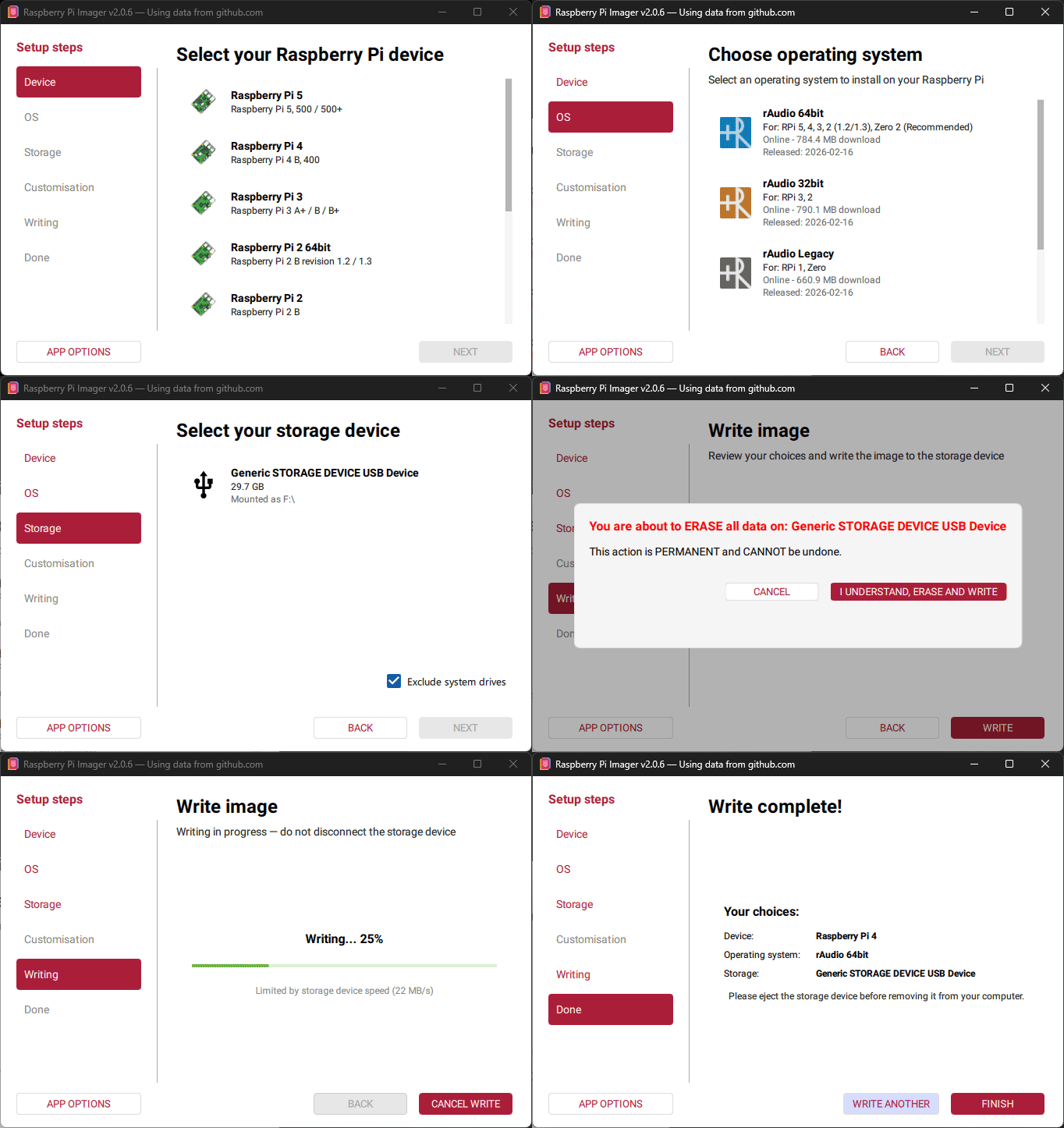
- Run Raspberry Pi Imager:
Device:target device»NEXTOS:rAudio»NEXTStorage:target SD card»NEXTWriting: »WRITE»... ERASE AND WRITE- Once writing done, verifying is not normally necessary.
- For USB drive instead of SD card -
Storage: »target USB drive- Not for Raspberry Pi Zero, 1
- USB mass storage boot must be set.
- Should be used only when USB drive is faster than SD card.

All reactions
Replies: 0 comments
Sign up for free
to join this conversation on GitHub.
Already have an account?
Sign in to comment