xart: generate art ascii texts. Version WTFPL License
xart is a pure Python library that provides an easy way to generate art ascii texts. Life is short, be cool.
 ██╗ ██╗ █████╗ ██████╗ ████████╗
 ╚██╗██╔╝██╔══██╗██╔══██╗╚══██╔══╝
 ╚███╔╝ ███████║██████╔╝ ██║
 ██╔██╗ ██╔══██║██╔══██╗ ██║
 ██╔╝ ██╗██║ ██║██║ ██║ ██║
 ╚═╝ ╚═╝╚═╝ ╚═╝╚═╝ ╚═╝ ╚═╝
$ xart -h
usage: __init__.py [-h] [-f FONT] [-c COLOR] [-i] [-s] [-l] [-v]
xart : generate art ascii texts.
optional arguments:
 -h, --help show this help message and exit
 -f FONT, --font FONT font to render with, default random
 -c COLOR, --color COLOR
 font color, default WHITE, all : BLACK, RED, GREEN,
 YELLOW, BLUE, PURPLE, CYAN, GRAY, WHITE
 -i, --info show information of given font
 -s, --show show random fonts
 -l, --list list all supported fonts
 -v, --version version
$ xart test
 ███ ▄████████ ▄████████ ███
▀█████████▄ ███ ███ ███ ███ ▀█████████▄
 ▀███▀▀██ ███ █▀ ███ █▀ ▀███▀▀██
 ███ ▀ ▄███▄▄▄ ███ ███ ▀
 ███ ▀▀███▀▀▀ ▀███████████ ███
 ███ ███ █▄ ███ ███
 ███ ███ ███ ▄█ ███ ███
 ▄████▀ ██████████ ▄████████▀ ▄████▀
$ xart test -f 3D_Diagonal
 ___ ___
 ,--.'|_ ,--.'|_
 | | :,' | | :,'
 : : ' : .--.--. : : ' :
.;__,' / ,---. / / ' .;__,' /
| | | / \ | : /`./ | | |
:__,'| : / / | | : ;_ :__,'| :
 ' : |__ . ' / | \ \ `. ' : |__
 | | '.'| ' ; /| `----. \ | | '.'|
 ; : ; ' | / | / /`--' / ; : ;
 | , / | : | '--'. / | , /
 ---`-' \ \ / `--'---' ---`-'
 `----'
$ xart -cRED test
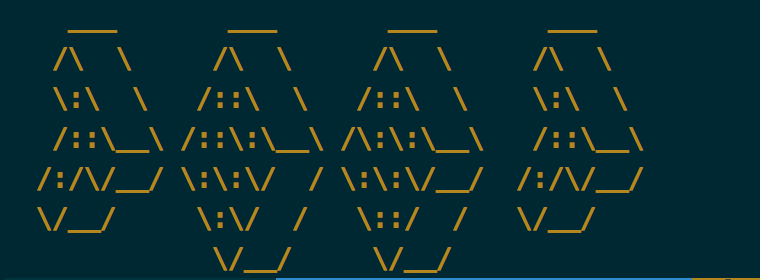
$ xart -l
xart : generate art ascii texts.
 0. 1Row
 1. 3-D
 ...
 277. Wow
All 278 fonts.
$ xart -i -f Weird
weird.flf (version 2)
by: Bas Meijer meijer@info.win.tue.nl bas@damek.kth.se
fixed by: Ryan Youck youck@cs.uregina.ca
some special characters '#%*' etc. are not matching, they are from other fonts.
Explanation of first line:
flf2 - "magic number" for file identification
a - should always be `a', for now
$ - the "hardblank" -- prints as a blank, but can't be smushed
6 - height of a character
5 - height of a character, not including descenders
20 - max line length (excluding comment lines) + a fudge factor
15 - default smushmode for this font (like "-m 15" on command line)
13 - number of comment lines
$ xart -v
xart : generate art ascii fonts, version 0.1.5.
 ,----.. ,----, ,----..
 / / \ .' .' \ / / \
 / . : ,----,' | / . :
 . / ;. \ | : . ; . / ;. \
. ; / ` ; ; |.' / . ; / ` ;
; | ; \ ; | `----'/ ; ; | ; \ ; |
| : | ; | ' / ; / | : | ; | '
. | ' ' ' : ; / /-, . | ' ' ' :
' ; \; / | / / /.`| ' ; \; / |
 \ \ ', / ___ ./__; : ___ \ \ ', /
 ; : / / .\ | : .' / .\ ; : /
 \ \ .' \ ; | ; | .' \ ; | \ \ .'
 `---` `--" `---' `--" `---`
xart is hosted on PYPI and can be installed as such:
$ pip install xart
Alternatively, you can also get the latest source code from GitHub and install it manually:
$ git clone git@github.com:xlzd/xart.git
$ cd xart
$ git checkout release
$ python setup.py install
For update:
$ pip install xart --upgrade
WTFPL (here)