
A oh-my-zsh configure auto deploy shell
by a lazy man @gunjianpan
- When you login a new servicer or use new docker container,
- Do you feel depressed🙉, because of the write code interface?
- Do you feel manic😡, because there are no coding suggestion?
- Do you feel tired😷, because you have to use so many service that you can't deploy zsh env every service.
Now, Everything you can use zsh.sh to solve this problem.
This shell include
- zsh, curl, git
- oh-my-zsh, zsh-syntax-highlighting, zsh-autosuggestions
- fzf, fd
- bat
- vimrc(support TabNine 19.7.19)
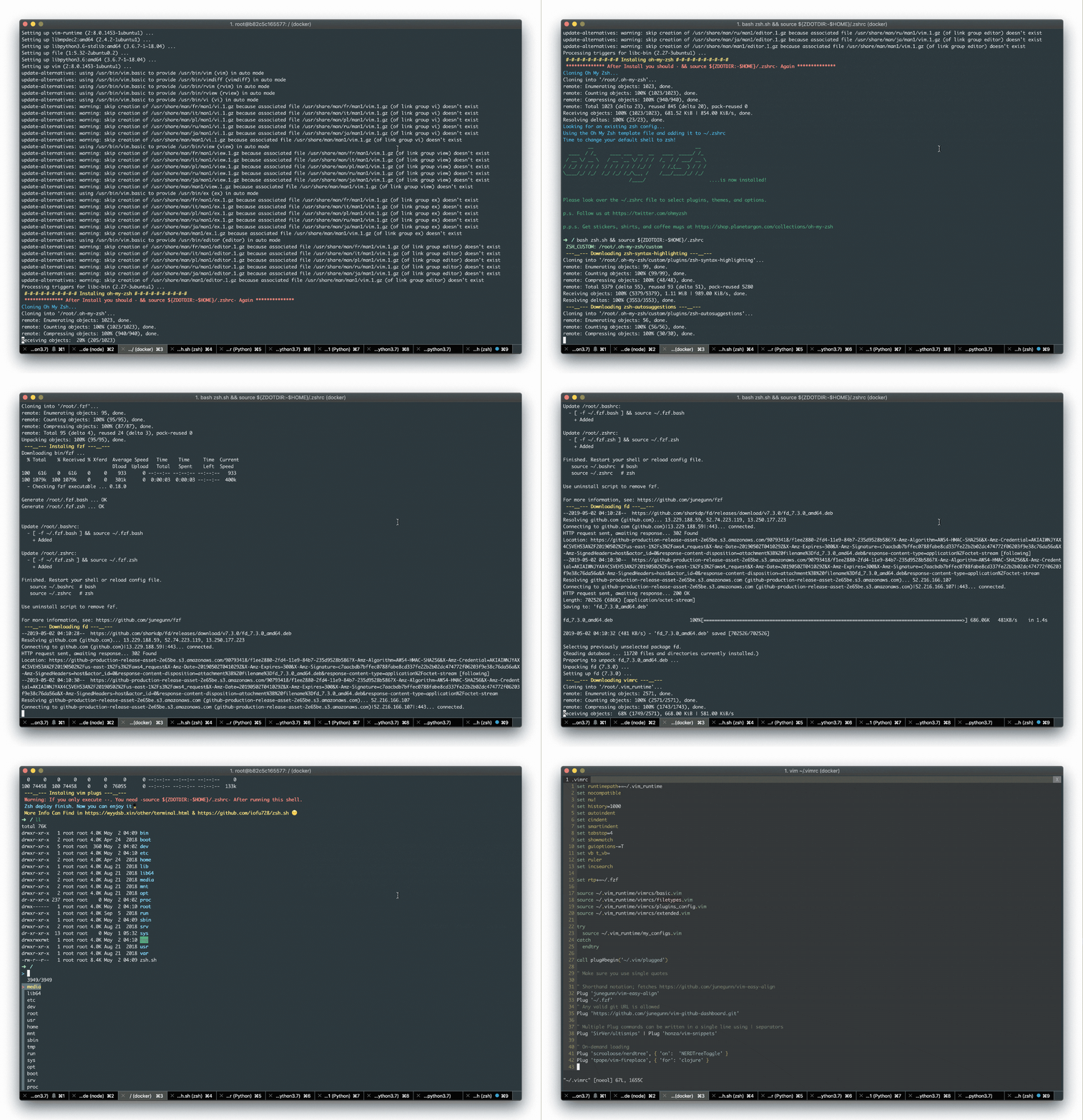
Now: support Ubuntu + CentOS + Arch + Alpine(part of) + Windows(WSL/Git Bash) + MacOS(I can't find a test machine, hhh, maybe have some bugs.)
- Test in docker & host version, in AiliYun, TencentCloud and huaweicloud;
- Support amb64 & i386;
- Support docker version for Ubuntu, CentOS, Ubuntu/32bit, Alpine(including iSH in IpadOS);
- Support WSL, Git Bash in Windows;
- Support normal account;
PS: you need execute bash zsh.sh && source ${ZDOTDIR:-$HOME}/.zshrc by twice
wget https://raw.github.com/iofu728/zsh.sh/master/zsh.sh
bash zsh.sh && source ${ZDOTDIR:-$HOME}/.zshrc
bash zsh.sh && source ${ZDOTDIR:-$HOME}/.zshrc
If you want to set the zsh to default shell, you should replace the bash zsh.sh to bash zsh.sh -r in root account.
Notice: Docker version need execute vim +'PlugInstall --sync' +qall &> /dev/null < /dev/tty after docker exec to ima, if you want to use vim plug function。
- Ubuntu:18.04
docker pull iofu728/zsh.sh.ubuntu
docker run -it -d --name zsh_ubuntu iofu728/zsh.sh.ubuntu
docker exec -it zsh_ubuntu /bin/zsh
vim +'PlugInstall --sync' +qall &> /dev/null < /dev/tty
- Ubuntu32:16.04
docker pull iofu728/zsh.sh.ubuntu32
docker run -it -d --name zsh_ubuntu32 iofu728/zsh.sh.ubuntu32
docker exec -it zsh_ubuntu32 /bin/zsh
vim +'PlugInstall --sync' +qall &> /dev/null < /dev/tty
- CentOS:7
docker pull iofu728/zsh.sh.centos
docker run -it -d --name zsh_centos iofu728/zsh.sh.centos
docker exec -it zsh_centos /bin/zsh
vim +'PlugInstall --sync' +qall &> /dev/null < /dev/tty
1.Q: Apt install error, like
HASH MISMATCHA: Hash mismatch is cause by Communication Service Provider, CSP crash clash.
You can change Internet source, like
Personal Hotspot2.Q: I pull your docker image and run exec, but I can't enter oh-my-zsh interface.
A: You must exec by /bin/zsh. It means your local OS must have zsh.
docker exec -it zsh_ubuntu /bin/zsh3.: When exit ssh connect or docker exec, terminal show lots of error, like
bash: autoload: command not foundA: It causing by change default shell from
/bin/zsh->/bin/bash.If you exec docker by
/bin/bashand install zsh with our shell, It will show this error, because of default shell change to your enter set/bin/bashSo, you must enter docker by
docker exec -it zsh_ubuntu /bin/zsh4.Q: why don't you execute
vim +'PlugInstall --sync' +qall &> /dev/null < /dev/ttyin Docker build progressA: In build progress, There are no /dev/tty can be used. I also explore to find a way reduce user operation. In the same way, we also need user to execute
bash zsh.sh && source ${ZDOTDIR:-$HOME}/.zshrcby twice. It cause bysource&envmechanism.5.Q: When I run th shell script, I block in download fd, like
fd_7.3.0_amd64.deb 58%[=================================================> ] 398.57K 4.93KB/s eta 47sA: the Internet of github filesystem is maybe block. so In my script, the script is support multi-run. You can block the script and rerun the script. If you find you block in download fd or run fzf find show
ERROR 502: Bad Gateway., or(eval):1 command not found:fd, you should rerunbash zsh.sh && source ${ZDOTDIR:-$HOME}/.zshrc