Installation
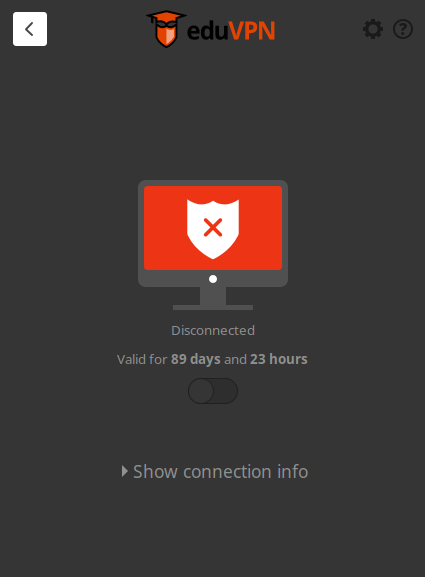
When starting a connection, closing the app and then opening it again it shows no information for the server:
20220622_12h12m08s_grim
How did you install the eduVPN client?
Git
Version
What version of the client you are running? Try your package manager or otherwise $ eduvpn-client -v.
Master
OS/Distribution
What operating system/distribution and version you are running?
Happens on all vms
Logs
N/A
Do you have a problem while adding a profile?
Eduvpn will print out information to the console while running. Please try running eduvpn-client in a console. Are there any interesting logs appearing when you try to connect? There is also a more verbose mode available which is enabled with the -d flag.
Do you have a problem during connecting?
Please examine the eduvpn for errors or messages while connecting. Note that the actual VPN connection management is not done by eduVPN, but by network management tool bundeled with your OS named networkManager. You can examine the NetworkManager logs with $ sudo journalctl -u NetworkManager.
# Installation
When starting a connection, closing the app and then opening it again it shows no information for the server:
How did you install the eduVPN client?
Git
# Version
What version of the client you are running? Try your package manager or otherwise `$ eduvpn-client -v`.
Master
# OS/Distribution
What operating system/distribution and version you are running?
Happens on all vms
# Logs
N/A
## Do you have a problem while adding a profile?
Eduvpn will print out information to the console while running. Please try running `eduvpn-client` in a console. Are there any interesting logs appearing when you try to connect? There is also a more verbose mode available which is enabled with the `-d` flag.
## Do you have a problem during connecting?
Please examine the eduvpn for errors or messages while connecting. Note that the actual VPN connection management is not done by eduVPN, but by network management tool bundeled with your OS named networkManager. You can examine the NetworkManager logs with `$ sudo journalctl -u NetworkManager`.
