AI-powered screen recording and video editing
Camtasia helps you turn your knowledge into engaging videos with AI-powered tools.







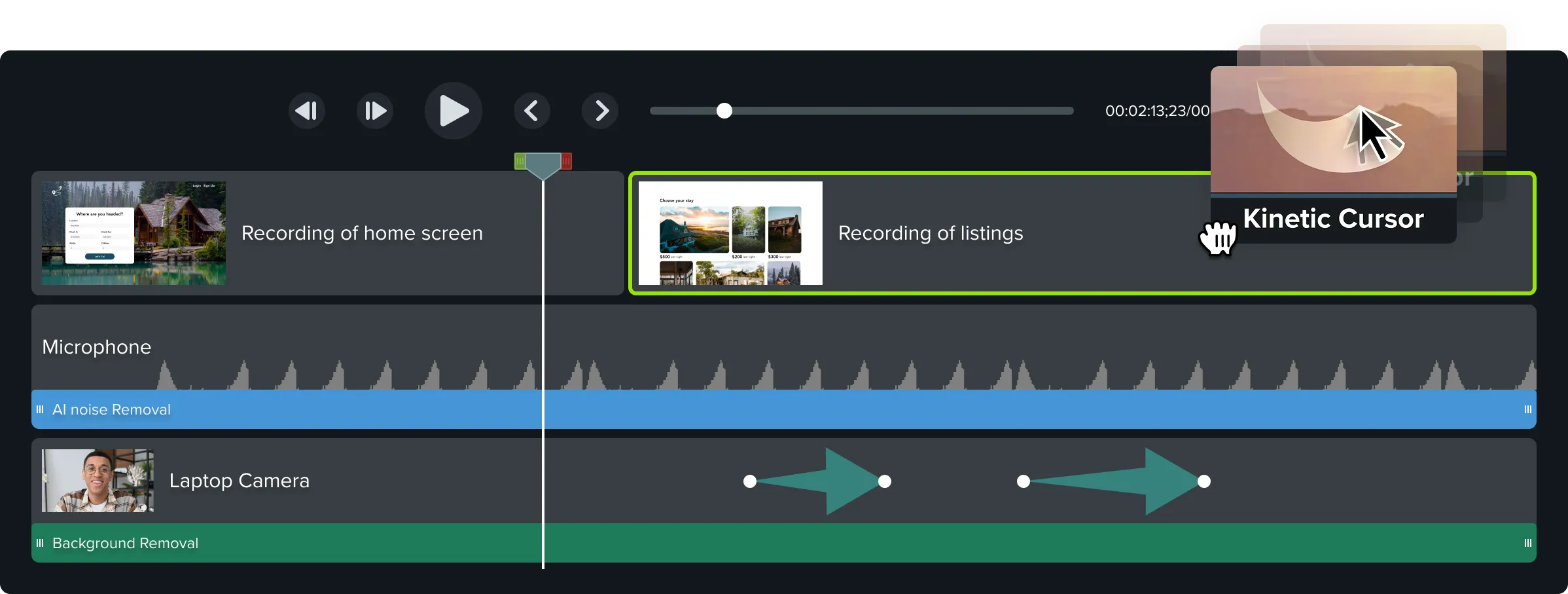
Multitrack recording
Break free from
Break free from
locked-in recordings
Record your screen, camera, system audio, and microphone on separate tracks—giving you the flexibility to edit, adjust, and refine every detail.
Your all-in-one solution for screen-first video
Camtasia has everything you need to create polished, professional videos from screen recordings. Record, edit, and share all in one platform.
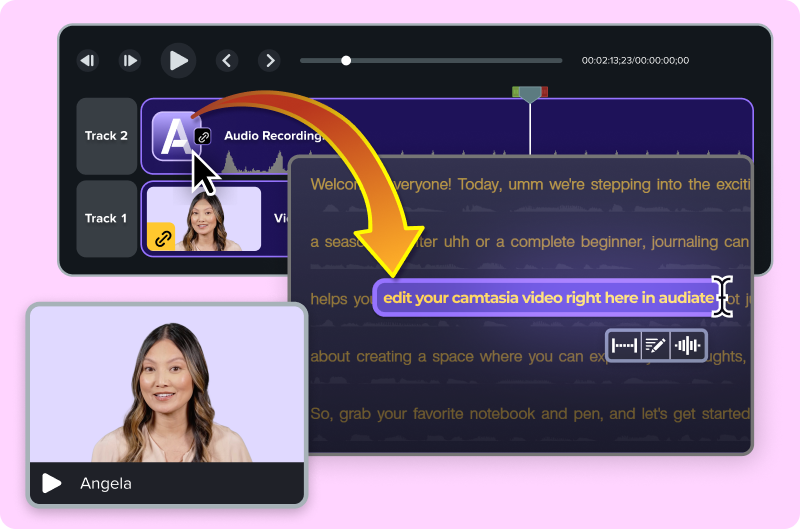
Edit your video by editing text
Stop hunting for mistakes on the timeline. Camtasia, powered by Audiate, automatically transcribes your audio into text. To cut a mistake, just delete a word.
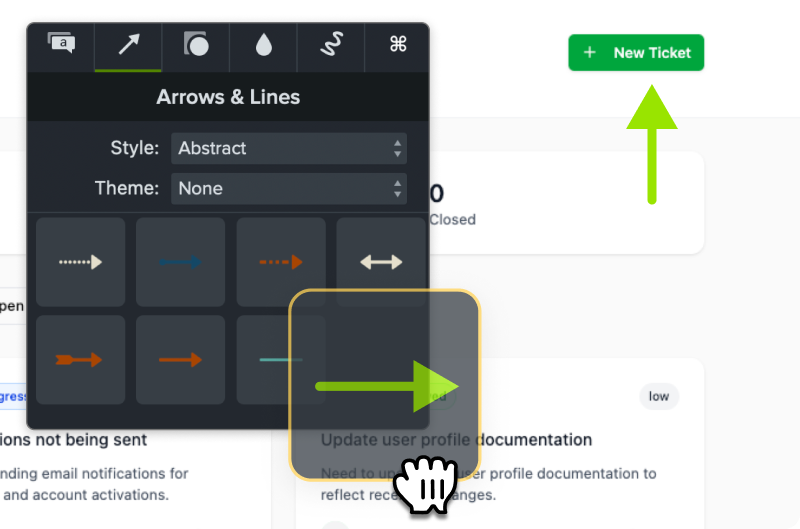
Simplify your workflow with drag-and-drop editing
Even complex edits like zooms or callouts are only a few clicks away.
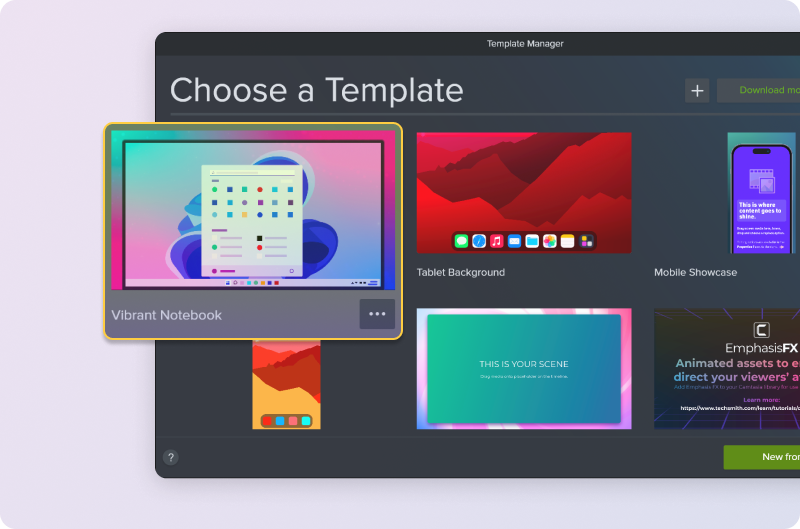
Stay on brand with custom themes and templates
Make your videos feel professional and consistent with customizable themes and templates.
Accessibility features built right in
Instantly create captions and translations so your videos connect with more people, in more places.

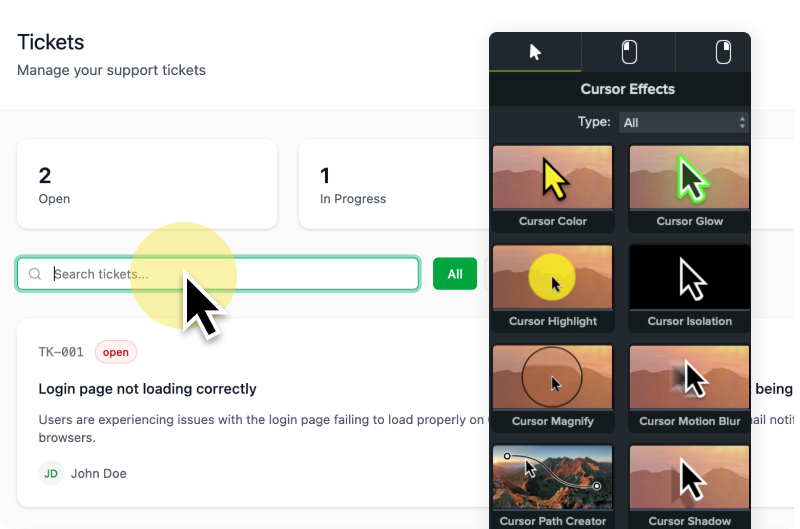
Cursor effects and annotations that clarify every step
Make your tutorials easier to follow with easy-to-add on-screen annotations and customizable cursor effects.
Everything you need, in one powerful tool
Explore all the ways Camtasia helps you create better videos, faster.
Background removal
AI-Powered
Background removal
AI-assisted video background removal. Easier and better than green screen. Replace your background with an image or one of Camtasia’s dynamic backgrounds.
Filler word and hesitation removal
AI-Powered
Filler word and hesitation removal
Automatically detect and remove filler word and hesitations.
"There’s an art to video where you need to be technical and also simple. Camtasia delivers both."
Lisa Childs, Tried Tested & True
USe Cases
What will you create?
Camtasia is your all-in-one solution for creating videos that teach, train, and connect.
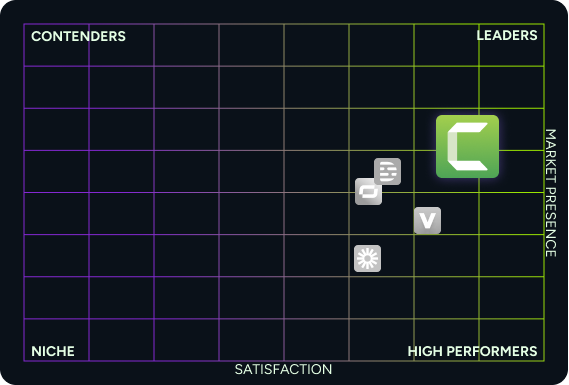
Top rated on G2
Camtasia consistently ranks as a top choice for ease of use, support, and video creation power.
FAQs
Still can’t find what you need? Contact us and we’ll help you out.
Camtasia’s minimum system requirements are:
- Microsoft Windows 10 (64-bit) 20H2 version or later (Recommended: Microsoft Windows 11 (64-bit) 23H2 version or later)
- Intel® 8th Gen or newer CPU – or AMD RyzenTM 2000 Series or newer CPU (Recommended: Intel® 12th Gen or newer CPU – or AMD RyzenTM 4000 Series or newer CPU)
- 8GB RAM minimum (Recommended: 16GB RAM or more) 2GB GPU memory (4GB or more recommended)
- 4GB of available disk space (Recommended: SSD with 4GB of available disk space)
- macOS 14.0 (Recommended: macOS 26.0 or later)
- Intel® 7th Generation Processor or newer CPU (Recommended: Apple silicon M1 Pro, M1 Max or newer)
- 8GB of RAM (Recommended: 16GB of RAM or greater)
- 4GB of available disk space (Recommended: SSD with 4GB of available disk space)
Yes! You can download and use the full Camtasia Editor for free. You’ll have access to all editing features, and you can explore the entire workflow at your own pace. The only limitation is that exported videos will include a watermark until you upgrade to a paid Essentials, Create or Pro plan or a Camtasia Editor Business License.
Yes, Camtasia is available for both Windows and macOS, with nearly identical features on both platforms.
Our tech support team is ready to help you. Get started with tech support here.
Volume discounts are available starting at ten licenses or more. The more licenses you buy, the higher the discount. Volume discounts are not available for individual subscription licenses. Find out more about volume discounts.
A student discount is available in the United States, Canada, and United Kingdom. To be eligible you must verify through our partner StudentBeans.
Each Camtasia license is valid for use on two devices by the same user.
Yes, you can import and edit video files from other cameras or sources directly into Camtasia.
Yes, Camtasia records screen, microphone, system audio, and webcam on separate tracks—giving you full control in post-production. It also captures cursor metadata, so you can enhance or adjust the cursor’s appearance, movement, and effects independently after recording.
Yes. Camtasia lets you record your screen and webcam simultaneously—great for presentations, tutorials, and training content.
Yes—Camtasia offers several ways to support collaboration. You can share project files, templates, and themes across teams to ensure consistency and speed up production. Camtasia also includes cloud-based sharing options for reviewing videos and collecting feedback, making it easy to keep others involved throughout the creation process. Whether you’re working with teammates, reviewers, or stakeholders, Camtasia helps streamline collaboration from start to finish.
Yes, Camtasia supports closed captioning and allows you to export captions in common subtitle file formats.
Yes, Camtasia includes a "Remove a Color" (chroma key) effect, allowing you to replace green screen backgrounds in your videos.
Yes, Camtasia is a desktop application that works without an internet connection. Some cloud-sharing and AI features may require online access.
Yes, Camtasia includes access to a library of royalty-free music, video clips, icons, and more to enhance your videos.
Use our automatic key lookup tool. If you have an individual subscription license, there is no software key. Simply sign in to Camtasia with your TechSmith Account credentials.
Access to the ElevenLabs Premium Voices is included with eligible subscriptions (Camtasia Audiate, Camtasia Pro, Camtasia Create) purchased directly from the TechSmith online store.
This means subscriptions purchased through a software reseller or TechSmith sales representative do not include ElevenLabs Premium voices.
All customers will have access to the Default Voice collection in Camtasia Audiate.
This is due to ElevenLabs’ policy. (view support page)