Bonsai: an event-based framework for processing and controlling data streams
- PMID: 25904861
- PMCID: PMC4389726
- DOI: 10.3389/fninf.2015.00007
Bonsai: an event-based framework for processing and controlling data streams
Abstract
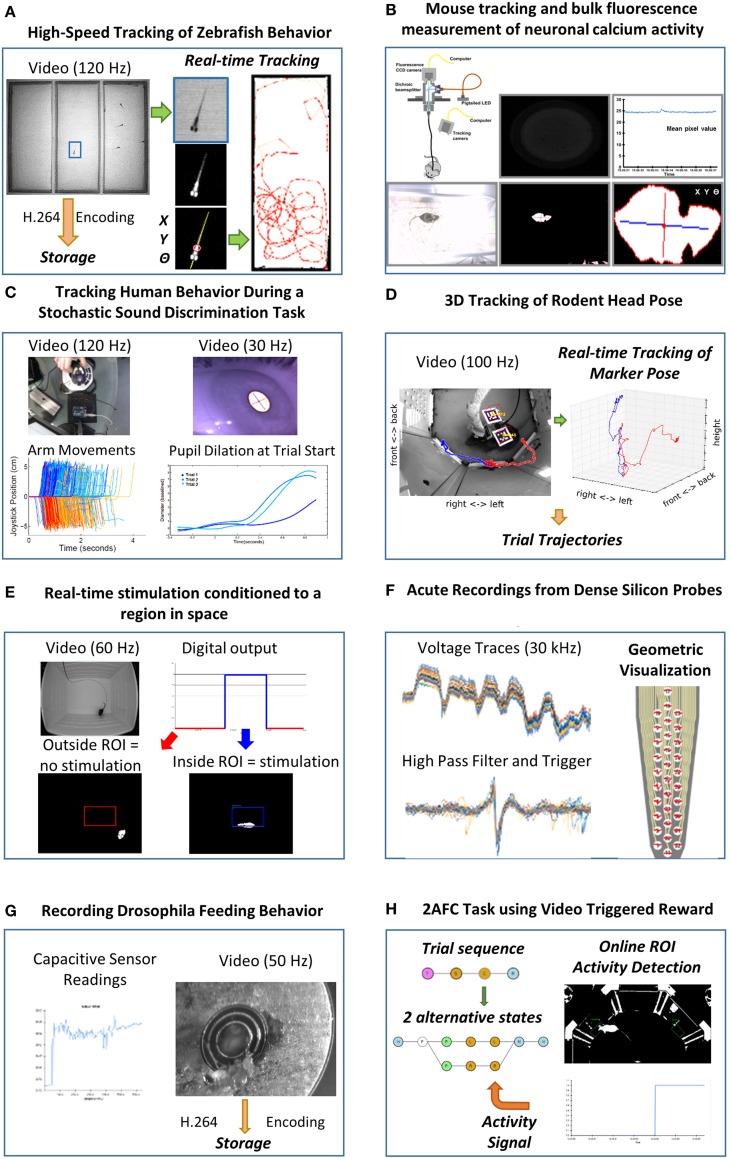
The design of modern scientific experiments requires the control and monitoring of many different data streams. However, the serial execution of programming instructions in a computer makes it a challenge to develop software that can deal with the asynchronous, parallel nature of scientific data. Here we present Bonsai, a modular, high-performance, open-source visual programming framework for the acquisition and online processing of data streams. We describe Bonsai's core principles and architecture and demonstrate how it allows for the rapid and flexible prototyping of integrated experimental designs in neuroscience. We specifically highlight some applications that require the combination of many different hardware and software components, including video tracking of behavior, electrophysiology and closed-loop control of stimulation.
Keywords: behavior control; data acquisition system; data stream processing; electrophysiology; open-source; parallel processing; rapid prototyping; video tracking.
Figures



References
-
- Bainomugisha E., Carreton A. L., Cutsem T., Van Mostinckx S., De Meuter W. (2013). A survey on reactive programming. ACM Comput. Surv. 45, 52:1–52:34 10.1145/2501654.2501666 - DOI
-
- Banzi M., Cuartielles D., Igoe T., Martino G., Mellis D. (2014). Arduino. Available online at: http://www.arduino.cc/
-
- Cook S., Jones G., Kent S., Wills A. C. (2007). Domain Specific Development with Visual Studio DSL Tools. Boston, MA: Addison-Wesley Professional.
-
- Elliott C., Vijayakumar V., Zink W., Hansen R. (2007). National instruments LabVIEW: a programming environment for laboratory automation and measurement. J. Lab. Autom. 12, 17–24 10.1016/j.jala.2006年07月01日2 - DOI
-
- Garrido-Jurado S., Munõz-Salinas R., Madrid-Cuevas F. J., Marín-Jiménez M. J. (2014). Automatic generation and detection of highly reliable fiducial markers under occlusion. Pattern Recognit. 47, 2280–2292 10.1016/j.patcog.201401005 - DOI
LinkOut - more resources
Full Text Sources
Other Literature Sources